If you’ve ever found yourself squinting at a cramped laptop screen, alt-tabbing between a dozen windows, or hunched over your desk like a question mark by 3 PM, you already know the silent productivity killer hiding in plain sight: your monitor. While the market floods with ultrawides, curved displays, and multi-screen setups, there’s one configuration that quietly dominates professional workspaces—the 32-inch 4K monitor. It’s not just bigger; it’s a strategic upgrade that transforms how you interact with your digital environment, delivering four times the pixels of 1080p across a canvas large enough to breathe but disciplined enough to fit on a standard desk.
But here’s the catch: not all 32-inch 4K panels are created equal. A dazzling spec sheet can mask ergonomic disasters, connectivity headaches, or color inaccuracies that derail design work. Whether you’re a developer craving pixel-perfect code clarity, a financial analyst juggling massive spreadsheets, or a creative professional demanding color fidelity, understanding the nuances separates a transformative investment from an expensive mistake. Let’s decode what actually matters when selecting the perfect 32-inch 4K command center for your workflow.
Top 10 32-Inch 4K Monitors for Productivity
Detailed Product Reviews
1. SAMSUNG 32" UJ59 Series 4K UHD (3840x2160) Computer Monitor,VA Panel, HDMI, Display Port, Eye Saver/Flicker Free Mode, FreeSync, LU32J590UQNXZA, Black

Overview: The Samsung UJ59 Series represents a solid entry into the 32-inch 4K UHD monitor market, targeting both productivity-focused professionals and casual gamers. This VA panel display delivers 3840x2160 resolution, providing four times the pixel density of Full HD for crisp text, detailed images, and expansive workspace. The monitor combines Samsung’s display expertise with practical features for extended use.
What Makes It Stand Out: Samsung’s proprietary UHD upscaling technology sets this monitor apart, intelligently analyzing and enhancing SD, HD, and Full HD content to approach native 4K quality. Supporting a billion color shades, it offers impressive color accuracy for creative work. AMD FreeSync synchronization and Low Input Lag Mode address gaming needs, while Eye Saver and Flicker Free modes prioritize long-session comfort.
Value for Money: Priced at $279.99, the UJ59 occupies a sweet spot between budget 4K displays and premium alternatives. You get legitimate Samsung quality, advanced upscaling, and gaming features typically found in pricier models. For users transitioning to 4K with mixed-resolution content libraries, the upscaling alone justifies the cost.
Strengths and Weaknesses: Strengths include exceptional color reproduction, seamless upscaling, effective gaming enhancements, comprehensive eye protection, and reliable brand support. The VA panel delivers strong contrast ratios. Weaknesses include a basic 60Hz refresh rate limiting high-frame-rate gaming, minimal stand adjustments, absence of HDR certification, and thicker bezels compared to modern designs.
Bottom Line: The Samsung UJ59 is ideal for professionals needing 4K workspace clarity and casual gamers wanting smooth visuals without premium pricing. It successfully balances performance, comfort, and value, though enthusiasts seeking HDR or 120Hz+ should consider alternatives.
2. Samsung 32-Inch Flat Computer Monitor, 75Hz, Borderless Display, AMD FreeSync, Game Mode, Advanced Eye Care, HDMI and DisplayPort, LS32B304NWNXGO, 2024

Overview: Samsung’s 2024 32-inch flat monitor delivers contemporary design and essential performance at an accessible price point. This display prioritizes workplace wellness and modern aesthetics, featuring a three-sided borderless frame that creates clean, distraction-free viewing environments for office professionals and home users.
What Makes It Stand Out: The virtually borderless design enables seamless multi-monitor configurations without visual interruptions. The enhanced 75Hz refresh rate provides smoother motion than standard 60Hz panels, while Advanced Eye Care technology combines Flicker Free and Eye Saver blue light reduction for extended comfort. Game Mode optimizes visuals for recreational gaming.
Value for Money: At $180.99, this monitor represents exceptional value from a premium brand. It brings 2024 design standards and wellness features to budget tier, costing significantly less than comparable borderless models. For productivity-focused users, the price-to-feature ratio is outstanding.
Strengths and Weaknesses: Strengths include the sleek borderless aesthetic, fluid 75Hz performance, robust eye protection, AMD FreeSync compatibility, and Samsung’s reliable build quality. The 2024 model ensures modern connectivity standards. Weaknesses include unspecified resolution (presumably 1920x1080), modest color gamut coverage, basic stand functionality, and lack of HDR support or premium gaming features.
Bottom Line: This Samsung monitor is ideal for office workers, students, and home users seeking a modern, comfortable viewing experience. It excels in productivity tasks and casual entertainment but falls short for creative professionals or serious gamers requiring 4K resolution or high refresh rates.
3. Gawfolk 32 Inch 4K UHD Computer Monitor, Ultra-Clear (3840×2160p) Screen, 100% sRGB,178° Viewing Angle, Display Port、HDMI, Compatible with Wall mounting 100 * 100MM - Black

Overview: Gawfolk’s 32-inch 4K UHD monitor challenges established brands by delivering ultra-high definition at an aggressively low price point. This VA panel display produces 3840x2160 resolution with 100% sRGB color coverage and 3500:1 contrast ratio, targeting budget-minded professionals, students, and home users who prioritize resolution over brand prestige.
What Makes It Stand Out: This monitor achieves remarkable affordability while maintaining core 4K essentials: true UHD resolution, complete sRGB gamut, and wide 178° viewing angles. The DC global dimming technology ensures flicker-free operation, while low blue light filtering protects eyes during marathon sessions. Wall-mount readiness adds installation flexibility.
Value for Money: At $219.99, it’s the most cost-effective 32-inch 4K option available. You’re saving $60-100 compared to major brands while retaining critical specs. For users comfortable with lesser-known manufacturers, the price-to-performance ratio is exceptional.
Strengths and Weaknesses: Strengths include genuine 4K resolution, accurate 100% sRGB color reproduction, high contrast VA panel, flicker-free technology, effective blue light reduction, and unbeatable pricing. Wall-mount compatibility maximizes desk space. Weaknesses include uncertain long-term reliability, basic 60Hz refresh rate, lack of HDR certification, minimal ergonomic adjustments, and weaker customer support networks compared to Samsung or Dell.
Bottom Line: The Gawfolk monitor excels for budget-focused users demanding 4K clarity. It’s ideal for office work, photo editing, and media consumption. However, professionals requiring bulletproof reliability, advanced gaming features, or premium build quality should consider brand-name alternatives.
4. LG 32UR550K-B 32-inch Ultrafine 4K UHD (3840 x 2160) Computer Monitor, HDR10, 60Hz, HDMI, DisplayPort, Tilt/Height/Pivot Adjustable Stand, Black
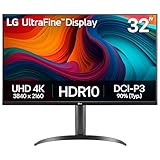
Overview: LG’s 32UR550K-B Ultrafine monitor delivers a premium 4K experience for content creators and immersive gamers. This 32-inch display combines HDR10 certification with professional-grade color accuracy, while its fully ergonomic stand and gaming features provide uncommon versatility. It represents LG’s commitment to bridging creative work and entertainment.
What Makes It Stand Out: HDR10 technology enhances dynamic range, supporting 90% DCI-P3 color space for lifelike visuals. The adjustable stand offers tilt, height, and pivot adjustments—rare in this price range. Gaming optimizations include Dynamic Action Sync for reduced input lag and Black Stabilizer for improved shadow detail. Waves MaxxAudio integration adds immersive sound.
Value for Money: At $299.99, it commands a $20-80 premium over basic 4K monitors. The ergonomic flexibility alone justifies the cost for professionals. Combined with HDR support, wide color gamut, and gaming features, it delivers strong value for hybrid users.
Strengths and Weaknesses: Strengths include HDR10 compliance, excellent 90% DCI-P3 coverage, superior ergonomics, thoughtful gaming enhancements, and LG’s panel reliability. The monitor excels in both creative and entertainment scenarios. Weaknesses include the 60Hz refresh rate limiting competitive gaming, unspecified contrast ratio, modest 300-nit brightness typical for HDR10 entry-level, and higher cost than non-adjustable alternatives.
Bottom Line: The LG 32UR550K-B is ideal for photographers, video editors, and gamers wanting color accuracy and HDR. The ergonomic stand and specialized features create a versatile workstation. However, esports enthusiasts or those needing 120Hz+ should explore gaming-specific models.
5. Dell 32 Plus 4K Monitor - S3225QS - 31.5-inch 4K (3840 x 2160) up to 120Hz 16:9 Display, VA Panel, AMD FreeSync Premium, 99% sRGB, 95% DCI-P3, 1500:1 Contrast Ratio, Comfortview Plus - Ash White

Overview: Dell’s S3225QS 32 Plus monitor stands as the performance leader in this roundup, delivering high-refresh 4K gaming alongside professional color accuracy. This 31.5-inch VA panel achieves up to 120Hz with AMD FreeSync Premium, ultra-low 0.03ms response time, and exceptional color coverage, targeting enthusiasts who refuse to compromise.
What Makes It Stand Out: True 4K resolution at 120Hz distinguishes this monitor from 60Hz alternatives, enabling fluid gameplay without sacrificing detail. ComfortView Plus uniquely reduces harmful blue light to ≤35% while preserving color accuracy—critical for creators. The ash white finish and ultra-thin bezels provide premium aesthetics, while re-engineered speakers deliver superior audio.
Value for Money: At $316.99, it commands a $40-100 premium over 60Hz 4K monitors. However, it eliminates the need for separate gaming and creative displays. For hybrid users, this consolidation justifies the cost. The 120Hz capability and color accuracy combination is unmatched under $350.
Strengths and Weaknesses: Strengths include 4K 120Hz gaming, 99% sRGB and 95% DCI-P3 coverage, advanced blue light reduction, FreeSync Premium, elegant design, and improved audio. The VA panel offers good contrast. Weaknesses include the highest price in this group, potential overkill for office-only use, and VA viewing angle limitations versus IPS alternatives.
Bottom Line: The Dell S3225QS is the definitive choice for gamers and creators sharing one workstation. It delivers both high-refresh performance and color precision without compromise. While expensive, its dual-purpose capability makes it a smart long-term investment for serious users.
6. ZZA 32" 4K Curved Gaming Monitor - UHD(3840 * 2160) 60Hz Computer Monitor, Immersive Gaming Experience with Refresh Rate, VA Panel, 3000R and Adptsync Premium | HDR10 | 100% sRGB | 3840x2160

Overview: The ZZA 32" 4K Curved Gaming Monitor delivers immersive visuals at an aggressive price point. With its 3840x2160 resolution, VA panel, and 3000R curvature, this monitor targets budget-conscious gamers seeking a more engaging viewing experience. The 60Hz refresh rate with AdaptiveSync Premium support ensures reasonably smooth gameplay without screen tearing.
What Makes It Stand Out: This monitor’s standout feature is its combination of 4K resolution, curved display, and sub-$170 pricing—a rare trifecta in today’s market. The 100% sRGB coverage and HDR10 support provide vibrant colors for both gaming and content creation, while the three-sided borderless design enables seamless multi-monitor configurations.
Value for Money: At $169.99, this monitor significantly undercuts competitors. Most curved 4K displays start around $300, making the ZZA an exceptional value for entry-level enthusiasts. While it makes some compromises on refresh rate and panel technology, the price-to-feature ratio is difficult to beat for those prioritizing immersion over esports-level performance.
Strengths and Weaknesses: Strengths include unbeatable pricing, immersive curvature, solid color accuracy (100% sRGB), HDR10 support, and AdaptiveSync compatibility. Weaknesses are the limited 60Hz refresh rate, VA panel’s slower response times compared to IPS, unknown brand reliability, and modest 3000R curve that may not suit all viewing distances.
Bottom Line: The ZZA 32" 4K Curved Monitor is an excellent entry point for gamers and professionals seeking immersive 4K visuals on a tight budget. While hardcore competitive gamers may want higher refresh rates, this monitor delivers remarkable value for casual gaming, media consumption, and productivity tasks.
7. ViewSonic VX3276-4K-MHD 32 Inch 4K UHD Monitor with Ultra-Thin Bezels, HDR10 HDMI and DisplayPort for Home and Office

Overview: The ViewSonic VX3276-4K-MHD is a versatile 32-inch 4K UHD monitor designed for home and office environments. Featuring an MVA panel with 3840x2160 resolution and 60Hz refresh rate, this display balances productivity needs with entertainment capabilities. Its ultra-thin bezels and HDR10 support make it suitable for modern workspaces.
What Makes It Stand Out: This monitor excels with its comprehensive eye-care technologies, including Flicker-Free operation and a Blue Light Filter—essential for extended work sessions. The versatile connectivity (HDMI, DisplayPort, Mini DisplayPort) ensures compatibility with virtually any device, while optimized presets for Game, Movie, Web, Text, and Mono modes simplify user experience.
Value for Money: Priced at $271.99, the ViewSonic sits in the mid-range segment, offering reliable brand reputation and thoughtful features. While not the cheapest 32" 4K option, the inclusion of multiple inputs, HDR10 support, and robust eye-care justifies the premium over budget alternatives lacking these refinements.
Strengths and Weaknesses: Strengths include brand reliability, excellent connectivity options, superior eye comfort features, HDR10 support, and sleek thin-bezel design. Weaknesses are the standard 60Hz refresh rate limiting gaming appeal, MVA panel’s narrower viewing angles compared to IPS, absence of USB-C connectivity, and limited ergonomic adjustments.
Bottom Line: The ViewSonic VX3276-4K-MHD is a solid choice for professionals and home users prioritizing eye comfort and connectivity. It strikes a good balance between quality and cost, though users seeking USB-C or high-refresh gaming should look elsewhere. Best suited for productivity and general multimedia use.
8. LG 32UP83AK-W 32-inch Ultrafine 4K UHD (3840 x 2160) IPS Computer Monitor, 60Hz, HDR10, Built-in Speaker, Reader Mode, HDMI, DisplayPort, USB Type-C 60W PD, Tilt/Height/Pivot Adjustable Stand, White

Overview: The LG 32UP83AK-W is a premium 32-inch Ultrafine 4K UHD monitor featuring an IPS panel and professional-grade features. With 3840x2160 resolution, HDR10 support, and 95% DCI-P3 color gamut, this display targets creative professionals and discerning users who demand color accuracy and ergonomic flexibility in a sleek white design.
What Makes It Stand Out: The USB Type-C port with 60W Power Delivery sets this monitor apart, enabling single-cable connectivity for modern laptops. The fully adjustable stand (tilt, height, pivot) provides exceptional ergonomics, while LG’s Dynamic Action Sync and Black Stabilizer features enhance gaming performance despite the 60Hz limitation.
Value for Money: At $399.99, this monitor commands a premium but delivers commensurate value. The IPS panel quality, USB-C charging capability, and ergonomic stand justify the cost for professionals. Compared to similar specced competitors from Dell or BenQ, LG’s offering remains competitively priced for its feature set.
Strengths and Weaknesses: Strengths include superior IPS panel with wide viewing angles, excellent color reproduction (95% DCI-P3), USB-C with 60W PD, ergonomic stand adjustments, built-in speakers, and gaming-enhancement features. Weaknesses are the premium price point, limited 60Hz refresh rate for serious gaming, and white color may not suit all environments.
Bottom Line: The LG 32UP83AK-W is an outstanding investment for creative professionals and power users needing color accuracy and USB-C connectivity. While gamers may crave higher refresh rates, this monitor excels in productivity and content creation scenarios where image quality and ergonomics take precedence.
9. LG 32UR500K-B Ultrafine 32-inch 4K UHD (3840x2160) Computer Monitor HDR10 Built-in Speaker x2 OnScreen Control Reader Mode Flicker Safe Borderless Design HDMIx2 DisplayPort Black

Overview: The LG 32UR500K-B is a 32-inch 4K UHD monitor that balances performance, features, and affordability. With its IPS panel delivering 3840x2160 resolution, HDR10 support, and 90% DCI-P3 color gamut, this display serves as a versatile solution for both work and entertainment in a modern, borderless design.
What Makes It Stand Out: Integrated stereo speakers with Waves MaxxAudio technology provide surprisingly robust audio without external hardware—a rare find in monitors. The OnScreen Control software enables intuitive display management and customization, while the borderless design maximizes screen real estate for immersive viewing and seamless multi-monitor setups.
Value for Money: At $277.00, this LG monitor hits a sweet spot between budget and premium offerings. You get the reliability of LG’s brand, IPS panel technology, decent color accuracy, and built-in audio at a price point that undercuts competitors lacking these integrated features.
Strengths and Weaknesses: Strengths include LG brand reliability, IPS panel with good viewing angles, built-in MaxxAudio speakers, HDR10 support, borderless design, and OnScreen Control software. Weaknesses are limited ergonomic adjustments (tilt only), no USB-C connectivity, standard 60Hz refresh rate, and 90% DCI-P3 coverage lags behind professional displays.
Bottom Line: The LG 32UR500K-B is an excellent all-rounder for users wanting a quality 4K IPS monitor with decent built-in audio. It’s ideal for home offices, content consumption, and casual gaming. Professionals needing USB-C or precise ergonomics should consider the 32UP83AK-W instead.
10. KTC 32 Inch 4K Smart Monitor with Google TV System UHD 3440x2560P Hey Google Voice Remote Netflix Licensed Dolby Audio HDR KVM Technology WiFi Bluetooth 65W PD Type C Fast Charger VESA Support

Overview: The KTC 32" 4K Smart Monitor breaks conventional boundaries by integrating Google TV directly into the display. This UHD monitor combines 3840x2160 resolution with smart features, delivering a hybrid experience that functions as both a computer monitor and standalone entertainment hub without requiring external devices.
What Makes It Stand Out: The built-in Google TV system with Netflix licensing and “Hey Google” voice control transforms this monitor into a smart TV replacement. KVM technology enables seamless switching between connected devices, while the 65W USB-C PD port provides modern connectivity. WiFi and Bluetooth expand wireless possibilities.
Value for Money: At $249.99, this monitor offers remarkable versatility. Competing smart displays or TVs with similar features cost significantly more. The inclusion of Google TV, KVM, USB-C charging, and wireless connectivity at this price represents exceptional value for users seeking an all-in-one multimedia solution.
Strengths and Weaknesses: Strengths include integrated Google TV and streaming apps, voice control, KVM functionality, versatile wireless connectivity, USB-C with 65W PD, and dual speakers with Dolby Audio. Weaknesses are the unknown brand’s long-term reliability, potential software update concerns, 60Hz refresh rate, and limited color accuracy specifications for professional work.
Bottom Line: The KTC Smart Monitor is perfect for users wanting a versatile display that doubles as a streaming entertainment center. Its feature set suits dorm rooms, small apartments, or minimalist setups. Professionals requiring color accuracy should verify specs, but multimedia users will find exceptional value here.
Why a 32-Inch 4K Monitor is the Productivity Sweet Spot
The Pixel Density Advantage
At 32 inches, 4K resolution (3840 x 2160) hits a magical 138 pixels per inch (PPI)—dense enough to make individual pixels invisible at normal viewing distances, yet spacious enough to render text and UI elements at comfortable sizes without scaling gymnastics. This density gives you the sharpness of a Retina display with the expansive real estate professionals crave. You’ll notice the difference immediately when reviewing fine details in architectural plans, examining high-resolution photography, or simply reading text for eight hours without eye strain.
Screen Real Estate vs. Desk Space
Unlike ultrawide monitors that demand deep desks and neck-rotating navigation, a 32-inch 16:9 panel provides massive vertical space—critical for reading documents, coding, and browsing lengthy web pages. You gain the equivalent of four 1080p screens in a single, cohesive canvas that respects your desk’s footprint. The form factor also plays nicer with multi-monitor setups if you decide to expand later, stacking vertically or flanking with secondary displays without creating a cockpit-like barrier.
Decoding Panel Technologies: What Matters for Work
IPS vs. VA: The Productivity Perspective
In-Plane Switching (IPS) panels dominate professional monitors for good reason. They deliver consistent colors and brightness across wide viewing angles, ensuring the corner of your spreadsheet doesn’t look washed out when you shift position. Vertical Alignment (VA) panels offer superior contrast ratios—deeper blacks that excel in dimly lit environments—but often suffer from color shift and slower response times that can create subtle motion blur when scrolling. For productivity, IPS remains the safer default unless you specifically work in video editing where contrast precedence matters.
The OLED Question for Office Use
OLED technology brings perfect blacks and infinite contrast, but its advantages for static productivity work remain debatable. Burn-in concerns from persistent taskbars and window chrome make it a risky choice for 8+ hour workdays filled with static elements. Additionally, most OLED monitors prioritize gaming features over professional calibration. Until manufacturers implement more robust burn-in mitigation and factory calibration for office tasks, IPS with mini-LED backlighting offers a more practical balance of contrast and longevity.
Color Accuracy and Gamut: Beyond Marketing Hype
sRGB, AdobeRGB, and DCI-P3 Explained
Color gamut specifications tell you which colors a monitor can display, but bigger isn’t always better for productivity. sRGB covers the standard web and office color space—perfect for general business use. AdobeRGB expands into cyans and greens crucial for print photography, while DCI-P3 targets digital cinema with deeper reds and greens. A monitor advertising “125% sRGB” might oversaturate everyday content unless it includes proper sRGB clamping modes. Focus on monitors that explicitly support multiple gamut modes with individual calibration profiles rather than chasing the widest possible coverage.
Factory Calibration: Is It Worth It?
Pre-calibrated monitors ship with a manufacturer’s report showing Delta E values (color accuracy error) typically under 2.0—considered imperceptible to the human eye. While this sounds ideal, factory calibration can drift over months of use, and ambient lighting in your office differs from the manufacturer’s lab. The real value lies in monitors that include hardware calibration support, allowing you to recalibrate using a colorimeter without relying on graphics card adjustments that can introduce banding. For professionals in color-critical work, this feature justifies premium pricing.
Connectivity: The Modern Professional’s Lifeline
USB-C and Thunderbolt: Single-Cable Solutions
A 32-inch 4K monitor with USB-C delivering 90W+ Power Delivery transforms your laptop into a desktop with one cable. This connection carries video, data, and charging simultaneously, eliminating desk clutter. Thunderbolt 4 adds daisy-chaining capabilities—connect a second monitor or high-speed storage through the same port. When evaluating these features, check the monitor’s USB hub speed; many offer USB 2.0 speeds despite USB-C connectivity, bottlenecking external SSDs and peripherals.
HDMI 2.1 vs. DisplayPort 1.4: Does It Matter?
For productivity, both standards handle 4K at 60Hz easily. HDMI 2.1’s bandwidth advantages shine at higher refresh rates (120Hz+)—nice for smooth scrolling but not essential for office work. DisplayPort 1.4 supports Display Stream Compression (DSC) without quality loss, enabling higher refresh rates with full color depth. More importantly, DisplayPort often provides more stable adaptive sync support and better compatibility with multi-monitor setups. Unless you’re future-proofing for gaming, prioritize monitors with both ports for maximum flexibility.
Ergonomics and Eye Care: Working Longer, Healthier
Height Adjustment, Tilt, and Swivel: Non-Negotiables
A monitor stand lacking vertical adjustment forces you to adapt your posture to the screen—recipe for neck and shoulder pain. Look for stands offering at least 130mm height adjustment, 30° tilt, and 45° swivel. Pivot (portrait mode) functionality proves invaluable for reviewing mobile designs, reading long contracts, or coding with vertical split views. VESA mount compatibility (100x100mm) remains essential if you plan to use monitor arms, but a quality included stand saves you $100+ upfront.
Blue Light and Flicker-Free Technology
All modern monitors claim blue light reduction, but implementation varies wildly. Effective blue light filters shift the color temperature toward warmer tones without turning everything orange. Look for certifications like TÜV Rheinland Eye Comfort or Eyesafe that test for flicker, blue light emissions, and reflection handling. Remember: software solutions like Windows Night Light work independently of hardware features, but hardware-level flicker-free backlights prevent invisible PWM flicker that causes headaches even when software filters are disabled.
Refresh Rates and Response Times: Not Just for Gamers
While 60Hz suffices for office work, 75Hz or higher refresh rates deliver noticeably smoother mouse movement and scrolling, reducing perceived blur and eye fatigue during long sessions. A 5ms response time ensures clean text rendering when moving windows or rapidly scrolling through code. These specs become more critical if you occasionally game or review video content. Don’t pay premium gaming-monitor prices, but consider models offering 75Hz as a productivity sweet spot—often available without the aggressive gaming aesthetics.
HDR for Productivity: Practical Benefits vs. Specifications
HDR400 certification means little for productivity—it barely exceeds SDR brightness. HDR600 with local dimming, however, genuinely improves highlight detail in video editing and makes HDR photos pop. For spreadsheet warriors and coders, HDR offers minimal daily benefit. If your work involves HDR content creation, prioritize monitors with full-array local dimming (FALD) or mini-LED backlights. Otherwise, treat HDR as a bonus feature rather than a deciding factor, and disable it for SDR tasks to avoid color mapping issues.
KVM Switches and Built-In Hubs: Decluttering Your Workspace
A built-in KVM (Keyboard, Video, Mouse) switch lets you control two computers with one set of peripherals, toggling between them with a hotkey. This feature proves invaluable for developers testing across operating systems or designers using separate work and personal machines. Evaluate how the KVM handles USB peripherals—some only switch keyboard and mouse, while more robust implementations switch all USB devices including webcams and audio interfaces. A monitor with Gigabit Ethernet passthrough further simplifies your setup, providing wired networking to laptops through the USB-C connection.
Professional Use Cases: Matching Features to Needs
For Designers and Creative Professionals
Color accuracy trumps all. Prioritize IPS panels with AdobeRGB coverage, hardware calibration support, and uniformity compensation that maintains consistent brightness across the panel. A built-in shading hood might seem old-fashioned, but it eliminates ambient light interference for critical color work. Consider monitors with 10-bit color depth (1.07 billion colors) to prevent banding in gradients, though true 10-bit panels remain rare—most use 8-bit + FRC dithering, which suffices for most creative work.
For Developers and Coders
Pixel density and text clarity reign supreme. Look for monitors with excellent subpixel rendering support and crisp, non-blurry text at 100% scaling. Height adjustment and pivot functionality matter more than color gamut—portrait mode for documentation, landscape for coding. USB-C with high-wattage charging simplifies laptop connections, while Picture-by-Picture mode lets you view two machine outputs simultaneously for cross-platform debugging.
For Data Analysts and Finance Professionals
Screen real estate and uniformity drive productivity. You need consistent brightness from edge to edge when scanning massive grids. High contrast helps differentiate cell shades and heatmaps. Consider monitors with robust anti-glare coatings—finance environments often feature harsh overhead lighting. A slight curve (1800R-2300R) can reduce neck strain when tracking data across wide tables, though flat panels remain more accurate for spreadsheet alignment.
For Writers and General Office Work
Eye comfort and ergonomics take priority over color specs. A monitor with excellent flicker-free implementation and low blue light emissions prevents fatigue during marathon writing sessions. Fast wake-from-sleep reduces friction when returning from breaks. Built-in speakers, while never audiophile-grade, suffice for video calls and eliminate desk clutter. Focus on stands with smooth height adjustment—you’ll tweak position frequently throughout the day.
Dual 32-Inch Setups: Maximizing Ultra-Wide Productivity
Two 32-inch 4K monitors create a panoramic 7680 x 2160 workspace that obliterates window management constraints. This configuration outperforms single ultrawides for multitasking—you gain true separation between contexts, dedicating one screen to communication tools and the other to deep work. The key challenge: bezel management. Position monitors with minimal bezels and consider a slight inward angle to reduce neck rotation. GPU requirements jump significantly—ensure your graphics card supports dual 4K at 60Hz via DisplayPort or USB-C. For laptop users, a Thunderbolt dock with dual 4K support becomes essential.
Budget Tiers: What to Expect at Each Price Point
Entry-Level ($300-$500): Basic IPS panels with sRGB coverage, limited stands (tilt-only), 60Hz refresh rates, and USB-C power delivery under 65W. Acceptable for general office work but lack professional features and long-term ergonomics.
Mid-Range ($500-$800): Height-adjustable stands, 75Hz+ refresh rates, AdobeRGB/DCI-P3 support, USB-C with 90W+ power, and basic KVM functionality. The productivity sweet spot for most professionals.
Premium ($800-$1,200): Hardware calibration support, mini-LED backlights, Thunderbolt connectivity, superior uniformity, and advanced KVM switches. Targeted at color-critical professionals and power users.
Professional ($1,200+): True 10-bit panels, built-in calibration hardware, shading hoods, 3D-LUT color management, and enterprise-grade build quality. Overkill for most but essential for print photography and high-end video work.
Common Buying Mistakes to Avoid
Chasing Gaming Specs: High refresh rates and response times rarely justify premium prices for pure productivity. A 144Hz monitor with poor ergonomics and sRGB-only color is a worse office tool than a 75Hz monitor with height adjustment and AdobeRGB support.
Ignoring Stand Quality: A wobbly stand that drifts down throughout the day creates constant micro-adjustments that accumulate into frustration. Read reviews focusing on stand stability and smoothness of adjustment.
Overvaluing HDR Certifications: HDR400 is marketing fluff for office work. Don’t pay extra for HDR badges unless you’re getting HDR600 with local dimming or better.
USB-C Power Delivery Mismatch: A monitor delivering 60W won’t charge a 16-inch laptop under load. Verify your laptop’s power requirements and choose a monitor delivering 20-30% more wattage than the minimum.
Forgetting About Firmware Updates: Monitors with USB-C and KVM functions receive firmware updates to fix compatibility issues. Check if the manufacturer provides an update utility—some require Windows-only software, problematic for Mac or Linux users.
Future-Proofing Your Investment
Display technology evolves slowly, but connectivity standards shift faster. Prioritize monitors with USB-C Power Delivery 3.1 (supporting up to 100W) and DisplayPort 1.4 to remain compatible with next-generation laptops. Consider models with built-in Ethernet—Wi-Fi 6E and 7 still can’t match wired reliability for video calls. For color work, hardware calibration support ensures accuracy as the panel ages. Finally, examine the manufacturer’s warranty and dead pixel policy—a three-year advance replacement warranty protects your investment in a tool you’ll use 2,000+ hours annually.
Frequently Asked Questions
1. Is a 32-inch 4K monitor too big for a standard desk?
Not if you position it correctly. Place the monitor 24-30 inches from your eyes, which keeps the entire screen within your natural field of view. On a 24-inch deep desk, a monitor with a slim stand or VESA arm fits comfortably. The key is avoiding the corners of your vision; at proper distance, a 32-inch display feels immersive rather than overwhelming.
2. Do I need a powerful graphics card to run a 32-inch 4K monitor for office work?
No. Any modern integrated GPU (Intel Iris Xe, AMD Radeon Graphics, Apple M-series) handles 4K at 60Hz for productivity tasks effortlessly. You only need a discrete graphics card for 3D rendering, video editing, or gaming. For dual 4K monitors, ensure your GPU or laptop supports two simultaneous 4K outputs via DisplayPort or USB-C.
3. What’s the ideal scaling setting for a 32-inch 4K monitor?
Most users find 125% or 150% scaling optimal. At 100%, UI elements become uncomfortably small; at 175% or 200%, you lose significant screen real estate. Windows and macOS handle scaling differently—macOS generally manages it more seamlessly. Test your primary applications at different scaling levels before committing, as some legacy software scales poorly.
4. Are curved 32-inch 4K monitors better for productivity?
Curvature helps on ultrawides but offers minimal benefit on standard 16:9 32-inch panels. A slight 1800R curve can reduce edge distortion and make the screen feel more uniform, but it also introduces subtle geometric distortion that designers may notice. For most office work, flat panels remain the standard for accuracy and cost-effectiveness.
5. How important is USB-C Power Delivery wattage?
Critically important for laptop users. A monitor delivering 90W+ can charge a 15-16-inch laptop while powering peripherals. Lower wattage (60W) works for ultrabooks but may not keep larger laptops charged under heavy load. Always choose a monitor delivering at least 20% more power than your laptop’s included charger requires.
6. Can I use a 32-inch 4K monitor for console gaming or streaming?
Yes, but with caveats. Most consoles support 4K at 60Hz over HDMI, which these monitors handle fine. However, productivity monitors typically lack gaming features like variable refresh rate (VRR) optimization and may have higher input lag (8-12ms vs. 1ms gaming monitors). For casual gaming, it’s perfectly adequate; for competitive play, a dedicated gaming monitor remains superior.
7. What’s the difference between 8-bit and 10-bit color for office work?
For documents, spreadsheets, and web browsing, zero difference. 10-bit color (1.07 billion colors) prevents banding in smooth gradients—relevant for photographers and video editors working with high-bit-depth content. Most “10-bit” productivity monitors use 8-bit + FRC (Frame Rate Control) dithering, which is visually indistinguishable from true 10-bit in real-world use.
8. How do I prevent neck strain with a large monitor?
Position the top bezel at or slightly below eye level, then tilt the screen back 10-20° so you’re looking slightly downward at the center. This natural gaze angle reduces neck extension. Take a 2-minute break every 30 minutes to look at distant objects, and ensure your monitor has at least 130mm height adjustment to fine-tune positioning throughout the day.
9. Is a built-in KVM switch reliable for daily use?
Modern monitor KVMs are remarkably robust, switching inputs in 2-3 seconds. The key is checking USB hub implementation—premium models switch all USB devices including audio interfaces and webcams seamlessly. Some budget monitors only switch keyboard and mouse, requiring manual USB cable swapping. Read reviews specifically testing KVM functionality with your intended devices.
10. Should I buy now or wait for newer technology?
The 32-inch 4K productivity monitor segment is mature; significant innovations are 2-3 years away. Mini-LED backlights are becoming mainstream now, offering the biggest recent improvement. If you need a monitor today, buy it—waiting rarely pays off in display technology. Focus on features that age well: USB-C power delivery, ergonomic stands, and hardware calibration support rather than chasing incremental brightness or refresh rate bumps.