Power outages don’t send meeting requests. They arrive unannounced, crashing through your digital life like a wrecking ball through a glass house. In that instant, everything you’ve built—unsaved projects, active client calls, critical server processes—hangs in the balance. The modern world runs on electrons, and battery backup UPS units have evolved from luxury accessories into essential infrastructure. But not all power protection is created equal. Understanding what separates a basic surge protector from a true power security solution could mean the difference between a minor inconvenience and a catastrophic data loss event that costs thousands.
Let’s cut through the marketing jargon and explore what really matters when investing in uninterruptible power supply technology. Whether you’re safeguarding a home office setup or protecting enterprise-level data centers, the principles remain the same—only the scale changes.
Top 10 Battery Backup UPS Units for Power Security
Detailed Product Reviews
1. APC UPS Battery Backup & Surge Protector, 600VA Backup Battery Power Supply, BE600M1 Back-UPS with USB Charger Port

Overview: The APC BE600M1 delivers reliable 600VA/330W battery backup for home office essentials. With seven total outlets—five providing both battery and surge protection—and a convenient USB charging port, this UPS safeguards workstations, monitors, and networking gear during outages while keeping mobile devices charged and ready.
What Makes It Stand Out: APC’s legendary reliability combines with practical features like a dedicated 1.5A USB charging port and wall-mount capability. The five battery-backed outlets protect more devices than many competitors, while PowerChute software enables graceful shutdowns for Windows and Mac systems. The replaceable APCRBC154 battery extends service life significantly, making this a sustainable choice.
Value for Money: At $83.99, this UPS sits in the sweet spot between budget models and professional units. You’re paying for APC’s proven track record, quality components, and software ecosystem. The replaceable battery alone justifies the premium over disposable units, offering years of additional service for about half the cost of a new UPS.
Strengths and Weaknesses:
- Pros: Trusted brand reputation; USB charging port; Wall-mountable design; Replaceable battery; Comprehensive software support
- Cons: No Automatic Voltage Regulation; 330W capacity limits high-performance setups; Only five of seven outlets have battery backup
Bottom Line: The BE600M1 excels for home office users seeking reliable protection without enterprise complexity. It’s a worthwhile investment for those valuing brand trust and longevity over raw capacity.
2. Amazon Basics UPS Battery Backup & Surge Protector 400VA/255W, 6 Outlets, Standby Uninterruptible Power Supply, for Power Outage Protection, Compact, Black

Overview: Amazon Basics delivers bare-bones UPS protection at an entry-level price. This 400VA/255W standby unit provides six outlets—three with battery backup and three surge-only—making it suitable for protecting a basic home network or single workstation during brief outages where extended runtime isn’t critical.
What Makes It Stand Out: The ultra-compact design and rock-bottom price make this accessible for anyone needing basic protection. Its simplicity appeals to non-technical users wanting plug-and-play functionality. The 45-degree offset plug minimizes wall outlet interference, a thoughtful design touch for tight spaces behind furniture. For basic modem and router protection, its small form factor is ideal.
Value for Money: At $36.84, this is the most affordable UPS in its class, but limitations are clear: just 1.5 minutes runtime at full load and no advanced features. It’s essentially disposable—when the battery fails, replacement costs nearly as much as a new unit. Best viewed as temporary protection rather than long-term investment, though the initial savings are substantial for minimal needs.
Strengths and Weaknesses:
- Pros: Extremely affordable; Compact footprint; Simple operation; Adequate for routers/modems
- Cons: Very short runtime (1.5 min at full load); No USB charging; No AVR; Non-replaceable battery; Limited software support
Bottom Line: A no-frills solution for budget-conscious users protecting only essential low-power devices. Don’t expect it to save gaming sessions or long downloads—it’s for graceful shutdowns of basic equipment only.
3. APC Back-UPS Pro 1500VA UPS Battery Backup & Surge Protector, BX1500M Backup Battery Power Supply

Overview: The APC BX1500M is a professional-grade UPS delivering 1500VA/900W capacity for power-hungry setups. Ten outlets split evenly between battery backup and surge protection, plus network dataline protection, make it ideal for gaming rigs, workstations, and comprehensive home office systems requiring stable, clean power during outages and voltage fluctuations.
What Makes It Stand Out: Automatic Voltage Regulation (AVR) distinguishes this unit, instantly correcting voltage fluctuations without draining battery power—crucial for areas with frequent brownouts. Energy Star certification ensures efficiency, while the replaceable APCRBC124 battery and PowerChute software provide enterprise-level management. Network protection safeguards connected equipment from dangerous dataline surges that can bypass other defenses.
Value for Money: At $189.99, this premium UPS justifies its cost through AVR technology that extends battery life and protects sensitive electronics from daily voltage variations. The 900W capacity handles multiple monitors, high-end PCs, and networking gear simultaneously. For users with expensive equipment, the investment prevents costly damage, data loss, and productivity interruptions.
Strengths and Weaknesses:
- Pros: AVR protects without battery drain; High 900W capacity; Energy Star certified; Network dataline protection; Replaceable battery; 10 total outlets
- Cons: Higher price point; Larger footprint; May be overkill for basic setups; Fan noise under load; Heavy at 24 lbs
Bottom Line: The BX1500M is the gold standard for serious users needing robust protection. Its AVR technology and high capacity make it worth every penny for gaming enthusiasts and professionals with valuable equipment that demands consistent power.
4. Amazon Basics UPS Battery Backup & Surge Protector 600VA/360W, 8 Outlets, Standby Uninterruptible Power Supply, for Power Outage Protection, Compact, Black

Overview: This Amazon Basics 600VA/360W UPS offers a compelling middle-ground solution with eight outlets—four battery-backed and four surge-only. Delivering more wattage than APC’s comparable 600VA unit, it targets budget-conscious buyers needing moderate protection for home networks, IoT devices, and entertainment systems without paying for premium brand features.
What Makes It Stand Out: The value proposition is undeniable: higher wattage (360W vs 330W) and more outlets than the APC BE600M1 at nearly half the price. The compact design integrates easily into home environments, while the 9-minute half-load runtime exceeds many competitors. It’s a straightforward, no-fuss solution for typical household electronics that need basic outage protection.
Value for Money: At $45.45, this UPS redefines budget performance. You get 600VA capacity with superior outlet distribution and adequate runtime for safe shutdowns. While lacking premium features like USB charging or AVR, the core functionality—battery backup and surge protection—delivers exceptional bang for the buck for practical users who need capacity without frills.
Strengths and Weaknesses:
- Pros: Excellent price-to-performance ratio; Eight total outlets; Higher wattage than APC 600VA; Compact design; Decent 9-minute half-load runtime
- Cons: No USB charging port; Standby topology (no AVR); Limited brand support history; Non-replaceable battery; Basic surge protection only
Bottom Line: For shoppers prioritizing capacity and outlets over brand prestige, this UPS is a steal. It handles typical home office and entertainment setups admirably without the premium price tag, making it a smart budget choice.
5. GOLDENMATE 1000VA/800W Lithium UPS Battery Backup and Surge Protector, Backup Battery Power Supply with LiFePO4 Batteries(230.4 Wh), Sinewave UPS System, 10 Years Lifespan, 8 Outlets, LCD Display

Overview: GOLDENMATE’s 1000VA/800W UPS revolutionizes consumer backup power with lithium LiFePO4 battery technology, delivering a 10-year lifespan and 5000+ cycles. Eight outlets with both surge and battery backup, pure sine wave output, and an intelligent LCD display position this as a forward-thinking alternative to traditional lead-acid UPS units for modern electronics and sensitive equipment.
What Makes It Stand Out: The lithium battery is the game-changer—lasting 3-5x longer than conventional batteries while maintaining 80% capacity after 5000 cycles. Pure sine wave output protects sensitive electronics like modern PCs and audio gear, and the LCD panel provides real-time status. Advanced BMS with quiet cooling (<50dB) ensures safety and longevity, making this a true set-and-forget solution.
Value for Money: At $189.98, it matches premium lead-acid UPS prices but eliminates recurring battery replacement costs. The 40% lower total cost of ownership over a decade justifies the initial investment. For users keeping equipment long-term, this modern approach saves money and reduces environmental waste significantly while providing superior technology.
Strengths and Weaknesses:
- Pros: 10-year lithium battery lifespan; Pure sine wave output; Informative LCD display; Quiet operation below 50dB; Advanced BMS protection; All eight outlets have battery backup
- Cons: Newer brand with limited track record; Fan activates under heavy load; Higher upfront cost than lead-acid equivalents; Heavier than expected for size
Bottom Line: The GOLDENMATE is perfect for tech-savvy users prioritizing longevity and modern features. Its lithium technology represents the future of UPS systems, making it ideal for long-term installations where reliability and total cost of ownership matter most.
6. APC UPS Battery Backup Surge Protector, 425VA Backup Battery Power Supply, BE425M
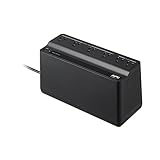
Overview: The APC BE425M is a compact entry-level UPS designed for protecting essential small electronics during brief power interruptions. With 425VA/225W capacity, it targets home users needing basic backup for routers, modems, and other low-power devices. The unit features six outlets with a split configuration and includes a three-year warranty plus a $75,000 connected equipment protection policy.
What Makes It Stand Out: Its primary distinction lies in APC’s legendary reliability at an accessible price point. The brand’s reputation for quality power protection is unmatched, and the generous equipment policy provides peace of mind. The right-angle plug and wall-mountable design offer flexible installation options for tight spaces. The unit’s focused approach—protecting only critical small electronics rather than attempting whole-room coverage—makes it ideal for maintaining internet connectivity during outages.
Value for Money: At $64.99, this UPS sits at the budget end of APC’s lineup. The price is justified for users prioritizing brand trustworthiness over capacity. However, the non-user-replaceable battery means the entire unit must be serviced by a technician or replaced after 3-5 years, potentially negating initial savings. For comparison, alternative brands offer similar specs for less, but without APC’s warranty backing.
Strengths and Weaknesses: Strengths include trusted brand reputation, compact footprint, generous equipment protection policy, and straightforward operation. Weaknesses are the sealed battery design, limited 225W capacity restricting usage to small electronics only, and initial outlet stiffness requiring deliberate plug insertion.
Bottom Line: The BE425M excels as a dedicated router/modem protector for outage-prone areas. Choose it for APC reliability on a budget, but consider higher-capacity models with replaceable batteries if you need long-term value or plan to protect additional equipment.
7. APC UPS Battery Backup & Surge Protector, 850VA Backup Battery Power Supply, BE850G2 Back-UPS with (2) USB Charger Ports

Overview: The APC BE850G2 represents a significant step up in home office protection, delivering 850VA/450W of backup power across nine outlets. This mid-range unit adds modern conveniences like dual USB charging ports while maintaining APC’s professional-grade surge protection. Designed for workstations, networking equipment, and peripherals, it bridges the gap between basic and high-end UPS systems.
What Makes It Stand Out: Integrated USB charging ports (2.4A shared) eliminate the need for wall adapters during outages, a practical feature for smartphones and tablets. The user-replaceable RBC17 battery extends service life beyond traditional sealed units, while PowerChute software enables graceful shutdowns for Windows systems. With six battery-backed outlets, it supports more equipment than entry-level models.
Value for Money: Priced at $137.70, the BE850G2 commands a premium over similar-capacity competitors. The cost is justified through APC’s ecosystem: reliable hardware, proven battery architecture, software integration, and robust warranty support. The replaceable battery alone can save $50-80 over the unit’s lifetime compared to sealed alternatives.
Strengths and Weaknesses: Strengths include versatile outlet configuration, USB charging convenience, replaceable battery design, and software management capabilities. Weaknesses involve the lead-acid battery’s weight, lack of pure sine wave output for sensitive equipment, and absence of dataline protection found in some comparably priced units.
Bottom Line: Ideal for home offices requiring reliable workstation and network protection. The USB ports and replaceable battery make it a smart long-term investment. Consider this model if you need more capacity than entry-level UPS units and value APC’s support infrastructure.
8. APC UPS Battery Backup Surge Protector, BE650G1 Surge Protector with Battery Backup, Dataline Protection, Backup Battery Power Supply

Overview: The APC BE650G1 occupies the sweet spot in APC’s Back-UPS lineup, offering 650VA/390W capacity with balanced features for home networking setups. Eight outlets split evenly between battery backup and surge-only protection, while integrated Ethernet dataline shielding safeguards connected equipment from surges traveling through network cables. This model targets users needing reliable protection for modems, routers, and small workstations.
What Makes It Stand Out: Unlike many competitors at this price, the BE650G1 includes RJ45 dataline protection—critical for preserving network equipment during storms. The even outlet distribution (four battery-backed, four surge-only) provides flexibility without waste. User-replaceable RBC17 battery compatibility ensures a 5-7 year service life with minimal maintenance costs. PowerChute software support adds professional-grade monitoring capabilities.
Value for Money: At $99.99, this model delivers exceptional value for network-focused users. The dataline protection alone justifies the $15-20 premium over basic 650VA units. Combined with the replaceable battery and APC’s warranty, total cost of ownership remains low over a typical 5-year lifespan.
Strengths and Weaknesses: Strengths include dataline protection, balanced outlet configuration, replaceable battery, brand reliability, and software integration. Weaknesses are the lack of USB charging ports, moderate capacity unsuitable for high-power workstations, and lead-acid battery weight typical of this class.
Bottom Line: The BE650G1 is the optimal choice for protecting home network infrastructure. Its dataline protection and replaceable battery make it superior to entry-level models. Select this unit if maintaining internet connectivity and protecting networked devices are your priorities.
9. GOLDENMATE 1000VA/600W Lithium UPS Battery Backup and Surge Protector, Backup Battery Power Supply with LiFePO4 Batteries(153.6 Wh), Sinewave UPS System, 10 Years Lifespan, 8-Outlets, LCD Display

Overview: The GOLDENMATE 1000VA UPS breaks from traditional lead-acid designs by employing lithium iron phosphate (LiFePO4) technology, delivering 600W of pure sine wave power with a claimed 10-year lifespan. This modern unit targets users seeking long-term reliability and reduced maintenance. Eight outlets, an LCD display, and advanced battery management round out a feature set that challenges established brands.
What Makes It Stand Out: The LiFePO4 battery’s 5000+ cycle rating and decade-long service life fundamentally change UPS ownership economics. Pure sine wave output ensures compatibility with sensitive electronics and active PFC power supplies. The intelligent LCD provides real-time status monitoring typically reserved for commercial units. A 40% reduction in total ownership costs over lead-acid alternatives addresses the primary pain point of UPS maintenance.
Value for Money: At $179.99, the initial investment exceeds comparable lead-acid units by $50-80. However, eliminating 2-3 battery replacements over ten years saves approximately $120-180, making this cost-effective for long-term deployments. The pure sine wave capability adds value for modern PC power supplies that require clean power.
Strengths and Weaknesses: Strengths include exceptional battery longevity, pure sine wave output, comprehensive LCD monitoring, lightweight design, and lower lifetime costs. Weaknesses involve limited brand recognition compared to APC/CyberPower, potentially uncertain long-term support, and a cooling fan that activates under load.
Bottom Line: A forward-thinking choice for tech-savvy users prioritizing longevity and performance. The lithium battery and pure sine wave output justify the premium for modern electronics. Consider this if you plan to keep your UPS for 5+ years and want to avoid battery replacement hassles.
10. Mini DC UPS Uninterruptible Power Supply, UPS Battery Backup Power Supply for Router/Modem/Security Camera, for 5V/9V/12V Multi-Voltage Output, Without Battery

Overview: This Mini DC UPS serves a specialized niche, providing multi-voltage DC backup for low-power devices like routers, modems, and security cameras. Unlike traditional AC UPS units, it delivers direct DC power at 5V, 9V, and 12V, eliminating conversion losses. The $19.99 price point reflects its barebones nature—18650 batteries required but not included, making it a DIY solution for specific applications.
What Makes It Stand Out: Exceptional versatility defines this unit. Wide 85-265VAC input range and multiple DC outputs (including USB and POE) support an extensive device compatibility list. The modular battery approach lets users customize capacity based on runtime needs. Its compact size suits space-constrained installations where traditional UPS units prove oversized. Intelligent protection circuits monitor for shorts, overcurrent, and thermal issues.
Value for Money: The sub-$20 price is misleadingly low since quality 18650 batteries add $15-30 to the total cost. Even so, a complete setup under $50 remains competitive. Value emerges for users needing only DC backup—avoiding AC UPS inefficiencies and paying purely for required functionality. For single-device protection, it’s economical; multi-device setups quickly justify larger AC units.
Strengths and Weaknesses: Strengths include extreme affordability, voltage flexibility, compact footprint, and broad compatibility. Weaknesses are the missing batteries requiring separate purchase, limited 2A current capacity restricting high-power devices, DIY assembly complexity, and lack of brand reputation or warranty information.
Bottom Line: Ideal for technically inclined users seeking targeted DC backup for networking or security equipment. It’s not a general-purpose UPS, but excels at its intended niche. Purchase if you need custom runtime and are comfortable sourcing and installing batteries yourself.
Understanding UPS Technology: Your First Line of Defense
A battery backup UPS does far more than keep the lights on during a blackout. It’s a sophisticated power conditioning system that acts as an electrical firewall between your valuable equipment and the dirty, unpredictable power grid. These devices continuously monitor incoming voltage, filter out harmful spikes and sags, and provide instant backup power the millisecond utility power fails. Think of it as a vigilant bodyguard that never sleeps, constantly scanning for threats while keeping your equipment running on clean, stable electricity.
The True Cost of Power Interruptions
The financial ripple effects of power events extend far beyond the immediate inconvenience. For a small business, a single hour of downtime can cost anywhere from $10,000 to $50,000 in lost productivity, missed opportunities, and recovery efforts. Home users face their own risks: corrupted hard drives, lost creative work, damaged gaming consoles, and the nightmare of a bricked smart home hub. When you factor in the intangible costs—client trust, project deadlines, and personal sanity—a quality UPS isn’t an expense; it’s insurance with immediate returns.
Three Main UPS Topologies Explained
Not all UPS units protect the same way. The internal architecture—called topology—determines how power flows through the device and how quickly it responds to emergencies.
Standby UPS: Entry-Level Protection
Also known as offline UPS, these units remain dormant until power fails. They offer basic battery backup and surge protection but provide minimal voltage regulation. The transfer time—how long it takes to switch to battery—typically ranges from 5-10 milliseconds. While adequate for non-critical devices like printers or basic workstations, they leave sensitive electronics vulnerable during the switchover gap.
Line-Interactive UPS: The Sweet Spot for Most Users
These mid-tier units add automatic voltage regulation (AVR) that corrects minor power fluctuations without draining the battery. The transformer-based design handles brownouts and overvoltages while keeping the battery fresh for true outages. With transfer times under 5 milliseconds, they protect most business and high-end home equipment effectively. This topology represents the best value for 80% of users.
Online Double-Conversion UPS: Maximum Security
The gold standard for mission-critical applications, these units continuously convert AC power to DC and back to AC, creating a perfect electrical firewall. There’s zero transfer time because the battery is always online. They deliver pristine sine wave output regardless of input quality, making them essential for medical equipment, data centers, and any environment where even a microsecond of interruption is unacceptable.
Critical Features That Define Premium UPS Units
When evaluating power security solutions, certain capabilities separate consumer-grade toys from professional-grade protection.
Power Capacity and Runtime: Getting the Math Right
VA (Volt-Ampere) ratings indicate load capacity, but wattage tells the real story. A 1500VA UPS might only support 900 watts. Calculate your total connected load, then add 25% headroom for future expansion and battery degradation. Runtime depends on battery size and load—most units provide 5-20 minutes at full load, enough for graceful shutdowns or generator startup.
Waveform Output: Pure Sine Wave vs. Simulated Sine Wave
Modern servers, workstations, and sensitive electronics require pure sine wave output. Simulated or stepped sine waves can cause power supplies to run hot, produce audible buzzing, or fail entirely. Always choose pure sine wave for any equipment with active PFC (Power Factor Correction) power supplies, which includes virtually all computers manufactured after 2015.
Transfer Time: The Speed of Protection
Measured in milliseconds, transfer time is the gap between utility failure and battery takeover. While 8-10ms works for basic equipment, sensitive electronics need 4ms or less. Online UPS units eliminate this concern entirely with zero transfer time, making them the only choice for life-support systems and critical infrastructure.
Voltage Regulation and AVR Technology
Automatic Voltage Regulation extends battery life by correcting minor fluctuations without triggering battery drain. Look for units that can boost or buck voltage by at least 12-15% while maintaining stable output. This feature pays for itself by reducing battery cycle count and preventing premature wear.
Battery Technology: The Heart of Your UPS
The battery determines your UPS’s effectiveness, lifespan, and total cost of ownership. Understanding modern battery chemistry is crucial for making an informed investment.
Sealed Lead-Acid vs. Lithium-Ion: A Modern Comparison
Traditional SLA batteries cost less upfront but require replacement every 3-5 years. They degrade faster in heat and weigh significantly more. Lithium-ion batteries last 8-10 years, charge faster, operate efficiently in wider temperature ranges, and reduce total ownership costs despite higher initial prices. For long-term deployments, lithium-ion often delivers superior ROI.
Hot-Swappable Batteries: Uninterrupted Protection
Premium UPS units allow battery replacement while the unit continues protecting connected equipment. This feature eliminates maintenance windows and ensures continuous protection during battery swaps. For 24/7 operations, hot-swappability isn’t optional—it’s mandatory.
Connectivity and Remote Management Capabilities
A UPS you can’t monitor is a UPS that will fail silently. Modern units offer sophisticated management options that turn passive hardware into active infrastructure.
USB, Serial, and Network Management Cards
Basic USB connectivity enables graceful OS shutdowns during extended outages. Serial ports support legacy industrial equipment. Network management cards transform UPS units into IP-addressable devices, allowing remote monitoring, email alerts, and integration with building management systems. For distributed environments, network cards are worth every penny.
Software Integration and Auto-Shutdown Features
Quality UPS management software does more than trigger shutdowns. It can migrate virtual machines, close databases properly, log power events, and restart equipment when power returns. Look for compatibility with your operating systems and virtualization platforms. The best solutions offer APIs for custom integrations with monitoring tools like Nagios or PRTG.
Physical Form Factors and Installation Requirements
Your UPS must fit your space and connect to your equipment without adapter spaghetti.
Tower vs. Rackmount Designs
Tower units suit office environments and standalone applications. Rackmount UPS units integrate cleanly into server racks, saving floor space and simplifying cable management. Some models convert between both formats. Consider your current setup and future expansion plans when choosing.
Input/Output Plugs and Outlet Types
Verify the UPS input plug matches your wall receptacle (5-15P, L5-30P, etc.). Output outlets should match your equipment needs—some devices require locking outlets, others need widely spaced plugs for wall warts. Count your devices and map plug types before purchasing. Don’t forget to consider hardwired terminal block options for permanent installations.
Environmental and Operational Considerations
Where you install your UPS affects its performance and longevity as much as the specifications.
Operating Temperature and Noise Levels
UPS batteries degrade rapidly above 77°F (25°C). Every 15°F increase cuts battery life in half. Conversely, fans on high-capacity units can produce 50-60dB of noise—unacceptable in quiet offices or recording studios. Check acoustic specifications and plan installation location accordingly. Some premium units offer variable-speed fans that only spin up under load.
Energy Efficiency and Green Certifications
Efficiency ratings impact electricity costs over the UPS lifespan. Look for Energy Star certification and efficiency percentages above 95% in line-interactive mode. Online UPS units typically run 90-94% efficient but provide superior protection. Some models offer eco-modes that bypass the double-conversion circuit during stable power conditions, boosting efficiency to 98% while maintaining protection.
Industry-Specific Power Security Strategies
Different environments demand tailored approaches to UPS deployment and configuration.
Home Office and Remote Work Setups
The modern home office needs clean power for computers, monitors, networking gear, and possibly a desk phone. A 1000-1500VA line-interactive UPS with pure sine wave output typically suffices. Prioritize quiet operation and compact size. Don’t forget to protect your ISP modem and router—without internet, remote work grinds to a halt.
Small Business and Server Room Applications
Server rooms require rackmount UPS units with network management cards. Implement a centralized UPS strategy for networking infrastructure and distributed UPS units for individual servers. This prevents a single failure from taking everything down. Consider UPS units with outlet groups that can be controlled independently, allowing critical servers extended runtime while non-essential equipment shuts down early.
Industrial and Medical Grade Requirements
Factory floors and healthcare facilities face unique challenges: voltage sags from motor starts, electromagnetic interference, and regulatory compliance. Industrial UPS units feature ruggedized enclosures, wide input voltage ranges, and isolation transformers. Medical-grade UPS units meet UL 60601-1 standards for patient safety. Never substitute commercial UPS units in these environments—certifications matter legally and functionally.
Future-Proofing Your Power Infrastructure
Technology evolves rapidly. Your UPS investment should accommodate tomorrow’s needs, not just today’s. Look for units with expandable battery packs that can double or triple runtime without replacing the main unit. Modular designs allow capacity upgrades through firmware licenses or additional power modules. Consider UPS units with USB-C PD charging ports for modern laptops and devices. Forward-thinking manufacturers offer IoT integration capabilities and cloud-based management platforms that receive feature updates over time.
The Hidden Costs: TCO and ROI Analysis
The purchase price is just the down payment. Calculate total cost of ownership: battery replacement cycles ($100-300 every 3-5 years for SLA), electricity losses from inefficiency, extended warranty costs, and potential downtime expenses. A $500 UPS that prevents one $5,000 data loss event delivers 900% ROI. Factor in productivity gains from reduced equipment failures and extended hardware lifespan due to clean power. Premium UPS units often pay for themselves within 12-18 months through these intangible benefits.
Professional Installation vs. DIY Setup
Hardwired UPS units require licensed electricians for code compliance and safety. Hardwire kits enable permanent installations that eliminate accidental disconnection. For plug-and-play units under 1500VA, DIY installation is straightforward—just plug in and connect the USB cable. However, professional power audits identify hidden issues like ground loops and neutral-to-ground voltage that DIY setups miss. For critical applications, the $200-500 professional installation fee is cheap insurance.
Maintenance Best Practices for Longevity
Batteries fail predictably but quietly. Implement a quarterly testing schedule: run a manual battery test through the management interface, check for swollen batteries or corrosion, verify fan operation, and clean air filters. Annual professional maintenance should include load bank testing, calibration checks, and thermal imaging of electrical connections. Log all power events and review them monthly—patterns reveal upstream power quality issues that need addressing. Keep spare batteries on-site for critical units; during emergencies, shipping delays can extend downtime.
Common UPS Buying Mistakes to Avoid
Oversizing wastes money and reduces efficiency; undersizing provides false security. Never buy based on VA rating alone—always confirm wattage capacity. Ignoring pure sine wave requirements for modern equipment leads to compatibility nightmares. Choosing a UPS without network management for remote equipment creates management headaches. Forgetting to account for inrush current—devices draw 2-3x their rated power for milliseconds at startup—causes overload shutdowns. Finally, buying on price alone ignores TCO; cheap UPS units cost more long-term through frequent battery replacements and lower efficiency.
Your Power Security Action Plan
Start with a power audit: list every critical device, its wattage, and plug type. Map your runtime requirements—how long do you need to ride through brief outages versus shutting down gracefully? Identify environmental constraints like noise, temperature, and space. Set a budget that includes batteries and management cards. Research manufacturers with strong warranty programs and responsive support. Test your UPS monthly and replace batteries proactively, not reactively. Power security isn’t a product; it’s a process of continuous protection.
Frequently Asked Questions
How do I calculate the right UPS size for my equipment?
Add up the wattage of all devices you plan to connect, then multiply by 1.25 to account for inrush current and future expansion. Use a watt meter for accurate measurements rather than relying on nameplate ratings, which often show maximum draw rather than typical usage. Most home offices need 800-1500VA, while small server rooms typically require 3000VA or more.
What’s the difference between VA and watts on a UPS specification?
VA (Volt-Amperes) measures apparent power—what the UPS can theoretically deliver. Watts measure real power—what your equipment actually consumes. The conversion depends on power factor, typically 0.6-0.7 for basic UPS units and 0.9+ for premium models. Always size based on watts, not VA, to avoid overloads.
How long do UPS batteries typically last?
Sealed lead-acid batteries last 3-5 years under ideal conditions (77°F, minimal deep discharges). Lithium-ion batteries extend that to 8-10 years. However, heat, frequent outages, and deep discharges can cut these lifespans in half. Replace batteries proactively at 80% of rated capacity, not after they fail.
Can a UPS protect against lightning strikes?
UPS units provide surge protection but cannot guarantee survival from direct lightning strikes, which can exceed 100,000 amps. For comprehensive protection, install a whole-house surge protector at your main panel and ensure proper grounding. The UPS handles residual energy and provides the final line of defense, not primary lightning protection.
Why does my UPS beep during normal operation?
Beeping indicates power events: outages, voltage sags, or overload conditions. Occasional beeps during storms are normal. Constant beeping suggests battery failure, overload, or internal faults. Check the manual for beep patterns—most manufacturers use distinct sequences to identify specific issues. Silence non-critical alarms through management software if needed.
Is it safe to run a UPS at 100% load capacity?
Never. Operating at maximum capacity reduces battery runtime, increases heat, and triggers overload protection during minor power fluctuations. Maintain at least 20% headroom for stable operation and equipment longevity. Most manufacturers recommend operating between 50-80% of rated capacity for optimal performance and lifespan.
Can I connect a generator to my UPS?
Yes, but compatibility matters. The UPS may reject generator power if voltage or frequency fluctuates outside acceptable ranges. Online double-conversion UPS units work best with generators because they continuously condition power. Set your generator to stable mode and verify frequency regulation. Some UPS units include generator mode settings that widen input tolerance.
How often should I test my UPS batteries?
Run automated self-tests monthly and manual discharge tests quarterly. A proper discharge test involves applying 50% load and verifying runtime meets specifications. Annual professional load bank testing provides the most accurate health assessment. Never test by unplugging the UPS from the wall with critical equipment connected—use the built-in test functions instead.
What’s the environmental impact of disposing UPS batteries?
SLA batteries contain lead and sulfuric acid, requiring hazardous waste disposal at certified recycling centers. Lithium-ion batteries pose fire risks if damaged and need specialized recycling. Most manufacturers offer take-back programs. Never dispose of UPS batteries in household trash—it’s illegal in most jurisdictions and environmentally destructive.
Can I use a UPS for non-computer equipment?
Absolutely. UPS units protect any electronic device: networking gear, security systems, aquariums, sump pumps, and medical equipment. However, motor-driven appliances like refrigerators draw massive startup current and quickly deplete batteries. Always check inrush current requirements and consider the device’s sensitivity to power quality before connecting.