Your gaming desk is more than just a piece of furniture—it’s the command center of your digital universe. When the lights dim and your RGB peripherals burst to life, the right desk transforms from a static surface into a dynamic canvas that amplifies every pulse, flash, and color wave across your entire battlestation. The marriage of functional ergonomics with programmable LED lighting has revolutionized how we think about gaming spaces, turning what was once a simple utility into an immersive extension of the gameplay itself.
But not all RGB gaming desks are created equal. The market has exploded with options ranging from basic light strips slapped onto particle board to precision-engineered surfaces with integrated diffusion channels that create seamless glows. Understanding the underlying technology, construction quality, and ecosystem compatibility separates the transformative setups from the disappointing light shows that die within months. Whether you’re building your first themed setup or upgrading a mature battlestation, knowing what features truly matter will save you money, frustration, and that dreaded RGB rainbow puke effect that clashes with your carefully curated aesthetic.
Top 10 Gaming Desks with RGB Lighting
Detailed Product Reviews
1. AODK 59 Inch Gaming Desk with USB Charging Ports & LED Light- Reversible Computer Desk with Storage Shelves & Monitor Stand, Modern Gamer Desk Table with Fabric Drawers & Side Hook, Carbon Fiber Black

Overview: The AODK 59-inch Gaming Desk targets serious enthusiasts who treat their PC as a visual centerpiece. Engineered specifically for tempered glass “fish tank” cases like the Lian Li O11 and Hyte Y60, it elevates your rig to eye level with a dedicated platform. The design integrates RGB lighting, fabric drawers, and a side display shelf into a cohesive battle station that prioritizes both aesthetics and functionality.
What Makes It Stand Out: The elevated PC stand is the star feature—most desks force your case on the floor or consume precious desktop real estate. This desk solves that while adding under-monitor RGB strips that sync with your build’s lighting. Three fabric drawers hide cables and accessories, maintaining a clean canvas for your setup. The side shelf is perfect for collectibles without obstructing airflow, and the reinforced steel frame handles heavy glass builds without wobbling.
Value for Money: At $169.99, this isn’t the cheapest option, but it’s far more affordable than buying separate PC display stands, drawer units, and LED systems. For showcase builders, the integrated design saves money and space while delivering a purpose-built solution that generic desks simply can’t match.
Strengths and Weaknesses: Strengths include the unique PC display stand, robust construction for heavy builds, ample hidden storage, and immersive RGB integration. Weaknesses are its larger footprint requiring substantial room space, potential overkill for users without glass cases, and fabric drawers that may wear faster than hard plastic.
Bottom Line: Perfect for gamers invested in tempered glass PCs who want their rig prominently displayed. The AODK desk justifies its price by solving specific showcase needs while maintaining workspace efficiency. If you own a premium case, this desk completes the presentation.
2. Rolanstar L Shaped Gaming Desk with LED Lights & Power Outlets, 53" Computer Desk with Full Monitor Stand & Storage Shelf, Corner Desk with Hooks, Carbon Fiber Desk Reversible

Overview: The Rolanstar L-Shaped Gaming Desk delivers a feature-packed corner solution for $116.99, combining power integration, RGB lighting, and smart storage. Spanning 53 inches on each wing, it maximizes corner space while providing a full-monitor stand and under-desk shelves. The built-in power strip with USB ports eliminates cable clutter, making it ideal for multi-device gamers.
What Makes It Stand Out: The integrated power strip is a game-changer—no more crawling under desks to find outlets. The LED system offers 20 colors and 5 dynamic modes via remote control, with memory function to restore your last setting. The detachable full-monitor stand creates vertical space, while under-table shelves add storage without compromising legroom. Adjustable leg pads ensure stability on uneven floors.
Value for Money: At $116.99, this desk punches above its weight. Competing L-desks with power outlets and LEDs often cost $150+. You’re getting a reversible corner design, robust steel frame, and certified safe materials (EPA TSCA Title VI) that meet strict health standards—a rare find at this price point.
Strengths and Weaknesses: Strengths include built-in power/USB, extensive RGB customization, spacious dual desktops, and excellent stability. Weaknesses involve the particle board surface being less premium than solid wood, potential LED controller reliability issues over time, and the monitor stand’s fixed positions limiting flexibility.
Bottom Line: An exceptional value for gamers needing corner space and power access. The Rolanstar desk eliminates common setup frustrations while delivering premium features at a mid-range price. Highly recommended for multi-monitor setups in home offices.
3. Bestier Gaming Desk with Power Outlets, 42" L-Shaped Computer Desk with LED Lights, Desk with Reversible Storage Shelves & Hooks for Small Spaces, Bedrooms & Offices, Black Carbon Fiber

Overview: The Bestier 42-inch L-Shaped Gaming Desk proves you don’t need massive space or budget for a functional battle station. At just $78.29, this compact corner desk targets apartment dwellers, students, and small-space gamers. It cleverly integrates reversible shelves, LED lighting, and ergonomic features into a footprint that tucks neatly into tight corners without overwhelming the room.
What Makes It Stand Out: The reversible shelf design offers unmatched flexibility—mount left or right to adapt to any room layout or outlet position. The 2-in-1 monitor stand converts to a side display shelf, providing ergonomic screen elevation or collectible storage. Built-in LED strips provide ambient lighting that reduces eye strain during work and enhances gaming atmosphere.
Value for Money: This is budget excellence. At under $80, you’re getting an L-shaped desk with LED lighting, reversible storage, and a monitor stand. Most basic desks at this price offer none of these features. The adaptability means it grows with your changing space, delivering long-term value that static designs can’t match.
Strengths and Weaknesses: Strengths include incredible affordability, space-saving footprint, flexible reversible design, and dual-function monitor stand. Weaknesses are the smaller 42-inch surface limiting multi-monitor setups, lighter construction supporting less weight, and basic LED functionality compared to premium alternatives.
Bottom Line: Ideal for small spaces and tight budgets. The Bestier desk sacrifices size but not functionality, delivering core gaming desk features in a compact, adaptable package. Perfect for students, apartment residents, or secondary setups where space is premium.
4. HLDIRECT 47 Inch Gaming Desk with LED Lights, Ergonomic Computer Gaming Table with Carbon Fibre Surface, Sturdy PC Workstation Desk for Home Office with Headphone Hook, Cup Holder, Black

Overview: The HLDIRECT 47-inch Gaming Desk balances affordability with essential gaming features at $89.99. This straightforward workstation delivers a carbon fiber surface, RGB lighting, and ergonomic design without overwhelming buyers with unnecessary complexity. The FSC-certified wood desktop and steel frame provide a solid foundation for single-monitor setups.
What Makes It Stand Out: The carbon fiber texture creates a premium aesthetic typically found on more expensive desks. The physics-based steel frame design disperses weight evenly, supporting over 220 lbs while maintaining stability. Cable management holes keep wiring tidy, and the inclusion of both headphone hook and cup holder addresses practical gamer needs without adding bulk.
Value for Money: Positioned under $90, this desk competes directly with bare-bones office furniture while delivering gaming-specific features. The FSC certification ensures sustainable sourcing, and the 30-minute assembly time saves frustration. You’re getting gamer-centric design elements without the typical price premium.
Strengths and Weaknesses: Strengths include the attractive carbon fiber finish, sturdy weight capacity, thoughtful accessory hooks, and quick assembly. Weaknesses are the lack of built-in power outlets, basic LED controls compared to remote-enabled competitors, and the 47-inch length being limiting for dual-monitor setups.
Bottom Line: A solid entry-level gaming desk that nails the fundamentals. The HLDIRECT desk is perfect for gamers wanting style and function without breaking the bank. If you don’t need integrated power or massive surface area, this delivers excellent bang for your buck.
5. GTPLAYER RGB Electric Standing Desk, Height Adjustable Gaming Desk - Computer Desk with Mouse Pad, Home Office Desk
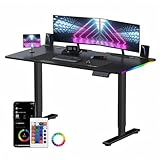
Overview: The GTPLAYER RGB Electric Standing Desk breaks new ground by combining height adjustability with gaming aesthetics at just $98.98. This 44-inch desk targets health-conscious gamers who want to alternate between sitting and standing without sacrificing RGB ambiance. The integrated mouse pad and dual cable management storage add functional value to the ergonomic design.
What Makes It Stand Out: Electric height adjustment at this price point is revolutionary—most standing desks start at $200+. The programmable height settings let you save preferred positions, while the RGB lighting maintains gaming atmosphere whether seated or standing. The included full-surface mouse pad eliminates the need for separate purchase.
Value for Money: Exceptional value. Electric standing desks typically cost 2-3x more. While the 44-inch width is modest, you’re getting motorized adjustment, memory settings, RGB lighting, and cable management for under $100. This makes ergonomic gaming accessible to budget-conscious buyers.
Strengths and Weaknesses: Strengths include unbeatable price for electric adjustment, health benefits of standing, programmable settings, and integrated mouse pad. Weaknesses are the smaller surface limiting multi-monitor setups, potential motor noise, and basic construction that may not match premium standing desk durability.
Bottom Line: A groundbreaking budget standing desk for gamers. The GTPLAYER desk prioritizes ergonomics and affordability over size, making it perfect for single-monitor setups where health and flexibility matter. If you’ve wanted a standing desk but couldn’t justify the cost, this is your answer.
6. Huuger 63 Inch Computer Desk with Power Outlets and LED Lights, Gaming Desk with 4 Drawers, Office Desk with Monitor Stand, Study Desk Work Desk for Home Office, Black

Overview: The Huuger 63-inch desk combines modern functionality with versatile storage, targeting gamers and professionals who need an organized workspace. This black workstation integrates RGB LED lighting, a raised monitor stand with built-in power outlets, and four fabric drawers in a reversible configuration. The powder-coated metal frame and particle board construction support multi-purpose use, from gaming sessions to home office tasks.
What Makes It Stand Out: This desk’s most impressive feature is the monitor stand’s comprehensive power hub—four AC outlets, two USB ports, and one Type-C port—keeping cables off your desktop. The LED system offers exceptional customization through both a smart controller (12 scene modes) and a dedicated app with over 60,000 color options, music sync, and scheduling. The reversible drawer installation provides layout flexibility rare in this category.
Value for Money: At $149.99, this desk delivers substantial utility compared to purchasing separate LED strips ($30), power strips ($25), monitor stands ($40), and storage units ($50). The integrated design saves assembly time and ensures component compatibility. While particle board limits premium appeal, the feature set justifies the price point against competitors lacking combined power and lighting solutions.
Strengths and Weaknesses: Strengths include the extensive power options, superior LED customization, reversible storage configuration, and ergonomic monitor elevation. Weaknesses involve fabric drawers that may sag over time, particle board durability concerns, and a footprint requiring moderate space. The LED controller placement might also create minor cable management challenges.
Bottom Line: Ideal for users prioritizing connectivity and ambiance, the Huuger desk excels as a feature-rich workstation. It’s best suited for gamers and remote workers wanting integrated tech solutions without premium pricing. Consider alternatives if you prefer solid wood construction or need heavier load capacity.
7. ODK 53 Inch L Shaped Desk with LED Lighting, Reversible Gaming Desk with Power Outlets, Cornor Computer Table with Storage Shelves & Bag & Iron Hook, Home Office Table for Writing, Study, Black

Overview: The ODK 53-inch L-shaped desk maximizes corner spaces with a reversible design that adapts to any room layout. This black workstation integrates RGB LED lighting, built-in power outlets, and comprehensive storage including dual shelves, CPU stand, accessory hook, and tool bag. The X-shaped steel frame provides stability for gaming, studying, or office work in compact environments.
What Makes It Stand Out: Its corner-optimized L-shape design stands out, offering more usable surface area per square foot than rectangular alternatives. The reversible side modules provide exceptional layout flexibility, while the X-shaped steel frame ensures superior stability compared to standard leg designs. The integrated storage ecosystem—combining shelves, CPU stand, and accessory organizers—creates a complete workspace solution without add-on purchases.
Value for Money: At $89.99, this desk presents exceptional value for L-shaped configurations. Comparable L-desks with power outlets and LED lighting typically exceed $120. While the 53-inch span is modest, the corner design effectively doubles usable space. The inclusion of multiple storage components eliminates $40-60 in separate accessory costs, making it ideal for budget-conscious buyers needing maximum functionality.
Strengths and Weaknesses: Strengths include the space-efficient L-shape, reversible configuration, robust X-frame construction, and comprehensive storage solutions. Adjustable foot pads ensure stability on uneven floors. Weaknesses involve limited power capacity (3 AC outlets vs. competitors’ 4), smaller overall dimensions that may feel cramped for multi-monitor setups, and basic LED controls compared to app-enabled alternatives.
Bottom Line: Perfect for small apartments, bedrooms, or dorm rooms, the ODK desk delivers corner functionality at an unbeatable price. It suits students, casual gamers, and remote workers prioritizing space efficiency over expansive surface area. Multi-monitor users should consider larger alternatives.
8. GTRACING Gaming Desk 55 Inch with LED Lights, Large Computer Desk with Mouse Pad for Home Office, T-Shaped Carbon Fibre Surface PC Game Workstations with Headphone Hook
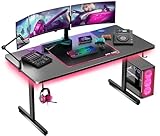
Overview: The GTRACING 55-inch gaming desk prioritizes core gaming essentials with a carbon fiber surface, integrated LED lighting, and purpose-built accessories. This workstation features a full-desk mouse pad, headphone hook, and T-shaped steel frame designed for stability during intense gaming sessions. The FSC-certified wood construction and one-year warranty demonstrate quality commitment at an accessible price point.
What Makes It Stand Out: The seamless built-in mouse pad covering the entire desktop distinguishes this desk, providing uniform tracking across the entire surface. The carbon fiber texture delivers premium aesthetics and durability typically found in higher-priced models. FSC certification ensures environmentally responsible sourcing, while the T-shaped frame offers superior legroom and stability compared to traditional designs. The comprehensive one-year warranty provides peace of mind rare in this price category.
Value for Money: At $66.37, this desk targets budget-conscious gamers without sacrificing essential features. While lacking power outlets and storage, it delivers premium surface materials and dedicated gaming accessories that would cost $30-40 separately. The warranty adds significant value, potentially saving replacement costs. However, users needing integrated charging or organization must invest in separate accessories, potentially negating initial savings.
Strengths and Weaknesses: Strengths include the full-surface mouse pad, durable carbon fiber finish, stable T-frame design, environmental certification, and strong warranty support. The integrated headphone hook adds convenience. Weaknesses involve the absence of power outlets, zero storage options, basic LED functionality without app control, and limited organizational features compared to similarly priced competitors.
Bottom Line: An excellent entry-level choice for dedicated gamers focused on surface quality and core accessories. Best suited for users with minimal peripheral needs and existing cable management solutions. Those requiring integrated power or storage should consider alternatives, but for pure gaming performance at minimal cost, it’s hard to beat.
9. Lufeiya Gaming Desk with Power Outlets and LED Lights, 40 Inch Gamer Desk Table with Charging Station, Home Office Computer Desks with Monitor, Black
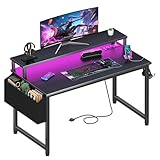
Overview: The Lufeiya 40-inch gaming desk delivers essential features in an ultra-compact footprint ideal for tight spaces. This black workstation integrates a power strip with two AC outlets and two USB ports, RGB LED lighting, and a monitor stand—uncommon amenities at this size. The carbon fiber surface provides durability while the included storage bag and dual headphone hooks offer basic organization for minimalist setups.
What Makes It Stand Out: Including a monitor stand at this price and size point is remarkable, promoting ergonomic posture without sacrificing desk space. The carbon fiber finish delivers premium aesthetics typically absent in sub-$70 desks. Its 40-inch length makes it one of the few options specifically designed for children, students in dorm rooms, or apartment dwellers with severe space constraints. The removable accessory configuration allows customization based on user preference.
Value for Money: At $64.98, this desk packs impressive value for space-limited users. The combination of power integration, LED lighting, and monitor stand would cost $50+ as separate purchases. While the 40-inch surface restricts multi-monitor setups, it maximizes functionality per inch. However, the limited power capacity and absence of drawers make it less versatile than slightly larger alternatives costing only $15-20 more.
Strengths and Weaknesses: Strengths include the ergonomic monitor stand, carbon fiber durability, compact footprint, included power strip, and removable accessories for flexibility. The price point is highly accessible. Weaknesses involve the restrictive 40-inch width, limited power outlets (only two AC), minimal storage options, and potential instability for larger monitors on the stand. The small surface challenges users with extensive peripherals.
Bottom Line: Perfect for children, students, or anyone working in extremely limited spaces. The Lufeiya desk proves that small size doesn’t have to mean bare-bones features. It’s an excellent starter desk or secondary workstation, though power users will quickly outgrow its limitations. Consider your space and device count carefully before purchasing.
10. SEDETA 79" Gaming Desk, Computer Desk with 2 Fabric Drawers & LED Light, L Shaped Gaming Desk with Storage Shelf for Home Office, Carbon Fiber Black&Red

Overview: The SEDETA 79-inch gaming desk commands attention with its wing-shaped design built for serious gamers and power users. This expansive workstation includes two fabric drawers, an LED light strip, monitor shelf supporting three displays, keyboard tray, headphone hooks, cup holder, and CPU stand. The carbon fiber finish and V-shaped stability structure support up to 352 pounds, creating a comprehensive battlestation solution.
What Makes It Stand Out: The wing-shaped desktop provides superior wrap-around immersion compared to standard L-shaped desks, positioning monitors at optimal viewing angles. The dedicated keyboard tray frees massive surface area for additional gear, while the included oversized mouse pad ensures complete coverage. The V-shaped rear brace significantly enhances stability across the 79-inch span, addressing a common weakness in large-format desks. The three-monitor shelf is specifically engineered for split-screen productivity and gaming.
Value for Money: At $145.99, this desk delivers exceptional value for users needing maximum capacity. Purchasing separate components—drawers ($40), monitor arms ($100), keyboard tray ($50), and LED strips ($30)—would exceed $220. The integrated design ensures perfect component harmony while the 352-pound capacity supports heavy gaming rigs. The main trade-off is the substantial floor space requirement, making it cost-effective only for those who can utilize its full scale.
Strengths and Weaknesses: Strengths include the enormous surface area, dedicated keyboard tray, three-monitor support, comprehensive accessory package, superior stability, and high weight capacity. The wing shape enhances immersion. Weaknesses involve the significant space requirement, potentially excessive size for casual users, fabric drawer durability questions, and challenging assembly due to sheer scale. The fixed configuration offers less flexibility than modular alternatives.
Bottom Line: The ultimate choice for dedicated gamers, streamers, or professionals running multi-monitor setups. If you have the space to accommodate its 79-inch wingspan, this desk eliminates the need for separate accessories while providing unmatched surface area and stability. For average users, it’s likely overkill—serious enthusiasts only.
Why RGB Lighting Transforms Your Gaming Desk Experience
The Psychology of Immersive Gaming Environments
RGB lighting does more than look cool—it fundamentally alters your psychological relationship with your gaming space. Dynamic lighting that reacts to in-game events creates a peripheral vision extension of the action, reducing eye strain during marathon sessions by maintaining consistent ambient illumination. The science behind bias lighting shows that proper ambient glow reduces the contrast between your bright monitor and dark room, helping your eyes maintain focus without fatigue. When your desk itself becomes part of this lighting ecosystem, you eliminate the jarring disconnect between your monitor’s glow and the static darkness of traditional furniture.
Beyond Aesthetics: Functional Benefits of RGB
Modern RGB desks offer practical advantages that transcend visual appeal. Integrated LED channels often serve as boundary markers in low-light conditions, helping you locate peripherals, drinks, or equipment edges without breaking immersion. Color-coded lighting profiles can signal different system states—red for recording, blue for streaming, green for general gaming—creating an at-a-glance status system. Some advanced implementations even include under-desk lighting that illuminates cable management areas, making maintenance and reconfiguration infinitely easier without fumbling with flashlights.
Key Features to Consider When Choosing an RGB Gaming Desk
Build Quality and Materials Matter
The foundation of any worthwhile RGB gaming desk starts with its skeleton. Steel frame construction with reinforced crossbars provides the stability needed to support multiple monitors and resist wobbling during intense gaming moments. Desktop materials range from medium-density fiberboard (MDF) with carbon fiber laminates to premium options like tempered glass with embedded LED diffusion layers. The density of your desktop material directly impacts how vibrations from typing and mouse movements translate through the structure—a critical factor when you’re running sensitive streaming equipment or precision gaming mice at high DPI settings.
Understanding RGB Lighting Types
Not all RGB implementations deserve your investment. Basic edge-lit strips offer minimal customization and often create harsh hotspots rather than smooth gradients. Look for desks featuring integrated diffusion channels—aluminum extrusions with milky-white covers that soften LED points into continuous lines of light. Addressable RGB (ARGB) technology allows individual LED control, enabling complex wave patterns and reactive effects that sync with your gameplay. Some premium designs incorporate side-glow fiber optic cables or edge-lit acrylic panels that produce an ethereal, floating effect impossible with simple strip lighting.
Surface Area and Spatial Planning
Your desk’s dimensions must accommodate both your equipment and the RGB elements without compromise. A 60-inch width serves as the sweet spot for dual-monitor setups with peripheral space, while 30-inch depth provides adequate room for monitor arms and keyboard positioning. Consider how the RGB elements occupy physical space—some designs integrate lighting into the legs, preserving full surface usability, while others embed strips along the front edge, potentially interfering with wrist positioning. Measure your room’s dimensions carefully, accounting for the extra 2-3 inches that aggressive RGB profiles might add to the desk’s footprint.
RGB Integration Ecosystems: What You Need to Know
Syncing with Motherboard Software
True battlestation cohesion requires your desk RGB to communicate with your existing ecosystem. Most gaming motherboards support either 5V ARGB or 12V RGB headers, but your desk’s controller must match this specification. USB-based controllers offer more flexibility, allowing software like SignalRGB or OpenRGB to unify all devices under one interface. Before purchasing, verify whether the desk’s lighting integrates with ASUS Aura Sync, MSI Mystic Light, Gigabyte RGB Fusion, or Corsair iCUE—depending on your current hardware. Some desks require proprietary software that may conflict with your existing setup, creating frustrating synchronization issues.
Standalone vs. Integrated Controllers
Standalone controllers provide physical buttons for on-the-fly adjustments but often lack granular software control. Integrated USB controllers offer deeper customization but depend on driver support and software stability. The best implementations provide both—a hardware button for quick mode changes and comprehensive software for detailed programming. Consider whether the controller draws power from a wall adapter (more reliable but another cable) or USB (cleaner but limited to 5V/2A). Redundant control methods ensure your lighting remains functional even if software crashes mid-tournament.
Ergonomics: The Foundation of Any Great Gaming Desk
Height Adjustability Options
Static desks force you to adapt your body to the furniture, while height-adjustable models—particularly electric standing desks with RGB—adapt to your physiological needs. Look for desks offering at least 28-48 inches of height range, accommodating both 5'2" and 6'5" users comfortably. The motor speed (measured in inches per second) impacts daily usability; 1.5-2 inches per second provides smooth transitions without the jarring jolt of budget mechanisms. Memory presets allow you to save sitting, standing, and streaming heights, automatically adjusting with a single button press while your RGB profile shifts to match the new position.
Monitor Positioning and Eye Level
Your RGB desk should facilitate proper ergonomics, not hinder them. The front edge of the desk must sit 2-3 inches above your seated elbow height, with monitor screens positioned 20-30 inches from your eyes. Desks with integrated monitor shelves or raised platforms can interfere with this geometry, forcing neck strain. Instead, prioritize desks with grommet holes for monitor arms, allowing precise positioning while keeping the surface clear. Consider how the RGB lighting interacts with your monitor’s position—overly bright front-edge lighting can create screen glare, while under-desk glow provides ambient illumination without competing with your display.
Cable Management Solutions for Clean RGB Setups
Built-in Cable Routing Features
The difference between amateur and professional-looking battlestations lies in cable management. Premium RGB desks incorporate cable trays beneath the surface, grommet holes with rubber gaskets, and integrated channels along the legs. These features should accommodate not just power cables but also USB extensions for RGB controllers, headphone jacks, and streaming equipment. The best designs include magnetic cable anchors that align with the desk’s steel frame, allowing infinite repositioning without adhesive residue. Evaluate the depth of cable trays—shallow 1-inch trays quickly overflow, while 3-inch deep trays hide even the bulkiest braided cables.
Power Strip Integration
Some innovative RGB desks feature built-in power strips with surge protection, eliminating the need for separate surge protectors dangling beneath the surface. These integrated units often include USB-A and USB-C ports for direct device charging, reducing cable clutter to your PC. However, verify the total power delivery—budget models may offer only 12W USB ports that struggle to charge tablets or phones at reasonable speeds. The placement of these power modules matters; side-mounted units remain accessible but hidden, while rear-mounted ones may require awkward reaching.
Power Requirements and Electrical Considerations
Understanding Wattage and USB Power
A fully loaded RGB desk with addressable LEDs can consume significant power—typically 2-4 watts per foot of LED strip at full brightness. A desk with 10 feet of lighting might draw 30-40 watts, enough to overload a passive USB hub. Calculate your total power draw: count the LEDs (common densities are 30, 60, or 144 LEDs per meter), multiply by 0.3 watts per LED for RGB or 0.6 watts for RGBW. Ensure your power supply or USB port provides at least 20% headroom above this calculation to prevent voltage drop, which causes dimming and color inaccuracy at the strip’s end.
Surge Protection Essentials
Your RGB desk’s controller represents a vulnerable point in your setup. A single power surge can fry the microcontroller, rendering your entire lighting system dead. Invest in desks with UL-certified surge protection integrated into the power delivery system, or connect external surge protectors rated for at least 1000 joules. For USB-powered desks, use powered USB hubs with individual port protection rather than direct motherboard connections—this isolates potential electrical faults and prevents damage to your PC’s expensive components.
Desk Shapes and Configurations for RGB Optimization
L-Shaped vs. Straight Desks
L-shaped RGB desks dominate streaming setups, offering separate zones for gaming and production equipment. The corner junction presents unique RGB opportunities—wraparound lighting creates a cocoon effect, but requires careful planning to prevent color mismatch between the two sections. Straight desks provide more predictable lighting patterns and easier cable management, with RGB effects that travel uninterrupted from end to end. Consider your room layout: L-desks maximize corner space but can make RGB synchronization with wall-mounted panels challenging due to viewing angle differences.
Corner Placement Strategies
Positioning your RGB desk in a corner amplifies ambient light reflection off walls, creating a more immersive glow. However, this placement also highlights wall imperfections and dust. For corner setups, prioritize desks with side-panel RGB rather than front-edge lighting—the side glow washes walls evenly, while front-edge lights cast harsh shadows in tight spaces. Measure your corner’s angle carefully; most walls meet at 90 degrees, but older buildings may vary, leaving gaps that disrupt the seamless RGB effect you’re aiming to achieve.
Surface Materials and RGB Reflection Properties
Matte vs. Glossy Finishes
Your desk’s surface finish dramatically impacts how RGB light interacts with the space. Matte carbon fiber laminates absorb diffuse light, preventing unwanted reflections on your monitor while allowing the desk’s own RGB elements to stand out. Glossy surfaces, while visually striking, reflect ceiling lights and monitor glare, creating visual noise that competes with your intentional RGB effects. Some premium desks use micro-textured surfaces that feel smooth to the touch but scatter light at the microscopic level, achieving the perfect balance between aesthetic appeal and functional glare reduction.
Carbon Fiber Textures and Light Diffusion
Carbon fiber-patterned vinyl overlays serve a dual purpose: they hide fingerprints and scratches while creating subtle light diffusion. The 3D texture catches edge lighting from RGB strips, creating depth that flat surfaces cannot match. However, low-quality carbon fiber laminates peel at the edges, exposing the raw MDF underneath and ruining the premium look. Seek desks with high-pressure laminate (HPL) construction, where the pattern runs through the entire material thickness rather than just a printed layer. This ensures the RGB-enhanced aesthetic lasts for years rather than months.
Weight Capacity and Equipment Support
Supporting Multi-Monitor Setups
Triple-monitor configurations with monitor arms can exceed 100 pounds concentrated on a small footprint. RGB desks must maintain structural integrity under this load while keeping LED connections intact. Look for weight ratings of at least 200 pounds for the entire surface, with specific mention of monitor arm compatibility. The best designs reinforce the rear edge where monitor clamps attach, preventing the desktop from bowing and cracking LED solder points. Consider the dynamic load rating too—your excited mouse movements and keyboard pounding create momentary forces that can fatigue weaker frames over time.
Dual PC Configurations
Streaming setups often house two PCs on one desk: a gaming rig and a dedicated streaming encoder. This doubles the weight and thermal load, requiring desks with exceptional stability and ventilation. RGB desks with perforated metal leg designs allow better airflow around floor-sitting PCs while integrating lighting into the ventilation holes themselves. Ensure the desk’s weight distribution accounts for concentrated loads—a 300-pound total capacity means little if both PCs sit on one side, creating a torque that twists the frame and stresses RGB connections at the joints.
RGB Customization and Software Control
Programming Lighting Effects
The difference between basic RGB and battlestation-worthy lighting lies in effect granularity. Quality software allows you to program keyframe-based animations, where color transitions occur over specified durations with easing functions that mimic natural light behavior. Look for desks supporting per-zone control, enabling different effects on front edge, legs, and under-glow independently. Advanced features include audio visualization, where desk lights react to game audio or microphone input, and temperature-based coloring that shifts from cool blue to warm red as your CPU load increases.
Creating Gaming Profiles
Your RGB desk should seamlessly transition between profiles for different games or tasks. FPS profiles might feature static red lighting to preserve night vision, while racing games benefit from dynamic speed-sensitive effects. The best software ecosystems allow automatic profile switching based on active applications, triggered by API calls or executable detection. This automation extends to brightness scheduling—dimming lights during late-night sessions to reduce eye strain while maintaining ambient glow. Ensure your desk’s onboard memory can store at least 5 profiles locally, preventing reliance on cloud services that might fail during offline gaming.
Price Ranges and Value Propositions
Budget-Friendly RGB Features
Entry-level RGB desks ($150-$300) typically offer single-zone lighting with limited color options and basic particle board construction. The value lies in desks that prioritize essential features: stable steel legs, adequate cable management, and reliable LED controllers with physical buttons. Avoid the cheapest options that sacrifice frame thickness—thin 1mm steel legs wobble and transfer vibrations to your mouse sensor. In this price range, focus on desks with replaceable LED strips rather than permanently integrated lighting, allowing you to upgrade components as your budget grows.
Premium Innovations Worth the Investment
High-end RGB desks ($500-$1000+) justify their cost through materials like solid bamboo desktops with embedded fiber optics, wireless charging zones that sync with your RGB profile, and motorized height adjustment with position-synced lighting. These desks often include modular accessory systems—magnetic headphone holders, cup holders, and camera arms that integrate into the RGB ecosystem. The premium isn’t just about brighter lights; it’s about build longevity, with powder-coated frames that resist scratching and LED controllers rated for 50,000+ hours of operation backed by multi-year warranties.
Assembly and Setup Best Practices
Pre-Assembly Planning
RGB desks demand more planning than traditional furniture. Photograph your assembly area and measure twice before unboxing—LED components are fragile and easily damaged by moving a partially assembled desk. Lay out all parts and test the LED strips before full assembly; powering up the controller and checking each zone identifies defective components while disassembly is still minimal. Keep magnetic screwdrivers away from LED power supplies and controllers, as strong magnets can corrupt firmware or damage sensitive components. Document your cable routing plan before attaching the desktop, as lifting a fully assembled desk risks pulling LED connectors loose.
Calibration and Testing
Once assembled, calibrate your RGB desk in the lighting conditions where you’ll actually use it. Daytime brightness levels that look impressive in a well-lit room become blinding distractions at night. Use a lux meter app on your smartphone to measure ambient light and adjust desk brightness to 10-15% of your monitor’s luminance for optimal bias lighting effect. Test all software integrations before finalizing your setup—some RGB controllers conflict with certain motherboard USB chipsets, causing flickering or unresponsiveness that requires firmware updates or driver adjustments to resolve.
Maintenance and Longevity of RGB Gaming Desks
Cleaning LED Components
Dust accumulation on LED strips reduces brightness by up to 30% over six months and creates uneven lighting patterns. Use compressed air with a narrow nozzle to blow dust from diffusion channels every two weeks, holding the can upright to prevent moisture discharge. For stubborn grime on diffuser covers, dampen a microfiber cloth with isopropyl alcohol (70% concentration) and wipe gently—never spray liquids directly onto LEDs. Avoid ammonia-based cleaners like Windex, which cloud polycarbonate diffusers and permanently dull the light quality. Inspect cable connections quarterly; thermal cycling from PC heat can loosen connectors, causing intermittent LED failures that mimic dead strips.
Firmware Updates and Troubleshooting
RGB controllers receive firmware updates that improve compatibility and add effects, but the update process varies wildly between manufacturers. Some require Windows-only utilities, while others use cross-platform web-based tools. Before updating, disconnect all other RGB devices to prevent signal conflicts that can brick controllers. If LEDs start flickering or displaying wrong colors, the issue is often voltage drop rather than dead LEDs—installing a powered signal repeater every 10 feet of strip length resolves this. Keep a spreadsheet of your RGB desk’s specifications, controller model numbers, and purchase dates; warranty claims for LED components often require this information and expire after surprisingly short periods.
Future Trends in RGB Gaming Desk Technology
Emerging Innovations to Watch
The next generation of RGB gaming desks moves beyond simple LED strips toward micro-LED arrays embedded directly into the desktop surface, creating pixel-addressable surfaces that can display custom graphics or system information. Wireless power transmission through the desktop is being tested, allowing you to charge devices anywhere on the surface while the charging zone glows with battery status indicators. AI-driven lighting that learns your usage patterns and automatically adjusts based on game genre, time of day, and even biometric feedback from wearable devices is entering beta testing. As Matter standard adoption grows, expect RGB desks to integrate with smart home ecosystems, dimming lights when you say “movie mode” or flashing when your smart doorbell rings.
Frequently Asked Questions
How many lumens should an RGB gaming desk produce for optimal bias lighting without screen glare?
Aim for 200-400 lumens total output, measured at the desk surface. This provides sufficient ambient glow to reduce eye strain while remaining dim enough to avoid competing with your monitor. Most quality desks allow you to adjust brightness in 1% increments, letting you fine-tune based on your specific monitor’s luminance and room lighting conditions.
Can I add RGB lighting to my existing non-RGB gaming desk, or should I buy a new one?
You can retrofit most desks with third-party LED strips and diffusion channels, but integrated solutions offer cleaner cable routing and better structural support. If your current desk has a steel frame and at least 1-inch thick desktop, aluminum extrusion channels can be mounted with VHB tape for a semi-permanent upgrade. However, DIY solutions rarely achieve the seamless look of purpose-built RGB desks and often void warranties.
Do RGB gaming desks consume significant electricity, and will they impact my electric bill?
A typical RGB desk uses 30-50 watts at full brightness—equivalent to a single LED light bulb. Running it 8 hours daily adds roughly $1.50-$2.50 to your monthly electric bill. The real power consideration isn’t the LEDs but any integrated USB charging ports or motorized height adjustment features, which can draw 200+ watts during operation. Using brightness scheduling and turning off lighting when not gaming reduces consumption by 70%.
How do I prevent my RGB desk from looking like “rainbow puke” and maintain a cohesive aesthetic?
Limit your palette to 2-3 colors maximum per profile. Use the color wheel strategically: complementary colors (blue/orange) create dynamic contrast, while analogous colors (blue/cyan/purple) produce harmonious flows. Enable slow, subtle animations—gentle breathing effects at 12-second cycles feel premium, while rapid flashing screams “gimmick.” Match your desk’s color temperature to your monitor’s white point (typically 6500K) for seamless integration.
What should I do if my RGB desk’s lights flicker or show incorrect colors after a few months?
Flickering usually indicates voltage drop or loose connections, not dead LEDs. First, check that all connectors are fully seated—thermal expansion can cause 4-pin headers to work loose. If the issue persists, measure voltage at the strip’s end with a multimeter; anything below 4.5V on a 5V system causes instability. Installing a powered signal repeater or shortening the strip length often resolves this. For color inaccuracies, recalibrate using your controller’s white balance adjustment tool, as LED phosphors degrade unevenly over time.
Are there health concerns associated with prolonged exposure to RGB lighting during gaming sessions?
Blue light exposure from RGB LEDs is minimal compared to monitors, but bright flashing patterns can trigger photosensitive epilepsy in susceptible individuals. Stick to static or slowly transitioning effects if you experience headaches. The bigger health benefit is proper bias lighting reducing eye strain, which can improve sleep quality by minimizing circadian rhythm disruption from high-contrast viewing. Some premium desks include “eye care modes” that automatically shift to warmer color temperatures after sunset.
How do I sync my RGB desk with console gaming setups that lack PC motherboard software?
Most modern RGB desks offer mobile app control via Bluetooth or Wi-Fi, functioning independently of PC software. For console sync, use HDMI sync boxes that analyze your TV’s output and broadcast lighting commands to compatible desk controllers. Alternatively, place a small USB-powered RGB controller near your console and program it to match your desk’s lighting manually. Some streaming capture cards can split video signals to lighting controllers, enabling reactive effects even in pure console setups.
What desk thickness is ideal for mounting monitor arms without damaging integrated RGB components?
Aim for a desktop thickness between 1.5 and 2 inches. Thinner surfaces risk cracking under monitor arm clamp pressure, potentially severing embedded LED traces. Thicker desks provide better clamp distribution but may require longer M8 bolts for through-desk mounting. Before tightening any monitor arm, inspect the desk edge with a stud finder to locate LED controller boxes or wire channels—clamping over these components causes immediate damage. Use reinforcement plates if your desk includes pre-marked monitor arm zones.
Will my RGB desk’s lighting interfere with optical gaming mice or wireless peripherals?
Quality RGB desks position LEDs behind diffusers that eliminate direct light leakage, preventing sensor interference. However, glossy desk surfaces can reflect LED light upward, potentially affecting mice with lift-off detection at very low DPI settings. If you experience tracking issues, enable the “surface tuning” feature in your mouse software and reduce desk brightness to 50%. Wireless peripherals operate on different frequencies (2.4GHz) than RGB controllers and won’t experience interference unless the controller is severely malfunctioning and emitting RF noise.
How long do RGB gaming desks typically last before LED failure, and what’s usually covered under warranty?
LED strips in quality desks are rated for 50,000 hours (11 years at 12 hours daily use), but real-world longevity depends on thermal management and power stability. Most warranties cover LED components for only 1-2 years, recognizing that users often exceed rated voltages or expose controllers to static damage. The steel frame and desktop typically carry 5-10 year warranties. To maximize lifespan, keep controllers dust-free, avoid daisy-chaining multiple RGB devices to one header, and maintain stable room temperatures below 80°F.