If you’re left-handed, you’ve probably heard it all before: “Just learn to use your right hand,” or “Can’t you just use an ambidextrous mouse?” As if decades of muscle memory and ergonomic needs can be solved by flipping a symmetrical hunk of plastic upside down. The reality is that finding a quality left-handed mouse that doesn’t feel like an afterthought has been a journey of compromise—until recently. The peripheral market is finally waking up to the fact that roughly 10% of the population isn’t just a niche; we’re a community of gamers, designers, programmers, and professionals who deserve hardware that works with our biology, not against it.
This guide cuts through the marketing fluff and right-handed bias to help you understand what actually matters when shopping for a left-handed mouse. Whether you’re clutching a ranked match or crunching spreadsheets, we’ll explore the features, design philosophies, and technical specifications that separate genuinely great southpaw peripherals from the pretenders. No product shilling, no paid placements—just the hard-won knowledge you need to make an informed decision.
Top 10 Left-Handed Gaming Mice
Detailed Product Reviews
1. MEETION Left-Handed Ergonomic Mouse, Wireless Vertical RGB Rechargeable Mouse, Bluetooth(5.2 + 3.0) & USB-A with USB-C Adapter 4 Adjustable DPI Mice for Mac/Windows/PC/Tablet/iPad Black

Overview: The MEETION BTM010 is a feature-packed vertical mouse engineered specifically for left-handed users seeking ergonomic relief without sacrificing modern functionality. Its sculpted 57-degree angle positions your hand in a natural handshake posture, reducing forearm pronation and wrist strain during extended computing sessions. With dimensions of 4.41×3.29×2.74 inches, it targets users with hand lengths between 6.7-7.1 inches, making it ideal for medium-sized hands.
What Makes It Stand Out: This mouse distinguishes itself through triple connectivity options—Bluetooth 5.2, Bluetooth 3.0, and 2.4GHz wireless with a USB-A receiver that includes a USB-C adapter. The customizable RGB lighting adds personal flair with multiple color modes, while the built-in rechargeable battery eliminates disposable battery waste. Four DPI settings (800-2400) cater to both precision tasks and fast navigation, complemented by convenient forward/backward thumb buttons.
Value for Money: At $24.98, the BTM010 delivers exceptional value by combining premium features typically found in $40+ mice. The inclusion of a USB-C adapter, rechargeable battery, and multi-device connectivity makes it a cost-effective choice for users juggling multiple platforms.
Strengths and Weaknesses: Strengths: Versatile triple connectivity; vibrant RGB customization; eco-friendly rechargeable battery; includes USB-C adapter; good DPI range; ergonomic vertical design. Weaknesses: Limited to medium hand sizes (6.7-7.1 inches); incompatible with Android TV and older Linux systems; RGB may not suit professional environments; slightly heavier than non-rechargeable alternatives.
Bottom Line: The MEETION BTM010 is an excellent choice for left-handed users wanting a modern, feature-rich ergonomic mouse. Its versatile connectivity and RGB lighting make it perfect for multi-device setups, though hand size compatibility should be verified before purchase.
2. ELECOM EX-G Left Handed Trackball Mouse, 2.4 GHz USB Wireless, Ergonomic, Thumb Control, Tracking Roller Ball, 6 Programmable Buttons, Tilt Scroll

Overview: The ELECOM EX-G reimagines left-handed ergonomics through innovative trackball technology, positioning itself as a premium solution for users seeking cursor precision without arm movement. Designed exclusively for left-handed operators, this 5.3-ounce mouse measures 3.7×4.9×1.9 inches and places a smooth, thumb-controlled ball at its core, eliminating the need to reposition your hand across a desk surface.
What Makes It Stand Out: The EX-G’s standout feature is its optical tracking system paired with a thumb-operated trackball that delivers exceptional cursor accuracy while reducing wrist travel. Six programmable buttons—including a tilt-scroll wheel for horizontal navigation—offer extensive customization through ELECOM’s software. The maintenance-free design features three 2.5mm artificial ruby ball bearings that resist dust accumulation, while the removable ball simplifies cleaning. Users can even swap the included black ball for a red variant (sold separately) for personalized aesthetics.
Value for Money: Priced at $39.99, this trackball sits in the mid-range category, offering professional-grade precision and durability that rivals $60+ alternatives. The robust build quality, programmable functionality, and low-maintenance design justify the investment for serious users prioritizing ergonomics and efficiency.
Strengths and Weaknesses: Strengths: Superior cursor precision with minimal hand movement; programmable six-button layout; easy-to-clean removable ball; durable ruby bearings; tilt-scroll functionality; premium build quality. Weaknesses: Steep learning curve for trackball newcomers; only two DPI settings (750/1500); lacks Bluetooth connectivity; wireless only via 2.4GHz dongle; may cause thumb fatigue during prolonged use.
Bottom Line: The ELECOM EX-G is ideal for left-handed professionals with limited desk space or repetitive strain concerns. While the trackball requires adaptation, its precision and ergonomic benefits make it a worthwhile investment for dedicated users.
3. Urby Left Handed Mouse, Vertical Left Handed Ergonomic Wireless Mouse, Ideal for Lefty Users, Gaming & Office Use, Compatible with Windows/macOS/iPadOS. Black

Overview: The Urby Left Handed Mouse delivers straightforward ergonomic relief in a vertical wireless package designed specifically for southpaw users. This no-frills solution caters to both office productivity and casual gaming, offering a palm-contoured shape that promotes natural hand positioning to alleviate wrist strain during daily computing tasks. Its universal compatibility spans Windows, macOS, and iPadOS, making it versatile across modern devices.
What Makes It Stand Out: Urby’s primary distinction lies in its simplicity and broad device support, particularly its iPadOS compatibility—an uncommon feature in budget ergonomic mice. The plug-and-play USB receiver eliminates complicated setup procedures, while the responsive button actuation ensures precise clicks for both work and light gaming scenarios. The design focuses on essential ergonomic benefits without overwhelming users with superfluous features.
Value for Money: At $21.99, this mouse represents an accessible entry point into left-handed ergonomic peripherals. While it lacks premium features like adjustable DPI or rechargeable batteries, its core functionality and multi-platform support provide solid value for budget-conscious users seeking basic wrist pain relief.
Strengths and Weaknesses: Strengths: Affordable price point; broad OS compatibility including iPadOS; simple plug-and-play setup; responsive button feedback; suitable for office and casual gaming; lightweight vertical design. Weaknesses: No specified DPI levels or adjustability; absence of programmable buttons; lacks rechargeable battery (likely battery-powered); minimal product specifications provided; no mention of advanced features like RGB or multi-device connectivity.
Bottom Line: The Urby mouse serves as an excellent starter ergonomic mouse for left-handed users prioritizing simplicity and affordability. While feature-light, it fulfills its core promise of comfortable, reliable performance across multiple operating systems.
4. WishLotus Left Handed Mouse Logo Laser Engraving and Matte Process 800 DPI Resolution 3D Button Plug and Play Mini USB Wired Mouse Suitable for Laptop

Overview: The WishLotus C632 carves a unique niche as a true left-handed mouse with hardware-level button reversal, offering an authentic southpaw experience at an entry-level price point. This compact, wired optical mouse features a distinctive matte finish with a laser-engraved transparent logo that glows with calming blue light, creating a subtle aesthetic touch. Measuring as a mini mouse, it prioritizes portability and straightforward functionality.
What Makes It Stand Out: Unlike software-remapped mice, the C632 features genuine hardware-based left-handed button switching, ensuring consistent performance across any system without driver configuration. The Agilent original chip provides stable tracking performance, while internally added weights prevent the “floating” sensation common in lightweight mice, delivering satisfying control for gaming and precise tasks. The 5-million-click-rated tact switches promise longevity rarely seen at this price tier.
Value for Money: At just $13.99, this mouse delivers exceptional value for budget-conscious left-handed users. While it sacrifices wireless convenience and ergonomic sculpting, its true hardware reversal and durable construction make it an unbeatable choice for those seeking fundamental left-handed functionality without financial commitment.
Strengths and Weaknesses: Strengths: Authentic hardware-level left-handed button layout; durable 5-million-click switches; weighted design enhances control; stable Agilent optical sensor; attractive matte finish with laser-engraved logo; plug-and-play simplicity. Weaknesses: Fixed 800 DPI limits precision; wired connection restricts mobility; lacks ergonomic vertical design; no programmable buttons or advanced features; mini size may not suit large hands.
Bottom Line: The WishLotus C632 is perfect for left-handed users seeking genuine button reversal on a minimal budget. While basic, its hardware authenticity and surprising build quality make it ideal for students, office workers, or anyone prioritizing fundamental left-handed ergonomics over advanced features.
5. KUNSI Left Handed Mouse, 2.4G Wireless Left Handed Ergonomic Mouse with 800/1200/1600 Adjustable DPI, 6 Buttons Wireless Vertical Mouse for MacBook/Laptop/PC/Desktop-Black

Overview: The KUNSI Left Handed Mouse brings vertical ergonomic design to the budget segment, offering left-handed users an affordable pathway to improved wrist posture and comfort. This 2.4GHz wireless mouse features a handshake-position shape that naturally aligns the forearm, potentially reducing repetitive strain injuries associated with traditional flat mice. The plug-and-play USB receiver ensures immediate compatibility with MacBooks, laptops, and PCs without software installation.
What Makes It Stand Out: KUNSI distinguishes itself by delivering adjustable DPI functionality—800, 1200, and 1600 levels—at a price point where fixed sensitivity is typical. The inclusion of dedicated Next/Previous navigation buttons enhances web browsing efficiency, though Mac users should note these buttons are non-functional on macOS. The vertical architecture provides genuine ergonomic benefits typically reserved for pricier competitors.
Value for Money: Priced at $13.99, this mouse competes directly with basic horizontal mice while offering superior ergonomic value. The adjustable DPI and vertical design provide features usually found in $25+ models, making it an excellent cost-effective solution for users experiencing mild wrist discomfort.
Strengths and Weaknesses: Strengths: Affordable vertical ergonomic design; three adjustable DPI levels; convenient forward/back navigation buttons; plug-and-play wireless connectivity; lightweight construction; universally compatible with major operating systems. Weaknesses: Requires two AAA batteries (not included); side buttons disabled on Mac OS; limited to 2.4GHz wireless (no Bluetooth); build quality may feel less premium; no rechargeable battery option; basic button customization.
Bottom Line: The KUNSI mouse is a commendable budget vertical option for left-handed users seeking ergonomic relief without financial strain. While it makes some compromises in build quality and battery convenience, its core functionality and adjustable sensitivity deliver genuine value for everyday computing tasks.
6. Razer RZ01-01050100-R3M1 Naga Left-Handed - Ergonomic MMO Gaming Mouse with 12 Programmable Thumb Buttons - 8,200 Adjustible DPI
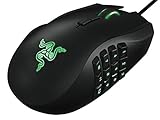
Overview: The Razer Naga Left-Handed edition is a rare beast—a premium gaming mouse engineered specifically for southpaw MMO enthusiasts. Featuring a revolutionary 12-button thumb grid, 8,200 DPI laser sensor, and an ergonomic form factor, this device caters to a niche market that mainstream manufacturers typically ignore. The onboard 32-bit ARM processor ensures lightning-fast response times for complex macros.
What Makes It Stand Out: This mouse’s crown jewel is its dedicated left-handed ergonomics combined with the 12-programmable thumb button array, virtually unmatched in the lefty gaming space. The tilt-click scroll wheel adds three additional input dimensions. Razer’s in-game configurator overlay allows real-time button mapping without alt-tabbing, while the 4G laser sensor delivers exceptional tracking across surfaces.
Value for Money: At $167.95, this is a significant investment, but justified for left-handed MMO players who’ve suffered with ambidextrous designs for years. Comparable right-handed MMO mice cost $80-120, making the premium reasonable for this specialized engineering. For casual users, it’s overkill; for dedicated raiders, it’s priceless.
Strengths and Weaknesses: Strengths: True left-handed ergonomics; unparalleled button customization; robust build quality; powerful onboard processor; intuitive software integration. Weaknesses: Laser sensor lags behind modern optical sensors; steep learning curve for button grid; high price excludes budget-conscious buyers; limited appeal beyond MMO genre.
Bottom Line: If you’re a left-handed MMO gamer seeking the ultimate competitive edge, this is your holy grail. The premium price buys you purpose-built precision that right-handers take for granted. For everyone else, consider more versatile options.
7. Wireless Mouse Ergonomic Vertical Left-Handed Mouse Ergo LED Light High Precision Optical Cordless Lightweight Left Hand Mice Women Men Gift for PC Computer Laptop Mac Office,1600 DPI,Side Buttons
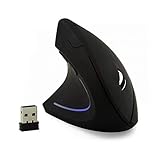
Overview: This budget-friendly vertical mouse offers left-handed users an ergonomic alternative to traditional flat mice. Designed to reduce wrist strain, it features a 1600 DPI optical sensor, forward/backward thumb buttons, and a six-button layout. Marketed as a universal gift solution, it targets office workers and casual users rather than competitive gamers.
What Makes It Stand Out: The vertical orientation promotes neutral wrist alignment, potentially alleviating repetitive strain injuries. The adjustable DPI (800/1200/1600) provides basic sensitivity customization, while the thumb navigation buttons enhance browsing efficiency. Its aggressive gift-marketing approach and sub-$20 price point make it an accessible entry into ergonomic peripherals.
Value for Money: At $16.83, this represents exceptional value for ergonomic comfort. Similar vertical mice from established brands cost $30-50, making this an attractive budget alternative. While build quality and sensor performance won’t match premium brands, the price-to-comfort ratio is compelling for office use.
Strengths and Weaknesses: Strengths: Extremely affordable; ergonomic vertical design; plug-and-play simplicity; adjustable DPI settings; suitable for large hands. Weaknesses: Generic brand with uncertain longevity; LED light cannot be disabled; not suitable for gaming; basic plastic construction; limited customization software.
Bottom Line: An excellent entry-level ergonomic solution for left-handed office workers. Don’t expect premium performance, but for daily productivity and wrist health at this price, it’s a smart purchase. Gamers should look elsewhere.
8. Urby Left Handed Mouse Wireless, Ergonomic, Vertical. Also As Left Handed Gaming Mouse. Compatible with Windows/macOS, Laptop, PC. [Type C & USB] [Battery Included] White
![Urby Left Handed Mouse Wireless, Ergonomic, Vertical. Also As Left Handed Gaming Mouse. Compatible with Windows/macOS, Laptop, PC. [Type C & USB] [Battery Included] White](https://m.media-amazon.com/images/I/31whMdFMysL._SL160_.jpg)
Overview: The Urby vertical mouse positions itself as the ultimate budget left-handed peripheral, shipping with included AAA batteries and offering both USB and Type-C connectivity. Designed for medium to large left hands, it features a distinctive glossy-matte color pattern that breaks from traditional gamer aesthetics. The company emphasizes its California-based customer service as a key differentiator.
What Makes It Stand Out: Beyond its rock-bottom pricing, the inclusion of batteries and dual USB/Type-C adapters provides immediate out-of-box convenience. The vertical orientation promises ergonomic benefits, while the lightweight design reduces fatigue. Urby’s direct comparison to Anker and Logitech models signals confidence in its value proposition.
Value for Money: At $13.99, this is among the most affordable left-handed ergonomic mice available. The included batteries ($5 value) and premium connectivity options make it virtually free compared to competitors. While it lacks high-end features, the price is unbeatable for basic functionality.
Strengths and Weaknesses: Strengths: Unbeatable price; batteries and dual adapters included; US-based customer support; lightweight vertical design; modern color scheme. Weaknesses: No specified DPI rating; questionable gaming performance claims; unknown durability; basic feature set; glossy finish may attract fingerprints.
Bottom Line: For cost-conscious left-handed users seeking basic wireless ergonomics, this is a no-brainer. The value proposition is staggering. However, serious gamers or professionals should invest in better-documented alternatives. Perfect for students or secondary computer setups.
9. Logitech G PRO 2 Lightspeed Wireless Gaming Mouse, Right- or Left-Handed Mouse with up to 4 Customizable and Switchable Magnetic Side Buttons, 44K DPI Sensor, USB-C Charging, for PC/Mac - White

Overview: The Logitech G PRO 2 LIGHTSPEED represents the pinnacle of ambidextrous gaming mouse engineering, offering tournament-grade performance for both left and right-handed users. With its staggering 44K DPI HERO 2 sensor, LIGHTFORCE hybrid switches, and 95-hour battery life, this white variant delivers professional esports capabilities in a versatile, symmetrical package.
What Makes It Stand Out: The magnetic side button system allows true left-handed configuration without compromise, a rarity in high-end gaming mice. The HERO 2 sensor’s 88G acceleration and 888+ IPS tracking are industry-leading. LIGHTSPEED wireless provides wired-equivalent latency, while USB-C charging and optional 8 kHz polling (with separate receiver) future-proof the investment.
Value for Money: At $104.99, it’s premium-priced but justified by pro-level components and true ambidextrous design. Comparable flagship mice cost $120-150, making this competitively positioned. The 95-hour battery and durable construction ensure years of reliable service, amortizing the cost for serious competitors.
Strengths and Weaknesses: Strengths: World-class sensor performance; genuine left/right versatility; exceptional battery life; premium build quality; USB-C convenience; LIGHTFORCE switch technology. Weaknesses: Only 4 side buttons versus MMO alternatives; 8 kHz receiver sold separately; high price for casual users; white finish shows wear more easily.
Bottom Line: The definitive choice for competitive left-handed gamers unwilling to compromise. While MMO players may crave more buttons, for FPS and MOBA titles, this is unmatched. The premium buys you parity with right-handed pros—finally.
10. Logitech G PRO 2 Lightspeed Wireless Gaming Mouse, Right- or Left-Handed Mouse with up to 4 Customizable and Switchable Magnetic Side Buttons, 44K DPI Sensor, USB-C Charging, for PC/Mac - Black

Overview: The black variant of Logitech’s G PRO 2 LIGHTSPEED delivers identical tournament-grade performance to its white counterpart, offering southpaw gamers uncompromising precision. This ambidextrous champion features the same 44K DPI HERO 2 sensor, LIGHTFORCE hybrid switches, and 95-hour battery life in a stealthier aesthetic that resists visible wear during intense gaming sessions.
What Makes It Stand Out: Like the white version, the magnetic side button system enables true left-handed optimization—simply swap buttons to the right side for instant southpaw configuration. The HERO 2 sensor remains gaming’s most advanced, while LIGHTSPEED wireless eliminates input lag concerns. The black finish provides practical durability for travel and tournament use.
Value for Money: Priced at $99.99 ($5 less than the white model), this offers identical performance with better long-term aesthetics. The savings, while modest, contribute to an already strong value proposition. For left-handed esports athletes, this represents the most cost-effective path to pro-grade equipment without right-hand bias.
Strengths and Weaknesses: Strengths: Identical flagship performance; more practical black finish; same versatile ambidextrous design; industry-leading sensor; exceptional wireless reliability; marathon battery life. Weaknesses: Limited to 4 side buttons; 8 kHz polling requires separate purchase; premium pricing; may be excessive for non-competitive users.
Bottom Line: Choose the black variant for identical championship-winning performance with superior wear resistance and modest savings. For left-handed gamers serious about competition, this is the benchmark. The five-dollar discount and practical finish make it the smarter buy over the white version.
The Left-Handed Struggle: Why Most Mice Don’t Work for You
Let’s be blunt: the computer peripheral industry has treated left-handed users as an afterthought for decades. Most so-called “ambidextrous” mice are simply symmetrical shells with button placement that favors right-handed thumb grips. The result? You’re either contorting your hand to reach side buttons designed for someone else’s anatomy, or you’re using a basic office mouse with the sensitivity of a potato and the build quality of a Happy Meal toy. This isn’t just about comfort—it’s about performance, health, and finally having access to the same technological advantages that right-handed users take for granted.
Ergonomics First: Understanding True Ambidextrous vs. Left-Handed Design
The Anatomy of a Southpaw-Friendly Mouse
A truly left-handed mouse isn’t just a mirrored version of a right-handed one. The best designs account for the natural curvature of your left palm, the specific angle of your thumb’s resting position, and the way your pinky and ring finger naturally splay outward. Look for models with a subtle right-side thumb groove (which becomes your left-side grip) and button placement that follows the arc of your thumb’s movement, not just a symmetrical grid of switches.
Why Shape Matters More Than Specs for Comfort
You can have the world’s most advanced sensor, but if your hand cramps after 30 minutes, that 26,000 DPI becomes meaningless. The ideal left-handed mouse should feel like a natural extension of your hand. Pay attention to the hump placement—left-handed users often prefer the highest point slightly more toward the rear to support the thenar muscle (the pad at the base of your thumb). This subtle shift can eliminate the wrist pronation that leads to repetitive strain injuries.
Gaming vs. Productivity: Different Needs, Different Features
Gaming Priorities: DPI, Polling Rates, and Button Tensioning
For gaming, consistency is king. You need a sensor that tracks flawlessly during fast flicks and micro-adjustments. But here’s what most guides won’t tell you: the DPI sweet spot for left-handed gamers often differs because our arm angles and desk positioning are inherently different. Many lefties naturally sit at a slight angle to their monitor, affecting their effective sensitivity. Button tensioning becomes crucial too—left-handed mice with identical switches to right-handed models sometimes feel different because the lever mechanics are reversed.
Work Priorities: Precision, Comfort, and Connectivity
In professional settings, you’re likely switching between applications, dragging across multiple monitors, and performing repetitive tasks for 8+ hours. Here, sensor accuracy at lower DPI settings (400-1600) matters more than maximum DPI numbers. Look for mice with excellent lift-off distance calibration—left-handed users often lift and reposition differently than right-handed users due to ergonomic constraints. Battery life in wireless models becomes paramount when you’re not pausing for gaming breaks.
Key Features to Demand in a Left-Handed Mouse
Sensor Quality: Don’t Settle for Outdated Tech
The heart of any modern mouse is its sensor. Left-handed users should demand the same PixArt or proprietary sensors found in flagship right-handed models. Key specs to understand: IPS (inches per second) measures tracking speed—look for 400+ IPS for gaming. Acceleration ratings should exceed 40G. Most importantly, ensure the sensor has zero hardware acceleration or angle snapping, which can throw off your muscle memory during diagonal movements common in left-handed grip styles.
Button Layout: Mirror Imaging vs. True Ambidextrous
Here’s where marketing gets sneaky. “Mirror imaging” means the mouse is literally a flipped CAD model of a right-handed mouse—great in theory, but often the button positioning feels off because your thumb doesn’t mirror a right thumb exactly. True ambidextrous designs place buttons in genuinely neutral positions or offer modular side buttons. For gaming, you want at least two side buttons positioned where your thumb naturally rests, not where someone guessed it might rest.
Weight and Balance: The Left-Handed Perspective
The ultralight mouse trend has produced 50-gram wonders, but weight distribution matters more than total weight. Left-handed users often grip mice differently, with more pressure on the right side of the shell. A mouse that’s rear-heavy or front-heavy will feel unbalanced in a left hand. Ideally, the center of balance should sit directly under your grip point. Some premium mice offer adjustable weights—place them strategically to counteract any inherent bias in the design.
Connectivity Options: Wired, Wireless, and Everything Between
Wired mice eliminate latency concerns but introduce cable drag—a bigger issue for left-handed users since cable routing often comes from the wrong side. Look for mice with flexible, paracord-style cables and consider how the cable exits the chassis. Wireless technology has matured to the point where 2.4GHz connections rival wired performance, but left-handed users should verify that wireless receivers don’t create interference issues when positioned on the left side of their setup.
Software Customization: Profiles and Macros That Actually Work
Your mouse is only as good as its configuration software. Left-handed users need drivers that allow true button remapping, not just disabling right-handed functions. The software should recognize that “Button 4” is now your forward thumb button, not some abstract assignment. Look for onboard memory that stores profiles directly on the mouse—essential for tournament gaming or switching between work and home computers without reconfiguring everything.
Scroll Wheel Quality: The Overlooked Dealbreaker
The scroll wheel is your most-used interface element after the primary buttons. For left-handed users, wheel tilt functions and middle-click require different finger mechanics. Premium mice use optical encoders for the wheel that prevent the dreaded “scroll back” issue. Pay attention to wheel tensioning—a wheel that’s too loose will accidentally scroll during intense moments; too tight and rapid weapon switching becomes impossible.
The DPI Myth: What Lefties Actually Need
Manufacturers love to advertise absurd DPI numbers like 32,000, but here’s the truth: most professionals play between 400-1600 DPI. For left-handed users, the key is DPI consistency across different surfaces. Your mousepad positioning might differ from a right-handed user’s, affecting tracking. Look for sensors with 1:1 tracking at your preferred sensitivity. Some advanced mice offer DPI deviation calibration—use it to ensure your 800 DPI actually registers as 800 DPI, not 780 or 820.
Polling Rates Explained: Does 8000Hz Matter for You?
Polling rate determines how often your mouse reports its position to your computer. Standard is 1000Hz (1ms response time). Newer gaming mice offer 4000Hz or 8000Hz (0.125ms). For left-handed gamers, the benefit is debatable. While technically faster, the human perceptual difference is minimal below 1000Hz. Where it matters is in consistency—higher polling rates can smooth out micro-stutters that occur during the unique arc movements left-handed users make. For productivity, 1000Hz is more than sufficient and saves battery life.
Build Quality: What Premium Feels Like
Materials That Matter: Plastic, Rubber, and Coating Choices
Cheap ABS plastic feels slippery after an hour of use. Premium left-handed mice use PBT plastic for the main shell, which resists shine and maintains texture longer. Rubber side grips should be molded into the shell, not glued on strips that peel after three months. Coating matters too—soft-touch finishes feel luxurious but can wear into sticky patches. For longevity, look for textured surfaces or hybrid coatings designed for grip rather than aesthetics.
Switch Types: Mechanical, Optical, and Hall Effect
Mouse switches determine click feel and durability. Traditional mechanical switches (Omron, Kailh) are reliable but can develop double-clicking issues. Optical switches eliminate physical contact, preventing this problem entirely. The newest Hall Effect switches use magnets for even greater longevity and adjustable actuation points. For left-handed users, switch placement is crucial—switches mounted at an angle can feel mushy in a left grip due to different force vectors.
Cable Quality: Why Drag Matters
If you go wired, the cable can make or break the experience. Standard rubber cables create significant drag, especially for left-handed users who might route the cable from the right side of their desk. Braided cables look premium but can be stiff. The current gold standard is a paracord-style cable—flexible, lightweight, and essentially drag-free. Some manufacturers now offer detachable cables with USB-C, allowing you to replace a damaged cable or swap lengths without buying a new mouse.
Size Matters: Finding Your Perfect Fit
Hand Size Measurement Guide
Measure your hand from the base of your palm to the tip of your middle finger, and across your knuckles. Left-handed users with hands under 17cm long typically need small mice (under 115mm length). Medium hands (17-19cm) fit most standard mice (115-125mm). Large hands (19cm+) require extended mice (125mm+). But here’s the left-handed twist: because we often grip at a different angle, you might prefer a slightly shorter mouse than the sizing guides suggest.
Grip Styles: Palm, Claw, and Fingertip for Lefties
Your grip style dramatically affects which mouse shape works. Palm grippers need a mouse that fills their entire hand, with support for the palm heel. Claw grippers want a defined hump for the rear of their palm while keeping fingers arched. Fingertip grippers need a short, light mouse with no palm contact. Left-handed users often develop hybrid grips because they’ve adapted to right-handed mice for years. When testing a new mouse, consciously relax your hand into its natural position—don’t force your old adapted grip onto a new shape.
The Wireless Revolution: Battery Life and Latency Concerns
Bluetooth vs. RF: Making the Right Choice
2.4GHz RF connections via a USB dongle offer the lowest latency and most stable connection for gaming. Bluetooth provides convenience for switching between devices but introduces slight latency and occasional stuttering. Some premium mice offer both, with a physical switch to toggle modes. For left-handed users, consider dongle placement—left-side USB ports might create interference with your keyboard or create awkward cable routing. A mouse with a dongle extender can solve this elegantly.
Budget vs. Premium: Where to Invest Your Money
The Mid-Range Sweet Spot
The $40-80 range is where left-handed mice start becoming genuinely usable for serious work and gaming. Below this, you’re getting outdated sensors, cheap shells, and poor button implementation. Above $80, you pay for diminishing returns: slightly better sensors, marginal weight reductions, and premium materials. For most users, a well-chosen $60 mouse will outperform a poorly-chosen $120 one. Invest in shape and sensor quality first; RGB lighting and adjustable weights are luxury features that shouldn’t drive your decision.
Common Pitfalls: What to Avoid When Shopping
Beware of “universal” or “ergonomic” labels that don’t specify left-handed support. Read reviews from actual left-handed users, not just generic tech sites. Avoid mice with fixed side buttons on the right side—they’ll be pressed accidentally by your ring finger. Be skeptical of brands that released one left-handed model five years ago and never updated it; sensor technology moves fast, and you don’t want to be stuck with obsolete tracking. Finally, test return policies—what feels perfect for ten minutes in a store might reveal ergonomic issues after a full day of use.
Making the Transition: Tips for Switching Hands or Adapting
If you’re switching from a right-handed mouse to a left-handed one after years of adaptation, expect a two-week adjustment period. Your brain has built deep neural pathways for right-handed mousing. Start with non-critical tasks—browsing, casual gaming—to rebuild muscle memory. Keep your old mouse plugged in during the transition for productivity emergencies. Consider temporarily lowering your sensitivity to force larger, more deliberate movements, which accelerates adaptation. Most importantly, resist the urge to remap buttons to “feel like” your old setup—embrace the native left-handed layout for maximum long-term benefit.
Frequently Asked Questions
1. Why are true left-handed mice so rare compared to ambidextrous models?
Manufacturing economics and market perception. Creating a dedicated left-handed mold costs hundreds of thousands of dollars, and brands historically believed the market was too small to justify the investment. Ambidextrous designs let them serve both markets with one product, even if the compromise favors right-handed users.
2. Can I just use a right-handed mouse with my left hand and remap the buttons?
Technically yes, but ergonomically it’s a disaster. The curved shape is reversed, side buttons become unreachable, and the thumb rest digs into your palm. You’re also placing your hand in a pronated position that increases RSI risk. It’s a temporary fix, not a long-term solution.
3. What’s the difference between a mirrored mouse and a purpose-built left-handed mouse?
Mirrored mice are simply flipped CAD files of right-handed designs. Purpose-built left-handed mice are engineered from scratch with left-hand anatomy data, resulting in subtle but critical differences in button angle, hump placement, and weight distribution that mirror designs miss.
4. Do left-handed mice perform worse because they’re based on older sensor technology?
This used to be true, but modern left-handed and ambidextrous mice now feature the same flagship sensors as right-handed models. Always check the specific sensor model (e.g., PixArt 3395, 3950) rather than trusting marketing labels—some brands still use budget sensors in their left-handed offerings.
5. How do I know if I need a gaming mouse or an ergonomic office mouse?
Consider your primary use case and pain points. If you’re experiencing hand fatigue during 8-hour workdays, prioritize ergonomic shape and comfort features. If you’re missing shots due to inconsistent tracking or button misclicks during games, prioritize sensor performance and switch quality. Many modern mice successfully bridge both categories.
6. Will using a left-handed mouse improve my performance in games?
After the adaptation period, yes. Your natural hand dominance means finer motor control and faster reaction times when using your left hand. The key is allowing time to rebuild muscle memory—most left-handed gamers see improvement within 2-4 weeks of consistent use.
7. Are wireless left-handed mice reliable for competitive gaming?
Absolutely. Modern 2.4GHz wireless technology has latency comparable to wired connections (under 1ms). The key is choosing a mouse with a high-quality wireless implementation and keeping the dongle positioned optimally. Battery life concerns are largely solved with 80+ hour ratings and quick-charge features.
8. What grip style works best with left-handed mice?
Your natural grip style shouldn’t change based on hand dominance. However, many left-handed users find that claw or fingertip grips feel more natural with ambidextrous mice, while palm grips benefit most from true left-handed ergonomic shapes. Experiment to find what reduces tension in your hand and forearm.
9. How long should a quality left-handed mouse last?
With proper care, a premium mouse should last 3-5 years of daily use. The first components to fail are typically the switches (double-clicking issue) or the cable. Mice with optical or Hall Effect switches and detachable cables can extend this lifespan significantly. Budget models often show wear within 12-18 months.
10. Is it worth buying a left-handed mouse if I’m ambidextrous?
Even if you’re functionally ambidextrous with a mouse, using a properly designed left-handed mouse reduces subtle muscular strain and can improve long-term comfort. The ergonomic benefits accumulate over years of use. If you primarily use your left hand, the investment in proper hardware pays dividends in health and performance.