Working remotely offers incredible freedom, but it also comes with a hidden vulnerability: your screen is constantly on display. Whether you’re nestled in a bustling coffee shop, navigating a crowded airport lounge, or simply sharing your living room with family members, your confidential emails, financial data, or sensitive project details are just a sideways glance away from prying eyes. This isn’t just about minor embarrassment; visual hacking is a serious and surprisingly common threat, turning your portable workspace into a potential security breach point every time you step outside your dedicated home office.
The stakes for remote workers have never been higher. In today’s hyper-connected world, a single slip—someone catching a glimpse of a password, client information, or internal strategy—can lead to identity theft, corporate espionage, or significant reputational damage. While strong passwords and encryption are essential digital shields, they do nothing to protect against the physical act of someone seeing your screen. As hybrid and remote work solidifies as the norm well into 2026, proactively safeguarding your visual workspace isn’t just smart; it’s a non-negotiable aspect of professional responsibility and personal data security. A laptop privacy filter is your simplest, most effective physical barrier against this ever-present risk.
Top 10 Laptop Privacy Filters
Detailed Product Reviews
1. SightPro 14 Inch 16:9 Laptop Privacy Screen Filter - Privacy Shield and Anti-Glare Protector

Overview:
This SightPro filter delivers essential screen privacy for 14-inch 16:9 laptops, targeting professionals handling sensitive data in public spaces. Its multi-layered film blocks side views while maintaining frontal clarity, with added anti-glare and blue light protection.
What Makes It Stand Out:
Dual attachment options (adhesive strips or slide-mount tabs) ensure flexible, damage-free installation across non-touchscreen Lenovo, HP, Dell, and similar brands. The anti-glare feature significantly reduces eye strain in bright environments—a practical upgrade over basic privacy filters. TAA/Section 889 compliance also caters to government and enterprise users.
Value for Money:
Priced competitively, it offers robust privacy without premium costs. While lacking extras like webcam covers, the inclusion of multiple mounting solutions and a cleaning cloth justifies its cost versus single-attachment alternatives. Ideal for budget-conscious users needing reliable core functionality.
Strengths and Weaknesses:
Strengths: Easy reversible installation; effective glare/blue light reduction; precise sizing for 16:9 screens; TAA-compliant for regulated sectors.
Weaknesses: Not MacBook-compatible; no webcam cover included; side privacy doesn’t extend rearward.
Bottom Line:
A dependable, mid-range solution for corporate or mobile workers prioritizing privacy and eye comfort. Choose this if you need adaptable mounting and anti-glare benefits without magnetic convenience.
2. SightPro Magnetic Laptop Privacy Screen 14 Inch 16:9 - Patented Removable Laptop Privacy Filter Shield and Protector

Overview:
SightPro’s patented magnetic filter revolutionizes privacy screen usability for 14-inch 16:9 laptops. Designed for frequent travelers, it snaps on/off instantly via magnets, eliminating messy adhesives while securing sensitive data from shoulder surfers.
What Makes It Stand Out:
The U.S.-patented magnetic system is its crown jewel—no residue, perfect alignment, and one-second attachment. Bundled extras (webcam cover, storage folder) add tangible value. Compatibility spans major non-MacBook brands, and TAA compliance meets strict procurement standards.
Value for Money:
Priced slightly higher than adhesive models, but the magnetic convenience and included accessories deliver clear ROI for frequent commuters. Saves time and frustration versus reapplying strips, making it cost-effective for daily travelers despite the premium.
Strengths and Weaknesses:
Strengths: Effortless magnetic attachment; comprehensive package (webcam cover/storage); superior reusability; TAA/Section 889 certified.
Weaknesses: Limited to specific laptop bezels; no anti-glare focus; incompatible with MacBooks.
Bottom Line:
Highly recommended for business travelers needing rapid setup/teardown. Pay the modest premium for unmatched convenience and bundled security extras—ideal for on-the-go professionals.
3. SightPro 15.6 Inch 16:9 Laptop Privacy Screen Filter - Computer Monitor Privacy Shield and Anti-Glare Protector

Overview:
Tailored for larger 15.6-inch 16:9 displays, this SightPro filter provides blackout privacy and glare reduction for professionals using standard clamshell laptops in open offices or transit.
What Makes It Stand Out:
Dual mounting options (adhesive or slide tabs) accommodate varied bezel designs, while the anti-glare layer significantly enhances readability in sunlit environments. Its precise 15.6-inch sizing fills a niche for users of bigger screens excluded from 14-inch models.
Value for Money:
Offers identical functionality to the 14-inch version at a similar price point, making it a fair deal for larger screens. The absence of magnetic tech keeps costs reasonable, though competitors with similar specs may undercut it slightly.
Strengths and Weaknesses:
Strengths: Reliable side privacy; effective glare/blue light filtering; versatile installation; TAA-compliant for enterprise use.
Weaknesses: No webcam cover; not for MacBooks or touchscreens; rear visibility remains exposed.
Bottom Line:
A solid choice for 15.6-inch laptop users needing straightforward privacy and eye protection. Opt for this if you prioritize anti-glare performance over magnetic convenience in a larger format.
4. SightPro Magnetic Laptop Privacy Screen 14 Inch 16:10 - Patented Removable Laptop Privacy Filter Shield and Protector
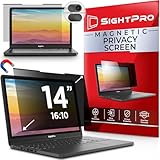
Overview:
This specialized SightPro model caters to 14-inch 16:10 aspect ratio laptops (e.g., some Dell XPS or older MacBooks), featuring patented magnetic attachment for instant privacy in high-risk environments.
What Makes It Stand Out:
Its unique focus on 16:10 screens—often overlooked by competitors—combined with the signature magnetic system, ensures fuss-free use. The package includes a webcam cover and storage folder, enhancing holistic security for niche device owners.
Value for Money:
Slightly pricier due to specialized sizing, but the magnetic convenience and bundled accessories justify the cost for compatible laptops. A worthwhile investment if you own a 16:10 device, as few alternatives exist.
Strengths and Weaknesses:
Strengths: Exclusive 16:10 compatibility; tool-free magnetic mounting; comprehensive security bundle; TAA-certified.
Weaknesses: Narrow device compatibility; no anti-glare emphasis; not for MacBooks despite aspect ratio overlap.
Bottom Line:
Essential for 16:10 laptop users seeking magnetic ease. Despite limited applicability, it’s unmatched for its target audience—prioritize verification of your screen dimensions before purchase.
5. Laptop Privacy Screen 14 Inch 16:9 Aspect Ratio, Laptop Screen Privacy Shield Compatible With Lenovo Hp Dell Acer Asus Thinkpad Envy Xps, Removable Anti Glare Blue Light Computer Filter Protector
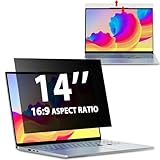
Overview:
LUSA DESIGN’s 14-inch filter emphasizes German-engineered anti-glare tech and dual-sided functionality (matte/glossy) for versatile privacy and visual comfort across mainstream 16:9 laptops.
What Makes It Stand Out:
The German AG anti-glare layer reduces glare by 90%—superior to many competitors—while the reversible design lets users toggle between matte (anti-glare) and glossy (enhanced privacy) finishes. Precise 1:1 sizing supports Envy/XPS models often excluded elsewhere.
Value for Money:
Competitively priced with SightPro’s non-magnetic options, but the dual-sided feature and exceptional glare reduction offer distinct value. Ideal for users in brightly lit environments who need display customization.
Strengths and Weaknesses:
Strengths: Best-in-class anti-glare; reversible matte/glossy surfaces; broad brand compatibility (including Envy/XPS); optimized 30° privacy angle.
Weaknesses: Adhesive-only installation; no webcam cover; rear visibility not blocked.
Bottom Line:
Top pick for glare-prone settings like airports or sunny offices. Choose this over SightPro’s basic models if visual comfort and finish flexibility are critical, despite lacking magnetic convenience.
6. Magicmoon 15.6" Privacy Filter Screen Protector, Anti-Spy/Glare Film for 15.6 inch Widescreen Notebook Laptop with 16:9 Aspect Ratio (Width x Height:344mmx194mm)

Overview:
This non-touchscreen-compatible privacy filter targets 15.6-inch 16:9 laptops, using a 344mm x 194mm film to limit viewing angles to ±30°. It blocks side-glances in public spaces while promising optical clarity for the user and 30% blue light reduction.
What Makes It Stand Out:
Its dual functionality—privacy shielding and eye protection—stands out, particularly the specific 380-495nm blue light blocking claim. The inclusion of two installation methods (slide-on or mounted) offers flexibility, and its focus on physical screen protection (dust/scratches) adds practical value for frequent travelers.
Value for Money:
Priced competitively for basic privacy needs, it delivers core functionality without premium features. While alternatives offer magnetic attachments or enhanced blue light reduction, this remains a cost-effective solution for budget-conscious users needing essential privacy in open offices or transit.
Strengths and Weaknesses:
Strengths: Easy installation options; effective side-angle blacking; reduces eye strain via blue light filtering; protects screen surface. Weaknesses: Not touchscreen-compatible; precise sizing risks (model-specific); limited blue light reduction compared to specialized filters; matte finish may slightly reduce screen clarity.
Bottom Line:
Ideal for professionals prioritizing affordable, no-frills privacy in public settings. Its screen protection bonus justifies the price, though verify exact laptop dimensions first. A solid entry-level choice for non-touchscreen 15.6" laptops.
7. 16 Inch 16:10 Laptop Privacy Screen Filter, Anti Blue Light Glare & Anti Scratch Computer Privacy Shield for 16" with 1920x1200 Aspect Ratio Laptop

Overview:
Designed exclusively for 16:10 (1920x1200) 16-inch laptops, this filter uses a narrow ±25° viewing angle for privacy. It emphasizes blue light reduction, glare prevention, and screen protection, with adhesive-only installation and touchscreen compatibility.
What Makes It Stand Out:
Its layered anti-blue light technology (claiming significant eye strain reduction) and matte anti-glare surface differentiate it. The explicit compatibility with 16:10 resolutions (excluding common 16.1" 16:9 models) ensures precision, while touchscreen functionality broadens usability beyond basic privacy needs.
Value for Money:
Offers strong value for users with compatible 16:10 laptops, bundling privacy, eye care, and scratch resistance. Priced moderately, it outperforms cheaper filters with superior blue light filtering and touch support, though those with standard 16.9" screens must seek alternatives.
Strengths and Weaknesses:
Strengths: Touchscreen-compatible; effective blue light/glare reduction; robust scratch protection; maintains screen brightness. Weaknesses: Strict compatibility requirements (excludes MacBook Pro 16" and 16:9 screens); adhesive-only installation limits reusability; precise sizing demands careful measurement.
Bottom Line:
Highly recommended for 16:10 laptop owners needing privacy with eye comfort. Its touch compatibility and multi-layered protection justify the cost, but confirm your screen specs meticulously before purchasing.
8. SightPro Magnetic Laptop Privacy Screen 16 Inch 16:10 - Patented Removable Laptop Privacy Filter Shield and Protector

Overview:
This premium 16:10 filter features patented magnetic attachment for instant removal, targeting professionals needing frequent privacy toggling. It includes TAA/Section 889 compliance and a comprehensive accessory kit (webcam cover, cleaning cloth).
What Makes It Stand Out:
The magnetic snap-on system is revolutionary—no adhesives or sliding mounts. U.S. patents validate its design, while the bundle (webcam cover, storage folder) adds enterprise-ready value. Its compliance certifications cater specifically to government and corporate users.
Value for Money:
Priced higher than basic filters, but the magnetic convenience, durability, and included accessories justify the cost for frequent travelers or security-conscious professionals. The time saved on installation/removal and robust build offer long-term ROI in high-privacy environments.
Strengths and Weaknesses:
Strengths: Effortless magnetic attachment; enterprise compliance; premium accessories; reliable privacy/blackout effect. Weaknesses: Higher price point; compatibility limited to 16:10 screens; magnets may interfere with some devices; not touchscreen-optimized.
Bottom Line:
A top-tier choice for business travelers and compliance-driven workplaces. The magnetic innovation and bundled extras deliver exceptional utility, making it worth the investment for those prioritizing speed and security.
9. SightPro 14 Inch 16:10 Laptop Privacy Screen Filter - Computer Monitor Privacy Shield and Anti-Glare Protector

Overview:
SightPro’s 14-inch 16:10 filter offers dual installation (adhesive strips or slide mounts) and anti-glare properties. Tailored for smaller screens, it emphasizes compliance (TAA/Section 889) and includes comprehensive mounting hardware.
What Makes It Stand Out:
The two installation methods provide unmatched versatility—permanent adhesive for stability or slide mounts for frequent removal. Its focus on 14" 16:10 screens fills a niche often overlooked, and the inclusion of two sets of each accessory ensures longevity.
Value for Money:
Competitively priced for its specialized size, the dual-install system and compliance features offer excellent value. Budget filters lack this adaptability, while the included extras (cleaning cloth, multiple mounts) enhance cost efficiency for mobile professionals.
Strengths and Weaknesses:
Strengths: Flexible installation options; ideal for smaller 16:10 laptops; strong privacy performance; TAA/compliance ready; generous accessory kit. Weaknesses: Narrow size compatibility; non-touchscreen use only; slide mounts require precise frame alignment; limited availability for uncommon screen ratios.
Bottom Line:
Essential for 14" 16:10 laptop users in regulated industries. The installation versatility and compliance credentials make it a pragmatic, future-proof investment for healthcare or government roles.
10. Yamaya 16 Inch Laptop Privacy Screen, Removable 16:10 Aspect Privacy Filter Screen Protector

Overview:
Yamaya’s dual-install 16:10 filter features reversible matte/glossy surfaces and claims exceptional blue light (95%) and UV (92%) reduction. It targets users needing quick attachment on compatible raised-frame laptops.
What Makes It Stand Out:
The reversible design (glossy for max privacy, matte for glare reduction) is unique. Japanese/German materials purportedly enhance performance, while the snap-in method enables 20-second installation—ideal for commuters switching between secure and public modes.
Value for Money:
Offers compelling value with its reversible surface and rapid removable system. Though mid-priced, the dual-install flexibility and aggressive blue light claims outperform many competitors, especially for frequent travelers prioritizing adaptability.
Strengths and Weaknesses:
Strengths: Reversible matte/gloss surface; ultra-fast snap-in installation; high blue light/UV blocking claims; anti-scratch layer; dual-install options. Weaknesses: Exaggerated light-reduction specs (industry standards vary); snap-in requires specific laptop bezels; not for MacBooks; durability concerns with repeated removal.
Bottom Line:
Best for Windows 16:10 laptop users in dynamic environments. The reversible feature and snap-on convenience are game-changers, though verify bezel compatibility and temper expectations on light-filtering claims.
Understanding the Critical Need for Visual Privacy
The Evolving Threat Landscape for Remote Workers
Gone are the days when visual hacking was limited to quick glances in elevators. Modern remote work environments—co-working spaces, transit hubs, public libraries, and even home offices with shared spaces—create numerous opportunities for sensitive information to be captured intentionally or accidentally. Competitors, curious onlookers, or even well-meaning family members can inadvertently expose critical data simply by being nearby. The rise of high-resolution cameras on everyday devices means a quick photo taken from across the room can capture startlingly clear screen content.
Why Digital Security Alone Falls Short
Firewalls, VPNs, and complex passwords form the backbone of digital security, but they operate in the virtual realm. They cannot prevent a physical breach where information is literally seen by unauthorized individuals. This gap in your security posture is precisely where visual privacy solutions step in, acting as the essential physical counterpart to your digital defenses. Ignoring this layer leaves a significant vulnerability wide open, regardless of how robust your other security measures are.
The Real Cost of a Visual Data Leak
The consequences of visual hacking extend far beyond momentary discomfort. For individuals, it can lead to identity theft, financial fraud, or loss of personal privacy. For professionals and businesses, the fallout can be severe: breach of client confidentiality agreements, loss of competitive advantage, regulatory fines under data protection laws (like GDPR or CCPA), and significant damage to professional reputation and trust. The cost of remediation often far exceeds the modest investment in a reliable privacy filter.
Core Technology: How Privacy Filters Actually Work
The Science Behind the Privacy Effect
Privacy filters utilize a sophisticated optical technology known as microlouver. Imagine millions of incredibly thin, vertical louvers embedded within the filter film, similar to miniature window blinds. These louvers precisely control the viewing angle. Directly in front of the screen, light passes through normally, providing a clear image. However, as the viewing angle moves to the sides (typically beyond 30 degrees), the louvers block the light path, causing the screen to appear dark or completely black to anyone not sitting directly in front of it.
Matte vs. Glossy Surface Finishes: A Key Consideration
Privacy filters come with different surface treatments, each impacting both privacy and usability. Matte finishes significantly reduce glare from overhead lights or windows, making them ideal for bright or variable lighting conditions common in cafes or near windows. However, they can slightly reduce screen sharpness and introduce a subtle “grainy” texture. Glossy finishes preserve maximum screen clarity and color vibrancy but are far more susceptible to reflections, which can be distracting and potentially counterproductive in sunny environments. Choosing the right finish depends heavily on your most frequent work settings.
Clarity and Color Fidelity: Maintaining Usability
A common concern is that privacy filters degrade screen quality. While all physical overlays introduce some minor change, high-quality modern filters in 2026 are engineered for minimal impact. Look for filters specifically touting high light transmission rates (90% or above) and color neutrality. Premium options use advanced coatings to prevent color distortion, ensuring text remains crisp and images retain their intended hues, so your work isn’t hampered by the very tool protecting it.
Selecting the Perfect Filter for Your Remote Work Lifestyle
Precisely Measuring Your Screen: Avoiding Costly Mistakes
Accuracy is paramount. Laptop screens are measured diagonally only from active pixel to active pixel (the visible screen area), not including the bezel. Use a ruler or tape measure carefully. Even a quarter-inch discrepancy can lead to poor fit, gaps that compromise privacy, or difficulty installing the filter securely. Consult your laptop’s manual or manufacturer specifications for the exact native screen size if possible, but always verify with a physical measurement.
Compatibility Beyond Size: Bezel Design and Webcam Integration
Screen size is just the start. Modern laptops feature diverse bezel widths and shapes (ultra-thin, asymmetrical, etc.). Some privacy filters require specific bezel widths for their adhesive or frame systems to attach properly. Crucially, consider your webcam placement. Filters that sit over the screen (most common) won’t obstruct a top-bezel camera, but if your camera is positioned unusually (e.g., in the keyboard deck), ensure the filter design accommodates it without blocking the lens. Also, check compatibility with laptop models known for curved edges or 2-in-1 hinge mechanisms.
Framed vs. Frameless Designs: Pros and Cons
Framed privacy filters (with a thin plastic border) often offer easier installation and removal, especially for beginners, and can provide slightly better edge adhesion on tricky bezels. Frameless (or “borderless”) filters aim for a nearly invisible, seamless look integrated with the screen bezel, preferred for aesthetics and minimalism. However, frameless filters can be trickier to align perfectly during installation and might be more prone to lifting at the edges over time if not applied meticulously. Your preference for ease of use versus a cleaner look will guide this choice.
Optimizing Your Filter for Daily Remote Work
Installation Mastery: Achieving a Flawless, Bubble-Free Fit
Patience and a clean environment are non-negotiable. Work in a dust-free area, ideally on a clean, flat surface. Thoroughly clean your laptop screen with the provided microfiber cloth and solution (or a dedicated screen cleaner), removing all fingerprints and dust. Apply the filter slowly, starting from one edge and smoothing outwards with a soft card or squeegee, working out any air bubbles as you go. Most high-quality kits include detailed step-by-step instructions—follow them precisely. Rushing this step leads to frustration and compromised results.
Maintaining Peak Performance: Cleaning and Care
Treat your privacy filter like your screen. Use only microfiber cloths designed for optical surfaces and cleaners specifically formulated for coated screens (often alcohol-free). Avoid paper towels, tissues, or harsh chemicals, which can scratch the filter or degrade its anti-reflective or privacy coatings over time. Clean gently in a circular motion. Regular, gentle cleaning prevents grime buildup that can scatter light and slightly reduce the privacy effect’s sharpness at the edges.
Managing Glare in Dynamic Environments
While matte filters inherently combat glare, strategic positioning remains key. Be mindful of light sources—windows, overhead lights, desk lamps. Reposition your laptop so strong light sources are behind you or to the sides, not directly reflecting off the screen. The privacy filter’s glare reduction works best when combined with smart environmental awareness, ensuring consistent visibility without compromising the privacy shield.
Advanced Features for the Discerning Remote Professional
Anti-Reflective and Anti-Glare Coatings: Enhanced Clarity
Beyond the basic matte/glossy choice, premium filters in 2026 often feature multi-layer anti-reflective (AR) coatings. These coatings significantly reduce reflections from ambient light sources, improving screen readability in bright conditions without the texture sometimes associated with matte finishes. This is particularly valuable for remote workers frequently moving between different lighting environments throughout the day.
Blue Light Reduction Integration
Prolonged screen time is a reality for remote workers. Some advanced privacy filters now incorporate blue light filtering technology directly into the film. While not replacing dedicated software solutions or medical-grade glasses, this integrated feature can provide an additional layer of eye strain reduction, contributing to better comfort during long work sessions, especially in the evening.
Enhanced Security Certifications: Looking Beyond the Basics
For professionals handling highly sensitive data (finance, legal, healthcare, government contractors), look for filters meeting specific security standards. While less common for consumer-grade filters, some enterprise-focused options might reference standards related to visual privacy effectiveness. Understanding the specific security requirements of your industry can guide whether a standard filter suffices or if more specialized (and potentially certified) solutions are warranted.
Practical Integration into Your Remote Work Routine
Seamless Transitions: Using Filters with Laptop Stands and Docks
Privacy filters integrate smoothly with most ergonomic setups. Whether you use a simple riser or a full docking station with external monitors, the filter stays on your laptop screen. Ensure your laptop stand provides stable support, as the filter adds negligible weight but shouldn’t be subjected to excessive wobbling. Remember, the privacy effect only applies to the laptop screen itself; external monitors will require their own separate privacy solutions if used in open environments.
Traveling Securely: Protection on the Go
A privacy filter is your constant companion when traveling. Unlike software solutions, it works instantly, anywhere, without internet access or configuration. It protects your screen whether you’re connected to a public Wi-Fi hotspot in an airport or working offline on a train. Consider a dedicated, padded slot in your laptop bag to store the filter when removed (if using a removable type), protecting it from scratches. Some filters come with compact storage cases for safe transport.
Balancing Privacy and Collaboration
The natural question arises: how do you share your screen when needed? High-quality filters are designed for quick removal and reapplication. For planned collaboration (e.g., a video call where screen sharing is needed), simply remove the filter beforehand. For spontaneous sharing in person, temporarily removing the filter is the safest approach. Trying to angle the screen for others while the filter is on often results in poor visibility for them and compromises your privacy perimeter for others nearby.
Future-Proofing Your Investment
Durability and Longevity: Getting the Most Value
A well-maintained privacy filter is a long-term investment. Look for filters made with robust, scratch-resistant materials (often PET or tempered glass variants). Avoid sliding objects across the screen or storing the laptop with items that could press against the filter in your bag. Proper care ensures the filter maintains its optical clarity and privacy effectiveness for years, not months, maximizing your return on this essential security tool.
Compatibility with Emerging Laptop Technologies
As laptop designs evolve—folding screens, higher refresh rates, advanced OLED panels—privacy filter manufacturers adapt. Reputable brands actively develop solutions for new form factors. When purchasing, verify compatibility with your specific laptop model year and display type (IPS, OLED, etc.). While most standard flat panels are readily covered, cutting-edge designs might require checking for newer filter iterations designed specifically for those technologies.
Frequently Asked Questions
How does a privacy filter actually make my screen private?
Privacy filters use a technology called microlouver, consisting of millions of tiny vertical blinds embedded in the film. These allow light to pass straight through for the person directly in front of the screen but block light at wider angles, causing the screen to appear dark to anyone viewing from the side.
Will a privacy filter damage my laptop screen?
No, high-quality privacy filters use static cling or very low-tack adhesives specifically designed not to leave residue or damage screen coatings when applied and removed correctly. Always follow the manufacturer’s installation and removal instructions.
Can I use a privacy filter with a touchscreen laptop?
Yes, most modern privacy filters are fully compatible with capacitive touchscreens. Ensure you select a filter explicitly stated as touchscreen compatible, as the surface coating needs to allow finger capacitance to pass through effectively.
Do privacy filters work on all laptop sizes?
Privacy filters are manufactured for specific screen sizes (e.g., 13.3", 15.6"). You must select a filter matching your laptop’s exact screen size, measured diagonally across the visible display area, not including the bezel.
Will a privacy filter make my screen look darker?
There is typically a slight reduction in overall brightness (usually 10-20%) because the microlouvers block some light. However, high-transmission filters minimize this effect. You may need to adjust your screen brightness slightly upwards for optimal viewing comfort.
How do I clean a privacy filter without damaging it?
Use only a microfiber cloth designed for optical surfaces and a cleaner specifically made for coated screens (often alcohol-free). Gently wipe in a circular motion. Never use paper towels, tissues, window cleaners, or abrasive cloths.
Are frameless privacy filters harder to install than framed ones?
Frameless filters can require more precision during alignment as they lack a border for guidance, potentially making installation slightly trickier for first-time users compared to framed filters. However, both types are manageable with careful attention to the instructions.
Can I see my screen clearly if I wear glasses with a privacy filter?
Yes, privacy filters affect the viewing angle, not the clarity for the primary user sitting directly in front. As long as you are positioned within the central viewing cone (typically +/- 30 degrees), screen clarity remains high, regardless of whether you wear glasses.
Do privacy filters protect against cameras taking pictures of my screen?
Yes, effectively. Because the privacy filter blocks light at angles, a photo taken from the side will capture a dark or black screen. Only photos taken from almost directly behind you would potentially capture readable content, which is a much harder angle for an unauthorized person to achieve discreetly.
How long should a good quality privacy filter last?
With proper care and handling (avoiding scratches, careful cleaning, safe storage when removed), a high-quality privacy filter can easily last 2-3 years or more, often matching the typical lifespan of the laptop it’s used on.