Designers live at the intersection of creativity and precision, where every pixel matters and workflow fluidity is non-negotiable. Yet, too many professionals overlook a fundamental tool that impacts their daily output: the keyboard. That clunky, plasticky peripheral sitting beneath your hands isn’t just an afterthought—it’s the physical bridge between your vision and the digital canvas. For hours on end, during critical client presentations or deep focus sessions, an unsuitable keyboard can introduce frustrating micro-interruptions: inconsistent keypresses, distracting flex, or even physical strain that pulls you out of the creative zone. The right input device shouldn’t hinder your process; it should disappear into it, becoming a silent partner in your craft.
Enter the realm of premium aluminum keyboards—a category gaining serious traction among design professionals who demand more than just functionality. These aren’t mere status symbols; they represent a thoughtful convergence of material science, ergonomic engineering, and aesthetic harmony with high-end workstations. Why the shift towards metal construction? It’s about eliminating the compromises inherent in budget peripherals. Aluminum offers unprecedented rigidity, ensuring every keystroke is registered cleanly without chassis flex that can disrupt rhythm. It provides a substantial, grounded feel that dampens vibration and noise, crucial in quiet studio environments or during video calls. More than that, its sleek, minimalist profile complements the clean lines of modern design software interfaces and high-end monitors, creating a cohesive, distraction-free workspace that subtly elevates the entire creative experience. Investing here isn’t indulgence; it’s strategic ergonomics.
Top 10 Aluminum Keyboards
Detailed Product Reviews
1. EPOMAKER Galaxy100 QMK/VIA Wireless Gaming Keyboard, Aluminum Shell, BT/2.4Ghz/USB-C, Pre-Lubed Hot-Swappable Linear Switches, NKRO, RGB Backlit (Creamy White, Marble White Switch)

Overview: The EPOMAKER Galaxy100 is a premium 100% wireless mechanical keyboard targeting enthusiasts who demand exceptional typing quality and customization. Built with an aluminum gasket-mount structure and pre-lubed Marble White linear switches, it delivers a signature “creamy” sound profile ideal for both gaming and office use.
What Makes It Stand Out: Its standout features include a robust 5-layer sound-dampening system (using Poron, IXPE, and other materials) that eliminates hollow echoes, an integrated metal volume knob, and seamless QMK/VIA support for deep customization. The 8000mAh battery enables weeks of wireless use across triple connectivity modes (BT/2.4G/USB-C), while the hot-swappable PCB eliminates soldering needs for switch swaps.
Value for Money: Priced competitively for its tier, the Galaxy100 justifies its cost with an unrivaled build (thick aluminum shell), factory-lubed switches, and numpad inclusion—rare in similarly priced gasket keyboards. It outperforms plastic alternatives in durability and acoustic refinement, though budget seekers might find it steep.
Strengths and Weaknesses:
Strengths: Exceptional typing sound/feel; versatile multi-device compatibility; outstanding battery life; comprehensive dampening suite.
Weaknesses: Heavy weight limits portability; numpad may feel redundant for minimalist users.
Bottom Line: A top-tier investment for typing purists seeking a luxurious, customizable experience with no compromises on build or acoustics.
2. Womier 75% Wireless Mechanical Keyboard, Creamy Keyboard Gaming QMK/VIA, CNC Aluminum with 8000mAh Battery, Tri-Mode Key Board Custom Hot Swappable RGB Backlit for Windows/Mac/PC (SK71 PRO-Brown)

Overview: The Womier SK71 Pro is a sleek 75% wireless mechanical keyboard blending vibrant aesthetics with robust functionality. Crafted from CNC aluminum and featuring POM linear switches, it targets gamers and creators wanting compact versatility without sacrificing premium features.
What Makes It Stand Out: Its bold color-contrast design and south-facing RGB underglow create striking visual flair, while the 8000mAh battery ensures marathon usage. QMK/VIA support enables intricate macro programming, and tri-mode connectivity (BT/2.4G/USB-C) allows effortless device switching—enhanced by shortcut keys for instant toggling.
Value for Money: At its price point, the SK71 Pro offers exceptional value with aluminum construction, hot-swappable sockets, and vibrant lighting rarely matched in sub-$150 keyboards. It edges out plastic competitors but lags slightly in sound optimization versus higher-end gasket mounts.
Strengths and Weaknesses:
Strengths: Eye-catching RGB customization; long battery life; smooth POM switches; intuitive QMK/VIA remapping.
Weaknesses: Limited sound-dampening layers; underglow may distract some users; no dedicated knob.
Bottom Line: An outstanding choice for those prioritizing style, battery longevity, and customization in a compact 75% form factor.
3. EPOMAKER Galaxy100 QMK/VIA Wireless Gaming Keyboard, Aluminum Shell, BT/2.4Ghz/USB-C, Pre-Lubed Hot-Swappable Linear Switches, NKRO, RGB Backlit (White Purple, Marble White Switch)

Overview: This White Purple variant of EPOMAKER’s Galaxy100 retains all core features of its sibling but with a distinctive two-tone aesthetic. Designed for productivity and gaming, it emphasizes acoustic refinement through gasket mounting and multi-layer dampening, paired with extensive wireless flexibility.
What Makes It Stand Out: Identical to the Creamy White model, it excels with 5 acoustic foam layers for “thocky” keystrokes, a factory-lubed Marble White switch set, and a metal encoder knob for volume/data tasks. The 8000mAh battery and tri-mode connectivity ensure uninterrupted use, while QMK/VIA unlocks limitless key remapping and macros.
Value for Money: Priced identically to competitors, it delivers superior value via aluminum durability, numpad utility, and plug-and-play switch swapping—surpassing most 100% keyboards in sound quality. The color variant justifies a slight premium for aesthetics-focused buyers.
Strengths and Weaknesses:
Strengths: Unmatched typing sound consistency; versatile programmability; exceptional battery endurance; sturdy aluminum build.
Weaknesses: Bulky footprint; premium price may deter casual users.
Bottom Line: Highly recommended for professionals and gamers needing a feature-rich, sonically refined full-sized keyboard with no functional compromises.
4. ELECFOX MK INKY75 Mechanical Keyboard with Full Aluminum Wireless Mechanical Gaming Keyboard, 75% Layout Mechanical Keyboard BT/2.4G/USB-C,Hot Swappable, Creamy Sounding, RGB/PP/4000mAh(Raven Black)
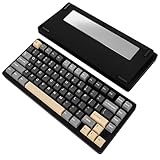
Overview: The ELECFOX Inky75 is a minimalist 75% wireless keyboard emphasizing acoustic excellence and portability. Its full aluminum chassis and five-layer dampening system cater to users seeking a “creamy” typing experience in a compact, travel-friendly design.
What Makes It Stand Out: The standout element is its meticulous sound engineering—featuring PORON plate foam and EPDM case foam to eliminate rattles—paired with south-facing RGB for optimal key visibility. VIA compatibility enables deep customization, while the Matcha Buttermilk linear switches (pre-lubed) offer buttery smoothness out of the box.
Value for Money: It offers compelling value with aluminum construction and robust dampening at a mid-range price, though the 4000mAh battery (vs. 8000mAh in rivals) slightly reduces longevity. Ideal for audiophiles prioritizing sound over extended wireless sessions.
Strengths and Weaknesses:
Strengths: Superior acoustic refinement; clean south-facing RGB; hot-swappable convenience; elegant glitter finish.
Weaknesses: Shorter battery life; fewer programmable keys than full-sized models.
Bottom Line: A must-consider for sound-focused typists wanting a portable, aesthetically refined 75% keyboard with excellent stock performance.
5. M1 V5 Aluminum Mechanical Keyboard 75% Topographic Theme Quick Release Gaming Keyboard with Knob, 8000 mAH RGB Hot-swappable White Custom Keyboard with Side-printed Keycaps Pre lubed Piano Switch

Overview: The MonsGeek M1 V5 merges rugged aluminum construction with innovative quick-release mechanics in a 75% layout. Designed for tinkerers, it features tool-free case disassembly, programmable knobs, and a “thocky” acoustic profile right from the unboxing.
What Makes It Stand Out: Its unique quick-release top/bottom case system allows instant customization access, while the 5-layer dampening system and gasket mount deliver deep, resonant keystrokes. The 8000mAh battery and tri-mode connectivity support multi-device workflows, and MonsGeek’s driver enables intricate RGB/lighting programming beyond standard VIA.
Value for Money: Priced competitively, it offers exceptional modularity and battery life—especially for DIY enthusiasts. The side-printed keycaps and pre-lubed switches add polish, though the proprietary driver lacks QMK/VIA’s community support.
Strengths and Weaknesses:
Strengths: Revolutionary quick-assembly design; strong battery capacity; satisfying thocky acoustics; versatile knob functionality.
Weaknesses: Driver-dependent customization; side-printed keycaps may hinder readability.
Bottom Line: Perfect for hobbyists craving hands-on customization and robust build quality, though casual users might prefer more plug-and-play alternatives.
6. YUNZII AL80 Wireless Mechanical Keyboard,Full Aluminum CNC, Smart LCD Display,Hot Swappable Gasket Mount 75% Layout with Knob,BT/2.4G/USB-C,QMK/VIA Support for Win/Mac (Silver, Cocoa Cream V2 Switch)

Overview: The YUNZII AL80 is a premium 75% wireless mechanical keyboard targeting enthusiasts who prioritize customization and aesthetics. Crafted from full aluminum with a gasket mount, it balances portability and functionality while delivering a “thocky” typing experience. Its standout LCD screen and tri-mode connectivity cater to both productivity and gaming needs.
What Makes It Stand Out: The customizable LCD display—showing time, GIFs, or battery status—is unmatched in its class. Combined with QMK/VIA support for deep key remapping, a metal knob for media control, and pre-lubed Cocoa Cream V2 linear switches, it offers exceptional personalization. The 6000mAh battery and gasket-mounted structure further elevate its appeal for noise-sensitive environments.
Value for Money: Priced competitively against mid-range aluminum keyboards, the AL80 justifies its cost with premium materials, versatile tri-mode connectivity, and unique LCD features. While cheaper plastics exist, the CNC aluminum build and hot-swappable flexibility (for MX-compatible switches) provide long-term value for tinkerers and professionals.
Strengths and Weaknesses: Strengths: Exceptional build quality; vibrant LCD and RGB; seamless multi-device switching; buttery-smooth linear switches. Weaknesses: 75% layout lacks dedicated function row; LCD customization requires software; premium price may deter casual users.
Bottom Line: A top-tier choice for customization-focused users seeking durability and flair. Ideal for gamers and typists willing to invest in a feature-rich, future-proof keyboard. Highly recommended for enthusiasts.
7. MechLands Blade75 Wireless Aluminum Mechanical Gaming Keyboard, BT5.0/2.4GHz/USB-C Hot Swappable Custom Creamy Keyboard with 4000mAh Battery, Knob, RGB Backlit, NKRO for Win/Mac/Games/Office (Blue)

Overview: The MechLands Blade75 is a stylish 75% aluminum wireless keyboard emphasizing acoustic refinement and minimalist design. With gasket mounting, tri-mode connectivity, and a 4000mAh battery, it targets users seeking a quiet, comfortable typing experience for office or gaming without sacrificing aesthetics.
What Makes It Stand Out: Its layered sound-dampening system—featuring sandwich foam, IXPE pads, and PET film—delivers an ultra-creamy “thock” rarely seen at this price. The flex-cut PC plate and tuned stabilizers enhance keypress smoothness, while the spray-painted aluminum shell and decorative backplate offer luxury touches. The metal knob simplifies media control.
Value for Money: Positioned as a budget-friendly aluminum alternative, the Blade75 excels in acoustic tuning and build quality. Though it lacks an LCD screen (unlike pricier rivals), its focus on sound optimization and hot-swap flexibility provides excellent bang for buck for noise-conscious typists.
Strengths and Weaknesses: Strengths: Outstanding sound profile; robust aluminum construction; efficient tri-mode connectivity; comfortable typing feel. Weaknesses: Smaller 4000mAh battery vs. competitors; limited RGB customization; no QMK/VIA support restricts advanced programming.
Bottom Line: A superb value for users prioritizing typing acoustics and durability. Perfect for office work or casual gaming, but enthusiasts needing deep customization should look elsewhere. Solid recommendation for budget-focused audiophiles.
8. YUNZII AL80 Wireless Mechanical Keyboard,Full Aluminum CNC, Smart LCD Display,Hot Swappable Gasket Mount 75% Layout with Knob,BT/2.4G/USB-C,QMK/VIA Support for Win/Mac (Silver, Gateron Zero Switch)
Overview: This AL80 variant swaps Cocoa Cream V2 switches for Gateron Zero linears, targeting speed-focused typists. Retaining the full aluminum chassis, LCD screen, and gasket mount, it emphasizes rapid actuation and smooth keystrokes while maintaining YUNZII’s signature customization depth.
What Makes It Stand Out: Gateron Zero switches—lighter and faster than Cream V2—excel in gaming and rapid typing. Paired with the dynamic LCD (displaying real-time stats), QMK/VIA programmability, and 6000mAh battery, it merges responsiveness with personalization. The 75% layout and metal knob preserve space efficiency without sacrificing essentials.
Value for Money: Ideal for gamers needing speed, this version matches the original AL80’s price but swaps creamy acoustics for agile performance. The hot-swappable PCB (3/5-pin compatible) future-proofs the investment, though switch lubing may require DIY tweaks for optimal smoothness.
Strengths and Weaknesses: Strengths: Blazing-fast Gateron Zero switches; versatile LCD; exceptional battery life; seamless multi-OS support. Weaknesses: Less “thocky” sound vs. Cream V2; LCD utility limited to visual flair; steep learning curve for QMK newbies.
Bottom Line: The definitive AL80 for competitive gamers prioritizing speed. Retains all core strengths while optimizing actuation—just ensure you prefer linear over tactile feedback. Highly recommended for esports enthusiasts.
9. YUNZII AL98 QMK/VIA Wireless Mechanical Gaming Keyboard,Full Aluminum,BT/2.4G/USB-C, Pre-Lubed Hot Swappable Gasket Mount 1800 Layout,RGB Backlit for Win/Mac (Black, Cocoa Cream V2 Switch)
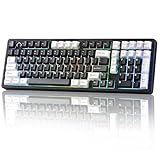
Overview: The AL98 expands YUNZII’s lineup with an 1800-layout keyboard, merging a compact number pad with premium gasket-mounted acoustics. Designed for productivity and gaming, it features full aluminum construction, QMK/VIA support, and an industry-leading 8000mAh battery in a near-full-size footprint.
What Makes It Stand Out: The rare 1800 layout (with numpad) saves desk space while retaining functionality—a unicorn for spreadsheet warriors. Gateron Cream V2 switches, 5-layer sound dampening, and ultra-low latency (1000Hz polling) ensure creamy precision. The 8000mAh battery and tri-mode connectivity support marathon sessions across 5 devices.
Value for Money: Premiumly priced but justifies cost with unique ergonomics and battery life. Competitors often sacrifice numpads for compactness; the AL98 bridges the gap, offering aluminum durability and hot-swap flexibility where plastic alternatives dominate this niche.
Strengths and Weaknesses: Strengths: Space-efficient numpad; class-leading battery; flawless NKRO for gaming; rich sound profile. Weaknesses: Bulkiest model here; no LCD display; macOS key labeling may confuse Windows users.
Bottom Line: A productivity powerhouse for numeric-heavy workflows. If you need a numpad without bulk, this is unmatched. Strongly recommended for accountants, coders, and hybrid work gamers.
10. YUNZII AL68 Wireless Mechanical Keyboard,Full Aluminum CNC,60% Layout with Knob, QMK/VIA Software,Gasket Mounted,Hot Swappable,RGB Backlit,BT/2.4G/USB-C for Mac/Win (Black, Cocoa Cream V2)

Overview: The AL68 distills YUNZII’s essence into a minimalist 60% layout, sacrificing keys for portability. With gasket mounting, aluminum build, and Cocoa Cream V2 switches, it’s engineered for travelers and clutter-averse users who demand premium feel without sacrificing core features.
What Makes It Stand Out: Its ultra-compact 66-key design retains a volume knob and hot-swap capability—rare in this size. The Flex-Cut PC plate and 4-layer sound dampening deliver surprising acoustic depth, while south-facing RGB and double-shot PBT keycaps ensure vibrant, durable backlighting even on the go.
Value for Money: Excellent for minimalist seekers; the aluminum chassis outshines plastic 60% rivals. Though smaller batteries exist, the 6000mAh cell (4-day life sans RGB) and QMK/VIA support justify the cost for frequent travelers needing reliability.
Strengths and Weaknesses: Strengths: Exceptional portability; creamy acoustics in tiny footprint; robust multi-device switching; long battery life. Weaknesses: Steep learning curve for function-layer navigation; no dedicated arrow keys; limited RGB customization vs. larger models.
Bottom Line: The pinnacle of portable mechanical keyboards. Perfect for digital nomads or minimalists—just master its layers first. Highest recommendation for on-the-move productivity.
Why Material Matters: The Aluminum Advantage for Design Workflows
Superior Structural Integrity and Stability
Aluminum chassis eliminate the annoying “wobble” and flex common in plastic keyboards. This rigidity ensures consistent key actuation across the entire board, critical when executing precise shortcuts or rapid typography adjustments. A stable platform means your focus stays on the screen, not compensating for a shifting base during intense vector path work or photo retouching marathons. The weight also anchors the keyboard firmly, preventing accidental slides during vigorous typing sessions.
Enhanced Thermal Dissipation Properties
Metal construction actively draws heat away from internal components and your hands during extended use. Unlike plastic, which can trap warmth and contribute to finger fatigue or stickiness, aluminum’s natural conductivity keeps the surface comfortably cool. This is particularly beneficial during long rendering sessions or complex project deadlines where hands remain on the keys for hours, maintaining dexterity and reducing discomfort.
Unmatched Longevity and Wear Resistance
Aluminum resists scratches, dents, and the yellowing that plagues many plastics over time, especially under constant exposure to light and handling. Anodized finishes further protect against corrosion and UV damage, ensuring your keyboard maintains its professional appearance and structural integrity for years, not just months. This resilience translates directly to a lower total cost of ownership for demanding creative professionals.
Ergonomic Essentials for the Design Professional
Optimized Key Travel and Actuation Force
Finding the sweet spot between tactile feedback and minimal finger travel is paramount. Designers benefit from switches offering clear actuation without excessive force, reducing hand fatigue during repetitive tasks like adjusting layer opacity or navigating timelines. Consistent keypress depth across the board ensures muscle memory remains reliable, whether you’re using complex software shortcuts or typing client notes.
Thoughtful Tilt Mechanisms and Angles
Adjustable tilt legs aren’t just a nicety; they’re crucial for wrist alignment. Premium aluminum models often feature robust, multi-position feet or even integrated magnetic risers that allow precise customization of the keyboard’s angle. This adaptability helps maintain a neutral wrist posture, significantly reducing strain during prolonged design sessions and preventing long-term repetitive stress injuries.
Compatibility with Ergonomic Accessories
A well-designed aluminum chassis often integrates seamlessly with external ergonomic accessories like palm rests or negative tilt stands. The flat, stable base provides an ideal foundation for these add-ons, ensuring they don’t slide or wobble. This modularity allows designers to tailor their setup precisely to their anatomical needs without compromising the keyboard’s inherent stability.
Refining the Typing Experience for Creative Precision
Keycap Material Science and Profile
PBT plastic keycaps, often found on premium metal keyboards, resist shine and oil buildup far better than ABS, maintaining texture and legibility. Spherical or DSA profiles provide consistent finger placement across keys, enhancing accuracy during fast typing or shortcut execution. Doubleshot legends ensure critical modifier keys (like Ctrl, Alt, Cmd) remain visible even after years of heavy use.
Noise Dampening and Acoustic Feedback
Aluminum frames, combined with internal silicone dampeners or foam layers, significantly reduce the hollow “ping” and keycap vibration noise common in plastic boards. This creates a quieter, more satisfying typing sound—essential in shared studio spaces or during client video conferences where distracting clatter can break concentration. The result is a subtle, premium acoustic signature that complements a professional environment.
Consistent Key Feel Across the Entire Board
Rigidity prevents the “mushy” feel sometimes found on the edges of cheaper keyboards. Every key, from the top-left Escape key to the bottom-right Enter, delivers identical tactile response and travel. This uniformity is vital for muscle memory when executing complex, multi-key software shortcuts at speed, eliminating hesitation or missed inputs during critical workflow moments.
Connectivity and Integration for Modern Studios
Wired vs. Wireless: Latency and Reliability Considerations
While wireless offers clean desk appeal, designers working with real-time rendering or animation need absolute input reliability. Premium aluminum keyboards often provide dual-mode operation with ultra-low-latency Bluetooth and a dedicated USB-C wired connection. The wired option guarantees zero input lag during precision tasks, while wireless excels for quick client demos or moving between workstations.
Multi-Device Pairing Capabilities
Seamlessly switching between a primary design rig, a laptop for presentations, and a tablet for sketching is increasingly common. High-end metal keyboards frequently support pairing with 3-4 devices simultaneously via dedicated keys, eliminating the hassle of constant re-pairing. This fluid transition keeps the creative flow uninterrupted across different phases of a project.
Dedicated Software Integration and Customization
Beyond basic key mapping, some premium options offer deep integration with design applications through dedicated macro keys or companion software. Imagine assigning a single keypress to toggle between RGB workspace modes in your color-critical environment or instantly switch color profiles. This level of tailored functionality directly enhances productivity within specific creative ecosystems.
Aesthetic Harmony and Workspace Cohesion
Minimalist Design Philosophy
Aluminum keyboards inherently embrace minimalism—clean lines, hidden seams, and a focus on essential form. This aesthetic aligns perfectly with modern design studio environments and high-resolution displays, avoiding visual clutter that can subconsciously distract from the creative task at hand. The absence of flashy RGB (on many pro-focused models) reduces visual noise during color-critical work.
Finish Options and Color Matching
From sleek space gray to brushed silver or matte black, aluminum allows for sophisticated, professional finishes that complement premium monitors, laptops, and desk accessories. The ability to match or subtly contrast with your existing setup creates a unified, intentional workspace that psychologically reinforces a professional, focused mindset conducive to high-quality output.
Seamless Integration with High-End Ecosystems
A well-chosen aluminum keyboard doesn’t just sit on your desk; it becomes an integrated component of your professional toolkit. Its materials and craftsmanship resonate with the quality of a high-end monitor arm, ergonomic chair, or graphics tablet, signaling a commitment to surrounding yourself with tools worthy of your craft. This cohesion elevates the entire user experience.
Evaluating Long-Term Value Beyond the Price Tag
Total Cost of Ownership Perspective
While the initial investment is higher, consider the lifespan. A well-maintained aluminum keyboard can easily outlast 2-3 plastic alternatives, avoiding the mid-project disruption and recurring cost of replacement. Factor in reduced downtime from fatigue-related issues and the productivity gains from a superior input experience—the ROI becomes compelling for serious professionals.
Resale Value and Timeless Design
Unlike trend-driven peripherals, quality aluminum keyboards with classic designs hold significant residual value. Their durable construction and enduring aesthetics mean they remain desirable on the secondary market years later. This contrasts sharply with cheaper, disposable plastic models that quickly lose appeal and function.
Environmental Impact of Durability
Choosing a keyboard built to last decades aligns with sustainable practices increasingly important in the design industry. Reducing electronic waste by avoiding frequent replacements is a tangible ethical consideration. Premium aluminum, often highly recyclable, further minimizes the environmental footprint compared to complex plastic composites.
Making the Right Choice for Your Creative Process
Assessing Your Primary Design Software Demands
Different creative fields have distinct keyboard needs. Vector illustrators might prioritize ultra-precise shortcut execution and minimal key travel, while 3D modelers may benefit more from dedicated macro keys for viewport navigation. Analyze your most frequent software actions—does it demand heavy modifier key use, or frequent number pad access? Let this dictate your ideal layout and switch type.
Evaluating Your Physical Workspace Constraints
Measure your desk depth and consider your monitor height. A low-profile aluminum keyboard might pair perfectly with a monitor riser for optimal ergonomics, while a compact 60% layout could maximize space for your graphics tablet on a smaller desk. Don’t forget cable management—integrated channels or magnetic cable covers on premium models keep your setup clean and professional.
Prioritizing Features Against Your Budget
Be ruthless about what truly impacts your workflow. Is silent operation non-negotiable for your shared office? Does multi-device switching justify the premium? Or is pure structural stability the top priority? Identify 2-3 must-have features and use them as filters. Sacrificing non-essentials helps justify the investment where it matters most for your daily output.
Frequently Asked Questions
Are aluminum keyboards significantly heavier than plastic ones, and is that a problem?
Yes, aluminum keyboards are noticeably heavier due to the metal chassis, typically weighing 1.5 to 2 times more than comparable plastic models. This weight is generally an advantage, providing exceptional stability and preventing sliding during use. However, if you frequently travel with your keyboard or need to move it between workstations daily, the added heft could be a consideration, though many find the stability outweighs portability concerns for a primary workstation.
Do aluminum keyboards require special cleaning or maintenance?
Aluminum keyboards are generally easy to maintain. The anodized finish resists fingerprints and scratches better than plastic. Regular cleaning involves using compressed air to remove debris between keys and a slightly damp microfiber cloth for the surface. Avoid harsh chemicals or abrasive cleaners that could damage the finish. Keycaps can usually be removed with a puller for deeper cleaning, following standard mechanical keyboard practices.
Will an aluminum keyboard interfere with my wireless signal or device connectivity?
No, aluminum itself doesn’t inherently block wireless signals like Bluetooth or 2.4GHz. Premium designs incorporate strategic antenna placement and signal-penetrating materials in the chassis where needed. Any connectivity issues are far more likely related to general wireless interference in your environment (like other electronics or physical obstructions) rather than the aluminum construction itself. Wired connectivity remains unaffected.
Are aluminum keyboards louder to type on than plastic ones?
Not necessarily—often the opposite. While the metal frame can transmit sound differently, high-quality aluminum keyboards almost always include internal silicone dampeners, foam layers, or gaskets specifically designed to absorb vibration and reduce noise. The rigidity actually prevents the hollow “ping” sometimes heard on thin plastic boards. The overall typing sound is usually deeper, quieter, and more premium than many budget plastic keyboards.
Can I replace keycaps on an aluminum keyboard?
Yes, in almost all cases. Premium aluminum keyboards designed for professionals use standard keycap profiles (like OEM, Cherry, or DSA) and standard switch types (Cherry MX compatible or similar), making them fully compatible with the vast aftermarket keycap ecosystem. The aluminum plate underneath actually provides a more stable base for keycaps compared to flexible plastic plates.
Do aluminum keyboards get cold to the touch in air-conditioned studios?
Aluminum does conduct temperature, so it can feel cooler to the touch than plastic in a cold room, especially initially. However, it also warms up quickly with hand contact during use. Many designers find the cool initial feel preferable to plastic, which can sometimes feel slightly “sticky” or warm after extended use. The thermal conductivity also helps dissipate heat from your hands during long sessions.
Is the premium price justified purely for durability, or are there performance benefits?
The value extends far beyond just longevity. The rigidity improves typing accuracy and consistency, reduces fatigue through better ergonomics, enhances the acoustic and tactile experience, and integrates seamlessly into a professional workspace. These performance and experiential benefits directly impact workflow efficiency and creative output, making it an investment in your productivity, not just a durable peripheral.
How do I know if the key switches are suitable for long design sessions?
Focus on switch characteristics: Tactile or linear switches with moderate actuation force (45g-60g) and medium key travel (3.5mm-4mm) are often ideal for designers. Avoid ultra-light or ultra-heavy switches. Look for descriptions emphasizing “smooth,” “consistent,” or “low fatigue.” If possible, test switches in-store or order samples. Quiet variants are beneficial in shared spaces, but prioritize feel over sound if noise isn’t your primary concern.
Will an aluminum keyboard work with my older computer or specific operating system?
Absolutely. Connectivity is standard: USB-C (often with a USB-A adapter included) or Bluetooth 5.0+ ensures compatibility with virtually all modern Windows, macOS, and Linux systems, and many even work with ChromeOS. The keyboard functions as a standard HID (Human Interface Device), so no special drivers are needed for basic operation, though companion software for customization might require a specific OS version.
Are there any downsides to aluminum I should be aware of before investing?
The primary considerations are weight (if portability is critical) and potential for minor surface scratches over many years of heavy use, though anodization minimizes this. Some very early aluminum models had issues with electrical grounding, but modern designs have perfected insulation. The main “downside” is the higher initial cost, but as discussed, the long-term value and workflow benefits typically justify it for professionals. Ensure the specific model fits your ergonomic needs, as the premium build doesn’t automatically guarantee comfort for your hands.