Your 4K video project is finally complete, but now you’re staring at a progress bar that seems to move backward. That agonizing wait—transferring hundreds of gigabytes via traditional external drives—has become the modern creator’s bottleneck. Enter NVMe enclosures: the pocket-sized powerhouses that transform blazing-fast internal SSDs into portable storage solutions capable of moving gigabytes in seconds, not minutes. Whether you’re a video editor shuttling between studios, a photographer backing up wedding shoots on-location, or a gamer wanting to carry your entire Steam library, understanding NVMe enclosures isn’t just technical trivia—it’s the difference between workflow friction and creative flow.
This comprehensive guide dives deep into everything you need to know about selecting the perfect NVMe enclosure for your specific needs, from decoding technical specifications to avoiding costly compatibility mistakes.
Top 10 NVMe Enclosures for Super-Fast Transfers
Detailed Product Reviews
1. SABRENT USB C NVMe Enclosure, Tool-Free M.2 SSD Case for 2230-2280, 10Gbps USB 3.2 Gen 2 Adapter, Aluminum Cooling, External M.2 Drive Enclosure for NVMe SSDs (EC-PNVO)
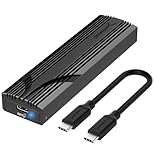
Overview: The SABRENT EC-PNVO delivers straightforward 10Gbps NVMe external storage at an accessible price point. This tool-free enclosure supports M.2 SSDs from 2230 to 2280 form factors up to 8TB, making it ideal for upgrading laptop storage, cloning drives, or creating portable high-speed backups. Its flip-open design eliminates tiny screws, while the aluminum construction provides essential cooling for sustained performance.
What Makes It Stand Out: The innovative flip-open mechanism sets this apart from slide-in enclosures, providing direct pressure between the thermal pad and SSD for superior heat dissipation. This ensures more stable 10Gbps transfers during extended operations. The reinforced ABS frame with aluminum alloy top strikes an excellent balance between durability and weight, while true plug-and-play USB-C connectivity works seamlessly across laptops, desktops, and gaming handhelds.
Value for Money: At $19.99, this enclosure sits in the sweet spot for budget-conscious buyers who refuse to compromise on thermal management. While cheaper plastic alternatives exist, the aluminum cooling solution prevents throttling during large file transfers. For users satisfied with 10Gbps speeds—plenty fast for most workflows—this offers professional-grade features without the premium price tag.
Strengths and Weaknesses:
- Strengths: Excellent tool-free installation; superior aluminum cooling vs. plastic competitors; broad 2230-2280 size support; compact and portable; no drivers required; stable sustained speeds.
- Weaknesses: NVMe-only compatibility excludes SATA drives; limited to 10Gbps when faster options exist; flip mechanism may wear over time; cable not included in some packages.
Bottom Line: The SABRENT EC-PNVO is a reliable workhorse for everyday users needing fast, cool-running portable storage without breaking the bank. Perfect for tech enthusiasts and professionals who value convenience and thermal performance.
2. FIDECO M.2 NVMe SSD Enclosure, M.2 NVMe to USB Adapter, USB 3.2 Gen 2 (10Gbps) SSD Reader for M & M+B Key, Sandwich Style Design, Tool-Free Installation, Support UASP and Trim

Overview: FIDECO’s budget-friendly NVMe enclosure makes 10Gbps portable storage accessible to everyone. Supporting both M and M+B Key NVMe SSDs in sizes 2230 through 2280, this adapter leverages USB 3.2 Gen 2 with UASP and Trim for optimal performance. The sandwich-style design enables true tool-free installation, while the pocket-sized form factor ensures it travels easily in any laptop bag.
What Makes It Stand Out: This is the most affordable NVMe enclosure that doesn’t sacrifice core functionality. The sandwich design compresses the thermal pad directly against the drive more effectively than many budget competitors, improving cooling. Including both USB-C to USB-C and USB-A adapters in one cable eliminates the need to carry multiple cords, a thoughtful touch for mobile professionals. UASP and Trim support ensures sustained performance and drive longevity.
Value for Money: At $12.47, this undercuts most competitors by 30-50% while delivering comparable 10Gbps performance. It’s an exceptional value for casual users, students, or technicians who need occasional high-speed access to NVMe drives. While build materials are less premium than pricier options, the functionality-per-dollar ratio is outstanding.
Strengths and Weaknesses:
- Strengths: Unbeatable price point; effective sandwich cooling design; includes versatile USB cable; broad OS compatibility; UASP/Trim support; extremely compact and portable.
- Weaknesses: Likely plastic construction less durable than aluminum; thermal performance adequate but not exceptional; no active cooling; basic aesthetic; limited long-term reliability data.
Bottom Line: The FIDECO enclosure is the go-to choice for budget-minded users needing occasional NVMe access. It delivers essential 10Gbps performance without frills, making it perfect for students, DIY techs, and backup storage setups.
3. SABRENT USB4 NVMe SSD Enclosure – Tool-Free USB 4.0 M.2 PCIe 4.0 x4 External SSD Case, 3900MB/s, Thunderbolt 3/4 & USB-C Compatible, for 2230/2242/2260/2280 Drives (EC-U4TN)

Overview: The SABRENT EC-U4TN represents the pinnacle of portable SSD performance, harnessing USB4 and Thunderbolt technologies for speeds up to 3,900 MB/s. This premium enclosure supports PCIe Gen4 x4 NVMe drives in all standard sizes, making it ideal for 4K video editors, 3D animators, and developers who need desktop-class storage speeds in a portable package. Its tool-free installation and active cooling ensure professional-grade reliability.
What Makes It Stand Out: This is one of the few enclosures that fully saturates USB4’s 40Gbps bandwidth, delivering nearly four times the speed of 10Gbps alternatives. The integrated active cooling fan prevents thermal throttling during massive file transfers, a critical feature when pushing PCIe Gen4 drives to their limits. Universal compatibility with Thunderbolt 3/4, USB4, and legacy USB-C ports ensures it works across all modern systems without driver hassles.
Value for Money: At $89.99, this is a significant investment, but justified for professionals whose time is money. The performance leap from 10Gbps to 3,900 MB/s can save hours weekly for content creators handling large media files. While overkill for casual users, it costs less than buying a new high-end laptop for equivalent internal storage speeds.
Strengths and Weaknesses:
- Strengths: Blazing USB4/Thunderbolt speeds; active cooling prevents throttling; tool-free drive swaps; broad compatibility; optimized for PCIe Gen4; premium build quality.
- Weaknesses: Premium price; fan generates audible noise; overkill for basic storage needs; requires USB4/Thunderbolt port for full speed; SATA drives not supported.
Bottom Line: For creative professionals and power users demanding uncompromising speed, the EC-U4TN is worth every penny. It’s a portable production studio in your pocket, eliminating bottlenecks for serious workflows.
4. Enhanced USB4 M.2 NVMe PCIe SSD Enclosure - 40Gbps Ultra-Fast Transfer, Tool-Free Setup, Dual-Sided Cooling, Thunderbolt 4/3 & USB4/3.2 Compatible, Fits M1/M2 M3/M4, Supports 2230/2242/2260/2280 SSD

Overview: This Enhanced USB4 enclosure targets Mac users and performance enthusiasts with a fanless 40Gbps solution that prioritizes silent operation. Supporting all NVMe SSD sizes from 2230 to 2280, it delivers up to 3,000 MB/s transfers through precision-engineered aluminum chassis with raised cooling fins. The tool-free design enables quick drive swaps, while dual-system Mac support makes it perfect for dual-boot setups.
What Makes It Stand Out: The fanless passive cooling system is a deliberate engineering choice—eliminating noise, dust accumulation, and mechanical failure points while maintaining thermal performance through aircraft-grade aluminum and strategic fin design. Mac-specific optimization ensures seamless plug-and-play with Apple Silicon, plus the ability to run Windows directly from the enclosure for developers and designers needing cross-platform workflows.
Value for Money: Priced at $64.99, this sits between budget 10Gbps and premium active-cooled USB4 options. For Mac users wanting silence without sacrificing speed, it offers compelling value. The build quality rivals enclosures costing $20 more, and the dual-boot capability adds unique versatility for Apple professionals.
Strengths and Weaknesses:
- Strengths: Silent fanless operation; excellent Mac integration; superior aluminum cooling; tool-free installation; Thunderbolt 4/3 and USB4 compatibility; compact design.
- Weaknesses: Passive cooling may limit sustained writes vs. active fans; speed claims depend on specific SSD and host; newer brand with limited track record; open design less rugged for travel.
Bottom Line: This enclosure excels for Mac users prioritizing silence and reliability. It’s a thoughtfully engineered solution for creative professionals who need speed without the whir of a cooling fan.
5. ACASIS NVME SSD Reader Adapter, Aluminium Alloy Housing Fast Heat Dissipation, NVME to USB Docking Station, M.2 SSD to USB Adapter 10Gbps, Support M.2 (M Key) NVMe SSD and (B+M Key) SATA-Based SSD

Overview: ACASIS breaks the mold with a unique toaster-style docking station that supports both NVMe and SATA M.2 SSDs—a rare versatility at any price point. This 10Gbps adapter handles drives from 2230 to 2280 in an open, horizontal layout that maximizes airflow. The aluminum alloy construction ensures excellent heat dissipation, while the tool-free design allows effortless drive hot-swapping for technicians and power users managing multiple storage devices.
What Makes It Stand Out: The dual-protocol support is the headline feature—this is one of the few enclosures that handles both NVMe and SATA M.2 drives, future-proofing your investment across different SSD types. The toaster-style design isn’t just aesthetic; it provides superior passive cooling compared to closed enclosures and makes drive insertion/removal instantaneous. This transforms it from a simple enclosure into a versatile docking station for bench work.
Value for Money: At $34.99, it commands a premium over basic NVMe-only enclosures, but the SATA compatibility justifies the cost for users with mixed drive collections. Technicians and IT professionals will recoup the price difference in time saved during cloning or recovery operations. For average users with only NVMe drives, cheaper alternatives exist.
Strengths and Weaknesses:
- Strengths: Rare NVMe+SATA dual support; innovative toaster design for easy swapping; exceptional passive cooling; aluminum construction; tool-free operation; no drivers needed.
- Weaknesses: Open design less portable and dust-resistant; SATA compatibility adds cost unused by some; larger footprint than pocket enclosures; 10Gbps limits NVMe potential; no active cooling.
Bottom Line: The ACASIS toaster dock is unmatched for versatility. It’s the ideal choice for technicians, IT departments, and users with both NVMe and SATA M.2 drives who prioritize convenience and cooling over ultra-portability.
6. Xiaobi M.2 NVMe SSD Enclosure, Tool-Free Installation, USB 3.2 Gen 2 (10 Gbps) to NVME M-Key/(B+M) Key PCIe NVMe Adapter Support UASP and Trim, for SSDs 2230/2242 /2260/2280
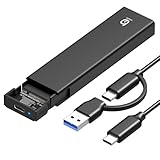
Overview: The Xiaobi M.2 NVMe SSD Enclosure delivers 10Gbps transfer speeds in a versatile, user-friendly package that supports multiple form factors from 2230 to 2280. This tool-free adapter converts your spare NVMe drives into portable storage for under $12.
What Makes It Stand Out: This enclosure’s universal M-Key and B+M Key compatibility across four sizes makes it exceptionally flexible. The tool-free installation uses a secure buckle mechanism—no screws or drivers needed. Combined with an aluminum alloy housing and silicone thermal pad, it maintains stable performance during intensive transfers.
Value for Money: At $11.99, this enclosure undercuts most competitors by 40-60% while offering comparable features. Similar enclosures from premium brands cost $20-30. The multi-size support effectively provides four products in one, maximizing value for users with varied SSD collections.
Strengths and Weaknesses: Strengths include exceptional price-to-performance ratio, broad size compatibility, effective thermal management, and true plug-and-play operation across Windows, macOS, and Linux. The tool-free design simplifies drive swaps. Weaknesses include no integrated cable (must carry separately), potential plastic internal components, and explicit incompatibility with SATA drives—though this is clearly documented. The opening mechanism requires pressing two buttons simultaneously, which may be tricky for some users.
Bottom Line: For budget-conscious users seeking versatile NVMe portability, the Xiaobi enclosure is a standout choice. It delivers premium features at an entry-level price, making it ideal for repurposing old drives or expanding storage without breaking the bank.
7. SABRENT USB-C Enclosure for M.2 2230 PCIe NVMe SSDs, 10Gbps Transfer Speed, UASP and Trim Support, Compatible with Windows, macOS, Linux (EC-NE30)

Overview: Sabrent’s EC-NE30 targets the niche 2230 form factor with a premium, portable solution. This enclosure transforms compact NVMe drives—popular in Steam Decks and ultrabooks—into reliable external storage with 10Gbps speeds.
What Makes It Stand Out: The integrated USB-C cable eliminates cable management hassles, while the aluminum and ABS construction balances durability with heat dissipation. Sabrent’s reputation for quality ensures reliable performance, and the retention clasp provides secure, tool-free drive installation.
Value for Money: At $19.99, it commands a premium over generic alternatives but justifies this through build quality, brand support, and the integrated cable. For 2230-specific needs, it’s competitively priced against other brand-name enclosures and includes Sabrent’s customer support.
Strengths and Weaknesses: Strengths include excellent portability, integrated cable eliminates loss risks, robust construction, and broad OS compatibility. UASP and TRIM support maximize performance. Weaknesses are its single-size limitation (2230 only) and higher cost per feature compared to multi-size alternatives. Users with varied SSD sizes will need multiple enclosures. The ABS plastic portion may trap more heat than full-metal designs, potentially affecting sustained transfers.
Bottom Line: Perfect for handheld gaming device users or those specifically upgrading 2230 drives. The Sabrent EC-NE30 offers peace of mind through brand reliability and thoughtful design, making it worth the modest premium for targeted applications.
8. SEINIKAY 40Gbps M.2 NVME Enclosure with Cooling Fan,USB 4 NVMe Enclosure,Compatible with Thunderbolt 4/3/USB3.2/3.1/3.0/2.0

Overview: The SEINIKAY enclosure pushes performance boundaries with 40Gbps USB4/Thunderbolt 4 support and active cooling. Designed for professionals handling massive files, it supports up to 8TB NVMe drives with thermal management that prevents throttling.
What Makes It Stand Out: A built-in cooling fan combined with aluminum construction and thermal pads creates an active cooling system unmatched by passive enclosures. This enables sustained peak performance during large transfers. USB4/Thunderbolt compatibility future-proofs the investment.
Value for Money: At $39.99, it’s a premium option but competitively priced for Thunderbolt enclosures. Users with compatible ports gain 4x the bandwidth of 10Gbps alternatives. For video editors, developers, and power users, the time savings justify the cost.
Strengths and Weaknesses: Strengths include exceptional 40Gbps speeds, active cooling prevents thermal throttling, 8TB capacity support, and attractive portable design. The complete accessory kit adds value. Weaknesses are the 2280-only limitation, requiring Thunderbolt/USB4 ports for full speed (backward compatible but limited), and higher price. The fan adds minimal noise and power draw.
Bottom Line: For Thunderbolt-equipped users demanding maximum performance, this enclosure delivers. It’s overkill for casual use but essential for professionals transferring large datasets regularly. The cooling system ensures your NVMe maintains peak performance under load.
9. BIBABLYKE NVMe 2230 SSD Enclosure Box USB C A 10Gbps Fast Data Transfer Supports PCIe SSD No Driver Needed Aluminium Alloy

Overview: The BIBABLYKE 2230 enclosure targets mobile-first users with its compact CNC-machined aluminum design and Android phone compatibility. It delivers 10Gbps speeds for PCIe 3.0/4.0 NVMe drives up to 4TB, creating a unique bridge between mobile devices and high-speed storage.
What Makes It Stand Out: Unique mobile phone connectivity sets this apart—connect directly to Android devices for on-the-go file management. The functional cap design protects the USB-C connector, while CNC aluminum construction provides premium feel and excellent heat dissipation in a pocketable form factor.
Value for Money: At $22.99, it sits between budget and premium options. The mobile support and build quality justify the price for users needing phone-to-SSD workflow capabilities that standard enclosures cannot provide.
Strengths and Weaknesses: Strengths include innovative mobile device support, robust CNC aluminum housing, functional protective cap, and PCIe 4.0 readiness. The plug-and-play design works across Windows, macOS, Linux, and Android. Weaknesses are 2230-only compatibility limiting versatility, no integrated cable, and thermal management details are less comprehensive than competitors. Documentation is sparse compared to major brands, and the mobile feature may not work with all Android devices.
Bottom Line: Ideal for power users wanting direct mobile storage expansion. If you frequently transfer files between Android devices and NVMe drives, this enclosure offers unique utility. For desktop-only use, cheaper alternatives exist.
10. Aluminum M.2 NVMe Enclosure,USB 3.2 Gen2 10Gbps Tool-Free ,SSD Enclosure for PCIe M-Key,Nvme USB Adapter Support UASP Trim for 2280 2260 2242 2230(Sata Protocol NOT Supported)

Overview: This budget-friendly enclosure delivers 10Gbps NVMe performance with surprising versatility. Supporting sizes from 2230 to 2280, it includes both USB-C and USB-A connectivity in a tool-free aluminum design for just $9.99.
What Makes It Stand Out: At this price point, the inclusion of a USB-C to C cable with attached USB-A adapter is remarkable. The tool-free mechanism simplifies installation, while S.M.A.R.T support adds advanced monitoring capabilities rarely seen in budget enclosures.
Value for Money: This is arguably the best value on the market—40% cheaper than the nearest competitor with equivalent features. The multi-size support and dual USB compatibility eliminate need for separate adapters.
Strengths and Weaknesses: Strengths include unbeatable price, broad size compatibility, included USB-A adapter, tool-free design, and S.M.A.R.T support. The aluminum housing provides decent passive cooling. Weaknesses are explicit incompatibility with MacBook SSDs (critical warning for some users), basic thermal pad solution, no integrated cable, and potential quality control variability at this price point. Documentation on drive initialization could be clearer.
Bottom Line: For standard NVMe drives, this is the value champion. It sacrifices brand prestige for pure functionality and savings. Perfect for repurposing spare drives or budget-conscious expansions, provided you avoid MacBook SSDs and don’t need Thunderbolt speeds.
Understanding NVMe Technology and Why It Matters
NVMe (Non-Volatile Memory Express) represents a fundamental shift in storage architecture. Unlike older SATA protocols designed for spinning hard drives, NVMe communicates directly with your system’s CPU via PCIe lanes, eliminating legacy bottlenecks. This direct pathway enables parallelism that SATA could never achieve—handling up to 64,000 command queues compared to SATA’s single queue.
When you place an NVMe SSD inside an enclosure, you’re essentially extending these PCIe lanes outside your computer. The enclosure’s controller chip acts as a translator, converting NVMe signals into whatever interface protocol your computer understands—be it USB or Thunderbolt. This translation layer is where performance lives or dies.
The PCIe Generation Game
PCIe 3.0, 4.0, and the emerging 5.0 standards dramatically impact real-world speeds. A PCIe 3.0 x4 NVMe drive maxes out around 3,500 MB/s, while PCIe 4.0 doubles that to 7,000 MB/s. However, your enclosure’s interface must support these speeds to see benefits. Many budget enclosures only support PCIe 3.0 speeds even if they accept PCIe 4.0 drives—effectively capping your performance despite your premium SSD investment.
NVMe Enclosure Interfaces: Thunderbolt vs USB
The interface is your performance ceiling. Thunderbolt 3 and 4 offer 40 Gbps bandwidth, theoretically supporting up to 5,000 MB/s real-world transfers. USB4 matches this 40 Gbps speed but implementation varies—some USB4 ports only support 20 Gbps. USB 3.2 Gen 2×2 provides 20 Gbps (around 2,500 MB/s real-world), while USB 3.2 Gen 2 offers 10 Gbps (1,000 MB/s).
The Compatibility Matrix
Thunderbolt enclosures typically work with USB4 ports but fall back to slower speeds. Conversely, USB enclosures work in Thunderbolt ports but won’t unlock Thunderbolt speeds. This asymmetry creates confusion. Always verify your computer’s port capabilities—many laptops mix Thunderbolt ports with standard USB-C ports that look identical but perform vastly differently.
Key Performance Metrics to Evaluate
Manufacturers love advertising theoretical maximums, but these rarely reflect reality. Focus on sustained write performance rather than burst speeds. Many enclosures throttle after 10-15 seconds of heavy writing as heat builds up. Look for independent reviews testing 50GB+ file transfers, not just CrystalDiskMark benchmarks.
IOPS Matter for Small Files
If your workflow involves thousands of small files—like photo libraries or code repositories—pay attention to IOPS (Input/Output Operations Per Second). High sequential speeds won’t help when copying 10,000 RAW images. Some controllers excel at sequential transfers but crumble under random 4K workloads.
Form Factor Fundamentals
M.2 drives come in multiple lengths: 2230, 2242, 2260, and 2280 (the numbers represent width and length in millimeters). Most enclosures support 2280—the standard for high-capacity drives—but if you own a shorter drive from a laptop upgrade, verify compatibility. Many enclosures include screw holes for multiple lengths, but not all.
Keying Confusion: M vs B+M
M-keyed drives use four PCIe lanes for maximum performance. B+M-keyed drives are SATA-based and won’t deliver NVMe speeds even in an NVMe enclosure. Check your SSD’s connector before purchasing—forcing the wrong drive can damage both components.
Build Quality and Material Science
Aluminum enclosures aren’t just premium aesthetics—they’re functional heat sinks. Plastic housings trap heat, triggering thermal throttling within minutes. Look for unibody designs where the enclosure itself dissipates heat, not just internal thermal pads. The thickness matters too: 3mm aluminum performs significantly better than 1mm flimsy shells.
Portability vs. Durability Trade-offs
Ultra-portable enclosures often compromise cooling for size. If you prioritize pocketability, expect performance drops during extended use. Rugged enclosures with silicone bumpers and reinforced ports weigh more but survive the abuse of location work. Match the build to your environment—studio editors need different protection than digital nomads.
Thermal Management: The Silent Performance Killer
NVMe drives generate substantial heat. Without proper cooling, temperatures can exceed 80°C, forcing the drive to slow itself down to prevent damage. This throttling can cut performance by 50-70% during long transfers.
Passive vs. Active Cooling
Most enclosures rely on passive cooling—thermal pads transferring heat to the metal case. This works for bursts but struggles with sustained loads. Active cooling with small fans maintains consistent performance but adds noise and potential failure points. For video editing or server backups, active cooling prevents frustrating slowdowns mid-project.
Power Delivery and Bus-Powered Limitations
Most NVMe enclosures draw power from the host computer via the data cable. USB 3.2 ports provide 4.5W, while USB4 can negotiate up to 15W. High-performance PCIe 4.0 drives can exceed 8W under load, straining bus power limits and causing disconnects or corrupted transfers.
When External Power Becomes Necessary
If you’re using enterprise-grade NVMe drives or need absolute stability for critical operations, enclosures with external power adapters eliminate power anxiety. This is crucial for RAID enclosures housing multiple drives or when connecting through hubs that split power among devices.
Installation and Tool-Free Designs
Swapping drives frequently? Tool-free designs with sliding mechanisms save time and prevent lost screws. However, these sometimes sacrifice secure mounting—drives can wiggle loose during transport. Screw-based installations provide rock-solid connections but require keeping a tiny screwdriver handy.
Drive Security and Vibration
Loose drives vibrate microscopically, causing wear over time and potential connection issues. Premium enclosures include mounting posts and rubber grommets that isolate vibration while maintaining thermal contact. This matters especially for PCIe 4.0 drives that run hotter and vibrate more due to higher power draw.
Cable Quality and Connectivity
That included cable matters more than you think. Many performance complaints stem from cheap cables that can’t maintain signal integrity at high speeds. Thunderbolt and USB4 require active cables for full 40 Gbps—passive cables longer than 0.5m drop to 20 Gbps.
Cable Length and Signal Degradation
Every meter of cable reduces signal strength. For desk setups, 1-2m cables are convenient but may limit speeds. Active cables with built-in signal boosters maintain performance over distance but cost significantly more. Always test with the included cable first before assuming the enclosure is at fault.
Cross-Platform Compatibility
Windows, macOS, and Linux handle NVMe enclosures differently. Windows may require driver updates for specific controllers. macOS has excellent plug-and-play support but limited third-party driver options. Linux kernel 5.4+ includes most controller drivers, but older distributions need manual installation.
File System Considerations
exFAT works across platforms but lacks journaling and performs poorly with small files. APFS (macOS) and NTFS (Windows) offer better performance but require third-party drivers for cross-platform access. For maximum compatibility, consider formatting as exFAT for shuttle drives and native file systems for dedicated workstation drives.
Security Features and Data Protection
Hardware encryption built into the enclosure provides OS-independent security—crucial for compliance requirements. Look for AES-256 encryption with PIN pad entry or biometric authentication. Software encryption is easier to implement but relies on host computer security.
Physical Write Protection
Some enclosures include physical write-protect switches, preventing accidental deletion or malware modification. This is invaluable for forensic work, archival storage, or protecting master copies of critical projects.
Use Cases: Matching Enclosures to Your Workflow
Content creators editing 4K/8K footage need Thunderbolt 4 enclosures with active cooling to sustain 2,500+ MB/s for timeline scrubbing. Photographers benefit from USB 3.2 Gen 2 rugged enclosures that survive location shoots. Gamers should prioritize USB4 compatibility for console flexibility.
Backup vs. Working Drive
Backup enclosures can prioritize capacity and cost, using PCIe 3.0 drives in USB 3.2 Gen 2 enclosures. Working drives demand consistent performance—spend more on cooling and interface speed. Mixing these roles leads to frustration when your “fast” drive throttles during a client presentation.
Price-to-Performance Ratio
Budget enclosures ($30-50) typically offer USB 3.2 Gen 2 speeds with basic passive cooling—perfect for PCIe 3.0 drives. Mid-range ($80-120) adds Thunderbolt/USB4 support and better thermal design. Premium enclosures ($150-300) include hardware encryption, active cooling, and enterprise-grade controllers.
Features Worth the Premium
Pay extra for Thunderbolt/USB4 if you own PCIe 4.0 drives. Invest in active cooling for sustained workloads. Hardware encryption justifies its cost for sensitive data. Don’t overspend on features you won’t use—a $200 enclosure won’t make a SATA M.2 drive faster.
Future-Proofing Your Investment
USB4 v2 (80 Gbps) is emerging, but adoption will take years. Thunderbolt 5 promises 80 Gbps by 2024. Buying a 40 Gbps enclosure today provides a 3-5 year viable lifespan. Ensure firmware updatability—some enclosures allow controller firmware updates to fix bugs or improve compatibility.
Backward Compatibility Strategy
A quality USB4 enclosure works with USB 3.2 and even USB 2.0 ports (at drastically reduced speeds). This flexibility ensures your drive remains useful across devices. Avoid proprietary connectors or ecosystem-locked features that limit future device compatibility.
Common Pitfalls and How to Avoid Them
Bottlenecking Your Own Setup
Pairing a PCIe 4.0 drive with a USB 3.2 Gen 2 enclosure wastes 70% of your drive’s potential. Conversely, a Thunderbolt enclosure with a PCIe 3.0 drive leaves interface headroom unused. Match your drive generation to your enclosure’s capabilities for optimal value.
Incompatible Drive Controllers
Some NVMe drives use controllers that don’t play well with certain enclosure chipsets. Phison and Silicon Motion controllers generally have broad compatibility. Lesser-known controllers may cause random disconnects or failure to mount. Research your specific SSD model’s compatibility history before buying.
Thermal Pad Installation Errors
That thin plastic film on thermal pads? It must be removed. Many users complain about overheating when the protective film blocks heat transfer. Also, thermal pads compress over time—tighten screws after the first week of use to maintain contact pressure.
Voiding Warranties
Opening some NVMe drives to install aftermarket heatsinks voids warranties. Check manufacturer policies. Enclosures themselves rarely void drive warranties, but physical damage from improper installation isn’t covered. Use the correct screw length—long screws can crack PCBs.
Frequently Asked Questions
Will any M.2 SSD work in an NVMe enclosure?
No. Only M-keyed NVMe SSDs deliver full performance. B+M-keyed drives are SATA-based and limited to 550 MB/s. Additionally, some enterprise NVMe drives use the U.2 connector and require adapter cables. Always verify your drive’s keying and protocol before purchasing.
Can I use a PCIe 4.0 SSD in a USB 3.2 Gen 2 enclosure?
Yes, but it’s like putting racing tires on a bicycle. The enclosure’s 10 Gbps interface caps performance at ~1,000 MB/s, wasting your drive’s 7,000 MB/s capability. The drive will work fine, but you’re paying for speed you can’t use. Save money with a PCIe 3.0 drive instead.
Why does my enclosure disconnect during large file transfers?
This is almost always a power or thermal issue. Your USB port may not supply enough stable power—try a different port or use a powered hub. If thermal throttling occurs, the drive may shut down to protect itself. Improve cooling with a fan or reduce ambient temperature.
Is Thunderbolt worth the premium over USB4?
For most users, no. USB4 matches Thunderbolt 4’s 40 Gbps speed and costs less. Thunderbolt’s advantages—daisy-chaining and guaranteed minimum specs—matter mainly for professional workflows with multiple devices. If your computer has USB4, skip Thunderbolt unless you need specific Thunderbolt-only features.
How do I know if my computer’s USB-C port supports Thunderbolt?
Look for the Thunderbolt lightning bolt symbol next to the port. On Windows, check Device Manager for “Thunderbolt Controller.” On Mac, click Apple logo > About This Mac > System Report > Thunderbolt. When in doubt, assume it’s standard USB-C—most computers clearly label Thunderbolt ports.
Can I boot my operating system from an NVMe enclosure?
Yes, with caveats. Windows and Linux support booting from external NVMe drives on most modern hardware. macOS officially supports this on Apple Silicon Macs but not Intel models. However, boot speeds may be slower than internal drives due to interface overhead and initialization time.
What’s the real-world speed difference between passive and active cooling?
During a 50GB sustained write, passive cooling typically throttles speeds by 30-50% after 2-3 minutes. Active cooling maintains 90-95% of peak performance indefinitely. For transfers under 10GB, passive is fine. For video editing or cloning entire drives, active cooling prevents frustrating mid-transfer slowdowns.
Do I need special drivers for my NVMe enclosure?
Modern operating systems include drivers for common enclosure controllers like ASMedia, JMicron, and Realtek. Thunderbolt enclosures may require manufacturer-specific drivers on Windows. Linux users should ensure kernel 5.10+ for best compatibility. Always check the manufacturer’s support page before buying.
Why is my enclosure slower on the front USB ports?
Front panel ports often connect via internal USB headers with limited bandwidth or poor signal integrity. They may also share power with other devices. Rear motherboard ports provide direct connections to the chipset with dedicated bandwidth and cleaner power delivery—always use rear ports for maximum performance.
Can I use my NVMe enclosure with a smartphone or tablet?
Most Android devices with USB-C support OTG and can read exFAT or FAT32 formatted NVMe drives, but power delivery is limited. iPads with USB-C work similarly. However, performance is capped at USB 2.0 speeds (480 Mbps) on many mobile devices due to power constraints and driver limitations.