The modern knowledge worker spends an average of 12 hours a day sitting, creating what health researchers now call “the sitting disease epidemic.” This sedentary lifestyle has been linked to increased risks of cardiovascular disease, type 2 diabetes, and even certain cancers, regardless of how much you exercise after work. Enter the under-desk treadmill workstation—a revolutionary solution that transforms passive office time into active, health-enhancing movement without sacrificing productivity. Unlike traditional treadmills built for intense workouts, these specialized machines are engineered for slow, steady walking at speeds that allow you to type, take calls, and maintain focus while burning calories and boosting circulation.
But not all treadmill desks are created equal, and jumping into this investment without proper research can lead to buyer’s remorse, ergonomic nightmares, or equipment that ends up gathering dust. This comprehensive guide cuts through the marketing hype to equip you with everything you need to know—from the biomechanics of walking while working to the nuanced features that separate quality equipment from expensive coat racks. Whether you’re a remote worker looking to reclaim your health or an office manager planning a wellness initiative, we’ll walk you through (pun intended) the science, selection, setup, and success strategies for integrating movement into your workday seamlessly.
Top 10 Under-Desk Treadmill Workstations
Detailed Product Reviews
1. Hccsport Treadmill with Incline, 3 in 1 Under Desk Treadmill Walking Pad with Removable Desk Workstation 3.5HP Foldable Compact Walking Treadmills for Home Small Office with Wristband Remote Control

Overview: The Hccsport 3-in-1 treadmill delivers a premium home fitness solution for multitaskers seeking maximum performance. Combining a walking pad, desk workstation, and traditional treadmill, this 38kg unit supports up to 300 lbs with its robust 3.5HP motor. The 55" x 27" footprint fits small spaces while offering a generous 42.5" x 16.5" running surface, making it ideal for apartments and home offices where space efficiency matters.
What Makes It Stand Out: This model distinguishes itself with a wristband remote control for seamless mid-workout adjustments without breaking stride. Twelve preset modes offer varied training programs, while six shock absorbers provide superior joint protection compared to standard models. The 8 mph top speed and adjustable incline deliver genuine running capabilities rarely found in under-desk designs, bridging the gap between walking pads and full-sized treadmills.
Value for Money: At $469.99, this sits at the premium end of compact treadmills, but justifies the cost through its powerful motor, higher speed ceiling, and comprehensive feature set. Comparable units with 3.5HP motors and incline functions typically exceed $500, while the included desk workstation and wristband remote add $50-75 in value. The factory pre-lubrication saves maintenance costs and extends belt life, enhancing long-term value.
Strengths and Weaknesses: Strengths include the powerful 3.5HP motor, 8 mph maximum speed, versatile 3-in-1 design, wristband remote convenience, and comprehensive shock absorption system. The 12 workout modes provide excellent variety. Weaknesses involve the highest price point in this comparison, manual incline adjustment rather than automatic, and a 38kg weight that may challenge some users when moving. The lack of smart app connectivity misses a modern connectivity trend.
Bottom Line: Ideal for serious fitness enthusiasts who need a true running experience in a compact form. The premium features warrant the investment for users prioritizing performance over price.
2. Walking Pad with 12% Incline, Under Desk Walking Pad Treadmill with Handle Bar & Removable Desk Workstation, 3 in 1 3.5HP Foldable Treadmill 300lbs Capacity for Home Office with Remote Control

Overview: This walking pad treadmill targets budget-conscious buyers seeking incline training without sacrificing core performance. The 3-in-1 design integrates a detachable desk workstation, handle bar, and running platform powered by a 3.5HP motor supporting 300 lbs. With speeds reaching 7.5 mph and a 12% incline—the steepest in this roundup—it delivers serious workout potential in a sub-$300 package designed for home office integration.
What Makes It Stand Out: The standout 12% manual incline burns significantly more calories than flat alternatives, while the five-layer shock absorption belt with eight silicone absorbers and two rubber pads offers exceptional joint protection. The no-assembly-required setup appeals to users wanting immediate functionality. A dedicated handle bar enhances stability during inclined walking, addressing a common complaint about under-desk models.
Value for Money: At $299.99, this represents exceptional value, offering the highest incline percentage and robust shock absorption at a mid-range price point. The 3.5HP motor matches premium competitors costing $150+ more. While lacking app connectivity, the core performance features—particularly the incline and cushioning—deliver professional-grade specifications typically found in $400+ units, making it a cost-effective choice for serious walkers.
Strengths and Weaknesses: Strengths include the market-leading 12% incline, comprehensive 5-layer belt cushioning, zero assembly requirement, quiet 3.5HP motor, and integrated handle bar for safety. The removable desk adds versatility. Weaknesses include a lower 7.5 mph maximum speed, manual incline adjustment, absence of smart app integration, and basic LED display compared to automotive-style screens. The handlebar is fixed-height, limiting ergonomic customization.
Bottom Line: Perfect for incline training enthusiasts seeking maximum gradient on a budget. The superior cushioning and powerful motor make it a smart investment for joint-conscious users.
3. Acezoe 3 in 1 Under Desk Treadmill with 10% Incline, Walking Pad Treadmill with Removable Desk Workstation, Adjustable Height for Different Need, Foldable for Home Small Office
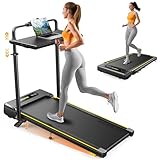
Overview: The Acezoe treadmill prioritizes ergonomic customization and smart connectivity in a compact 56.9-pound frame. This 3-in-1 unit features a manually adjustable handlebar height—a rare find in this category—preventing back strain for users of different statures. Supporting 300 lbs with a 10% incline and app integration, it targets tech-savvy professionals wanting data-driven workouts in space-constrained environments.
What Makes It Stand Out: The height-adjustable handlebar solves a critical ergonomic flaw in most compact treadmills, promoting proper posture during extended work sessions. Smart app connectivity enables real-time data tracking, online competitions, and remote control beyond the basic remote. The double shock absorption system combines rear rubber dampers with eight-point side cushioning, while the seven-layer anti-slip belt offers premium joint protection exceeding typical four-layer designs.
Value for Money: Priced at $326.01, this mid-range option delivers unique ergonomic and technological features. The adjustable handlebar alone justifies the premium over basic $300 models, while app connectivity adds $40-60 in value compared to non-smart alternatives. Manual incline adjustment keeps costs down versus motorized systems, offering a balanced compromise between features and affordability for connected fitness enthusiasts.
Strengths and Weaknesses: Strengths include the ergonomic adjustable handlebar, smart app integration with competition features, excellent seven-layer belt and double shock absorption, lightweight 56.9-pound design, and 12 built-in programs. The 39.4" x 16.4" running area suffices for walking and light jogging. Weaknesses involve manual incline adjustment, smaller running surface than premium models, and a less powerful motor (unspecified, likely 2.5-3.0HP) limiting sustained running. App dependency may frustrate non-tech users.
Bottom Line: Best suited for ergonomically conscious users who value smart features and posture support. The adjustable handlebar and app connectivity justify the moderate price premium.
4. Acezoe 3 in 1 Under Desk Treadmill with 10% Incline, Walking Pad Treadmill with Removable Desk Workstation, Adjustable Height for Different Need, Foldable for Home Small Office

Overview: This Acezoe model shares identical features with its sibling product but at a more aggressive price point, delivering the same ergonomic and smart capabilities. The 3-in-1 design combines walking pad, desk treadmill, and foldable runner with a height-adjustable handlebar and removable desk workstation. Weighing 56.9 pounds with a 39.4" x 16.4" running surface, it targets value seekers wanting premium features without premium pricing.
What Makes It Stand Out: The $297.49 price tag makes this the most affordable treadmill offering both handlebar height adjustment and smart app connectivity—features typically reserved for $350+ units. The manual 10% incline, double shock absorption with rear dampers and eight-point cushioning, and seven-layer belt match the specifications of higher-priced competitors. The ability to store under sofas or beds enhances its space-saving credentials for apartment dwellers.
Value for Money: This represents the best price-to-feature ratio in the comparison, undercutting similar models by $30-180 while retaining core benefits. The adjustable handlebar and app control alone would justify a $350 price, making this a standout deal. Manual incline adjustment reduces complexity and cost while maintaining training versatility. For budget-conscious buyers wanting ergonomic customization and connectivity, this eliminates compromises typically required at this price tier.
Strengths and Weaknesses: Strengths include exceptional value, ergonomic adjustable handlebar, smart app integration, superior seven-layer belt cushioning, lightweight portability, and compact storage design. The 300-lb capacity and 10% incline provide solid performance fundamentals. Weaknesses mirror its sibling: manual incline adjustment requires stopping to change, the 39.4" running length limits running stride, unspecified motor power likely caps at 3.0HP, and the smaller belt width may feel constrained for larger users. App setup may intimidate less tech-savvy individuals.
Bottom Line: The definitive choice for feature-focused buyers prioritizing value. It delivers premium ergonomic and smart features at an entry-level price point.
5. Hccsport Treadmill with Home, Foldable Treadmill with Incline, Removable Desk Workstation 3.0 HP 3 in 1 Compact Folding Small Walking Treadmills 300 Lbs Capacity for Home Office

Overview: The entry-level Hccsport model strips away premium frills to deliver core 3-in-1 functionality at an accessible price. Featuring a 3.0HP motor—slightly less powerful than competitors—it still supports 300 lbs and reaches 8 mph. The 9% incline and removable desk workstation cover essential bases for home office fitness. With a 43.5" x 16.5" running belt and compact folding design, it serves budget buyers needing reliable basics.
What Makes It Stand Out: The automotive-style acrylic touchscreen display provides a modern, high-visibility interface uncommon in sub-$300 treadmills, offering clear real-time metrics that enhance workout tracking. The 9% incline, while lower than alternatives, still delivers meaningful calorie burn increases over flat walking. At $269.99, it’s the only model under $280 offering both incline and a removable desk, making it uniquely accessible for cost-conscious remote workers wanting to combat sedentary habits.
Value for Money: This is the budget champion, delivering essential 3-in-1 features at $200 less than premium options. The 3.0HP motor adequately serves walking and light jogging needs for most users. While lacking app connectivity and advanced cushioning, the core functionality—adjustable incline, desk integration, and foldability—matches competitors costing 30-50% more. The automotive display adds premium feel without premium cost, maximizing perceived value for first-time buyers.
Strengths and Weaknesses: Strengths include the lowest price point, surprisingly high 8 mph top speed, automotive-style display, adequate 43.5" belt length, and reliable 300-lb capacity. The foldable design with wheels ensures easy storage. Weaknesses include the weaker 3.0HP motor limiting sustained running, modest 9% incline, no smart app features, unspecified shock absorption details suggesting basic cushioning, and fixed-height handlebar limiting ergonomic customization. The motor may strain under heavy, daily running use.
Bottom Line: An excellent starter treadmill for walkers and casual joggers prioritizing affordability. The display and speed range exceed expectations for the price, making it a practical entry point.
6. Walking Pad Treadmill with Desk Workstation,3.5 HP Foldable Treadmills with 15% Incline & Handle Bar,450lbs Capacity,2s Folding,Ultra-Quiet,Small/Compact Under Desk Treadmills for Home Ofiice

Overview: The Walking Pad Treadmill with Desk Workstation delivers remarkable versatility for home office fitness at an accessible price point. This 3-in-1 machine seamlessly transitions between walking, working, and running modes, featuring a detachable, height-adjustable desk that rises from 47 to 50.5 inches to maintain proper spinal alignment during active work sessions.
What Makes It Stand Out: A rare combination of premium specs at budget pricing distinguishes this model. The 15% manual incline exceeds typical under-desk treadmills, while the 450-pound weight capacity and 3.5 HP ultra-quiet motor rival commercial-grade equipment. The innovative 2-second folding mechanism and 7-layer shock-absorbing belt demonstrate thoughtful engineering for daily use.
Value for Money: At $195.99, this treadmill desk dramatically undercuts competitors offering similar specifications. Models with 450lb capacity and incline features typically retail above $400, making this an exceptional value proposition for users seeking professional-grade durability without the premium investment.
Strengths and Weaknesses: Pros include outstanding weight capacity, whisper-quiet operation, rapid folding storage, and genuine incline training capability. The detachable desk offers generous 27.5" x 14" workspace with non-slip surface. Cons involve manual incline adjustment requiring workout interruption, a modest 7.5 mph top speed limiting serious runners, and basic display metrics compared to smart-enabled alternatives.
Bottom Line: This treadmill desk excels as a cost-effective solution for professionals prioritizing durability, quiet operation, and space efficiency. While lacking advanced tech features, its robust construction and thoughtful design make it ideal for consistent daily use in home office environments.
7. ANCHEER Walking Pad Treadmill with 15% Incline&Adjustable Height, 8 in 1 Under Desk Treadmills with Desk Workstation, Foldable Treadmill for Home 450lb,3 Type Control (Dark Red)
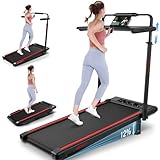
Overview: The ANCHEER Walking Pad Treadmill positions itself as a premium ergonomic solution for integrating fitness into professional life. This 8-in-1 workstation combines walking, working, and running capabilities with enhanced control flexibility and a striking dark red aesthetic that stands out in home office environments.
What Makes It Stand Out: Three distinct control methods—remote, armrest buttons, and touchscreen display—provide unprecedented operational versatility unmatched by competitors. The 7-layer shock-absorbing running belt claims 60% impact reduction on joints, while the 3-level manual incline system offers granular intensity adjustment up to 15% for targeted calorie burn exceeding 850 calories per hour.
Value for Money: Priced at $329.99, this model commands a $135 premium over similar-spec alternatives. The investment justifies itself through superior control options, enhanced shock absorption technology, and build quality designed for users with joint sensitivity or those requiring multiple interaction methods during varied workout intensities.
Strengths and Weaknesses: Strengths include exceptional control flexibility, robust 450lb capacity, quiet 3.5 HP motor, and ergonomic height adjustment (47-50.5 inches). The non-slip desk securely accommodates devices up to 27.5" x 14". Weaknesses center on manual incline operation, limited 7.5 mph speed cap, and absence of smart connectivity features found in newer models.
Bottom Line: Best suited for users who prioritize operational versatility and joint protection over budget constraints. The multiple control interfaces make it particularly valuable for those transitioning between intense runs and gentle walking while working.
8. Amztabler Small Standing Desk Adjustable Height, Mobile Stand Up Desk with Wheels, 32 Inch Portable Rolling Desks for Walking Pad Treadmill Black

Overview: The Amztabler Small Standing Desk offers a dedicated mobile workstation solution specifically designed for walking pad users seeking flexibility without integrated treadmill costs. This standalone desk provides height adjustability from 31 to 43 inches, accommodating various user heights and treadmill configurations.
What Makes It Stand Out: Remarkable affordability and versatility define this product. The spacious 32" x 16" desktop surpasses integrated treadmill desks, while four lockable wheels enable seamless transitions between rooms. The 2025 upgrade features a double anti-moving design supporting 200 pounds without slippage, addressing stability concerns common in mobile workstations.
Value for Money: At $56.99, this represents exceptional value—approximately one-sixth the cost of integrated treadmill desks. For existing walking pad owners, it eliminates redundancy while providing superior workspace dimensions and mobility that fixed treadmill desks cannot match.
Strengths and Weaknesses: Pros include outstanding mobility, generous workspace, waterproof durable surface, and 5-10 minute tool-free assembly. The wide height range accommodates both sitting and standing positions beyond treadmill use. Cons require separate walking pad purchase, lower 200lb weight capacity compared to integrated units, and potential stability issues at maximum height on uneven floors.
Bottom Line: An economical, versatile solution for walking pad owners wanting dedicated workspace. Its mobility and size make it ideal for multi-purpose use across home environments, though users must already possess or purchase a separate treadmill unit to complete the setup.
9. Walking Pad with Incline, 3 in 1 Under Desk Treadmill with Handle Bar Removable Desk Workstation & Device Holder, 3.5HP Foldable Treadmills with 300lbs Capacity for Home Office
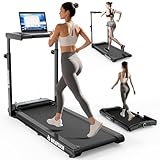
Overview: This 3-in-1 Walking Pad Treadmill balances versatility and affordability, offering configurable modes for walking, jogging, and running with an integrated handlebar and removable workstation. Designed for home office flexibility, it supports users up to 300 pounds with speeds ranging from 0.4 to 8 mph.
What Makes It Stand Out: Twelve preset HIIT programs provide structured workout variety rarely found in this price tier. The 7-level adjustable handlebar and detachable desk workstation adapt to multiple user heights and preferences, while the 6% manual incline adds meaningful intensity variation for calorie burn and muscle engagement.
Value for Money: At $229.98, this model sits in the sweet spot between budget basic units and premium smart treadmills. The combination of programmable workouts, 3-in-1 design, and incline capability delivers strong value for users wanting guided exercise options without app subscriptions or premium pricing.
Strengths and Weaknesses: Strengths include diverse workout programs, space-saving foldable design, built-in wheels for mobility, and integrated device holders with cup storage. The 3.5 HP motor maintains quiet operation. Weaknesses include manual incline adjustment, lower 300lb capacity versus 450lb competitors, and absence of smart app connectivity for progress tracking.
Bottom Line: An excellent mid-range option for users seeking workout variety and space efficiency. The preset programs make it particularly suitable for beginners and intermediate users wanting structured training without complexity, though heavier users should consider higher-capacity alternatives.
10. UREVO Smart Treadmill with Height Adjustable Desk Workstation, Compact Foldable Treadmill for Home Office, 9% Auto Incline with Follow Mode, 6 HIIT Programs, SmartCoach App, Water Bottle Holder

Overview: The UREVO Smart Treadmill represents the premium smart-enabled end of the treadmill desk market, integrating automated features with app connectivity for a tech-forward fitness experience. The Foldi 3S model emphasizes intelligent design with automatic incline adjustment and comprehensive workout programming.
What Makes It Stand Out: The 9% auto incline with Follow Mode dynamically adjusts intensity based on workout programs—a feature typically reserved for commercial equipment. SmartCoach App integration provides virtual city experiences and challenge modes, while the all-in-one control panel embedded in the desk streamlines operation without separate remotes.
Value for Money: At $360.96, this is the most expensive option reviewed, but automation and smart features justify the premium. The auto incline alone adds significant value for users seeking progressive training without manual intervention, comparable to models costing $500+.
Strengths and Weaknesses: Pros include seamless auto incline, compact 6.5" folding profile, intuitive desk-integrated controls, and engaging app ecosystem. The 35.5-47.3" desk height range accommodates most users. Cons involve lower 9% maximum incline versus manual 15% competitors, reliance on app for full feature access, and premium pricing that may exceed casual user budgets.
Bottom Line: Ideal for tech-savvy professionals wanting automated, engaging workouts. The auto incline and app integration create a set-and-forget experience perfect for multitaskers, though fitness purists may prefer steeper manual incline options available at lower prices.
What Is an Under-Desk Treadmill Workstation?
An under-desk treadmill workstation combines a height-adjustable desk with a specialized treadmill designed specifically for walking at low speeds while performing desk-based tasks. Unlike conventional fitness treadmills that typically start at 1 mph and climb to 12+ mph for running, under-desk models operate in a refined range of 0.4 to 4.0 mph, with the sweet spot for most productivity falling between 1.0 and 2.0 mph. These units feature shorter, slimmer decks—usually 40-50 inches long and 18-20 inches wide—to fit discreetly beneath a desk without consuming your entire office footprint.
The engineering philosophy prioritizes quiet operation, consistent low-speed performance, and durability for hours of daily use rather than intense bursts. Most models include remote controls or console displays that sit on your desk, allowing speed adjustments without breaking your workflow. The key distinction lies in the motor design: quality under-desk treadmills utilize continuous-duty motors rated for extended operation at low RPMs, preventing overheating during eight-hour work sessions.
The Science Behind Walking While Working
The concept of non-exercise activity thermogenesis (NEAT), pioneered by Mayo Clinic researcher Dr. James Levine, forms the scientific foundation of treadmill workstations. NEAT encompasses the calories burned through daily movement that isn’t structured exercise—fidgeting, pacing, and crucially, slow walking. Studies show that incorporating NEAT movement can increase daily caloric expenditure by 300-800 calories without the metabolic slowdown associated with prolonged sitting.
Neurologically, low-intensity walking enhances cerebral blood flow and activates bilateral brain hemisphere communication, potentially improving creative problem-solving and cognitive flexibility. Research published in the Journal of Experimental Psychology found that participants demonstrated increased divergent thinking while walking at a comfortable pace compared to sitting. The key mechanism is that moderate movement increases oxygen and glucose delivery to the brain without triggering the stress response or cognitive load that higher-intensity exercise creates, allowing you to maintain focus on complex tasks.
Health Benefits of Under-Desk Treadmill Workstations
Cardiovascular and Metabolic Improvements
Walking at 1.5 mph for three hours daily can reduce blood pressure by 4-6 mmHg in hypertensive individuals, according to a 2023 American Journal of Preventive Medicine study. The gentle muscle contractions enhance insulin sensitivity and glucose uptake, with regular users showing a 30% improvement in post-meal blood sugar control. This low-grade activity also activates lipoprotein lipase, an enzyme critical for breaking down triglycerides and preventing the arterial plaque accumulation associated with sedentary behavior.
Musculoskeletal Advantages
The rhythmic loading and unloading of spinal discs during walking combats the disc compression and nutrient deprivation caused by static sitting. Users report significant reductions in lower back pain and neck stiffness within 2-3 weeks of consistent use. The continuous micro-movements strengthen deep stabilizing muscles in the core and hips that atrophy during prolonged sitting, creating a protective effect against future injury.
Mental Health and Cognitive Enhancement
Beyond the well-documented endorphin release, walking workstations help regulate circadian rhythms by increasing natural light exposure if positioned near windows. The meditative, repetitive nature of walking can reduce cortisol levels by up to 15% during high-stress work periods. Many users report enhanced mood stability and reduced afternoon energy crashes, attributing this to improved lymphatic circulation and neurotransmitter balance.
Potential Drawbacks and How to Mitigate Them
The Learning Curve
Initial coordination challenges can temporarily reduce typing speed by 10-15% and increase error rates. Mitigate this by starting with non-typing tasks like video calls or reading, then gradually introducing typing as your motor adaptation develops—typically within 5-7 sessions.
Noise and Disturbance
Even “quiet” models produce 45-55 decibels of sound, comparable to a refrigerator hum. This can disrupt concentration or nearby colleagues. Strategic solutions include placing anti-vibration mats beneath the unit, positioning the treadmill away from shared walls, and scheduling intensive cognitive work during seated breaks.
Space and Aesthetic Concerns
A full workstation requires 30-40 square feet minimum, challenging compact home offices. The visual bulk can also feel overwhelming. Consider retractable models that slide under a desk when not in use, or explore minimalist designs with neutral color palettes that blend into professional environments.
Key Features to Look For
Motor Power and Durability
Prioritize continuous-duty motors rated at 2.0+ horsepower, which indicates the motor can sustain operation without overheating. Look for duty cycle specifications—quality units should be rated for 6-8 hours of daily use. Brushless DC motors offer superior longevity and quieter operation compared to brushed alternatives, though they command premium pricing.
Noise Level Considerations
Manufacturers often advertise decibel ratings in ideal conditions. Request third-party acoustic data or search for user reviews mentioning specific noise measurements. The motor housing design, belt composition, and roller bearing quality all contribute to operational volume. Multi-ply belts with PVC top layers and cotton-polyester backing tend to run quieter than single-ply rubber belts.
Speed Range and Control Precision
The most productive speed range is 0.5-2.5 mph. Ensure the treadmill offers precise 0.1 mph increments in this zone, as coarse adjustments make finding your optimal cognitive-performance speed frustrating. Look for models with programmable speed memory, allowing you to save your preferred walking pace for different tasks—perhaps 1.2 mph for emails and 1.8 mph for brainstorming sessions.
Deck Size and Walking Surface
While compact designs save space, a deck shorter than 45 inches can force shorter strides, altering gait mechanics and causing hip flexor strain. The walking surface should provide adequate lateral space—18 inches minimum—to accommodate natural hip sway without feeling constrained. Shock absorption systems using variable-durometer elastomers or multi-zone cushioning protect joints during extended sessions.
Weight Capacity and Stability
Don’t just consider your body weight; factor in the dynamic loads created by walking. A 200-pound user generates impact forces equivalent to 240-260 pounds. Choose a unit with at least a 50-pound buffer above your weight. Test stability by checking for frame flex—quality models use steel or aluminum alloy frames with cross-bracing that prevents wobbling at higher speeds.
Types of Under-Desk Treadmills
Flat-Belt Electric Treadmills
The most common category, these motor-driven units offer consistent speed control and minimal cognitive load. They excel for users prioritizing convenience and multi-hour sessions. The trade-off is dependency on power outlets and slightly higher noise levels. Look for models with automatic incline adjustment—while you shouldn’t walk uphill while working, a slight decline can reduce calf strain during long sessions.
Curved Manual Treadmills
Powered entirely by user movement, these treadmills use a curved deck and ball-bearing slats to create a self-propelled walking experience. They offer whisper-quiet operation and infinite speed variability, but require a brief adaptation period as you learn to maintain consistent pace. The curved design naturally encourages forefoot striking, which some users find reduces joint impact but others find fatiguing over time.
2-in-1 Folding Treadmills
These hybrid units feature handrails that raise for traditional jogging or lower for under-desk use. While versatile for home gyms, the folding mechanisms introduce potential failure points and the decks are often shorter than dedicated under-desk models. The compromise makes sense only if you genuinely need both functions in a single device.
Setting Up Your Under-Desk Treadmill Workspace
Desk Height and Ergonomics
Your desk surface should sit 4-6 inches below elbow height when standing on the treadmill. This lower position compensates for the 1-2 inch deck height and allows a comfortable 90-110 degree elbow angle while typing. Invest in a desk with programmable height presets—switching between sitting, standing, and walking positions should take seconds, not minutes, to maintain workflow momentum.
Monitor Placement and Visual Ergonomics
Position your primary monitor 20-28 inches from your eyes, with the top of the screen at or slightly below eye level. Walking naturally increases head bobbing, so consider monitor arms with tension adjustment to prevent screen shake. Dual-monitor setups require careful alignment—angle screens slightly inward to minimize neck rotation, which can exacerbate dizziness during initial adaptation.
Cable Management and Power Solutions
A walking workstation introduces dynamic cable movement that can dislodge connections. Use retractable cable reels or coiled cords that stretch without pulling. Install a power conditioner to protect the treadmill motor from voltage fluctuations, especially in older buildings. Route cables through a central spine or raceway mounted to the desk frame, keeping them elevated 6-8 inches above the walking surface.
Safety Considerations
Never exceed 2.5 mph while performing fine motor tasks like mouse work or detailed spreadsheet analysis. Emergency stop mechanisms should be within arm’s reach—preferably a physical button on your desk rather than a console that requires looking down. Wear lace-free shoes with low-profile soles to prevent tripping; running shoes with aggressive tread patterns can catch on belt edges. Establish a “safety zone” clearance of 24 inches behind the treadmill and 12 inches on each side to prevent wall impact if you stumble.
Maintenance and Care
Daily: Wipe down the belt with a microfiber cloth to remove dust and debris that can accumulate beneath the deck. Weekly: Vacuum around the motor housing vents and check belt tension—proper tension allows the belt to lift 2-3 inches in the center. Monthly: Apply manufacturer-approved silicone lubricant under the belt, focusing on the center third where foot strike occurs most frequently. Annually: Inspect the motor brushes (if applicable) and deck surface for wear patterns. Keep a maintenance log; many warranty claims are denied due to lack of documented care.
Cost Analysis and Budget Planning
Entry-level models start around $300 but often lack durability for daily professional use. Mid-range options ($600-$1,200) offer the best value, featuring adequate motor power and warranty coverage. Premium units ($1,500-$2,500) justify their cost through superior noise dampening, longer warranties (5+ years on motors), and advanced features like app integration. Factor in hidden costs: anti-fatigue mats ($50), cable management systems ($30-100), and potential floor reinforcement if installing on upper levels. Calculate ROI by valuing prevented health complications—conservative estimates suggest breaking even within 18 months when factoring in reduced healthcare costs and increased productivity.
Space Requirements and Room Layout
Minimum footprint is 60 inches wide by 30 inches deep, but comfortable operation requires 72 x 36 inches. Ceiling height matters: you need 12-18 inches above your head when standing on the treadmill to avoid claustrophobia. Position the workstation perpendicular to windows to reduce glare and take advantage of natural light’s circadian benefits. In shared spaces, orient the treadmill so you’re facing away from colleagues to minimize perceived motion distraction. Consider acoustic panel placement on adjacent walls to absorb operational noise.
Best Practices for Productivity
Adopt a task-based rotation system: designate walking periods for creative brainstorming, call blocks, and email triage; reserve seated time for intensive data analysis or precision design work. Use the Pomodoro Technique—walk for 25 minutes, then sit for 5—to build endurance gradually. Track your steps and distance but avoid obsessing over metrics; consistency trumps intensity. Many users find that walking at 1.5 mph while listening to instrumental music enhances flow state, as the rhythmic movement and auditory input create a productive sensory environment.
Transitioning to a Treadmill Desk: A Step-by-Step Guide
Week 1: Walk for 15 minutes, twice daily, at 0.8 mph while reading or watching training videos. Focus on balance and natural arm swing. Week 2: Increase to 30-minute sessions at 1.0 mph, introducing light typing tasks like responding to simple emails. Week 3: Add a third daily session, gradually increasing speed to 1.5 mph as comfort allows. Week 4: Consolidate into two 45-minute blocks, incorporating video calls. Month 2+: Aim for 2-3 hours of total daily walking, adjusting speed based on task complexity. Listen to your body—muscle fatigue in the first two weeks is normal, but joint pain indicates you need to reduce speed or check your ergonomics.
Common Mistakes to Avoid
Setting the treadmill too fast initially is the top error—cognitive performance degrades significantly above 2.0 mph for most users. Neglecting desk height adjustment leads to shoulder elevation and neck strain; your walking desk height should be 1-2 inches lower than your standing desk height. Using the treadmill with dress shoes or heels destroys both footwear and the belt; always change into appropriate walking shoes. Skipping warm-up and cool-down periods causes dizziness—always start at 0.5 mph for 30 seconds before increasing speed, and reverse the process before stepping off.
Under-Desk Treadmills vs. Other Active Workstation Options
Standing desks alone reduce sitting time but don’t significantly increase caloric expenditure. Under-desk bikes generate less upper-body movement, making them slightly better for precision mouse work but inferior for overall metabolic benefit. Balance boards improve core stability but can’t match the cardiovascular effects of walking. Elliptical trainers under desks create unnatural hip rotation that can aggravate sciatica. The treadmill desk strikes the optimal balance: substantial NEAT calorie burn, natural gait mechanics, and adaptability to most work tasks after the adaptation period.
Frequently Asked Questions
How fast should I walk while working? The optimal speed ranges from 1.0 to 2.0 mph for most tasks. Start at 1.0 mph for typing and gradually increase to find your personal threshold where typing accuracy and cognitive performance remain unaffected. Speeds above 2.5 mph typically compromise fine motor skills and concentration.
Can I run on an under-desk treadmill? No, under-desk treadmills are engineered exclusively for walking. Their motors, belts, and frames cannot withstand the impact forces of running, and attempting to do so will void warranties and potentially cause injury. If you need both functions, consider a 2-in-1 model specifically rated for running.
Will an under-desk treadmill damage my floor? Quality units distribute weight across multiple contact points, but hardwood floors can still develop indentations over time. Always use a high-density equipment mat (at least 1/4-inch thick) to distribute weight and reduce vibration transfer. For apartments, consider additional isolation pads to minimize noise transmission to lower floors.
How noisy are under-desk treadmills? Premium models operate at 42-48 decibels (comparable to a quiet library), while budget options may reach 55-60 decibels (similar to normal conversation). The noise primarily comes from footfalls rather than the motor itself. Wearing soft-soled shoes and using an anti-vibration mat can reduce perceived noise by 30-40%.
Can I use any standing desk with an under-desk treadmill? Most height-adjustable desks work, but ensure the desk has a minimum height adjustment that accommodates the treadmill’s deck height plus your standing elbow height. Desks with crossbars between legs may interfere with treadmill placement. Measure twice—some “standing desks” lack sufficient range for comfortable treadmill use.
How many calories will I burn per hour? At 1.5 mph, a 160-pound person burns approximately 180-220 calories per hour—roughly triple the amount burned while sitting. Heavier individuals burn more; a 200-pound person may expend 250-300 calories hourly. Variables include walking efficiency, grip on handrails (which reduces burn), and slight speed fluctuations.
Is it distracting during video calls? Most users report minimal distraction after the two-week adaptation period. Position your camera at eye level and maintain a consistent pace to reduce noticeable bobbing. Some professionals prefer to pause walking during critical client presentations, though many find the movement enhances their vocal energy and engagement.
What if I feel dizzy or nauseous while walking and working? This is common during the first week and typically indicates you’re walking too fast or haven’t eaten recently. Reduce speed to 0.5 mph, focus on a fixed point on your monitor, and ensure you’re well-hydrated. If symptoms persist beyond two weeks, consult a physician to rule out vestibular issues.
How long do under-desk treadmills typically last? With proper maintenance, quality units last 5-7 years in daily professional use. The motor is usually the first component to fail. Units with brushless motors and commercial-grade belts often exceed 10,000 hours of operation. Budget models may show significant belt wear within 12-18 months of heavy use.
Are under-desk treadmills tax-deductible? If you’re self-employed and use the treadmill exclusively for business purposes, it may qualify as a deductible business expense under medical equipment or office furniture categories. W-2 employees typically cannot deduct the cost. Always consult a tax professional, as regulations vary by jurisdiction and require detailed usage documentation.