Running an eBay business in 2026 feels like navigating a high-speed logistics operation from your kitchen table. With same-day handling metrics, carrier integration requirements, and buyer expectations for lightning-fast dispatch, every second counts. The difference between a thriving seller account and one struggling with defects often comes down to the tiny details—like how quickly you can print a smudge-free, scannable shipping label. That’s where thermal label printers transform from a nice-to-have into an absolute necessity.
Gone are the days when you could get by with wrestling your office inkjet printer into spitting out a shipping label, praying the ink wouldn’t smear, and manually cutting and taping it to a package. Modern eBay sellers need precision, speed, and reliability. But here’s the challenge: the market is flooded with options, each promising to be the ultimate solution for your shipping needs. Understanding what separates a workhorse from a paperweight requires looking beyond marketing hype and focusing on the features that genuinely impact your daily workflow and bottom line.
Top 10 Thermal Label Printers for eBay Sellers
Detailed Product Reviews
1. Nelko Bluetooth Thermal Shipping Label Printer, Wireless 4x6 Shipping Label Printer for Small Business, Support Android, iPhone and Windows, Widely Used for Amazon, Ebay, Shopify, Etsy, USPS

Overview: The Nelko Bluetooth Thermal Shipping Label Printer positions itself as a versatile workhorse for small businesses, offering both wireless and USB connectivity at a competitive $61.71 price point. This compact printer handles label widths from 1.54" to 4.1", making it suitable for everything from shipping labels to price tags and classroom materials.
What Makes It Stand Out: Nelko’s dual connectivity approach is its key differentiator. iOS and Android users connect via the dedicated “NELKO” app, while Windows users enjoy native Bluetooth support. Mac users with M1/M2 chips can also use the app, though USB remains the most reliable option for Apple ecosystems. The inclusion of a U-Disk with drivers and tutorial videos eliminates the typical setup headaches.
Value for Money: At $61.71, Nelko sits in the sweet spot between budget and premium options. The 150mm/s print speed (72 labels/minute) and 203 DPI resolution match pricier competitors, while thermal direct technology eliminates costly ink and toner expenses. The ability to use both fanfold and roll labels provides flexibility that adds long-term value.
Strengths and Weaknesses: Strengths include broad device compatibility, fast printing, compact footprint, and excellent setup resources. The mandatory app-based Bluetooth connection for mobile devices may frustrate users wanting direct pairing. Mac Bluetooth limitations could be a dealbreaker for some Apple-centric workflows.
Bottom Line: The Nelko printer delivers reliable performance for multi-platform environments. While mobile connectivity requires app dependency, its USB fallback and comprehensive support materials make it a solid investment for growing businesses seeking flexibility without breaking the bank.
2. JADENS Bluetooth Thermal Shipping Label Printer – Wireless 4x6 Shipping Label Printer, Compatible with Android, iPhone, Windows & Mac, Widely Used for Ebay, Amazon, Shopify, Etsy, USPS

Overview: The JADENS Bluetooth Thermal Shipping Label Printer commands a $69.98 price tag with promises of Japanese engineering and broad platform support. Designed for e-commerce sellers, it prints at 203 DPI across labels ranging from 1.57" to 4.1" wide, handling shipping, warehouse, and barcode labels with clean, mess-free output.
What Makes It Stand Out: JADENS emphasizes its high-tech Japanese thermal print head, suggesting superior durability and print quality. The printer supports wireless printing for Windows 8+ and Mac via native Bluetooth, while mobile users must use the “Jadens printer” app. This bifurcated approach acknowledges that desktop and mobile users have different connectivity needs and technical expectations.
Value for Money: Priced near the top of this comparison, JADENS justifies its cost with a one-year warranty and multi-channel customer support (email, phone, remote control). The 150mm/s print speed is competitive, and the one-minute setup claim appeals to non-technical users. However, similar specs can be found in cheaper alternatives, making the premium primarily about service.
Strengths and Weaknesses: Pros include the reputable print head, robust after-sale service, comprehensive platform compatibility (Amazon, eBay, Shopify, etc.), and included tutorial videos. Cons involve the mandatory app for mobile printing and lack of Chrome OS Bluetooth support. The price premium may not be justified for budget-conscious buyers.
Bottom Line: JADENS targets users who prioritize warranty protection and customer support over absolute lowest price. While capable and well-supported, its features don’t significantly outpace cheaper competitors, making it best for those wanting extra peace of mind.
3. PEDOOLO Label Printer, 4x6 Shipping Label Thermal Printer for Packages, Bluetooth Conection and Compatible with Android. iPhone.Windows, Mac, Chromebook, Amazon, Ebay, UPS.USPS, FedEx, Shopify
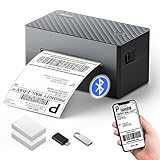
Overview: The PEDOOLO Label Printer enters the market at $59.99 with aggressive promises: lifetime technical support and a 10-year warranty. This thermal printer supports both Bluetooth and USB connections across virtually all platforms, including Chromebooks via a dedicated extension, making it a compelling option for tech-diverse small businesses.
What Makes It Stand Out: The warranty and support package is unmatched in this category. PEDOOLO claims a 500,000-label print head lifespan and includes 100 starter labels. Automatic calibration, intelligent paper return, and self-test functions minimize waste and jams. The “Label Expert” app enables smartphone customization of barcodes, QR codes, and product labels without desktop software.
Value for Money: This printer offers exceptional long-term value. The sub-$60 price includes premium features like auto-calibration and multi-system support. Thermal printing eliminates consumable costs, while the included labels and U-disk tutorials provide immediate out-of-box utility. The decade-long warranty dramatically reduces replacement risk for budget-conscious entrepreneurs.
Strengths and Weaknesses: Major strengths are the warranty/support, automatic features, broad compatibility (including Chromebook), and high-capacity print head. Weaknesses include the app dependency for mobile printing and potential brand recognition concerns versus established competitors. Chromebook Bluetooth limitations may confuse some users despite USB fallback.
Bottom Line: PEDOOLO is the value champion for budget-conscious businesses wanting maximum protection. The unparalleled warranty and intelligent features make it a low-risk, high-reward choice that punches well above its price class.
4. KNAON Bluetooth Thermal Shipping Label Printer, 4x6 Portable Thermal Address Label Printer for Small Business, Compatible with iPhone,Android,Windows,Mac–Works with Ebay Shopify USPS&More, White

Overview: At just $44.99, the KNAON Bluetooth Thermal Shipping Label Printer is the most affordable option in this roundup. Despite the low price, it boasts the fastest print speed at 180mm/s and includes creative tools like 3,000+ templates and 5,000+ icons, targeting sellers who want branding flexibility alongside basic shipping functionality.
What Makes It Stand Out: KNAON prioritizes creativity and portability. The “FlashLabel Pro” app unlocks extensive design options for DIY labels, thank-you stickers, and branding materials. Its compact 7.17" x 3.9" x 3.43" size makes it truly portable. Built-in USB storage with preloaded drivers eliminates separate downloads. Mac M1/M2/M3/M4 support via app is a forward-thinking touch rarely advertised by competitors.
Value for Money: This is the budget king. No competitor matches its price-to-speed ratio. The inclusion of 10 test papers, built-in driver storage, and massive template library provides exceptional startup value. While it lacks the extended warranties of pricier models, the core functionality exceeds expectations for under $45.
Strengths and Weaknesses: Pros include unbeatable price, fastest print speed, excellent portability, creative design tools, and built-in USB storage. Cons are the shortest warranty (implied standard), mandatory app usage for all devices, and unknown long-term durability. The brand is less established than competitors.
Bottom Line: KNAON is perfect for startups and home businesses prioritizing cost and creativity. If you need basic reliable printing with design flexibility and can accept standard warranty terms, this offers incredible bang for your buck.
5. WCZ Bluetooth Thermal Shipping Label Printer 4x6, Wireless Shipping Label Printer for Small Business, Desktop Label Printers for Shipping Packages, Compatible with Amazon, Ebay, Shopify, Etsy, USPS

Overview: The WCZ Bluetooth Thermal Shipping Label Printer balances affordability at $45.99 with broad compatibility claims. This lightweight (1.59 lbs) printer supports an unusually wide label range from 1" to 4.6" and promises Bluetooth connectivity across iOS, Android, Mac, Windows, and Chrome OS, making it highly versatile for diverse business needs.
What Makes It Stand Out: WCZ emphasizes universal wireless connectivity and extreme portability. Its dimensions (3.14"D x 8.38"W x 3.7"H) make it backpack-friendly for mobile sellers. The 150mm/s print speed is standard, but the 1" minimum label width accommodates smaller product labels that competitors can’t handle. Rigorous factory quality inspections are highlighted as a reliability promise for high-volume users.
Value for Money: Positioned just above the cheapest option, WCZ offers broader OS Bluetooth support than most competitors. The wide label compatibility adds versatility for businesses needing varied label sizes. Thermal technology keeps operating costs low, and the price includes comprehensive tutorials for self-service troubleshooting without premium support fees.
Strengths and Weaknesses: Strengths include wide label support, lightweight design, multi-platform Bluetooth, and quality assurance emphasis. Weaknesses are vague warranty details and potential app dependency (implied but not explicitly stated for all platforms). The brand lacks the extensive support infrastructure of pricier alternatives.
Bottom Line: WCZ suits mobile businesses and those needing diverse label sizes. While support may not match premium brands, its connectivity range and portability make it an excellent mid-budget choice for flexible printing environments.
6. ORGSTA USB Shipping Label Printer - T001 4x6 Thermal Label Printer for Small Business, High Speed Label Printers for Shipping Package, Used for Ebay, Amazon, Shopify, Etsy, USPS, FedEx(USB Only)
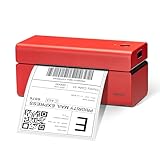
Overview: The ORGSTA T001 is an entry-level thermal label printer designed for budget-conscious small businesses that primarily operate from a computer workstation. This USB-only device delivers reliable 4x6 shipping label printing at 150mm/s without the ongoing costs of ink or toner. Compatible with Windows, Mac OS, Chrome OS, and Linux, it handles direct thermal labels from 1" to 4.5" wide, making it versatile enough for shipping, barcodes, and product labels.
What Makes It Stand Out: At its ultra-competitive price point, the T001’s greatest differentiator is its reliable USB-only connectivity that eliminates wireless setup complexities. The included USB drive with pre-loaded drivers streamlines installation, while automatic calibration ensures consistent print quality. Its broad marketplace compatibility covers eBay, Amazon, Shopify, Etsy, USPS, and FedEx, providing comprehensive platform support for multi-channel sellers.
Value for Money: Priced at just $32.67, this printer offers exceptional value for home-based businesses and low-volume shippers. The ink-free thermal technology immediately saves money compared to traditional printers, while the 203 DPI resolution produces scannable, professional labels. However, the lack of wireless connectivity means you’ll sacrifice convenience for the low price.
Strengths and Weaknesses: Strengths: Unbeatable price; simple USB setup; broad OS compatibility; fast 72 labels/minute speed; no ink costs; automatic calibration.
Weaknesses: USB-only connection limits mobility; no smartphone printing; incompatible with ARM-based Windows PCs; requires computer tethering; no Bluetooth for modern workflows.
Bottom Line: The ORGSTA T001 is an excellent choice for sellers who work exclusively from a desktop or laptop and prioritize budget over wireless convenience. If you don’t need mobile printing, this printer delivers professional results at an unbeatable price.
7. Hoorola Bluetooth Thermal Label Printer, Wireless 4x6 Shipping Label Printer for Small Business & Shipping Packages, Support iPhone, Android, Windows, macOS, Work for Amazon, Ebay, Shopify, Etsy, USPS

Overview: The Hoorola Bluetooth Thermal Label Printer bridges the gap between budget and functionality, offering both wireless and USB connectivity for modern small businesses. This 203 DPI printer produces 72 labels per minute at 150mm/s, supporting label widths from 1.54" to 4.1". Compatible with iOS 13+, Android, Windows 7+, and macOS (including M1/M2 chips), it serves home offices, warehouses, and retail environments with flexible printing options.
What Makes It Stand Out: True wireless freedom sets this printer apart—the “Label Expert” app enables smartphone printing without computer dependency. Unlike USB-only competitors, Hoorola lets you print directly from iPhones and Android devices, while still offering reliable USB connections for desktop users. The compact footprint saves valuable desk space, and its broad platform compatibility includes ShipStation, Shipping Easy, Shippo, and Ordoro beyond standard marketplaces.
Value for Money: At $59.98, Hoorola positions itself as a mid-range solution that justifies its premium over USB-only models with genuine Bluetooth capability. The dual connectivity future-proofs your setup, while ink-free printing reduces long-term operational costs. For businesses needing occasional mobile printing, this represents smart value.
Strengths and Weaknesses: Strengths: Bluetooth + USB connectivity; smartphone app printing; M1/M2 Mac support; compact design; wide platform compatibility; fanfold and roll label support.
Weaknesses: Requires app for mobile printing; same speed as cheaper USB-only models; Bluetooth setup may need troubleshooting; not the lowest price point.
Bottom Line: Hoorola delivers solid wireless capability at a reasonable price. It’s ideal for sellers wanting flexibility to print from both computers and mobile devices without breaking the bank. The dual connectivity makes it a versatile workhorse for growing businesses.
8. LabelRange Ecommerce Label Printer 4x6, Thermal Shipping Label Printer, Support Amazon, Ebay, USPS, Pirate Ship, Bluetooth and USB Connection

Overview: The LabelRange Ecommerce Printer targets serious sellers who value customer support alongside performance. This Bluetooth and USB-enabled thermal printer produces 72 labels per minute at 203 DPI, handling labels from 1.5" to 4.1" wide. While iOS and Android users can print wirelessly via the “Rekdom Printer” app, Windows users enjoy both connection methods. Mac, Linux, and Chrome OS users are limited to USB unless using M1/M2/M3 chips.
What Makes It Stand Out: LabelRange’s commitment to customer service distinguishes it from competitors—offering phone and email support with a promise to resolve most issues within 10 minutes. This hands-on assistance provides peace of mind for non-technical users. The printer also supports an unusually wide range of label sizes, including circle labels and specialized SKU formats, making it adaptable beyond standard shipping applications.
Value for Money: At $69.99, this is a premium-priced option that invests heavily in customer support infrastructure. While the hardware specifications match mid-range competitors, the included expert assistance and 2019-established track record justify the additional cost for businesses that prioritize reliability and technical backing over raw price savings.
Strengths and Weaknesses: Strengths: Exceptional customer service; Bluetooth + USB flexibility; extensive label size support; established brand reputation; Pirate Ship integration; comprehensive platform compatibility.
Weaknesses: Highest price in category; Mac Bluetooth limited to M1/M2/M3; requires proprietary app; Linux/Chrome OS restricted to USB; no speed advantage over cheaper models.
Bottom Line: Choose LabelRange if you want a safety net of reliable customer support and print diverse label formats. The premium price buys peace of mind and expert assistance, making it worthwhile for business owners who value service over savings.
9. Anycash Bluetooth Thermal Label Printer, Wireless 4x6 Shipping Label Printers for Small Business, Compatible with Android&iOS and Windows, Address Label Printer for Amazon, Ebay, Shopify, Etsy, USPS
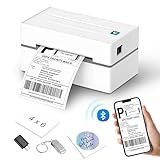
Overview: The Anycash Y812 positions itself as a premium thermal printer with enhanced speed and superior components. Boasting 180mm/s printing velocity, it produces nearly 72 labels per minute at crisp 203 DPI resolution using a Japanese print head. Supporting both Bluetooth (via “FlashLabel” app) and USB connections, it works with iOS, Android, Windows, Mac OS, and Chrome OS. The printer accommodates labels from 1.57" to 4.3" wide, offering flexibility for shipping, barcoding, and product identification.
What Makes It Stand Out: The Y812’s 180mm/s print speed outpaces standard 150mm/s competitors, saving valuable seconds during high-volume shipping rushes. The Japanese print head promises enhanced durability and print quality, while lifetime technical support and a 12-month warranty provide long-term confidence. Anycash emphasizes proactive maintenance, encouraging regular print head cleaning for optimal performance—a sign of professional-grade equipment design.
Value for Money: At $79.99, this is the most expensive option, targeting serious sellers who print hundreds of labels weekly. The faster speed and premium print head justify the cost for high-volume operations, while lifetime support eliminates future service expenses. For casual sellers, the price premium may be harder to rationalize.
Strengths and Weaknesses: Strengths: Fastest printing speed (180mm/s); Japanese print head quality; lifetime technical support; wide label compatibility; comprehensive platform integration; includes maintenance guidance.
Weaknesses: Highest price point; requires app for Bluetooth; needs regular maintenance; no mention of Mac M-series chip optimization; overkill for low-volume users.
Bottom Line: The Anycash Y812 suits high-volume e-commerce operations where speed and durability drive ROI. If you process dozens of orders daily, the premium features and lifetime support make this a smart long-term investment that will outlast and outperform budget alternatives.
10. SVANTTO Bluetooth Thermal Shipping Label Printer 4x6, Compatible with Windows/Mac/Android/iOS, High-Speed 4x6 Label Printer for USPS, UPS, Ebay, Etsy, Shopify, Poshmark, Inkless Printing

Overview: The SVANTTO Bluetooth Thermal Printer delivers wireless capability at an aggressive price point, challenging USB-only models while maintaining affordability. This 203 DPI printer achieves 180mm/s speeds, producing 72 labels per minute for widths ranging from 1.57" to 4.3". Compatible with Android, iOS, Windows, and Mac, it connects via Bluetooth for mobile devices and USB for computers. The comprehensive package includes USB cable, adapter, plug, and even a Type-C port for modern Mac laptops, ensuring out-of-box readiness.
What Makes It Stand Out: SVANTTO disrupts the market by offering Bluetooth connectivity at near-budget pricing, making wireless printing accessible to cost-conscious sellers. The inclusion of a Type-C port demonstrates modern design thinking for newer MacBook users. Its 180mm/s speed matches premium competitors, while the all-inclusive accessory package eliminates hidden costs and separate purchases.
Value for Money: At $52.99, SVANTTO presents exceptional value—costing less than many USB-only printers while including Bluetooth capability. The ink-free technology reduces operating expenses, and the complete accessory bundle saves additional investment. This price-performance ratio makes it arguably the best value proposition for wireless label printing.
Strengths and Weaknesses: Strengths: Best price for Bluetooth; fastest printing speed (180mm/s); complete accessory package; Type-C Mac compatibility; broad platform support; compact design.
Weaknesses: Lesser-known brand; app experience not detailed; limited customer service information; may lack premium support of pricier alternatives; new market entrant reliability unproven.
Bottom Line: SVANTTO delivers maximum features for minimal investment, making it the ideal choice for sellers wanting wireless capability without premium pricing. If you need Bluetooth printing on a tight budget, this printer offers unbeatable value with performance that rivals models costing significantly more.
Why Thermal Label Printers Are Non-Negotiable for eBay Sellers in 2026
The eBay marketplace has evolved dramatically, with seller standards now heavily weighted toward shipping performance metrics. A thermal label printer isn’t just about convenience—it’s about survival in a competitive ecosystem where a single delayed shipment can impact your seller level.
The Hidden Costs of Inkjet and Laser Printing for Shipping
Traditional printers bleed money through ink cartridge replacements, toner costs, and specialty label paper. More critically, they produce labels vulnerable to moisture, friction, and heat—disasters waiting to happen during transit. A single unscannable barcode due to smudging can trigger a cascade of delivery delays, negative feedback, and “item not received” cases that eBay’s algorithm punishes severely.
How Thermal Technology Saves Time and Money
Thermal printers use heat to create images on specially coated paper, eliminating consumables beyond the labels themselves. For an average seller shipping 50 packages weekly, the savings on ink alone can exceed $800 annually. More importantly, print speeds of 5-6 inches per second mean you can process a batch of 20 orders in the time it takes your old inkjet to warm up.
Understanding Thermal Printing Technology: Direct Thermal vs. Thermal Transfer
Before diving into features, you must understand the two competing technologies. Choosing wrong here can lock you into expensive supplies or limit your label durability.
Direct Thermal Printing: Pros and Cons for eBay Sellers
Direct thermal printers apply heat directly to chemically treated label stock, creating images without ribbons. This technology dominates the eBay seller space for good reason—it’s brutally simple. You load labels and print. No ribbons to replace, no alignment headaches. The trade-off? Labels remain heat-sensitive and can darken if exposed to sunlight or warehouse heat long-term. For shipping labels that spend 3-7 days in transit, this limitation rarely matters. The cost per label drops to fractions of a cent, and supply availability is universal.
Thermal Transfer Printing: When Should You Consider It?
Thermal transfer technology uses a heated ribbon to melt ink onto label material, producing permanent, durable images resistant to chemicals, heat, and UV exposure. While overkill for standard shipping labels, this becomes relevant if you’re printing product labels for inventory, poly bag labels that might face warehouse conditions, or branding stickers requiring longevity. The added ribbon cost and complexity rarely justify the investment for pure shipping applications, but hybrid sellers should weigh this carefully.
Key Features to Evaluate Before Buying
The spec sheet tells a story—if you know which chapters matter for your operation. Let’s decode the technical jargon into business impact.
Print Speed and Volume Capacity
Manufacturers tout speeds from 4 to 12 inches per second, but raw speed means nothing without duty cycle context. A printer rated for 5 ips might handle 1,000 labels daily, while an 8 ips industrial model could process 10,000+. For context: printing 100 labels at 5 ips takes roughly 8 minutes; at 8 ips, it drops to 5 minutes. That three-minute difference compounds across 250 shipping days. Look for the “maximum daily duty cycle” specification, not just burst speed ratings.
Print Resolution and Label Quality
203 DPI (dots per inch) remains the industry standard for shipping labels, producing crisp barcodes and readable text. However, 300 DPI models increasingly matter for sellers printing small return labels, QR codes for inventory, or branding elements. The difference becomes visible on 2x1 inch labels where fine details can blur. For standard 4x6 shipping labels, 203 DPI suffices perfectly. Don’t overpay for resolution you won’t utilize.
Connectivity Options: USB, Ethernet, Wi-Fi, and Bluetooth
USB connectivity provides rock-solid reliability but chains you to a single workstation. Ethernet enables network sharing across multiple users—crucial if you have packing help. Wi-Fi and Bluetooth unlock mobile printing from your phone or tablet, letting you print labels directly from eBay’s mobile app while scanning inventory in your storage area. In 2026, cloud-ready printers with dedicated mobile apps aren’t futuristic; they’re expected.
Label Width and Size Compatibility
Most eBay shipping labels use 4x6 inch format, but flexibility matters. The ability to handle smaller 2x1 inch labels for returns, 3x2 inch for branding, or even 6x4 inch for international documents turns one printer into a multi-tasking hub. Check the minimum and maximum width specifications carefully. Printers accepting rolls from 1.5 to 4.5 inches wide offer maximum versatility as your business evolves.
Software Integration and eBay Platform Compatibility
The best hardware fails miserably with clunky software. Look for printers with native drivers supporting eBay Labels, Pirate Ship, ShipStation, and other multi-carrier platforms. Some manufacturers offer plugins that auto-populate label templates, eliminating copy-paste errors. In 2026, API-level integration with inventory management systems separates professional-grade tools from hobbyist toys.
The True Cost of Ownership: Beyond the Sticker Price
A $150 printer that consumes expensive proprietary labels can cost more over two years than a $400 model using generic supplies. Smart sellers calculate total ownership costs across a realistic 3-5 year lifespan.
Initial Investment vs. Long-Term Savings
Entry-level thermal printers start around $120, while industrial models exceed $1,000. The break-even point against inkjet printing typically occurs between 500-1,000 labels, depending on your previous ink costs. However, factor in durability—a $150 printer might last 18 months under heavy use, while a $350 business-grade model often runs 5+ years. Amortize the cost per label, not just the purchase price.
Maintenance Requirements and Durability
Thermal printers contain fewer moving parts than inkjet or laser printers, but they’re not maintenance-free. Printheads wear out after 1-3 million inches of printing (roughly 250,000-750,000 standard labels). Some models feature user-replaceable printheads costing $80-$150; others require factory service. Look for printers with automatic printhead cleaning cycles and tool-free maintenance access. Dust resistance ratings (IP codes) matter if you operate in a garage or warehouse environment.
Label Roll Costs and Availability
Proprietary label cartridges can cost 3-5x more than generic rolls. Before purchasing, verify third-party label availability on marketplaces like Amazon or specialized suppliers. Standard 4x6 direct thermal labels in bulk cost $0.01-$0.03 each, while proprietary formats might run $0.08-$0.12. Over 10,000 labels annually, that difference funds a printer upgrade.
Desktop vs. Industrial Thermal Printers: Which Fits Your eBay Business?
Your sales volume and workspace constraints should drive this fundamental decision, not marketing flash.
Desktop Models: Perfect for Growing Home-Based Sellers
Compact desktop printers typically handle 500-2,000 labels monthly. They fit on a packing station shelf, run quietly, and sip power. Most connect via USB and offer optional wireless. The limitation is duty cycle—pushing beyond rated volumes accelerates wear and triggers overheating shutdowns. For sellers under 100 shipments weekly, desktop models offer the sweet spot of performance and affordability.
Industrial Printers: For High-Volume Power Sellers
If you’re moving 500+ items weekly, industrial printers justify their larger footprint and higher price. They print continuously without cool-down periods, feature metal frames that withstand warehouse abuse, and offer modular connectivity options. Many include peel-and-present features that automatically dispense labels, saving seconds per package. The initial cost stings, but the per-label cost drops significantly at scale.
Must-Have Features for 2026 and Beyond
The technology landscape shifts rapidly. Yesterday’s premium features become today’s baseline expectations.
Cloud Printing and Mobile App Integration
Modern sellers operate beyond the desk. Cloud-enabled printers let you print from anywhere—your phone while thrifting, your laptop at a supplier’s warehouse, or your assistant’s workstation. Look for manufacturers offering robust mobile apps with template saving, batch printing, and eBay order import capabilities. This flexibility becomes invaluable during Q4 crunch times.
Automatic Label Peeling and Cutting
Peel-and-present mechanisms automatically separate labels from backing paper, presenting them ready to apply. This feature saves 5-10 seconds per label—a minute per 10 packages, hours per month. Internal cutters let you print multiple label sizes from continuous rolls without manual trimming. Both features scream professionalism when you’re processing 50+ orders daily.
Eco-Friendly and Sustainable Printing Options
Sustainability increasingly influences buyer choices. Some manufacturers now offer recyclable label materials, energy-saving modes that cut power consumption by 40%, and printers built with recycled components. While not a primary decision factor, eco-features can differentiate your brand and align with eBay’s push toward greener seller practices.
Common Mistakes eBay Sellers Make When Choosing a Printer
Learning from others’ errors saves money and frustration. These pitfalls trap even experienced sellers.
Overbuying Features You Don’t Need
That $800 industrial printer with RFID encoding and 600 DPI resolution impresses, but if you ship 30 items weekly from a spare bedroom, you’ve overspent dramatically. Match specifications to current needs with 12-18 months of growth headroom, not five-year fantasy projections.
Ignoring Software Compatibility
A printer that doesn’t play nice with your workflow creates daily headaches. Verify driver support for your operating system (Windows, Mac, or Chrome OS) and shipping software stack before purchasing. Some budget printers lack Mac support entirely, while others require convoluted workarounds for cloud-based platforms.
Underestimating Print Volume Growth
Many sellers buy for their current volume, then hit capacity limits during their first holiday season. If you’re growing 20%+ quarterly, invest one tier above your immediate needs. Running a printer at 90% duty cycle daily murders its lifespan; operating at 50-60% extends it dramatically.
Setting Up Your Thermal Printer for Maximum Efficiency
Proper setup transforms a good printer into a seamless workflow component. Don’t just plug and play—optimize.
Optimizing Print Settings for eBay Labels
Default settings often waste label space and print darker than necessary, accelerating printhead wear. Adjust darkness settings to the minimum level that produces scannable barcodes (usually 8-10 on a 15-point scale). Set default label size to 4x6 inches in both printer preferences and shipping software to prevent misaligned prints. Enable “auto-calibrate” features that detect label gaps, preventing the nightmare of prints drifting off-center.
Integrating with Shipping Platforms and Tools
Map your printer as the default system printer for PDF labels, but also configure direct integration within shipping tools. Platforms like ShipStation and Pirate Ship offer direct thermal printer drivers that bypass PDF conversion, cutting print time by 30% and eliminating formatting errors. Set up label templates with your return address and branding elements pre-loaded to eliminate repetitive data entry.
Troubleshooting and Maintenance Tips for Longevity
A well-maintained thermal printer outlives three inkjet printers. These practices ensure years of reliable service.
Preventing Common Print Quality Issues
Vertical white lines signal a dirty printhead; clean it with isopropyl alcohol wipes every label roll change. Faded prints indicate insufficient darkness settings or a dying printhead. Barcodes that won’t scan often result from printing too light or using low-quality labels with inconsistent coating. Always store label rolls in climate-controlled environments—extreme heat pre-darkens the coating, ruining print contrast.
Cleaning and Care Best Practices
Power down and unplug before cleaning. Use manufacturer-recommended cleaning pens or 90%+ isopropyl alcohol on the printhead—never water. Blow out dust from sensors with compressed air monthly. Avoid using sharp objects to remove jammed labels, which can scratch the printhead. Replace worn platen rollers every 100,000 labels to maintain consistent pressure and prevent slipping.
Future-Proofing Your Investment: What to Expect Beyond 2026
Technology doesn’t stand still. A printer purchased today should accommodate tomorrow’s evolving requirements.
Emerging Technologies in Thermal Printing
Bluetooth 5.3 and Wi-Fi 6E connectivity are becoming standard, enabling faster, more reliable wireless printing. AI-powered printhead monitoring predicts failures before they happen, scheduling maintenance during downtime. Some manufacturers experiment with color thermal printing for branding, though cost-effectiveness remains questionable for shipping applications.
Scalability Considerations for Business Growth
Choose printers supporting firmware updates—this extends compatibility with new shipping platforms and security protocols. Modular designs allowing field upgrades (like adding a cutter or peeler later) protect your initial investment. Consider whether the manufacturer offers trade-in programs or loyalty discounts on upgraded models, easing the transition when you outgrow your current unit.
Frequently Asked Questions
What makes thermal printers better than regular printers for eBay shipping?
Thermal printers create labels using heat instead of ink, producing waterproof, smudge-proof labels in seconds at a fraction of the cost. They eliminate ink replacements, print faster, and generate carrier-compliant barcodes that scan reliably throughout the shipping journey.
How many labels can I expect to print before replacing the printhead?
Most printheads last 1-3 million linear inches, translating to 250,000-750,000 standard 4x6 labels. For a seller shipping 100 packages weekly, that’s 5-15 years of service. Regular cleaning and avoiding excessive heat settings dramatically extend lifespan.
Can I print product labels and barcodes with a shipping label printer?
Yes, most thermal printers handle multiple label sizes. You’ll need to adjust settings for smaller labels (like 2x1 inch) and potentially increase resolution to 300 DPI for small text or intricate barcodes. Direct thermal works for short-term product labels; thermal transfer is better for permanent inventory tags.
Do thermal printers work with Mac computers and Chromebooks?
Many modern thermal printers offer Mac drivers, but compatibility varies widely. Chromebook support remains limited to cloud-enabled printers with web-based printing. Always verify OS compatibility on the manufacturer’s website before purchasing, especially for non-Windows systems.
What’s the difference between a $150 and $400 thermal printer?
The price gap reflects duty cycle, durability, and features. $150 printers typically handle 500-1,000 labels monthly with plastic construction and basic connectivity. $400 models offer metal frames, 5,000+ label monthly capacity, network sharing, peel-and-present features, and longer warranties.
Is wireless connectivity reliable for high-volume printing?
Wi-Fi and Bluetooth have matured significantly. For consistent high-volume use, Ethernet remains most reliable, but modern Wi-Fi 6 printers handle 100+ daily labels without issues. Position your router within 30 feet and minimize interference for best wireless performance.
Can I use any brand of labels, or do I need proprietary rolls?
Most printers accept generic direct thermal labels, but some budget models use RFID-chipped cartridges that lock you into expensive proprietary supplies. Check for “compatible with third-party labels” in specifications. Universal 4x6 rolls cost 70% less than branded alternatives.
How do I prevent labels from jamming or misfeeding?
Ensure label rolls are loaded with the correct winding direction (usually print side up). Calibrate the printer after each roll change to detect gaps accurately. Keep the media sensor clean and store labels in a dry, cool environment to prevent adhesive bleeding or coating degradation.
What should I do if my barcodes won’t scan?
First, increase print darkness settings incrementally. Clean the printhead with alcohol wipes. Verify you’re using high-quality labels with consistent coating. If issues persist, check printhead alignment and ensure the platen roller isn’t worn. Never stretch or compress barcode images in your label software.
Will a thermal printer I buy today still work with eBay in 2028?
Probably, but future-proof by choosing a model with firmware update capability and standard connectivity (USB, Ethernet). Avoid proprietary software dependencies. Printers using standard printer languages like ZPL or EPL remain compatible across platforms longer than those requiring custom drivers.