The modern workplace has finally shed its paper chains, but the real magic happens when you can digitize documents anywhere, anytime. Whether you’re a digital nomad finalizing contracts in a Tokyo café, a healthcare professional updating patient records between appointments, or a small business owner conquering receipts during your morning commute, portable scanners have evolved from niche gadgets to essential productivity powerhouses. As we look toward 2026, these devices aren’t just getting smaller—they’re getting smarter, faster, and more integrated with the cloud-first ecosystems that define contemporary work.
But here’s the challenge: with manufacturers racing to pack increasingly sophisticated features into pocket-sized packages, how do you separate genuine innovation from marketing fluff? The difference between a scanner that transforms your workflow and one that collects dust in your desk drawer often comes down to understanding the nuanced features that matter most for your specific needs. Let’s dive deep into what makes a portable scanner truly exceptional in 2026’s paperless landscape.
Top 10 Portable Scanners for Paperless Workflows
Detailed Product Reviews
1. Epson WorkForce ES-50 Portable Sheet-Fed Document Scanner for PC and Mac

Overview:
The Epson WorkForce ES-50 redefines mobile document scanning with its class-leading speed and featherlight design. Weighing mere ounces, this single-sheet-fed scanner transforms any workspace into a digitization station. It connects via USB, eliminating battery concerns while delivering professional-grade scans in under six seconds. The device handles documents up to 8.5 x 72 inches, making it versatile for receipts, contracts, and panoramic materials.
What Makes It Stand Out:
This scanner’s blistering 5.5-second-per-page performance sets it apart from competitors. Its ability to handle documents up to 72 inches long makes it uniquely suited for scanning receipts, contracts, and panoramic materials that others can’t accommodate. The integrated Epson ScanSmart software streamlines organization with intelligent document management and direct integration with cloud services.
Value for Money:
At $129, the ES-50 positions itself as a mid-range mobile scanner. While pricier than basic models, its superior speed and software integration justify the investment for frequent travelers. Comparable devices often sacrifice speed or require proprietary power adapters, making this USB-powered solution more economical long-term. The included TWAIN driver ensures compatibility with legacy systems.
Strengths and Weaknesses:
Strengths include exceptional scanning speed, true portability, versatile paper handling, and USB-powered convenience. The single-sheet manual feed demands patience for multi-page documents. Software compatibility is excellent for both PC and Mac, though power users might crave advanced editing features. The lack of an automatic document feeder limits batch processing efficiency.
Bottom Line:
The ES-50 excels for mobile professionals prioritizing speed and simplicity. If you need occasional duplex scanning or batch processing, look elsewhere. For single-page digitization on the move, it’s a top-tier choice that balances performance and portability.
2. Brother DS-640 Compact Mobile Document Scanner, (Model: DS640) 1.5"x2"x11.9"

Overview:
The Brother DS-640 delivers professional scanning capabilities in a remarkably compact form factor. Measuring just 1.5"x2"x11.9" and weighing 1.5 pounds, this mobile scanner achieves impressive 16 ppm speeds while maintaining USB-powered portability for true anywhere productivity. The micro USB 3.0 connection ensures rapid data transfer and universal compatibility with modern laptops.
What Makes It Stand Out:
Its bundled software suite transforms scanned documents into editable Microsoft Word files through robust OCR technology. The versatile scan-to-destinations integrate directly with cloud services, email, and network folders, eliminating extra steps in document workflows. The device supports multiple output formats including searchable PDFs, making it ideal for business documentation.
Value for Money:
While pricing isn’t specified, Brother’s reputation for competitive positioning suggests strong value. The included document management and OCR software typically costs $50+ as standalone products, effectively bundling premium productivity tools. For mobile professionals, the time saved through automated workflows justifies any premium over basic scanners that lack intelligent software.
Strengths and Weaknesses:
Strengths include rapid 16 ppm scanning, extensive software bundle, multiple output destinations, and true cross-platform compatibility. The requirement to download drivers and software may frustrate users seeking plug-and-play simplicity. Single-sheet feeding limits batch scanning efficiency, and the lack of duplex capability means double-sided documents require manual intervention.
Bottom Line:
The DS-640 suits business users needing robust software integration and cloud connectivity. If immediate out-of-box operation is critical, consider alternatives with pre-loaded software. For tech-savvy professionals comfortable with downloads, its feature set and speed make it a compelling mobile scanning solution.
3. Canon imageFORMULA R10 - Portable Document Scanner, USB Powered, Duplex Scanning, Document Feeder, Easy Setup, Convenient, Perfect for Mobile Users

Overview:
The Canon imageFORMULA R10 elevates portable scanning with its automatic document feeder and duplex capabilities. This USB-powered workhorse processes up to 20 sheets unattended while simultaneously scanning both sides, making it ideal for remote offices and mobile professionals handling multi-page documents. The straightforward setup requires no technical expertise, enabling immediate productivity.
What Makes It Stand Out:
The 20-sheet ADF distinguishes it from single-sheet competitors, enabling true batch scanning without manual intervention. Its ability to digitize everything from embossed plastic cards to legal documents demonstrates remarkable media versatility. The single-pass duplex scanning maintains 12 ppm speeds without slowing for double-sided pages, a feature rarely seen in portable scanners.
Value for Money:
At $162, the R10 commands a premium over basic portable scanners. However, the automatic feeder and duplex functionality typically cost $200+ in competing models. For users regularly scanning contracts, reports, or receipts, the time savings and convenience deliver excellent ROI. The energy-efficient design (2.5W operating, 0.7W sleep) reduces long-term costs.
Strengths and Weaknesses:
Strengths include the 20-sheet ADF, single-pass duplex scanning, broad media compatibility, and cross-platform support. The 12 ppm speed trails some single-sheet competitors, and the larger footprint reduces ultra-portability. No batteries are required, but it needs a powered USB connection. The suggested daily volume of 500 scans indicates robust build quality for regular use.
Bottom Line:
The R10 is the optimal choice for mobile workers processing multi-page documents regularly. If you only scan occasional single pages, smaller options suffice. For those needing desktop scanner features in a portable package, its ADF and duplex capabilities justify the investment.
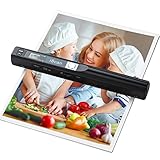
4. Hczrc Portable Scanner, Photo Scanner for A4 Documents, Handheld Scanner for Business, Photo, Picture, Receipts, Books, JPG/PDF Format Selection, UP to 900 DPI, with 16G SD Car
Overview:
The Hczrc Portable Scanner offers an entirely different approach to mobile digitization as a handheld, battery-powered device. At $56.99, this budget-friendly scanner captures documents by manually sweeping across pages, storing files directly to an included 16GB SD card without requiring computer connectivity or software installation. It supports resolutions up to 900 DPI and works with both Windows and Mac systems.
What Makes It Stand Out:
True independence defines this scanner—powered by two AA batteries and operating without drivers or PC tethering. The impressive 900 DPI maximum resolution exceeds many desktop scanners, while the instant-on functionality suits fieldwork where traditional scanners can’t venture. Its plug-and-play nature appeals to technophobes and those working in environments with strict IT policies.
Value for Money:
This represents exceptional value for casual users. Competing handheld scanners cost $80-$120 without included memory cards. While unsuitable for high-volume office work, it democratizes scanning for students, travelers, and occasional users who can’t justify premium prices. The included 16GB SD card provides immediate storage for thousands of scans.
Strengths and Weaknesses:
Strengths include unbeatable portability, high resolution options, SD card storage, and zero software requirements. Manual scanning demands steady hands and produces inconsistent results with curved surfaces. The lack of OCR software limits document searchability, and battery dependency adds ongoing costs. It cannot handle duplex scanning automatically.
Bottom Line:
Perfect for occasional scanning in unpredictable environments. Business professionals requiring consistent quality and OCR should invest elsewhere. For students archiving library books or travelers digitizing receipts, its affordability and independence make it a practical secondary tool rather than a primary scanner.
5. Brother DS-740D Duplex Compact Mobile Document Scanner

Overview:
The Brother DS-740D combines blistering speed with single-pass duplex scanning in an ultra-compact design. Measuring under 12 inches and powered via micro USB 3.0, this scanner processes double-sided documents at 16 ppm without sacrificing portability. The Desk Saving Design reduces required workspace by 11 inches, making it practical for cramped environments like coffee shops and airplane trays.
What Makes It Stand Out:
Single-pass duplex scanning at full speed eliminates the double-feed hassle of alternative solutions that require two passes. Linux compatibility and TWAIN/WIA/ICA/SANE drivers ensure universal integration across all major operating systems. The intelligent image optimization features—including automatic color detection, bleed-through prevention, and text enhancement—produce professional results without manual editing.
Value for Money:
While pricing isn’t listed, the feature set suggests premium positioning. Duplex scanners typically command $180-$250, making this likely competitive. The included iPrint&Scan desktop app and document management software add significant value for business users needing streamlined workflows. The ability to scan both sides simultaneously saves substantial time for document-heavy professions.
Strengths and Weaknesses:
Strengths include rapid duplex scanning, extreme compactness, broad OS support, and intelligent image optimization. Software requires download, potentially complicating initial setup. Single-sheet feeding remains a limitation despite duplex capability. The scanner lacks an ADF, requiring manual page feeding for multi-page documents.
Bottom Line:
The DS-740D dominates for mobile professionals needing double-sided scanning. If you rarely encounter duplex documents, simpler models suffice. For lawyers, accountants, and consultants managing contracts and forms, its combination of speed, size, and duplex functionality is unmatched in the portable scanner category.
6. Doxie Go SE - The Intuitive Portable Document Scanner with Rechargeable Battery and Easy Software for Home, Office, or Work from Home
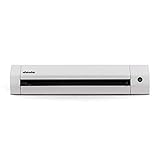
Overview: The Doxie Go SE revolutionizes portable scanning by eliminating computer dependency entirely. This remarkably compact device, roughly the size of a rolled magazine, empowers professionals to digitize documents anywhere—at home, in the office, or while traveling. Its integrated rechargeable battery and internal memory create a truly standalone scanning solution for the modern mobile workforce.
What Makes It Stand Out: Complete operational independence defines the Doxie experience. Scan up to 400 pages per charge while storing 8,000 pages internally before requiring synchronization with your devices. The included Doxie app seamlessly syncs scans and leverages award-winning ABBYY OCR technology to automatically generate searchable, multi-page PDFs. At 600 dpi resolution and 8 seconds per page, it strikes an intelligent balance between quality, speed, and portability.
Value for Money: At $189, the Doxie commands a premium but delivers unique value. Its computer-free workflow, sophisticated software bundle, and robust build quality justify the investment for frequent travelers and remote workers. Competing scanners typically require constant USB tethering and lack integrated storage, making the Doxie worth the extra cost for those prioritizing genuine mobility and seamless paperless workflows.
Strengths and Weaknesses: Strengths include true wireless freedom, exceptional OCR software, massive internal storage capacity, and intuitive operation that requires minimal technical expertise. The rechargeable battery eliminates cable clutter entirely. Weaknesses include the 8-second scan speed, manual single-sheet feeding process, and limited 600 dpi resolution for archival photo scanning. Batch scanning demands patience, and the premium price may deter casual users.
Bottom Line: The Doxie Go SE excels for mobile professionals and minimalists seeking a truly portable scanning solution. If you value freedom from cables and computers over raw speed, this scanner’s versatility and software excellence make it a smart choice despite its premium positioning.
7. HP Small USB Document & Photo Scanner for Portable 1-Sided Sheetfed Digital Scanning, Model HPPS100, for Home, Office & Business, PC and Mac Compatible, HP WorkScan Software Included

Overview: The HPPS100 delivers streamlined single-sided scanning in an incredibly compact, USB-powered package. This scanner prioritizes simplicity and speed for users who need quick digitization without complex configurations. Its slim profile slips effortlessly into laptop bags, making it ideal for professionals who occasionally scan on the road but primarily work tethered to a computer.
What Makes It Stand Out: The HPPS100 brilliantly balances speed and simplicity. At 15 pages per minute (4 seconds per page), it outpaces many portable competitors. The impressive 1200 dpi resolution captures fine details for both documents and photographs. HP WorkScan software provides auto-scan detection, intuitive editing tools, and straightforward file management, making it highly accessible for non-technical users who demand reliable results without a steep learning curve.
Value for Money: Priced at $139.99, this scanner offers excellent value for budget-conscious buyers. It undercuts wireless models while delivering superior resolution and faster scanning than many alternatives. For users who don’t require battery power, it provides professional-quality scanning at a fraction of desktop unit costs, making it an economical choice for small businesses, home offices, and cost-aware mobile professionals.
Strengths and Weaknesses: Strengths include impressive 1200 dpi resolution, rapid scanning speed, convenient USB power, lightweight design, and genuinely user-friendly software. It’s remarkably affordable. Weaknesses include the lack of duplex scanning, requirement for USB connection, absence of wireless capability, and manual single-sheet feeding that limits batch efficiency. Document handling could be more robust for heavy-duty use.
Bottom Line: The HPPS100 is perfect for users seeking fast, high-quality single-sided scanning on a budget. If you can accept USB tethering and manual duplexing, this scanner delivers exceptional performance and value for home offices, students, and mobile professionals.
8. Epson Workforce ES-60W Wireless Portable Sheet-fed Document Scanner for PC and Mac 10.7" x 1.9" x 1.4"

Overview: The Epson ES-60W earns its claim as the fastest, smallest, and lightest wireless portable scanner in its class. This device seamlessly transitions between USB and battery-powered wireless operation, offering unmatched flexibility for professionals who demand connectivity options. Its minimalist design conceals impressive scanning technology for sophisticated on-the-go document management.
What Makes It Stand Out: Intelligent automatic connectivity switching defines the ES-60W experience. The scanner effortlessly toggles between USB power and wireless battery mode without user intervention. Scanning at 4 seconds per page, it matches the fastest portables while offering wireless freedom to PC, Mac, iOS, and Android devices. The LCD display provides real-time status updates for wireless connectivity and battery life, enhancing user confidence.
Value for Money: At $149.99, the ES-60W hits the sweet spot between price and functionality. It offers wireless capability typically reserved for premium models while maintaining competitive scan speeds. For professionals splitting time between office and field work, the dual connectivity eliminates multiple device needs, providing excellent return on investment and reducing equipment clutter.
Strengths and Weaknesses: Strengths include seamless wireless/USB switching, broad device compatibility, rapid scanning performance, and genuinely compact design. The automatic connectivity detection proves genuinely useful in practice. Weaknesses include single-sided scanning only, limited software features compared to some competitors, and battery life that may not match dedicated portable units. Build quality feels slightly less robust than premium alternatives.
Bottom Line: The Epson ES-60W suits tech-savvy professionals needing flexible connectivity. If you value wireless freedom with reliable USB backup at a mid-range price, this scanner’s intelligent design and speed make it compelling for hybrid work environments.
9. Brother ADS-1300 Compact Desktop Scanner | Scan Speeds of Up to 30ppm | Single Pass Double-Sided Scanning

Overview: The Brother ADS-1300 bridges the gap between portable and desktop scanning with its 20-page automatic document feeder and duplex capability. This compact powerhouse manages substantial scanning jobs while maintaining a relatively small footprint. It’s engineered for users who require serious scanning muscle without committing to bulky office equipment.
What Makes It Stand Out: The ADS-1300’s 30ppm single-pass duplex scanning dramatically transforms productivity for document-intensive workflows. The 20-page ADF automatically processes batches while scanning both sides simultaneously. Unlike portable units, it accommodates documents up to 197 inches long and includes a dedicated card slot for business cards and ID badges, delivering exceptional versatility for diverse office scanning needs.
Value for Money: At $224.99, this scanner commands a premium but justifies it with desktop-grade features in a compact package. The ADF and duplex capability alone warrant the cost over manual-feed portables for users with regular scanning volumes. It essentially replaces entry-level office scanners while occupying minimal desk space, offering compelling value for small businesses with moderate daily scanning requirements.
Strengths and Weaknesses: Strengths include rapid duplex scanning, automatic document feeder, versatile media handling including oversized documents, and a robust software bundle for document management. The 30ppm speed dramatically outpaces portable alternatives. Weaknesses include requiring USB power from a computer, larger size than true portables, and absence of wireless connectivity. It’s less convenient for truly mobile use cases.
Bottom Line: The Brother ADS-1300 is perfect for home offices and small businesses needing efficient batch scanning. If you regularly process multi-page documents and prioritize speed over ultimate portability, this scanner’s ADF and duplex features make it a worthwhile productivity investment.
10. MUNBYN Portable Scanner, Photo Scanner for A4 Documents Pictures Pages Texts in 900 Dpi, Flat Scanning, Include 16G SD Card, Wand Document Reader Uploads Images to Computer Via USB Cable, No Driver

Overview: The MUNBYN Portable Scanner adopts a unique handheld wand design that fundamentally differs from traditional feed-based scanners. This budget-friendly device lets you manually sweep across documents, providing flat scanning capability that won’t damage delicate photos or bound materials. It’s the lightest option available, weighing merely 0.66 pounds and operating on simple AA batteries.
What Makes It Stand Out: The wand design eliminates mechanical feeding that can harm old photographs, thick books, or fragile documents. At 900 dpi resolution, it captures impressive detail for its price category. The included 16GB SD card stores thousands of scans independently, and the no-driver-required USB connection ensures universal compatibility across devices. This represents scanning democratized for absolute beginners and budget-conscious users.
Value for Money: At $56.89, the MUNBYN offers unbeatable entry-level value. It costs less than a quarter of premium portables while offering higher resolution than many. For occasional users, hobbyists, or those preserving fragile family photos, it provides tremendous utility despite manual operation. The included SD card adds immediate out-of-the-box functionality.
Strengths and Weaknesses: Strengths include exceptional affordability, gentle flat scanning approach, high 900 dpi resolution, and ultimate portability. The no-driver setup is refreshingly simple for all skill levels. Weaknesses are the manual scanning learning curve, inconsistent results without practice, slower workflow, and ongoing AA battery costs. Image quality depends heavily on steady user technique, making it less reliable for critical business documentation.
Bottom Line: The MUNBYN suits budget-conscious users and photo archivists perfectly. If you need occasional scanning and can master the manual technique, this scanner’s low price and gentle approach provide excellent value, though business users requiring consistent results should consider alternatives.
Why Portable Scanners Are Essential for Modern Paperless Workflows
The shift to hybrid and remote work has fundamentally changed how we handle documents. While smartphone scanning apps serve casual needs, professional-grade portable scanners deliver the speed, accuracy, and reliability that business-critical workflows demand. They eliminate the “I’ll scan it later” backlog that defeats paperless initiatives, capture higher-quality images for OCR processing, and maintain document integrity that camera-based solutions simply can’t match. In 2026, these devices function as mobile document command centers, often processing, naming, and filing documents automatically before you even return to your desk.
Key Scanning Technologies Explained
Understanding the underlying technology helps you make an informed decision that aligns with your document types and volume requirements.
CIS vs CCD Sensors
Contact Image Sensors (CIS) dominate the portable scanner market for good reason—they’re compact, energy-efficient, and require no warm-up time. Modern CIS technology has closed the quality gap with traditional Charge-Coupled Device (CCD) sensors, now delivering excellent depth of field for most document types. However, if you’re scanning bound materials or textured documents, understanding the focal limitations of CIS becomes critical. CCD scanners, while bulkier, still offer superior image quality for photographs and archival materials, making them worth considering for specialized creative or legal workflows.
Simplex vs Duplex Scanning
Simplex scanners capture one side of a document at a time, while duplex models scan both sides simultaneously. For 2026’s paperless workflows, duplex scanning isn’t just a convenience—it’s a necessity for anyone processing multi-page contracts, financial statements, or medical records. The latest generation uses single-pass duplex technology with dual CIS arrays, cutting scan time in half while reducing mechanical complexity. Consider your typical document mix: if even 30% of your papers are double-sided, the time savings justify the premium.
Critical Features to Evaluate in 2026 Models
Scanning Speed and Volume Capacity
Manufacturers love to advertise pages-per-minute (PPM) ratings, but real-world performance depends on multiple factors. Look beyond the headline number to understand duty cycles—the maximum pages a scanner can handle daily without premature wear. For 2026 models, a realistic sweet spot for mobile professionals is 15-25 PPM with a duty cycle of 500-1,000 pages per day. More importantly, examine the automatic document feeder (ADF) capacity. A 20-sheet ADF that scans at 30 PPM but jams frequently delivers worse results than a reliable 10-sheet feeder at 20 PPM.
Resolution and Color Depth Requirements
The “higher is better” resolution myth persists, but paperless workflows prioritize different metrics. For searchable PDFs and document archiving, 300 DPI remains the gold standard—higher resolutions create unnecessarily large files that slow down cloud uploads and OCR processing. However, 2026’s leading scanners offer intelligent resolution switching, automatically detecting photos or detailed graphics and bumping to 600 DPI when needed. Pay closer attention to color depth: 24-bit color capture ensures accurate reproduction of signatures, stamps, and highlighted text that 8-bit grayscale might miss.
Connectivity Options in the Modern Era
USB-C has become the universal standard, but the real differentiator is wireless implementation. Wi-Fi 6E support in premium 2026 models enables direct-to-cloud scanning without device tethering, crucial for tablet-first workflows. Bluetooth Low Energy (BLE) 5.3 allows background connectivity with minimal battery drain. Near Field Communication (NFC) tap-to-pair simplifies setup for shared office environments. Evaluate whether scanners offer both infrastructure and direct Wi-Fi modes—the latter lets you scan to devices without an internet connection, invaluable for confidential documents or field work.
Battery Life and Power Management
The best portable scanner is useless with a dead battery. 2026 models have crossed the threshold into all-day usability, with 500-800 page-per-charge ratings becoming standard. More importantly, look for intelligent power management that enters deep sleep modes between scans and wakes instantly. Some advanced units now feature power banks that can charge your phone simultaneously—a small detail that reduces carry weight significantly. Consider charging flexibility: does it support pass-through charging? Can it run while plugged in without battery degradation?
Document Feeder Mechanisms
The evolution from manual sheet-fed to sophisticated ADF systems marks the biggest quality-of-life improvement in recent years. Modern portable scanners employ ultrasonic multi-feed detection to prevent double-feeds, a feature previously limited to desktop models. Look for mixed batch scanning capabilities that handle receipts, business cards, and letter-sized documents in the same stack without manual sorting. The feeder’s paper path matters too: straight-path designs minimize jams and can handle thicker media like ID cards, while curved paths save space but limit versatility.
Understanding OCR and Document Management Integration
Optical Character Recognition has moved from optional add-on to core functionality. 2026’s scanners embed OCR processing directly in firmware, generating searchable PDFs without computer resources. But hardware is only half the equation—evaluate the bundled software ecosystem. Does it integrate with your existing document management system? Can it create custom naming conventions based on document content? The best solutions offer API access for workflow automation, automatically routing invoices to accounting folders or contracts to legal review queues based on detected keywords.
Portability Factors Beyond Size and Weight
True portability extends beyond physical dimensions. Consider the total weight including power adapters and cables—some “portable” scanners require bulky external power bricks that negate their compact design. Cable management systems that keep cords attached and organized prevent the frustration of forgotten accessories. Protective cases included in the box (not sold separately) should accommodate the scanner plus a few essential cables without adding significant bulk.
Durability for Mobile Professionals
Road warriors need scanners that survive more than gentle office use. Look for MIL-STD-810G ratings or equivalent testing for drop, shock, and vibration resistance. Sealed optics prevent dust infiltration during travel, while reinforced feed trays withstand repeated setup and breakdown cycles. Some 2026 models feature magnesium alloy chassis that cut weight while improving rigidity—worth the premium if your scanner lives in a packed carry-on.
Travel-Friendly Design Elements
Subtle design choices separate travel-ready scanners from desktop units marketed as portable. Integrated cable storage prevents lost USB cords. Fold-flat designs that collapse to notebook thickness slide easily into laptop bags. Battery indicators visible while the device is packed help avoid surprises. TSA-friendly dimensions that fit in standard laptop compartments eliminate the need for separate scanning in security lines.
Software Ecosystem and Compatibility
Cloud Service Integration
The scanner is just the capture point—your documents live in the cloud. 2026’s best portable scanners offer native integration with major platforms like SharePoint, Google Drive, Dropbox, and Box without requiring intermediary software. Look for direct authentication that stores credentials securely on the device, enabling one-touch scanning to predetermined folders. Advanced models support conditional routing: receipts automatically land in Expensify, contracts in DocuSign, and general documents in your primary storage.
Mobile App Functionality
The companion app can make or break the user experience. Evaluate whether apps offer offline queuing—scanning documents that upload automatically when connectivity returns. Batch editing capabilities let you rotate, crop, and adjust multiple pages simultaneously. Cloud-based OCR processing in the app reduces device battery drain while leveraging more powerful servers. Check app store reviews specifically for mentions of stability and update frequency; abandoned apps quickly become liabilities.
Security and Privacy Features
With data breaches costing businesses millions, scanner security deserves scrutiny. Look for AES-256 encryption for data at rest and TLS 1.3 for transmission. Secure boot mechanisms prevent firmware tampering, while hardware-based credential storage protects cloud authentication tokens. For regulated industries, verify compliance with HIPAA, GDPR, or SOC 2 standards. Some 2026 models feature physical Wi-Fi disable switches and data purge functions that securely erase internal memory—a must-have for confidential document handling.
Specialized Scanning Needs
Receipt and Business Card Management
Financial document scanning requires specialized features. Look for scanners with receipt mode that automatically adjusts contrast for faded thermal paper and corrects for curved surfaces. Business card scanning should extract contact data with high accuracy and integrate directly with CRM systems. The best solutions recognize multiple currencies and tax line items, creating exportable expense reports automatically.
Photo and Delicate Material Handling
Standard feed mechanisms can damage old photographs or fragile documents. Specialized photo scanners offer manual feed options with adjustable pressure settings and damage detection that stops feeding if resistance is detected. Look for templates or guides that position photos correctly without bending corners. Some models include transparency adapters for scanning negatives and slides—a valuable bonus for archivists and genealogists.
ID Card and Thick Document Scanning
Healthcare, hospitality, and security professionals frequently scan rigid materials. Verify the scanner’s maximum thickness rating—2026 models typically handle up to 1.2mm, sufficient for most ID cards and insurance cards. Flatbed adapters that attach to sheet-fed scanners offer the best of both worlds: portability for documents and flatbed capability for books or fragile items. Check whether the scanner can capture both sides of an ID card simultaneously and automatically combine them into a single file.
Price Ranges and Value Proposition
Portable scanners in 2026 cluster into three distinct tiers. Entry-level models ($150-$300) offer basic duplex scanning and Wi-Fi connectivity but limited software and lower duty cycles. Mid-range scanners ($300-$600) deliver the best value for most professionals, balancing speed, durability, and robust software integration. Premium models ($600-$1,200) target specialized needs: ultra-compact designs, archival-quality scanning, or enterprise security features. Consider total cost of ownership—subscription-based OCR services or proprietary cloud storage can add hundreds annually. Some manufacturers now offer hardware-as-a-service plans that bundle premium scanners with unlimited cloud processing for predictable monthly costs.
Common Pitfalls to Avoid When Choosing a Portable Scanner
Many buyers overestimate their volume needs, paying premiums for 40 PPM scanners they’ll never push beyond 10 PPM. Others underestimate software importance, choosing excellent hardware with abandoned apps. Beware of “wireless” scanners that only support ad-hoc connections, requiring you to disconnect from internet Wi-Fi to scan. Check compatibility with your device’s operating system—some scanners advertise Mac support but offer limited features compared to Windows versions. Finally, ignore megapixel ratings for document scanning; sensor quality and optics matter far more than raw pixel count.
Setting Up Your Scanner for Optimal Paperless Workflow
Optimal setup begins before you power on the device. Map your document flow: what types do you scan, where should they live, and who needs access? Configure naming conventions that include date, document type, and project codes automatically. Set up destination folders in your cloud storage with matching scan profiles. Test your workflow with a small batch before committing hundreds of documents—OCR accuracy varies by font and language. Create quick-start guides for different document types and laminate them for frequent reference. Most importantly, establish a “scan daily” habit; even the best scanner can’t help if documents pile up unprocessed.
Maintenance and Longevity Tips
Portable scanners require different care than desktop models. Clean the CIS sensor strip weekly with a lint-free cloth—dust particles cause vertical lines in scans. Use cleaning sheets after every 500 scans to remove paper dust and toner buildup from feed rollers. Store the scanner in its case with desiccant packs in humid climates to prevent internal condensation. Update firmware regularly; manufacturers often improve OCR accuracy and add cloud service integrations post-launch. For battery longevity, avoid storing the scanner at 100% charge for extended periods—keep it at 50-80% if unused for weeks.
Future-Proofing Your Investment
Technology evolves rapidly, but some choices extend your scanner’s relevance. USB-C with Thunderbolt 4 support ensures compatibility with next-generation devices. Wi-Fi 6E future-proofs wireless connectivity for years. Choose scanners with user-replaceable parts—feed rollers and separation pads wear out, and replaceable components double useful lifespan. Look for manufacturers with strong software update track records; a scanner that receives feature updates three years after purchase protects your investment. Modular designs that accept firmware upgrades for new cloud services offer the best long-term value.
Environmental Considerations and Sustainability
Sustainability increasingly influences purchasing decisions. 2026’s leading manufacturers use recycled plastics and offer take-back programs for end-of-life devices. Energy Star certification indicates efficient power management, while modular repairability scores (check iFixit ratings) predict longevity. Some brands offset manufacturing emissions and use plastic-free packaging. Consider scanners with duplex-as-default settings that encourage paper reduction, and digital-only warranty registration to minimize waste. The most sustainable scanner is one you’ll use for five years, not replace in two.
Industry-Specific Use Cases
Legal professionals need scanners with court-admissible timestamping and Bates stamping capabilities. Healthcare workers require HIPAA-compliant encryption and integration with EMR systems. Real estate agents benefit from wide-format scanning for blueprints and maps. Academic researchers handling archival materials need manual feed options and non-destructive scanning modes. Financial advisors processing client documents require secure erase functions and audit trails. Understanding your industry’s specific compliance and workflow requirements narrows the field dramatically.
Making Your Final Decision: A Framework
Start by documenting your actual needs: monthly page volume, document types, destinations, and mobility requirements. Assign weighted importance to each factor—speed might matter less than battery life for field workers. Create a shortlist based on non-negotiable features, then evaluate software ecosystems through free trials. Read recent reviews focusing on long-term reliability, not just first impressions. Finally, consider the purchase as part of a system: scanner, software, cloud storage, and your time. The right choice feels invisible—it captures documents so effortlessly that you forget the technology and focus on your work.
Frequently Asked Questions
How fast of a portable scanner do I really need for a typical small business workflow? For most small businesses processing 20-50 pages daily, a scanner rated at 15-20 pages per minute (PPM) with a 10-15 sheet automatic document feeder provides the best balance of speed and cost. The real bottleneck is often document preparation and software processing, not raw scanning speed. Focus on consistent performance and reliable feeding over peak PPM ratings you’ll rarely utilize.
Can portable scanners handle mixed document sizes in a single batch? Modern 2026 portable scanners excel at mixed batch scanning, automatically detecting page sizes and adjusting settings on the fly. Look for models with ultrasonic multi-feed detection and flexible paper guides. However, avoid mixing extreme sizes (receipts with legal documents) in the same stack, as this increases jam risk. The best practice is to group similar sizes but use scanners that handle the occasional outlier without manual intervention.
What’s the difference between cloud-ready and cloud-integrated scanners? Cloud-ready scanners require a computer or mobile device as an intermediary, using that device’s internet connection to upload files. Cloud-integrated scanners connect directly to Wi-Fi networks and upload to cloud services independently, often processing OCR and file naming on-device. For true mobility and workflow automation, cloud-integrated models offer significant advantages, though they typically cost more upfront.
Do I need special software to create searchable PDFs? Most 2026 portable scanners include built-in OCR that generates searchable PDFs without additional software. However, the quality and speed of OCR varies significantly. Premium models embed OCR in firmware, creating searchable files during scanning. Entry-level scanners may require companion software on your computer or mobile device. For high-volume OCR needs, consider dedicated software like Adobe Acrobat or ABBYY FineReader for superior accuracy and language support.
How important is Wi-Fi 6E support in a portable scanner? Wi-Fi 6E matters most for professionals scanning large files directly to cloud storage in congested environments like offices or airports. The 6 GHz band offers faster, more reliable connections with less interference. If you primarily scan to a local device or use your phone’s hotspot, standard Wi-Fi 6 provides sufficient performance. For future-proofing and optimal performance in shared spaces, Wi-Fi 6E is worth the premium.
Can portable scanners replace my desktop scanner completely? For most professionals, yes. 2026’s premium portable scanners match desktop performance up to 1,000 pages daily, with ADF capacities reaching 30 sheets and duplex speeds exceeding 30 PPM. The trade-off is durability: portable scanners have shorter expected lifespans under heavy use. If you regularly scan bound materials or need flatbed capability, keep a desktop scanner as a secondary device. For pure document scanning, a high-end portable model suffices.
What security features should I prioritize for confidential documents? Prioritize AES-256 encryption for stored data, TLS 1.3 for transmission, and hardware-based secure boot. Physical Wi-Fi disable switches and secure erase functions are essential for regulated industries. Ensure the scanner doesn’t cache documents in non-encrypted internal memory. For maximum security, choose models with tamper-evident seals and FIPS 140-2 validated cryptographic modules.
How do I clean and maintain my portable scanner while traveling? Carry a small cleaning kit with lint-free cloths, isopropyl alcohol wipes, and manufacturer-approved cleaning sheets. Wipe the feed rollers and CIS sensor strip weekly. Use cleaning sheets every 500 scans or after scanning particularly dusty documents. Store the scanner in a protective case with a small desiccant pack in humid climates. Never use compressed air, which can drive dust deeper into the mechanism.
Are battery-powered scanners worth the extra cost over USB-powered models? Battery power proves invaluable for field work, trade shows, and client meetings where power outlets are unreliable. However, if you exclusively scan at your desk or in locations with reliable power, USB-powered models offer better value and lighter weight. Many 2026 scanners offer hybrid operation, running on USB power while charging the internal battery, providing flexibility without full premium pricing.
What’s the realistic lifespan of a portable scanner in daily use? With proper maintenance, quality portable scanners last 3-5 years in professional use. The limiting factor is typically the feed mechanism—rollers and separation pads wear out after 50,000-100,000 pages. Choose models with user-replaceable parts and strong manufacturer support. Software support often ends before hardware fails, so select brands with proven long-term update commitments. For heavy daily use (500+ pages), expect closer to 2-3 years before performance degrades significantly.