If you’ve ever ended an eight-hour gaming session with numb fingers, aching elbows, or that weird tingling sensation running up your forearms, your chair’s armrests might be the silent culprit. While most gamers obsess over refresh rates, DPI settings, and mechanical keyboard switches, the unsung heroes of marathon comfort sit quietly on either side of your throne. Three-dimensional armrests aren’t just another buzzword in the gaming chair arms race—they’re a biomechanical game-changer that can literally reshape your relationship with your favorite hobby.
The difference between basic fixed armrests and precision-engineered 3D adjustable systems is like comparing a potato cannon to a custom-built gaming PC. Sure, both might work, but one is going to leave you battered, bruised, and wondering why you didn’t invest in quality sooner. As competitive gaming and streaming push session lengths into double digits, understanding the nuanced world of 3D armrest technology isn’t just about luxury—it’s about performance preservation, injury prevention, and maintaining the edge that keeps you at the top of the leaderboard.
Top 10 3D Armrests for Gamers
Detailed Product Reviews
1. Frassie Height Adjustable Chair Armrest Pair Replacement, Gaming Boss Chair Arms Set (3D)
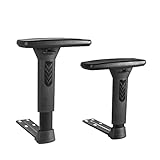
Overview: These 3D adjustable armrests from Frassie offer a practical solution for revitalizing worn-out gaming or office chairs. Designed as direct replacements, they provide multi-directional adjustment capabilities including 7cm of vertical height range, lateral rotation, and forward-backward sliding. The pair comes complete with mounting hardware and instructions for straightforward installation.
What Makes It Stand Out: The comprehensive 3D movement system sets these apart from basic replacements. The twisting mechanism for left-right adjustment and sliding function for front-back positioning deliver genuine ergonomic benefits typically found on premium chairs. The precise measurements (2.36×1.2 inch center distance, 0.7 inch holes) ensure compatibility with many standard gaming and executive chairs.
Value for Money: At $44.99 for a complete pair with hardware, these armrests represent solid mid-range value. They cost significantly less than purchasing a new chair while delivering comparable adjustment features. Compared to OEM replacements from major brands, Frassie’s offering undercuts prices by 30-50% without sacrificing functionality.
Strengths and Weaknesses: Strengths include genuine 3D adjustability, complete installation kit, sturdy construction, and clear specifications. The 7cm height range accommodates various body types and desk heights. Weaknesses center on compatibility limitations—buyers must meticulously verify their chair’s mounting pattern before purchase. Installation requires basic mechanical aptitude, and the plastic components may not match premium chair aesthetics.
Bottom Line: These Frassie armrests are an excellent upgrade for compatible chairs, delivering meaningful ergonomic improvements at a fraction of replacement cost. Verify your measurements carefully before ordering.
2. 3D Adjustable T-Arms Armrest Pair Upright Bracket Replacement Parts Fits Most Office Gaming Chairs

Overview: This universal replacement armrest pair targets gamers and office workers seeking to restore or upgrade their existing seating. The T-arm design features push-button height adjustment and claims compatibility with most gaming and office chairs. Vertical adjustment provides approximately 3 inches of travel to support proper ergonomic positioning.
What Makes It Stand Out: The side-mounted push-button mechanism offers intuitive, tool-free height adjustments—a user-friendly feature missing from many aftermarket parts. The emphasis on reducing neck and shoulder stress demonstrates ergonomic consideration beyond basic replacement functionality. The “fits most” marketing suggests broader compatibility than precision-measured alternatives.
Value for Money: Priced at $42.99, these represent the budget tier of 3D adjustable armrests. They undercut competitors by several dollars while maintaining core functionality. For chairs with standard mounting patterns, they deliver comparable performance to $60+ OEM parts. The value proposition strengthens if your original armrests are completely non-functional.
Strengths and Weaknesses: Strengths include affordable pricing, simple push-button operation, and a decent 3-inch vertical range. The universal fit claim appeals to uncertain buyers. However, the vague mounting specifications pose significant risk—“fits most” without detailed measurements invites returns. The design appears more basic than premium alternatives, potentially sacrificing durability for cost.
Bottom Line: A cost-effective fix for standard chairs, but only purchase if you can verify mounting compatibility. The push-button convenience is excellent, though detailed measurement confirmation remains essential.
3. Frassie Height Adjustable Chair Armrest Pair, Gaming Boss Chair Arms Set Replacement,Black (3D)

Overview: Another variant in Frassie’s replacement armrest lineup, this black 3D set mirrors the functionality of its sibling product with slightly different mounting specifications. Offering the same 7cm height adjustment range plus rotational and sliding movements, these armrests target users needing precise hole sizing (0.8 x 0.4 inch) rather than the round 0.7-inch holes of alternative models.
What Makes It Stand Out: The rectangular hole pattern (0.8 x 0.4 inch) accommodates a distinct subset of gaming and executive chairs that competitors often overlook. This specialization makes it invaluable for owners of specific chair models from brands like Boss or older gaming chair generations. The identical 3D movement system provides comprehensive adjustability rarely found in aftermarket parts.
Value for Money: At $42.99, this set offers identical features to the $44.99 variant while being two dollars cheaper. The value equation is compelling—full 3D adjustability, complete installation hardware, and brand reliability at a sub-$45 price point. Compared to replacing an entire chair ($200+), the savings are substantial.
Strengths and Weaknesses: Strengths include precise compatibility information, robust adjustment mechanisms, and competitive pricing. The complete kit eliminates extra hardware store trips. Weaknesses mirror other specialized replacements: narrow compatibility window and DIY installation requirement. The black finish, while versatile, may not match all chair color schemes perfectly.
Bottom Line: Ideal for chairs requiring rectangular mounting holes. At $42.99, it’s a smart, economical repair that breathes new life into aging but otherwise functional seating.
4. GTRACING Gaming Chair with Footrest, Ergonomic High-Back PU Leather Computer Chair with 3D Adjustable Armrests, Headrest and Lumbar Support, Office Desk Chair with Diamond Stitching for Adults & Teen
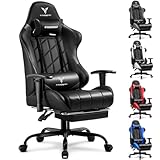
Overview: GTRACING delivers a complete gaming chair solution that integrates 3D adjustable armrests into a feature-rich package. This high-back chair combines ergonomic design with premium touches like diamond stitching, a retractable footrest, and comprehensive support cushions. It’s engineered as an all-in-one upgrade rather than a piecemeal fix.
What Makes It Stand Out: The integrated approach sets this apart—3D armrests work seamlessly with the chair’s recline mechanism and lumbar system. BIFMA certification and SGS-tested components provide professional-grade durability assurance. The silent rubber casters, having passed a 1000-mile test, demonstrate attention to detail. Diamond stitching elevates aesthetic appeal beyond typical budget gaming chairs.
Value for Money: At $107.99, this complete chair costs only slightly more than two premium armrest pairs while delivering exponentially more value. The included footrest, headrest, and lumbar support eliminate separate purchases. Compared to $300+ brand-name gaming chairs, it offers 70% of the features at 35% of the cost, making it an exceptional entry-level value.
Strengths and Weaknesses: Strengths include certified durability, comprehensive adjustability, aesthetic design, and generous customer support (30-day replacement, 1-year parts warranty). The sweat-proof PU leather addresses common comfort complaints. Weaknesses include potential long-term PU leather wear and the space requirements of a full chair. Assembly is required, though instructions are provided.
Bottom Line: An outstanding value for those needing a complete chair. The 3D armrests are just one feature in this well-rounded, durable package that outperforms its price point.
5. GTPLAYER Gaming Chair,Gamer Chair with Bluetooth and Adjustable Backrest,Seat Height Adjustable Computer Chairs with 3D Armrests,Video Game Chair with Footrest Speakers (Purple)
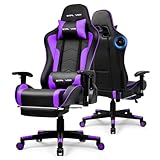
Overview: GTPLAYER’s gaming chair merges traditional ergonomic seating with modern audio technology, featuring integrated Bluetooth 5.3 speakers and comprehensive adjustability. This purple-accented chair targets immersive gamers who value both comfort and entertainment integration, offering 3D armrests alongside a 155° reclining backrest and built-in speaker system.
What Makes It Stand Out: The dual Bluetooth 5.3 speakers create a unique entertainment ecosystem, eliminating desk speaker clutter while providing personal surround sound. The extensive recline range (90-155°) surpasses most competitors, enabling everything from focused work to comfortable napping. The combination of wireless audio with 3D armrest adjustment is rare in sub-$200 chairs.
Value for Money: At $179.99, this commands a premium over basic gaming chairs, but adds $50-100 worth of integrated audio equipment. When compared to purchasing a quality chair ($150) plus separate Bluetooth speakers ($30-60), the package price is justified. For gamers prioritizing immersion, the convenience and space-saving design add intangible value.
Strengths and Weaknesses: Strengths include innovative Bluetooth integration, exceptional recline range, robust metal frame, and premium PU leather. The 3D armrests complement the immersive experience. Weaknesses include higher price point, potential speaker longevity concerns, and limited appeal for users preferring headphones. The purple color, while distinctive, may not suit all aesthetics.
Bottom Line: Perfect for gamers seeking an all-in-one entertainment station. The Bluetooth speakers and deep recline justify the premium for the right user, making it a specialized but compelling choice.
6. GTPLAYER Gaming Chair with Bluetooth Speakers, Adjustable Backrest and Height, 3D Armrests, Footrest, Ergonomic Computer Chair for Gamers (Brick Red)
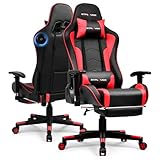
Overview: The GTPLAYER Gaming Chair delivers a compelling blend of ergonomic support and immersive audio technology for gamers seeking more than just a seat. This brick-red throne combines traditional racing-style design with modern Bluetooth connectivity, creating an all-in-one gaming station. With its high backrest and included lumbar cushion, it addresses the postural demands of extended play sessions while adding auditory dimension to your experience.
What Makes It Stand Out: The integrated dual Bluetooth 5.3 speakers set this chair apart from standard gaming seats, offering wireless audio connectivity without cluttering your space with separate speaker systems. The 3D armrests provide exceptional customization with height and forward-backward adjustments, while the 155-degree recline range accommodates everything from intense focus to power naps. The retractable footrest completes the transformation from gaming command center to relaxation station.
Value for Money: At $129.52, this chair punches above its weight class. Comparable chairs with Bluetooth speakers typically retail for $180-250, making this an accessible entry point for gamers wanting immersive features without premium pricing. The inclusion of a metal frame and PU leather construction at this price point represents solid craftsmanship that should withstand years of use.
Strengths and Weaknesses: Strengths include the stable Bluetooth 5.3 connection with enhanced sound quality, robust reclining mechanism, and comprehensive adjustability. The heavy-duty metal frame ensures durability during intense gaming moments. Weaknesses center on the PU leather’s limited breathability during marathon sessions and speakers that, while immersive, won’t replace a dedicated high-fidelity audio setup. Some users may find the brick red color limits decor flexibility.
Bottom Line: This chair excels for gamers prioritizing immersive audio and versatile positioning. If you want built-in speakers and deep recline without breaking $150, the GTPLAYER delivers exceptional value. It’s best suited for medium-duration sessions where audio immersion enhances gameplay.
7. Mesh Ergonomic Office Chair with 6D Armrests,High Back Mesh Gaming Chair with Lumbar Support,Adjustable 3D Headrest for Home Office Desk Chair(Executive, Black)

Overview: This high-end mesh chair targets discerning users who demand surgical precision in ergonomic adjustment. Designed for both executive office environments and serious gaming setups, the black mesh construction prioritizes breathability and long-term comfort. The chair’s foundation rests on genuine ergonomic principles rather than racing aesthetics, making it a professional-grade seating solution.
What Makes It Stand Out: The revolutionary 6D armrests offer unprecedented customization with full 360-degree rotation, accommodating virtually any body type and workflow. The six-position lumbar support system provides incremental, height-specific back support that’s rare even in chairs costing twice as much. Combined with the 3D headrest that adjusts in height, depth, and tilt, this chair creates a truly personalized sitting experience.
Value for Money: At $249.99, this represents a mid-to-high range investment that undercuts premium brands like Herman Miller or Steelcase by hundreds while delivering comparable adjustability. The specialized mesh material maintains its structure and breathability over years, preventing the heat buildup and deformation common in foam chairs. For users spending 8+ hours daily at their desk, the productivity and health benefits justify the cost.
Strengths and Weaknesses: Major strengths include exceptional breathability, comprehensive adjustability, and durable mesh construction that resists sagging. The 6D armrests adapt to any activity from typing to mobile gaming. However, the complex lumbar adjustment mechanism requires careful sequential operation and cannot be locked in the sixth position. The premium price may deter casual users, and the mesh seat lacks the plush initial comfort of padded alternatives.
Bottom Line: Ideal for professionals and dedicated gamers who prioritize ergonomic precision and temperature regulation. If you suffer from back pain or work long hours, this chair’s advanced features justify every dollar. Casual users may find simpler options more practical.
8. Mr IRONSTONE Gaming Chair, Video Game Chair with Bluetooth Speakers and Led Lights, Office Chair with Massage and 3D Armrest High Back Computer Racing Chair, Cheap Gaming Chairs for Adults, Black/Blue

Overview: Mr IRONSTONE positions itself as the ultimate budget-friendly throne for gamers who refuse to compromise on flash. This black and blue racing chair combines RGB lighting, Bluetooth speakers, and massage functionality at a price point that challenges conventional market logic. It’s designed for gamers who want their setup to make a statement without draining their wallet.
What Makes It Stand Out: The integrated LED lighting system transforms your gaming space into a dynamic light show that syncs with your gameplay ambiance. Dual massage points in the lumbar region provide actual therapeutic value during breaks, a feature typically found in chairs three times the price. The widened seat cushion addresses a common complaint in budget chairs, offering 10cm more space for comfortable positioning.
Value for Money: At $109.99, this chair demolishes price barriers for feature-rich gaming seats. Competing chairs with similar specifications routinely exceed $200, making this an exceptional value proposition. The inclusion of Bluetooth speakers, RGB lighting, massage function, and 3D armrests at this price demonstrates aggressive market positioning that benefits budget-conscious consumers.
Strengths and Weaknesses: Strengths include unbeatable feature-to-price ratio, spacious seat design, and straightforward 30-minute assembly. The perforated faux leather offers better breathability than standard PU. However, the “cheap gaming chairs” marketing may reflect build quality compromises. The massage function provides basic vibration rather than deep tissue relief, and long-term durability of the electronic components remains unproven. The bold aesthetic won’t suit professional environments.
Bottom Line: Perfect for younger gamers, streamers needing visual pop, or anyone wanting maximum features on minimum budget. If you prioritize flash over long-term durability and accept potential trade-offs in materials, this chair delivers entertainment value that’s hard to beat.
9. QYZDLM Gaming Chair Covers Slipcovers, 3D Printing Stretchable Elastic Computer Reclining Gaming Chair Seat Cover with Armrest Cover (No Chairs)(M)

Overview: This isn’t a gaming chair—it’s a protective slipcover designed to extend the life of your existing seat. The QYZDLM cover transforms worn or mismatched chairs into fresh-looking gaming thrones using stretchable polyester-spandex fabric. At $19.99, it offers a cost-effective alternative to replacing damaged upholstery, particularly for pet owners battling cat scratches.
What Makes It Stand Out: The 3D printing technology creates eye-catching designs that genuinely enhance gaming setup aesthetics rather than looking like an obvious cover. The 92% polyester and 8% spandex blend provides exceptional elasticity, ensuring a snug fit across various chair dimensions while remaining breathable. The included armrest covers deliver comprehensive protection that most competitors omit.
Value for Money: For under twenty dollars, this cover provides insurance against permanent damage to chairs costing hundreds. Replacement gaming chair upholstery is often impossible, making this preventative measure financially prudent. The machine-washable design means spills and stains become minor inconveniences rather than permanent eyesores, significantly extending your chair’s visual lifespan.
Strengths and Weaknesses: Strengths include excellent stretchability for universal fit, easy installation with quality zippers, and effective pet scratch mitigation. The fabric resists wrinkles and fading while maintaining breathability. However, the initial chemical odor requires washing before use. Fit can be awkward on non-standard chair shapes, and the cover may shift during intense movement. It’s a cosmetic solution that doesn’t improve underlying ergonomic issues.
Bottom Line: Essential for pet owners or anyone wanting to refresh a tired-looking chair without replacement costs. If your current chair is structurally sound but aesthetically damaged, this slipcover offers practical protection and style. Measure carefully to ensure proper fit.
10. QYZDLM Gaming Chair Covers, 3D Printing One-Piece Universal Fit Gaming Chair Seat Cover with Armrest Sloipcover(Color:Style 5)
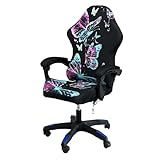
Overview: Another entry in QYZDLM’s protective cover lineup, this one-piece universal fit slipcover offers comprehensive protection for gaming and office chairs. At $21.99, it provides full-body coverage against spills, scratches, and wear. The solution targets users who want to preserve their chair investment while refreshing its appearance without permanent modifications.
What Makes It Stand Out: The one-piece design eliminates alignment issues common with multi-panel covers, creating a seamless look that stays firmly in place. The 360° protection concept shields every visible surface from pet damage and daily wear. Like its sibling product, the 92% polyester and 8% spandex composition delivers durability and stretch, while the 3D printing adds visual flair to aging furniture.
Value for Money: Slightly pricier than the M-sized variant at $21.99, this universal model offers broader compatibility, reducing the risk of sizing errors. The cost remains negligible compared to professional reupholstering or chair replacement. For households with pets or children, this cover pays for itself by preventing the first major stain or scratch.
Strengths and Weaknesses: Strengths include comprehensive coverage, easy machine-washable maintenance, and strong elasticity for various chair profiles. The skin-friendly fabric suits all seasons without heat retention. However, the universal fit may appear loose on smaller chairs or overly stretched on larger models. Pattern alignment can be challenging during installation, and like all slipcovers, it can’t remedy underlying structural or cushioning problems.
Bottom Line: A practical investment for protecting valuable seating from daily hazards. Ideal for families, pet owners, or anyone revitalizing a structurally sound but cosmetically challenged chair. Verify measurements against the generous size chart before purchasing for optimal results.
What Are 3D Armrests and Why Do Gamers Need Them?
Three-dimensional armrests represent a specific tier of adjustability in ergonomic seating design, offering movement across three distinct planes: vertical height, horizontal width/depth, and rotational angle. Unlike their 2D counterparts that only move up and down, or 4D variants that add lateral sliding, 3D armrests provide the sweet spot of customization that addresses the dynamic postures gamers adopt during intense gameplay.
The gaming-specific need stems from the unique demands of the activity. You’re not just typing emails—you’re executing flick shots in Valorant, managing complex keybinds in World of Warcraft, or maintaining precise throttle control in sim racing. Each genre demands different elbow angles, forearm positions, and shoulder mechanics. Static support forces your body to adapt to the chair, while 3D armrests adapt to your body, reducing the micro-adjustments and muscle tension that accumulate into repetitive strain injuries over time.
The Anatomy of a 3D Armrest: Breaking Down the Components
Understanding what makes a quality 3D armrest requires dissecting its architecture. The foundation is the vertical stem, typically constructed from reinforced steel or aluminum, which houses the gas lift cylinder responsible for height adjustment. This component must withstand constant pressure changes without developing the dreaded “armrest sag” that plagues budget chairs.
The adjustment mechanism itself usually consists of a paddle lever or button system connected to internal gears and locking pins. High-end models employ metal-on-metal contact points, while value-oriented chairs might use reinforced nylon. The armrest cap or pad is where your arms actually rest, and this is where material science becomes critical—memory foam density, cooling gel integration, and upholstery breathability all factor into long-term comfort. Finally, the pivot joint enables the rotational movement, requiring precise engineering to maintain stability at various angles without introducing wobble.
3D vs 2D vs 4D: Understanding the Dimensional Differences
The “D” designation in armrest terminology isn’t marketing fluff—it’s a standardized way to describe degrees of freedom. Two-dimensional armrests offer only height adjustment, essentially moving up and down on a fixed vertical path. They’re adequate for basic office work but fail spectacularly when you need to shift between mouse-intensive FPS gaming and controller-based racing simulations.
Three-dimensional armrests add width adjustment (moving the rests closer together or farther apart) and depth adjustment (sliding forward or backward), plus the crucial pivot function that allows the armrest to rotate inward or outward. This rotation is the secret sauce for gamers, letting you angle the rests to support your forearms during WASD movement or controller play without forcing your shoulders into unnatural positions.
Four-dimensional armrests take it one step further by adding lateral movement—sliding the entire armrest assembly left or right along a horizontal track mounted to the seat base. While this sounds impressive, most gamers find the fourth dimension redundant unless you’re sharing the chair between multiple users with dramatically different body types or have an unusually wide/narrow shoulder structure.
The Science Behind Arm Support in Gaming Ergonomics
Your upper extremities contain a complex network of nerves, tendons, and blood vessels that are exquisitely sensitive to compression and awkward positioning. The ulnar nerve, which runs through your elbow’s funny bone area, can become compressed against a poorly positioned armrest, leading to cubital tunnel syndrome—a condition that manifests as tingling in your ring and pinky fingers that no amount of shaking out will fix.
Proper 3D armrest positioning keeps your elbows at approximately 90-110 degrees of flexion, with forearms parallel to the floor. This alignment does two critical things: it reduces activation of the trapezius and levator scapulae muscles that cause neck tension, and it prevents the wrist extension that leads to carpal tunnel issues. Research from occupational ergonomics shows that even 20% reduction in shoulder muscle activity correlates with significantly lower fatigue scores during prolonged computer use—translating directly to better reaction times and decision-making in high-stakes gaming scenarios.
Key Adjustment Mechanisms: What to Look For
The difference between a premium 3D armrest and a frustrating one often lies in the adjustment mechanism’s tactile feedback and locking reliability. Paddle-style levers that flip up and down tend to offer more precise control than push-button systems, which can feel mushy and imprecise. Look for mechanisms that provide audible clicks or clear detents at regular intervals—this indicates positive engagement rather than friction-based positioning that can slip over time.
The best systems employ a multi-stage locking mechanism where each dimension adjusts independently. Height adjustment should be smooth with minimal wobble when unlocked, width adjustment should slide on metal rails with minimal play, and the pivot function should rotate with consistent resistance that holds firm once released. Avoid chairs where adjusting one dimension accidentally shifts another—that’s a hallmark of poorly engineered budget options.
Material Matters: From PU Leather to Aluminum Alloys
Armrest padding density is measured in Indentation Load Deflection (ILD), with gaming chairs typically ranging from 25-40 ILD. Lower numbers feel softer initially but bottom out quickly under pressure, while higher numbers provide firm support that maintains its shape during marathon sessions. The sweet spot for gaming is 30-35 ILD—firm enough for support, soft enough for comfort.
Upholstery choice impacts both durability and temperature regulation. PU leather is common and easy to clean but can become sticky during intense gameplay. Premium chairs offer breathable fabric or hybrid materials with perforated surfaces. The armrest frame material determines long-term stability—aluminum alloys provide the best strength-to-weight ratio, while steel offers maximum durability at the cost of weight. Nylon-reinforced polymers are acceptable in the adjustment housing but should never be used for load-bearing components.
Height Adjustment: The Foundation of Proper Arm Positioning
The vertical range of 3D armrests typically spans 3-4 inches, but the crucial factor isn’t the total range—it’s where that range falls relative to standard desk heights. Quality chairs position their adjustment range so the lowest setting clears a 25-inch desk height, while the highest setting accommodates a 30-inch desk with room to spare. This ensures compatibility with both sitting and standing desk configurations.
When adjusting height, the goal is to support your forearms without elevating your shoulders. Sit in your chair with your back fully against the backrest, relax your shoulders completely, and bend your elbows to 90 degrees. The armrest should meet your forearm about 2-3 inches behind your wrist, creating a gentle slope downward toward your input devices. If you find yourself shrugging or slouching to make contact, the height is wrong—full stop.
Width and Depth Adjustment: Customizing Your Lateral Space
Width adjustment, which moves the armrests closer together or farther apart, typically offers 1.5-2 inches of total range. This dimension is critical for shoulder health—too narrow, and you’ll internally rotate your shoulders, compressing the acromioclavicular joint. Too wide, and you’ll be forced to abduct your arms, overworking the deltoids and causing that burning sensation between your shoulder blades.
Depth adjustment (forward/backward slide) provides 2-3 inches of travel and is perhaps the most underappreciated feature for gamers. During mouse-intensive gameplay, sliding the armrest forward lets you rest your entire forearm, reducing wrist pivoting and improving aiming precision. For keyboard-heavy MMO sessions, pulling them back supports your elbows while keeping your wrists floating freely over the keys. The ability to quickly reposition between these states is what separates good 3D systems from great ones.
Pivot/Angle Adjustment: The Game-Changing Third Dimension
The rotational pivot is the defining characteristic of 3D armrests, typically offering 15-45 degrees of inward/outward rotation. This adjustment addresses the natural angle of your forearms during different gaming activities. When using a mouse, most people’s arms angle inward at 10-20 degrees—matching this angle with your armrest prevents the uncomfortable twisting force that occurs when a straight armrest meets an angled arm.
For controller gaming, pivoting the armrests outward creates a cradle-like support that follows the natural wingspan position. Racing sim enthusiasts can angle them to support elbows during long cornering sequences, while flight sim pilots can position them for precise HOTAS control. The key is smooth adjustment with reliable locking—nothing’s worse than an armrest that slowly drifts out of position during a clutch moment.
Weight Capacity and Build Quality: Durability Under Pressure
Gaming involves dynamic movements—excited lean-ins for clutch plays, frustrated lean-backs after defeats, and constant micro-adjustments. Your armrests must handle not just static weight but dynamic loads. Quality 3D armrests are rated for 80-100 pounds of downward force per side, with reinforced internal structures that prevent the “armrest wobble” that develops in cheaper chairs.
Test build quality by gripping the armrest and applying gentle twisting force. High-quality units feel solid with minimal flex, while budget options will creak and deform noticeably. Check the warranty specifically on armrest mechanisms—manufacturers confident in their engineering offer 2-5 year warranties on these components, while budget brands often exclude them from coverage entirely.
How to Properly Configure 3D Armrests for Different Gaming Genres
FPS gaming demands precision and quick mouse movements. Set your armrests at desk height or 1 inch below, positioned forward to support your forearm without restricting wrist pivot. Angle them inward 10-15 degrees to match your natural arm position during flick shots. This configuration reduces shoulder strain during those 40-minute Counter-Strike matches while maintaining the mobility needed for 180-degree turns.
MMO and strategy games require sustained keyboard access over hours. Lower the armrests slightly to encourage a floating wrist position over the keys, pull them back to support your elbows rather than forearms, and keep them parallel to avoid interfering with complex multi-key combinations. For racing sims, raise them to match your wheel height, angle outward for elbow support during long stints, and slide them forward to stabilize your arms during precise trail-braking maneuvers.
Common Mistakes Gamers Make with 3D Armrests
The most frequent error is setting armrests too high, which elevates shoulders and compresses the cervical spine. This creates a cascade effect: neck tension reduces blood flow to the brain, impairing reaction time and decision-making. Another mistake is using armrests as elbow hooks, letting your arms drape over the edges. This compresses the ulnar nerve and causes that dreaded finger numbness.
Many gamers also “set and forget” their armrests, treating them like static components. The beauty of 3D systems is their adaptability—take 30 seconds to readjust when switching from mouse-and-keyboard to controller, or when moving from competitive ranked play to casual browsing. Finally, overtightening adjustment mechanisms can strip gears and void warranties. Apply firm but gentle pressure when locking positions.
Integrating 3D Armrests with Your Gaming Desk Setup
Your armrests don’t exist in isolation—they’re one node in an ergonomic ecosystem. The ideal relationship has your armrests and desk surface at the same height, creating a seamless transition that supports your forearms from elbow to wrist. If your desk is too high, even perfect armrest adjustment can’t compensate for the upward shoulder strain. Consider a keyboard tray or desk height adjusters to achieve alignment.
Monitor distance also impacts armrest positioning. Closer monitors (20-24 inches) encourage a more forward arm position, requiring armrests slid forward. Ultra-wide displays at 30+ inches let you lean back slightly, allowing armrests to be positioned further back. The goal is maintaining the 90-110 degree elbow angle regardless of your viewing distance. For streamers using dual setups—gaming PC on one side, streaming rig on the other—3D armrests let you quickly reconfigure support as you swivel between systems.
The Hidden Health Benefits Beyond Comfort
Proper 3D armrest use reduces carpal tunnel pressure by up to 40% according to occupational health studies. By supporting forearm weight, they decrease the load on your wrist flexors and extensors, preventing the overuse injuries that plague professional gamers. They also improve diaphragmatic breathing—when your shoulders aren’t hiked up to your ears, your chest can expand fully, increasing oxygen intake during intense moments.
Perhaps most importantly, they protect your thoracic outlet—the space between your collarbone and first rib where critical nerves and arteries pass. Compression here causes a constellation of symptoms including hand weakness, cold fingers, and that pins-and-needles sensation that destroys fine motor control. Proper armrest positioning keeps the shoulders neutral, maintaining clear passage through this vital anatomical bottleneck.
Price vs Performance: Finding Your Sweet Spot
Entry-level “3D” armrests around the $150-250 chair price point often use plastic internal mechanisms that wear out within 12-18 months. Mid-tier options ($300-500) typically offer metal gears and better padding density, representing the best value for serious gamers. Premium chairs ($600+) feature exotic materials like magnesium alloys and magnetic adjustment systems, but the functional benefit over mid-tier options is marginal for most users.
The performance plateau hits around the $400 mark—beyond this, you’re paying for brand prestige, aesthetic customization, and marginal durability improvements rather than ergonomic function. Focus your budget on chairs where the manufacturer specifically highlights the armrest mechanism warranty. A $350 chair with a 3-year armrest warranty beats a $500 chair with 90-day coverage every time.
Maintenance and Longevity: Keeping Your Armrests in Top Condition
Monthly maintenance should include cleaning the adjustment tracks with compressed air to remove dust and debris that can jam mechanisms. Apply a dry PTFE lubricant to metal contact points every six months—avoid oil-based products that attract grime. Check locking screws quarterly; vibration from intense gameplay can loosen fasteners over time. Tighten to manufacturer specs (usually 8-10 Nm) using a torque wrench to avoid stripping threads.
Pad maintenance depends on material. PU leather benefits from monthly conditioning with specialized vinyl protectant to prevent cracking. Fabric pads should be vacuumed weekly and spot-cleaned with mild detergent. If your armrests develop lateral play, check for worn bushings—most quality chairs have replaceable wear components rather than requiring complete armrest replacement.
Future Trends: Where 3D Armrest Technology Is Heading
The next evolution integrates pressure sensors and haptic feedback directly into armrest pads, providing real-time posture coaching through subtle vibrations when you begin to slump. We’re seeing prototypes with shape-memory alloys that automatically adjust to your arm position using biometric data from wrist-worn devices. Some manufacturers are experimenting with active cooling systems—micro-perforated surfaces with integrated fans that prevent the sweaty forearm syndrome that causes slippage during clutch moments.
Modularity is another emerging trend, with magnetic attachment systems letting gamers swap armrest styles for different activities. Imagine snapping on wide, cushioned rests for flight sims, then switching to narrow, firm supports for competitive FPS play. As esports medicine becomes more sophisticated, expect to see armrests with integrated EMG sensors that detect muscle fatigue and automatically adjust to offload stressed muscle groups.
Frequently Asked Questions
Are 3D armrests really necessary, or is height adjustment enough for casual gaming?
Height-only armrests suffice for sessions under two hours, but the lack of width and pivot adjustment forces your shoulders into static positions that cause fatigue. Even casual gamers benefit from 3D functionality during weekend marathons or when switching between gaming and other computer activities.
Can 3D armrests fix existing wrist or shoulder pain?
They can significantly reduce symptoms by eliminating the mechanical stress causing them, but they’re not a medical treatment. If you’re experiencing persistent numbness, tingling, or sharp pain, consult a physical therapist. Think of 3D armrests as preventive equipment, not therapeutic devices.
How do I know if my armrests are positioned correctly?
Perform the “drop test”—let your arms hang naturally, then raise your forearms to your input devices. Your elbows should maintain 90-110 degrees of flexion without your shoulders rising. If you can maintain this position for 10 minutes without muscle tension, your armrests are properly configured.
Will 3D armrests fit under my desk when I wheel my chair in?
Most quality 3D armrests have a lowest setting of 7-8 inches from seat base to pad top. Measure your desk height minus your seated elbow height. If the difference is less than 6 inches, look for “low-profile” 3D armrests specifically designed for compact desk setups.
Do armrests interfere with using a gaming mousepad?
Properly configured 3D armrests actually improve mouse precision by stabilizing your forearm. The key is sliding them forward enough to support your arm without extending over your mousepad. Most gamers find a 1-2 inch gap between armrest front edge and mousepad works perfectly.
How much maintenance do 3D adjustment mechanisms require?
Less than you’d think. Monthly dusting and semi-annual lubrication take about five minutes total. The bigger factor is avoiding overtightening and harsh impacts. Quality mechanisms are sealed units that shouldn’t need internal servicing for 5+ years under normal use.
Can I upgrade my existing chair with 3D armrests?
Rarely. Armrests are integral to a chair’s frame design, requiring specific mounting points and reinforcement. Some premium office chairs offer retrofit kits, but gaming chairs almost never do. It’s more cost-effective to invest in a chair designed with 3D armrests from the start.
Are soft or firm armrest pads better for gaming?
Firm pads (30-35 ILD) provide better support for extended sessions, while soft pads feel more comfortable initially but cause pressure points over time. The ideal is medium-firm foam with a slight contour that distributes weight across your forearm rather than concentrating it on the bony elbow.
Do 3D armrests add significant weight to a gaming chair?
A quality 3D armrest assembly adds approximately 2-3 pounds per side compared to fixed armrests. The weight difference is negligible for chair mobility but indicates the presence of metal internal components. If a “3D” chair feels unusually light, it’s likely using plastic mechanisms that won’t last.
What’s the typical lifespan of 3D armrest mechanisms?
With proper maintenance, metal-geared 3D armrests should function flawlessly for 7-10 years. Plastic mechanisms typically show wear within 2-3 years, manifesting as slipping, wobbling, or locking failures. Always check the warranty terms—manufacturers offering 3+ year coverage on armrest mechanisms are confident in their durability.