Picture this: It’s 9:29 AM EST, and you’re watching pre-market momentum build across multiple timeframes. Your finger hovers over the mouse, ready to execute a position that could define your entire trading day. In that critical moment, the last thing you want is to hunt for a chart hidden behind another window or squint at compressed candlesticks on an inadequate display. Your monitor isn’t just a screen—it’s your portal to market opportunities, your command center for split-second decisions that separate profitable sessions from costly mistakes.
For day traders, screen real estate isn’t a luxury; it’s a strategic necessity. The 34-inch curved ultrawide format has emerged as the sweet spot for serious market participants, offering an immersive field of view that wraps critical data around your peripheral vision without the bezels that fragment multi-monitor setups. But not all curved panels are created equal, and understanding the nuanced differences between specifications can mean the difference between a monitor that accelerates your trading edge and one that becomes a bottleneck under pressure. This guide dismantles the marketing jargon and delivers the technical insights you need to select a display that matches your trading style, budget, and performance demands.
Top 10 34-Inch Curved Monitors for Day Traders
Detailed Product Reviews
1. Sceptre 34-Inch Curved Ultrawide WQHD Monitor (3440 × 1440), R1500, up to 180Hz/165Hz, DisplayPort x2, 99% sRGB, 1ms, Built-in Speakers, Machine Black, 2025 (C345B-QUT168)

Overview: The Sceptre C345B-QUT168 delivers an impressive ultrawide gaming experience at an aggressive price point. This 34-inch curved monitor features a 3440x1440 resolution with a blazing 180Hz refresh rate and 1ms MPRT response time, making it ideal for competitive gaming. The 1500R curvature provides immersive viewing, while the integrated speakers add convenience for users wanting a clean desk setup.
What Makes It Stand Out: Sceptre’s luminous backcover LED lighting creates a modern aesthetic that distinguishes it from bland office monitors. The combination of 180Hz refresh capability and WQHD resolution at under $220 is remarkable. The 21:9 aspect ratio provides 30% more screen real estate than standard monitors, enhancing both gaming immersion and productivity workflows without requiring multiple displays.
Value for Money: At $219.97, this monitor dramatically undercuts competitors offering similar specs. Most 34-inch ultrawide gaming monitors with 180Hz refresh rates cost $300-400. The inclusion of dual DisplayPort inputs and built-in speakers eliminates extra peripheral costs. While brand recognition lags behind Dell or ASUS, the feature-to-price ratio is exceptional for budget-conscious gamers seeking high performance.
Strengths and Weaknesses:
- Strengths: Exceptional refresh rate for the price; 1ms response eliminates ghosting; built-in speakers save desk space; striking LED backlight design; dual DisplayPort connectivity
- Weaknesses: Limited color space coverage (99% sRGB only); brightness specs not advertised; lesser-known brand may raise reliability concerns; basic ergonomic adjustments
Bottom Line: The Sceptre C345B-QUT168 is a stellar value proposition for gamers prioritizing speed and immersion over brand prestige. Its high refresh rate and ultrawide resolution deliver premium experiences at a budget price, making it an easy recommendation for entry-level to mid-range gaming setups.
2. Dell 34 Plus USB-C Curved Monitor - S3425DW - 34-inch (3440 x 1440) up to 120 Hz 21:9 Display, VA Panel, AMD FreeSync Premium, 99% sRGB, 95% DCI-P3, Integrated Speakers, 3000:1 Contrast Ratio

Overview: Dell’s S3425DW targets professionals who game, blending productivity features with solid gaming credentials. This 34-inch ultrawide delivers WQHD resolution via a high-contrast VA panel with excellent color accuracy. The 120Hz refresh rate with FreeSync Premium ensures smooth visuals, while USB-C connectivity with 65W power delivery modernizes your workspace with single-cable laptop connectivity.
What Makes It Stand Out: ComfortView Plus technology reduces harmful blue light to ≤35% without color distortion—a rare find in gaming monitors. The exceptional 3000:1 contrast ratio creates deep blacks and stunning HDR performance. Dell’s re-engineered speakers deliver superior audio output compared to typical monitor speakers, while the USB-C hub eliminates desk clutter for laptop users.
Value for Money: Priced at $398, this monitor commands a premium over budget alternatives but justifies it through build quality, brand reliability, and versatile connectivity. The USB-C power delivery alone saves $50-100 on a docking station. For hybrid workers who also game, the eye-care technology and color accuracy provide tangible benefits that cheaper monitors lack, making the investment worthwhile.
Strengths and Weaknesses:
- Strengths: Superior eye-care technology; excellent USB-C connectivity with power delivery; outstanding contrast ratio; robust color accuracy (95% DCI-P3); premium build quality; upgraded speakers
- Weaknesses: 120Hz refresh rate lags behind cheaper alternatives; higher price point; VA panel may have slower pixel response than IPS; limited ergonomic adjustments
Bottom Line: The Dell S3425DW excels as a productivity-first ultrawide that handles gaming capably. If USB-C connectivity and eye comfort are priorities, the premium is justified. For pure gaming performance, budget options offer higher refresh rates, but none match Dell’s professional feature set.
3. SANSUI 34-Inch Curved Gaming Monitor UWQHD 3440 x 1440 Up to 165Hz Curved 1500R - PIP/PBP, 1ms(MPRT), HDR, 300nits, sRGB 125%, DCI-P3 95%,FreeSync,HDMIx2,DP1.4 x2 (DP Cable Included)

Overview: SANSUI enters the budget ultrawide market with an aggressively priced 34-inch gaming monitor featuring impressive specifications. The 3440x1440 resolution pairs with a 165Hz refresh rate and 1ms MPRT response time for competitive gaming. The 1500R curvature and HDR support enhance immersion, while the PIP/PBP functionality adds versatility for multitasking users who need multiple input sources visible simultaneously.
What Makes It Stand Out: The sRGB 125% and DCI-P3 95% color coverage exceeds most monitors in this price class, delivering vibrant visuals typically found in premium displays. At $199.98, it’s among the cheapest 34-inch ultrawides available. The inclusion of PIP/PBP at this price point is remarkable, allowing users to display two sources simultaneously—a feature usually reserved for $400+ monitors.
Value for Money: This monitor redefines budget gaming, offering 165Hz and wide color gamut for under $200. Competitors with similar specs cost 50-100% more. The dual HDMI and DisplayPort inputs provide flexibility, and the included DP cable saves additional expense. While build quality and brand support may not match premium brands, the raw specifications make it nearly impossible to beat for price-conscious buyers.
Strengths and Weaknesses:
- Strengths: Unbeatable price; excellent color coverage; 165Hz refresh rate; PIP/PBP multitasking; dual DP 1.4 ports; includes DP cable; lifetime technical support
- Weaknesses: Lower brightness (300 nits); no built-in speakers; limited ergonomic tilt only; unknown long-term reliability; basic HDR performance
Bottom Line: The SANSUI 34-inch monitor is a no-brainer for budget gamers prioritizing performance over brand name. Its color accuracy and refresh rate punch far above its weight class. Accept the trade-offs in build quality and brightness, and you’ll enjoy premium specs at an entry-level price.
4. SANSUI 34 Inch 240Hz Ultrawide Curved Gaming Monitor UWQHD 3440×1440, 21:9 2K Curved Monitor 1500R,HDR400,Fast VA, PIP/PBP,AI Crosshair,AIPQ(Visual Enhance),MPRT 1ms,HDMI2.12,DP1.42(DP Cable Incl.)

Overview: SANSUI’s flagship ultrawide pushes budget boundaries with an astounding 240Hz refresh rate at WQHD resolution. This 34-inch curved monitor targets competitive gamers with AI-enhanced features like AI Crosshair and AI Bluelight reduction. The HDR400 certification and 450-nit peak brightness deliver improved dynamic range, while HDMI 2.1 ports ensure compatibility with next-gen consoles at maximum refresh rates.
What Makes It Stand Out: The 240Hz refresh rate at $249.99 is unprecedented in the ultrawide category, typically commanding $500+ prices. AI gaming features like the sniper scope and dynamic crosshair provide competitive advantages rarely seen outside premium brands. With sRGB 130% and DCI-P3 97% coverage, it outperforms many professional monitors in color reproduction, making it versatile for content creation.
Value for Money: This monitor shatters price-to-performance expectations. Getting 240Hz, HDR400, and HDMI 2.1 for $250 is revolutionary. The feature set rivals $600+ monitors from established brands. While SANSUI lacks the brand cachet of ASUS or Dell, the specifications alone justify the purchase for performance enthusiasts. The 30-day money-back guarantee mitigates buyer risk.
Strengths and Weaknesses:
- Strengths: Class-leading 240Hz refresh rate; exceptional color gamut; HDMI 2.1 for consoles; HDR400 brightness; innovative AI gaming features; metal stand; PIP/PBP support
- Weaknesses: No built-in speakers; limited brand reputation; potential quality control variance; VA panel may show smearing; basic ergonomic adjustments
Bottom Line: For pure gaming performance on a budget, this SANSUI is unmatched. The 240Hz refresh rate and HDMI 2.1 future-proof your setup. If you can accept brand risk, this monitor delivers flagship specifications at mid-range pricing, making it a standout choice for competitive gamers.
5. ASUS TUF Gaming 34” Ultra-Wide Curved Monitor (VG34VQ3B) – 21:9 QHD (3440x1440), 180Hz, 1ms, Extreme Low Motion Blur Sync, FreeSync Premium, Speaker, 90% DCI-P3, DisplayWidget Center, 3 yr Warranty

Overview: ASUS TUF Gaming brings its reputation for reliability to the ultrawide market with the VG34VQ3B. This 34-inch curved monitor delivers a 180Hz refresh rate with Extreme Low Motion Blur Sync technology for crystal-clear motion. The 1500R curvature enhances immersion, while the DisplayWidget Center software provides intuitive control over settings. A three-year warranty underscores ASUS’s confidence in build quality.
What Makes It Stand Out: ELMB Sync technology simultaneously enables motion blur reduction and adaptive sync—a feature typically reserved for ROG-series monitors. The DisplayWidget Center software streamlines monitor management beyond basic OSD controls. ASUS’s three-year warranty doubles industry standards, providing peace of mind. The TUF series balances gaming performance with proven durability, appealing to gamers who prioritize longevity.
Value for Money: At $362.10, this monitor sits in the mid-premium tier. While cheaper alternatives offer similar refresh rates, ASUS justifies the price through build quality, warranty coverage, and proprietary technologies. The brand’s reliability reduces long-term risk, potentially saving replacement costs. For gamers valuing support and durability over maximum specs-per-dollar, the premium is reasonable.
Strengths and Weaknesses:
- Strengths: ELMB Sync technology; excellent build quality; industry-leading 3-year warranty; reliable brand support; intuitive software control; FreeSync Premium certified
- Weaknesses: Lower color coverage (90% DCI-P3) than budget competitors; single speaker; premium pricing; limited ergonomic adjustments; no USB-C connectivity
Bottom Line: The ASUS TUF VG34VQ3B is ideal for gamers seeking proven reliability and advanced motion handling. While not the cheapest or most color-accurate option, its warranty and ELMB technology provide tangible value. Choose this for peace of mind and build quality over raw specifications.
6. LG 34" Curved WQHD VA Black Monitor with Built-in Speaker, (3440x1440) 100Hz, 5ms, Ultrawide MyView Streaming, Airplay2, Magic Remote, 34SR65QC-B WebOS 2024 Model (Renewed)

Overview: This renewed LG 34SR65QC-B combines ultrawide productivity with smart TV functionality, creating a hybrid display for work and entertainment. The 3440x1440 resolution on a 34-inch curved panel provides ample screen real estate, while the integrated webOS 2024 platform transforms it into a standalone streaming device. At 100Hz with a 5ms response time, it targets casual users rather than competitive gamers.
What Makes It Stand Out: The built-in webOS with streaming apps and included Magic Remote sets this apart from traditional monitors. AirPlay2 support enables seamless iOS device mirroring, while the 21:9 aspect ratio offers 34% more screen space than standard displays. The renewed pricing makes premium smart features accessible at a significant discount, and the 1800R curvature enhances immersion for media consumption.
Value for Money: At $199.99, this renewed model delivers exceptional value for users prioritizing streaming and multitasking over raw gaming performance. Comparable new smart monitors cost $300+, making this an attractive entry point. However, the renewed status means limited warranty and potential cosmetic imperfections. For productivity-focused users wanting a display that doubles as a TV, the savings outweigh the risks.
Strengths and Weaknesses: Strengths: Integrated streaming eliminates need for external devices; Magic Remote with voice control; AirPlay2 compatibility; substantial screen real estate; aggressive renewed pricing.
Weaknesses: 5ms response time limits gaming appeal; 100Hz refresh rate falls short of modern gaming standards; renewed condition carries warranty uncertainties; VA panel contrast but narrower viewing angles than IPS.
Bottom Line: Ideal for home office users who want a single display for spreadsheets and Netflix, this renewed LG monitor excels as a productivity and entertainment hub. Gamers should look elsewhere, but streamers and multitaskers will appreciate the smart features at this price point.
7. Sceptre 34-Inch Curved Ultrawide WQHD Monitor, 3440 x 1440, R1500, Up to 180Hz/165Hz, DisplayPort x2, 100% sRGB, 1ms, Built-in Speakers, Black (C345B-QUT168 Series)
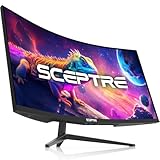
Overview: Sceptre’s C345B-QUT168 delivers gaming-centric specifications at a budget-friendly price point. The 34-inch curved ultrawide panel features WQHD resolution with an impressive 180Hz refresh rate and 1ms MPRT response time. This combination targets competitive gamers seeking immersion without the premium brand tax, while 100% sRGB coverage ensures decent color accuracy for content creation.
What Makes It Stand Out: The 180Hz refresh rate at under $230 is remarkable for an ultrawide, providing buttery-smooth gameplay. Luminous LED backcover lights add aesthetic flair, while PBP/PIP functionality enables true multitasking. Dual DisplayPort inputs offer flexible connectivity, and the aggressive 1500R curve enhances peripheral vision in games. The 1ms response time effectively eliminates ghosting in fast-paced titles.
Value for Money: At $229.97, this monitor significantly undercuts competitors with similar specs, often priced $350+. The high refresh rate, fast response time, and gaming features deliver outstanding performance-per-dollar. While build quality and speaker fidelity won’t match premium brands, the core gaming experience rivals monitors costing twice as much. It’s a calculated trade-off that budget-conscious gamers will appreciate.
Strengths and Weaknesses: Strengths: Exceptional 180Hz refresh rate; 1ms MPRT response time; 100% sRGB coverage; Dual DisplayPort; LED backlighting; Picture-by-Picture capability; unbeatable price.
Weaknesses: Sceptre’s limited brand recognition; built-in speakers are mediocre; stand lacks height adjustment; potential quality control inconsistencies; HDR performance is basic.
Bottom Line: A no-brainer for gamers prioritizing performance over premium branding. The Sceptre C345B-QUT168 delivers where it counts—high refresh rates, low latency, and immersive aspect ratio—making it the best value gaming ultrawide available.
8. SAMSUNG Viewfinity S65UA Series 34-Inch Ultrawide QHD Curved Monitor, 100Hz, USB-C, HDR10 (1 Billion Colors), Height Adjustable Stand, TUV-certified Intelligent Eye Care (LS34A654UBNXGO),Black

Overview: Samsung’s Viewfinity S65UA targets productivity professionals with a feature-rich ultrawide that prioritizes ergonomics and connectivity. The 34-inch 1000R curved display matches human field of view, while USB-C with 90W power delivery enables single-cable laptop connections. With HDR10 support and 1 billion colors, it handles color-critical work, though the 100Hz refresh rate suggests a focus on office use rather than hardcore gaming.
What Makes It Stand Out: The USB-C port with 90W charging eliminates desktop clutter while powering compatible laptops. Samsung’s TUV-certified Eye Care technology automatically adjusts brightness and color temperature based on ambient conditions. The height-adjustable stand offers premium ergonomics rarely seen at this price point. The 1000R curvature is more aggressive than competitors, reducing eye strain during extended work sessions.
Value for Money: At $299.99, the S65UA justifies its premium through professional-grade features. Comparable Dell Ultrasharp monitors with USB-C power delivery cost $150+ more. The inclusion of an ergonomic stand, advanced eye care, and 90W charging creates compelling value for remote workers. While gamers might prefer higher refresh rates, professionals gain tangible productivity benefits that cheaper monitors lack.
Strengths and Weaknesses: Strengths: USB-C 90W power delivery; excellent ergonomic stand; TUV-certified eye protection; 1000R curvature reduces strain; 1 billion colors for accurate color work; premium build quality.
Weaknesses: 100Hz refresh rate limits gaming appeal; 5ms response time; no integrated smart features; higher cost than gaming-focused alternatives; HDR brightness is modest.
Bottom Line: Perfect for professionals seeking a health-conscious, clutter-free workspace. The S65UA’s USB-C charging and ergonomic design make it a productivity powerhouse worth the premium. Gamers should consider cheaper options, but knowledge workers will find their investment repaid in comfort and convenience.
9. LG 34SR60QC-W 34-inch QHD (3440x1440) Curved Smart Monitor with Streaming, UltraWide Screen, webOS, HDR10, 100Hz, Built-in Speaker, AirPlay2, Screen Share, Bluetooth, ThinQ App, White

Overview: LG’s 34SR60QC-W merges ultrawide productivity with smart TV capabilities in a sleek white design. This new model (not renewed) features the same webOS platform as its black counterpart, offering direct streaming from Netflix, Disney+, and 300+ LG Channels. The 99% sRGB coverage and HDR10 support improve color accuracy over the renewed version, making it suitable for light content creation alongside entertainment and multitasking.
What Makes It Stand Out: The crisp white finish distinguishes it from generic black monitors, appealing to modern aesthetic preferences. Amazon’s “Handpicked” badge signals reliable curation. Bluetooth connectivity enables wireless peripheral pairing, while the ThinQ app integration allows smartphone control. AirPlay2 and screen sharing provide seamless device connectivity, and the 1800R curve maintains cinematic immersion.
Value for Money: At $299.99, this new unit commands a $100 premium over the renewed black model. The warranty security, potential for better panel uniformity, and 99% sRGB color accuracy justify the difference for color-conscious users. However, the 100Hz refresh rate and 5ms response time remain limiting for serious gaming. You’re paying for new condition, better color, and aesthetic appeal rather than performance gains.
Strengths and Weaknesses: Strengths: New condition with full warranty; 99% sRGB color gamut; attractive white design; robust webOS streaming platform; AirPlay2 and Bluetooth connectivity; Amazon’s endorsement.
Weaknesses: Premium pricing over renewed alternative; modest 100Hz refresh rate; 5ms response time limits gaming; built-in speakers lack depth; smart features may go unused by pure PC users.
Bottom Line: Choose this over the renewed version if color accuracy and warranty peace of mind matter. The white design and 99% sRGB make it better for creators, while streaming features suit entertainment-focused users. Performance-oriented buyers should consider gaming-specific alternatives.
10. ZZA UltraWide 34 inch Curved Monitor 1500R PC Screen 180hz Refresh Rate WQHD 3440x1440 Computer Gaming Monitor VA PanelAMD FreeSync Premium | HDR10 | 99% sRGB | VESA

Overview: ZZA’s ultrawide monitor aggressively targets budget gamers with flagship specifications at an entry-level price. The 180Hz refresh rate, 1ms GTG response time, and AMD FreeSync Premium create a compelling gaming package for under $190. The 1500R curvature and 99% sRGB coverage suggest attention to both immersion and color accuracy, while HDR10 support checks another feature box for cost-conscious buyers.
What Makes It Stand Out: The $189.99 price point is unprecedented for a 34-inch 180Hz ultrawide, undercutting even value brands like Sceptre. The inclusion of FreeSync Premium ensures tear-free gaming across a wide refresh range. Customizable visual modes for FPS, RTS, and MOBA genres demonstrate gaming-focused design. VESA mount compatibility compensates for the likely basic stand, and the 1ms GTG response time minimizes motion blur effectively.
Value for Money: This monitor redefines budget gaming value, offering specs that typically cost $300+ at a 40% discount. The 180Hz refresh rate alone makes it a standout, while FreeSync Premium and 99% sRGB add genuine utility. However, ZZA’s unknown brand status raises questions about quality control, warranty support, and long-term reliability. The HDR10 implementation is likely software-emulated with limited brightness.
Strengths and Weaknesses: Strengths: Unbeatable 180Hz refresh rate at this price; 1ms GTG response time; AMD FreeSync Premium; 99% sRGB coverage; VESA mounting; aggressive gaming aesthetic.
Weaknesses: Unknown brand reputation; questionable quality control; basic stand functionality; potentially overstated HDR performance; limited customer support network; panel uniformity concerns.
Bottom Line: A high-risk, high-reward proposition for gamers on extreme budgets. If panel lottery odds favor you, this delivers exceptional performance-per-dollar. Risk-averse buyers should spend more on established brands, but adventurous gamers seeking maximum specs for minimum cost will find this hard to resist.
Why 34-Inch Curved Displays Dominate Modern Trading Desks
The migration from flat panels and multi-monitor arrays to single 34-inch curved displays represents more than a aesthetic trend—it’s a fundamental shift in how traders process visual information. The 21:9 aspect ratio provides approximately 33% more horizontal space than traditional 16:9 monitors, allowing you to monitor multiple charts, level 2 data, time and sales, and news feeds simultaneously without the cognitive load of turning your head between separate screens.
The curvature itself serves a critical psychological function. By maintaining a consistent focal distance across your entire field of view, curved displays reduce the parallax effect and minimize the mental gymnastics your brain performs when interpreting charts at varying distances. This becomes particularly crucial during volatile market opens when you’re tracking correlation between equities, futures, and options chains across different platforms.
Decoding Curvature: Understanding the 1800R, 1500R, and 1000R Specs
Monitor curvature ratings aren’t arbitrary numbers—they represent the radius in millimeters of the circle that would be formed if the screen extended into a complete curve. A 1800R monitor has a more subtle bend than a 1000R display, which wraps more aggressively around your seating position.
For day trading, the curvature sweet spot typically lands between 1500R and 1800R. These measurements provide enough wrap to reduce eye movement strain without distorting chart geometry to the point where trendlines appear artificially curved. The 1000R specification, while immersive for gaming, can actually hinder trading performance by creating slight geometric distortions at the screen edges, making precise horizontal support and resistance levels harder to identify accurately.
Viewing Distance Considerations
Your optimal curvature depends heavily on your desk depth and seating position. If you sit 24-30 inches from your screen—a typical distance for trading setups—1800R provides a natural viewing experience. Closer arrangements (18-22 inches) benefit from 1500R’s more aggressive curve, while deeper desks (32+ inches) might make even 1800R feel too subtle, reducing the ergonomic benefits that justify the premium over flat ultrawides.
Resolution Wars: 3440x1440 vs 2560x1080 for Trading Clarity
The resolution debate for trading monitors diverges significantly from gaming or content creation priorities. While gamers chase frame rates and creators demand pixel density, traders need a balance between screen real estate and interface scalability.
3440x1440 (UWQHD) delivers 4.9 million pixels across your workspace, allowing you to display multiple 1080p-equivalent windows side by side with crisp text rendering. This resolution shines when you’re running four to six charts simultaneously, each with detailed indicators and multiple timeframe analyses. The increased pixel density ensures that small candlestick wicks and volume profile bars remain sharply defined, critical for reading microstructure.
2560x1080 (UWHD) provides a more budget-friendly entry point with 2.7 million pixels. While this might seem limiting, it offers practical advantages for traders who rely on larger interface elements. Many trading platforms don’t scale elegantly at higher DPI settings, causing tiny fonts and misaligned indicators. The lower resolution keeps everything readable at 100% scaling while still delivering substantial horizontal space.
DPI Scaling Realities
Windows’ DPI scaling remains inconsistent across trading applications. Thinkorswim, TradeStation, and Interactive Brokers’ TWS handle high-DPI displays differently, often requiring manual configuration file edits to achieve readable interfaces. Before committing to 3440x1440, verify that your primary platform supports native scaling or that you’re comfortable with smaller interface elements.
Refresh Rate Realities: Why 75Hz Isn’t the Same as 144Hz for Tick Data
Refresh rate determines how many times per second your monitor updates the image, measured in Hertz (Hz). While 60Hz has been the standard for decades, modern trading demands higher refresh rates for reasons beyond smooth mouse movement.
When you’re watching time and sales prints fly during a momentum break, a 144Hz display updates the tape 2.4 times more frequently than a 60Hz panel. This doesn’t just make scrolling smoother—it reduces the latency between market data hitting your machine and appearing on screen. While the difference is measured in milliseconds, these micro-delays compound during fast markets when you’re trying to read absorption at key levels.
Adaptive Sync Technologies for Trading
FreeSync and G-Sync, marketed primarily to gamers, provide tangible benefits for traders. These technologies synchronize your monitor’s refresh rate with your graphics card’s output, eliminating screen tearing that can distort charts during rapid scrolling. More importantly, they reduce input lag, ensuring that your mouse clicks register on screen with minimal delay—a critical factor when placing trades at precise price points.
Panel Technology Deep Dive: VA vs IPS for Trading Environments
The panel technology underlying your display fundamentally affects viewing angles, contrast ratios, and response times—each bearing direct implications for trading performance.
IPS (In-Plane Switching) panels deliver superior viewing angle stability, ensuring that colors and brightness remain consistent even when you glance at the screen’s far edges. This matters when you’ve got your order entry window parked in the corner while focusing on a central chart. IPS also provides faster pixel response times, reducing motion blur when scrolling through historical data or watching rapid tape prints.
VA (Vertical Alignment) panels offer dramatically better contrast ratios—often 3000:1 compared to IPS’s 1000:1. This translates to deeper blacks and more pronounced differentiation between candlestick bodies and wicks. For traders who rely on dark themes to reduce eye strain during pre-market sessions, VA’s superior contrast can make price action pop with greater clarity.
The TN Panel Exception
Some budget 34-inch curved monitors use TN (Twisted Nematic) panels to hit aggressive price points. Avoid these entirely for trading. TN’s poor viewing angles cause severe color shifting across the wide field of view, making it nearly impossible to maintain consistent chart interpretation from center to edge.
Color Accuracy and Gamma: Reading Candlesticks with Precision
Color reproduction isn’t just about aesthetics in trading—it’s about data integrity. A monitor that oversaturates greens might make bullish candles appear more dominant than they actually are, subtly influencing your psychological bias. Similarly, inaccurate gamma curves can compress shadow detail, hiding subtle volume profile structures in darker areas of your charts.
Look for monitors that cover at least 99% of the sRGB color space and offer factory calibration reports. Delta E values under 3 ensure that colors appear as your platform intends them. Some premium displays include hardware calibration support, allowing you to create color profiles specifically optimized for financial charting.
Gamma Settings for Chart Clarity
Most monitors default to a 2.2 gamma curve, optimized for general content consumption. For trading, consider adjusting to 2.0 or 1.8 gamma, which brightens mid-tones and reveals more detail in candlestick shadows and volume bars. This adjustment makes it easier to spot subtle absorption patterns that might signal institutional activity.
Connectivity: Building Your Trading Command Center
Your monitor’s input panel determines how seamlessly it integrates into your existing setup. While HDMI and DisplayPort might seem interchangeable, they carry different capabilities that impact trading performance.
DisplayPort 1.4 supports higher refresh rates at full resolution and enables daisy-chaining multiple monitors through a single cable from your GPU. This reduces cable clutter and simplifies GPU port allocation when running multiple displays. For traders using laptops, USB-C connectivity with DisplayPort Alt Mode provides single-cable video, data, and power delivery, streamlining mobile-to-desk transitions.
KVM Switch Integration
Many 34-inch curved monitors now include built-in KVM (Keyboard, Video, Mouse) switches. This feature allows you to control multiple computers—perhaps a primary trading rig and a backup system—with a single keyboard and mouse, switching between them without replugging cables. During system failures or when running separate execution and analysis machines, this capability proves invaluable.
Ergonomics: The Hidden Factor in Marathon Trading Sessions
The physical design of your monitor directly impacts your endurance during 6+ hour trading sessions. Height, tilt, and swivel adjustments aren’t mere conveniences—they’re tools for maintaining neutral neck and spine alignment.
A monitor that sits too low forces you to tilt your head forward, compressing cervical vertebrae and reducing blood flow to the brain. Over time, this posture degrades cognitive performance and reaction times. Look for stands offering at least 130mm of height adjustment and -5° to 20° tilt range.
VESA Mount Compatibility
Even if you plan to use the included stand initially, ensure the monitor supports 100x100mm VESA mounting. Your needs will evolve, and the ability to switch to a monitor arm for precise positioning or to create multi-tiered displays provides long-term flexibility. Monitor arms also free up valuable desk real estate for notebooks, phones, or trading journals.
Anti-Fatigue Technologies: Protecting Your Most Valuable Asset
Your eyes are your primary data collection tools. Blue light emission and screen flicker, often invisible to conscious perception, trigger cumulative fatigue that manifests as slower pattern recognition and impaired decision-making by market close.
Low Blue Light modes filter specific wavelengths (around 450nm) that disrupt circadian rhythms and cause retinal stress. However, aggressive filtering can distort color accuracy, making green and red candles appear muddy. The best implementations use hardware-level filtering that maintains color integrity while reducing harmful emission.
Flicker-Free Backlighting
PWM (Pulse Width Modulation) dimming, used in cheaper monitors, rapidly cycles the backlight on and off to control brightness. This flicker, imperceptible to most people, causes eye muscle fatigue and headaches during extended use. Look for monitors advertising DC dimming or “Flicker-Free” technology, which adjusts brightness through constant current rather than rapid cycling.
Single Ultrawide vs. Multi-Monitor: The Great Debate
The trading community remains divided between ultrawide advocates and multi-monitor purists. Each approach offers distinct psychological and technical advantages.
A single 34-inch curved monitor eliminates bezels that break your visual flow and force cognitive resets when moving your gaze between screens. This uninterrupted canvas allows your brain to process spatial relationships across charts more naturally, recognizing correlations between timeframes without mental interpolation.
Multi-monitor setups, typically dual 27-inch displays, offer superior window management flexibility. You can dedicate entire screens to specific functions—one for charts, one for execution platforms—without the need for complex window tiling. The physical separation also provides a psychological barrier, preventing you from overloading a single display with too much information.
The Hybrid Approach
Many professional traders adopt a hybrid strategy: a central 34-inch curved monitor for primary charts and analysis, flanked by smaller 24-inch vertical displays for time and sales, news feeds, and order management. This combines the immersion of curvature with the organizational clarity of dedicated screens.
Screen Real Estate Management: Organizing Your Trading Workspace
Owning a 34-inch curved monitor is only half the battle—organizing it effectively determines whether you gain a trading edge or drown in information overload.
Divide your display into logical zones based on visual attention hierarchy. Place your primary trading timeframe chart in the center sweet spot, where your eyes naturally rest. Position higher timeframe context charts to the left, following the natural reading direction, and keep execution tools and order entry on the right, where your mouse hand naturally resides.
Virtual Desktop Strategies
Windows’ PowerToys FancyZones or DisplayFusion allow you to create custom grid layouts that snap windows into predefined positions with keyboard shortcuts. Configure layouts for different market phases—pre-market analysis, active trading, and post-market review—switching between them instantly to match your workflow.
Budget vs. Performance: Finding Your Sweet Spot
The price spectrum for 34-inch curved monitors spans from $400 to over $1,500, with meaningful differences at each tier that directly impact trading performance.
Entry-level models ($400-$600) typically feature 2560x1080 resolution, VA panels, and 75Hz refresh rates. These provide the core benefits of ultrawide real estate but may lack the color accuracy and responsiveness for high-frequency scalping strategies.
Mid-range options ($600-$900) introduce 3440x1440 resolution, IPS panels, and 144Hz refresh rates. This tier represents the value sweet spot for most traders, delivering the clarity and responsiveness needed for active trading without premium features that offer diminishing returns.
High-end monitors ($900+) add hardware calibration, KVM switches, USB-C power delivery, and enhanced warranties. These features justify their cost for professional traders who depend on their setup for income and can’t afford downtime.
Total Cost of Ownership
Factor in the hidden costs: a monitor arm ($100-200), professional calibration ($50-150), and potential GPU upgrades to drive higher resolutions. A $700 monitor can quickly become a $1,000 investment when optimized for peak performance.
Warranty and Dead Pixel Policies: What Traders Must Know
Standard warranties often exclude the exact issues that most impact trading monitors. Understanding manufacturer policies before purchase prevents costly surprises.
Most brands consider up to 3-5 dead pixels “acceptable” under their standard warranty, refusing replacements for minor defects. For traders, a single stuck pixel in your central chart area becomes a constant distraction, potentially causing you to misread price levels.
Premium manufacturers offer “zero dead pixel” guarantees for the first year, replacing panels with any defects in high-impact zones. Some provide advanced replacement programs, shipping a new monitor before you return the defective unit—critical for traders who can’t afford downtime.
Burn-In Concerns
While less prevalent than OLED displays, some VA panels can experience temporary image retention when static chart elements remain on screen for hours. Look for monitors with pixel shift or screen refresh utilities that automatically mitigate this risk during breaks.
Calibration and Setup: Optimizing for Financial Data
Out-of-the-box monitor settings prioritize visual punch over accuracy, crushing shadow detail and oversaturating colors. Proper calibration transforms a good monitor into a precision trading tool.
Start by resetting the monitor to its default settings, then disable all “dynamic contrast” and “eco mode” features that automatically adjust brightness based on content. These algorithms interfere with consistent chart interpretation, making support and resistance levels appear to shift based on background brightness.
Use a hardware colorimeter like the X-Rite i1Display Pro to create a custom ICC profile for your trading environment. If hardware calibration isn’t feasible, manually adjust brightness to 120 cd/m² (candelas per square meter) and contrast to achieve distinguishable steps across a 10-shade grayscale test pattern.
Platform-Specific Optimization
Different charting platforms render colors differently. Sierra Chart’s DirectX rendering produces different gamma curves than TradingView’s browser-based canvas. Create separate color profiles for each platform and switch between them using Windows’ Color Management settings or third-party utilities like DisplayCAL.
Common Pitfalls: Mistakes That Cost Traders Money
Even experienced traders make critical errors when selecting and configuring monitors. Avoiding these mistakes saves both capital and frustration.
Overspending on gaming features: HDR1000, 240Hz refresh rates, and 1ms response times offer minimal trading benefits while commanding substantial premiums. These specs optimize for moving images, not static charts.
Ignoring ambient lighting: A monitor bright enough for chart clarity in a sunlit room causes severe eye strain during pre-market sessions. Choose displays with wide brightness ranges (200-400 nits) and pair them with bias lighting—LED strips behind the monitor that reduce contrast between screen and surroundings.
Underestimating cable quality: A premium monitor connected via a bargain-bin cable won’t achieve its rated refresh rate or resolution. DisplayPort 1.4 and HDMI 2.0 cables have strict bandwidth requirements. Invest in certified cables from reputable manufacturers to ensure signal integrity.
The “Too Much Information” Trap
Resist the temptation to fill every pixel with data. A cluttered screen increases cognitive load and slows pattern recognition. Follow the “rule of three”: never monitor more than three primary timeframes simultaneously, and keep secondary indicators to a minimum. The goal is clarity, not comprehensiveness.
Frequently Asked Questions
What makes a 34-inch curved monitor better for day trading than a flat 32-inch 4K display?
The 21:9 aspect ratio provides more horizontal space for multiple charts without the vertical scaling issues that plague 4K displays. The curvature maintains consistent viewing distance across the wider field of view, reducing neck strain and parallax distortion that can misalign chart levels at the screen edges.
Is 144Hz refresh rate necessary, or is 75Hz sufficient for trading?
While 75Hz works for swing trading, active day traders benefit from 144Hz’s reduced input lag and smoother scrolling through time and sales data. The difference becomes apparent during volatile periods when tape prints accelerate. However, the GPU requirements for 144Hz at 3440x1440 are substantial—ensure your graphics card can drive it reliably.
How do I know if my trading platform supports ultrawide resolutions properly?
Most modern platforms handle 21:9 aspect ratios natively, but some older applications enforce 16:9 constraints, leaving black bars on the sides. Contact your platform’s support team or test with a trial version before committing. Web-based platforms like TradingView adapt seamlessly, while legacy desktop software may require workarounds.
Can I use a 34-inch curved monitor for both trading and gaming?
Absolutely. The specifications that benefit trading—fast response times, accurate colors, and high refresh rates—also enhance gaming performance. However, prioritize features based on your primary use case. A monitor optimized for gaming might overemphasize contrast at the expense of color accuracy, while a professional trading display might limit refresh rate to maintain color precision.
What’s the ideal viewing distance for a 34-inch curved monitor?
Position yourself 24-30 inches from the screen, measured to your eyes. At this distance, the 1500R-1800R curvature fills your peripheral vision naturally without requiring excessive head movement. Use the monitor’s height adjustment to position the top bezel at or slightly below eye level, maintaining a neutral neck posture.
Do I need a special graphics card to run a 3440x1440 monitor?
Any modern GPU from the last five years can drive a 3440x1440 display for 2D charting applications. However, achieving 144Hz refresh rates requires more robust hardware. For basic trading, integrated graphics suffice. For multi-monitor setups with several high-resolution displays, invest in a mid-range dedicated GPU with at least 4GB of VRAM.
How do I prevent screen burn-in from static chart elements?
Enable screensavers that activate after 10 minutes of inactivity, and use platform features that automatically hide or dim inactive windows. Some monitors include pixel shift utilities that micro-adjust the image periodically. Most importantly, take regular breaks—the 20-20-20 rule (every 20 minutes, look at something 20 feet away for 20 seconds) protects both your eyes and your display.
Is a VA or IPS panel better for dark-themed trading setups?
VA panels excel with dark themes due to their superior contrast ratios, producing true blacks instead of the grayish tones common to IPS displays. However, IPS offers better viewing angle stability, ensuring consistent colors when glancing at charts positioned at the screen edges. If you trade primarily from a central position, VA wins for dark themes. If you frequently scan across the full width, IPS provides better uniformity.
What cable should I use to connect my monitor?
Use DisplayPort 1.4 for 3440x1440 at 144Hz. HDMI 2.0 can also handle this resolution and refresh rate but lacks DisplayPort’s daisy-chaining capability. Avoid HDMI 1.4, which limits you to 3440x1440 at 50Hz or 2560x1080 at 75Hz. Always use cables certified for the specification—cheap cables often fail to deliver rated bandwidth, causing intermittent black screens or reduced refresh rates.
How long should a quality 34-inch curved monitor last?
Expect 5-7 years of reliable service from a premium monitor used 8-10 hours daily. Backlight brightness gradually degrades—most panels maintain 80% of original brightness after 30,000 hours. Professional traders often replace monitors every 3-4 years not due to failure, but to take advantage of technological improvements that provide competitive edges. Budget monitors may develop issues like backlight bleed or color shift within 2-3 years of heavy use.