The stark, color-neutral canvas of a white minimalist desk isn’t just an aesthetic choice—it’s a strategic tool for photo editors who demand pixel-perfect precision. In a profession where subtle color shifts can make or break an image, your workspace becomes an extension of your calibrated monitor, influencing everything from eye strain to color perception during marathon editing sessions. The right white minimalist desk does more than hold your gear; it creates a controlled visual environment that eliminates distractions, manages light reflection, and supports the ergonomic demands of detailed retouching work.
But not all white desks are created equal, and the minimalist label alone doesn’t guarantee suitability for professional photo editing. The surface finish, material composition, dimensional proportions, and even the way it integrates with your lighting setup can dramatically impact your workflow efficiency and editing accuracy. This comprehensive guide dives deep into the critical factors that transform a simple white desk into a professional-grade photo editing workstation, helping you navigate the nuanced decisions that separate a merely attractive piece of furniture from a true productivity powerhouse.
Top 10 White Minimalist Desks for Photo Editing
Detailed Product Reviews
1. Tribesigns Modern White Desk, Large Minimalist Executive Office Computer Desk Writing Study Makeup Vanity Table Workstation with Arch Design Legs, 63 x 31.5 inch

Overview: This Tribesigns desk offers a generous 63-inch surface in a minimalist white finish with distinctive arch-shaped legs. At $199.99, it targets professionals and students seeking style without sacrificing workspace. The 62.99" x 31.5" dimensions accommodate dual monitors and accessories, while the 29.5" height provides comfortable legroom for extended use.
What Makes It Stand Out: The sculptural arch base creates an architectural focal point that elevates typical office furniture into decor. Unlike standard four-leg designs, this artistic foundation blends form and function. The scratch-resistant MDF construction handles daily wear, while its versatility transforms it from executive desk to gaming station or makeup vanity seamlessly.
Value for Money: Priced at $199.99, this desk competes strongly with minimalist designs lacking its signature arch feature. Comparable desks average $180-220, positioning this as fairly priced for its aesthetic value. The durable build and multi-functional nature eliminate need for additional furniture, maximizing your investment.
Strengths and Weaknesses:
- Pros: Eye-catching arch design; spacious surface; quality scratch-resistant MDF; versatile usage; straightforward assembly; ample legroom for standing/sitting
- Cons: Absence of storage drawers; MDF construction not solid wood; white surface shows dust; arch style may clash with traditional decor
Bottom Line: An excellent choice for design-focused users prioritizing workspace area and modern aesthetics over storage. The arch legs justify the price point, making it ideal for contemporary home offices where style matters as much as function.
2. Tribesigns White Desk with Drawers, 63-Inch Modern Executive Office Desk, Glossy Elegant Work Study Desk Writing Table for Home Office, Cream White

Overview: This premium Tribesigns desk combines a spacious 63-inch surface with integrated storage at $339.99. Featuring two concealed drawers and a glossy cream-white finish, it serves executives and professionals needing both workspace and organization. The thickened 4.72-inch MDF desktop and U-shaped legs provide robust support for demanding office environments.
What Makes It Stand Out: The seamless integration of two spacious drawers maintains the minimalist aesthetic while adding practicality rarely found in modern designs. The substantial U-shaped legs offer superior stability compared to standard designs, while the thickened desktop creates an executive feel. Smooth rounded edges enhance safety and contribute to its refined appearance.
Value for Money: At $339.99, this commands a premium over drawer-less alternatives. However, built-in storage typically adds $80-120 to desk prices, making the upcharge reasonable. The enhanced construction quality, safety features, and integrated organization justify the investment for professionals seeking a complete solution without purchasing separate storage units.
Strengths and Weaknesses:
- Pros: Integrated drawer storage; robust U-shaped leg design; thickened desktop for executive feel; safety-conscious rounded edges; versatile 63-inch surface; clean minimalist lines
- Cons: Higher price point; only two drawers may limit storage needs; glossy finish shows fingerprints; significant weight may challenge assembly
Bottom Line: Ideal for executives wanting built-in storage without sacrificing style. The premium build quality and drawer integration justify the price, making it perfect for professional home offices where organization and aesthetics are equally prioritized.
3. Tribesigns Modern Executive Office Desk, 63-Inch Large Computer Home Office Desk with Storage Shelves, Wood Study Writing Table, Workstation Business Furniture, White

Overview: This Tribesigns executive desk balances open storage with minimalist design at $204.59. The 63-inch workspace features four integrated shelves beneath the surface, providing accessible organization without drawer bulk. Constructed from E1-grade engineered wood with a scratch-resistant finish, it supports up to 200 pounds while maintaining a clean aesthetic.
What Makes It Stand Out: The curved shelving design adds visual softness while maximizing storage efficiency. Unlike traditional desks with drawers, the open shelf concept keeps items visible and reachable, improving workflow. The E1-grade engineered wood offers better environmental standards than typical MDF, while the 200-pound capacity handles multiple monitors and equipment confidently.
Value for Money: At $204.59, this desk delivers exceptional value. The combination of spacious surface, integrated storage, and E1-grade materials typically costs $250-300. The open shelving design reduces manufacturing costs while providing practical organization, passing savings to consumers without compromising quality.
Strengths and Weaknesses:
- Pros: Four integrated storage shelves; E1-grade environmentally conscious materials; high 200-pound weight capacity; scratch-resistant surface; unique curved design; engaging assembly process
- Cons: Open shelves accumulate dust; no concealed storage for private items; curved design may not suit all preferences; shelves reduce legroom slightly
Bottom Line: A smart choice for organization-minded users comfortable with open storage. The environmental materials and high weight capacity at this price point make it ideal for tech-heavy setups or eco-conscious professionals seeking functional style.
4. Tribesigns White Executive Desk 59" White and Gold Modern Desk with 4 File Drawers, Luxury Writing Table Elegant Computer Office Table, for Home Office Study Bedroom

Overview: This 59-inch Tribesigns desk merges luxury aesthetics with practical file storage at $208.99. The white and gold color scheme, featuring four file drawers and embossed fronts, creates an upscale workspace without the premium price tag. Engineered wood construction with gold-finished legs provides sturdy support while making a bold style statement.
What Makes It Stand Out: Four dedicated file drawers at this price point is exceptional, typically found on desks costing $300+. The gold leg finish adds contemporary luxury, while embossed drawer fronts provide artistic detail. Each drawer accommodates A4 or Letter files, offering professional-grade organization for home offices.
Value for Money: At $208.99, this represents outstanding value. Competitors with four file drawers easily exceed $300, making this 30-40% below market rate. The gold accent design adds perceived value without inflating cost, delivering luxury appearance and functional storage at a mid-range price.
Strengths and Weaknesses:
- Pros: Four file drawers for ample storage; striking white and gold aesthetic; embossed drawer fronts; professional file organization; sturdy engineered wood; easy maintenance
- Cons: 59-inch surface slightly smaller than 63-inch alternatives; gold finish may not match all decor; drawers may have alignment issues; limited legroom with full drawer bank
Bottom Line: An unbeatable value for users needing serious file storage on a budget. The gold accents and four drawers make it perfect for professionals wanting luxury aesthetics and organization without the typical luxury price tag.
5. FUNKOCO White Small Desk with Drawers - 40 Inch White Home Office Study Writing Desk for Bedroom, Vanity Desk with 4 Solid Legs, Modern Computer Desk for Small Spaces

Overview: The FUNKOCO 40-inch desk offers compact functionality at an ultra-affordable $88.88. Designed for small spaces, this minimalist workstation features two sliding drawers and solid wood legs, serving dual purposes as writing desk or vanity. Its 39.37" x 15.74" footprint fits bedrooms, dorms, or apartments where space is premium.
What Makes It Stand Out: Solid wood legs at this price point are remarkable, providing durability uncommon in budget furniture. The two integrated drawers offer concealed storage rarely found on sub-$100 desks. Its multi-functional design seamlessly transitions from study space to makeup vanity, maximizing utility in minimal square footage.
Value for Money: At $88.88, this dominates the budget category. Comparable small desks with drawers typically cost $120-150, making this 25-40% cheaper. The solid wood leg construction adds unexpected longevity, while the included customer support provides peace of mind exceeding expectations for the price tier.
Strengths and Weaknesses:
- Pros: Exceptional budget pricing; solid wood legs for stability; two storage drawers; space-saving 40-inch design; versatile usage; responsive customer support
- Cons: Limited 120-pound weight capacity; narrow 15.74-inch depth restricts monitor size; small surface area; basic materials beyond legs; no advanced features
Bottom Line: Perfect for students, apartment dwellers, or anyone prioritizing space and budget over surface area. The solid wood legs and drawers make it an exceptional value for small-space living where versatility and affordability are paramount.
6. Tribesigns Modern Simple Computer Desk, 47 inch Office Desk Computer Table, Study Writing Study Desk for Home Office, White
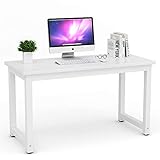
Overview: The Tribesigns Modern Simple Computer Desk offers a clean, minimalist aesthetic perfect for contemporary home offices. At 47.2 inches long and 23.6 inches wide, this white desk provides sufficient workspace for single-monitor setups, writing tasks, and general computer work without overwhelming smaller rooms. Its straightforward design prioritizes function over frills, making it an accessible choice for students and remote workers alike.
What Makes It Stand Out: This desk distinguishes itself with impressive stability features. The 0.98-inch thick laminated MDF top sits atop a heavy-duty powder-coated steel frame with 1.57-inch square legs. Adjustable leg pads ensure stability on uneven floors—a practical detail often missing in budget desks. The assembly process is remarkably straightforward, requiring only 15 minutes to attach four legs and two support bars with the included hex key.
Value for Money: At $126.99, this desk sits in the sweet spot between flimsy budget options and overpriced designer furniture. You’re investing in genuine stability (900 lbs capacity) and durability rather than paying for brand premiums. Comparable desks with similar weight capacity typically cost $150-$180, making this a smart mid-range choice that doesn’t compromise on essential features.
Strengths and Weaknesses: Strengths include exceptional stability, quick assembly, waterproof/scratch-resistant surface, and adjustable feet. The 42.9-inch leg room accommodates tall users comfortably. Weaknesses are the lack of built-in storage, MDF construction (though thick), and basic aesthetic that may not suit traditional decor. The surface, while durable, isn’t solid wood and may not support heavy monitor arms without reinforcement.
Bottom Line: This desk excels for users prioritizing stability and simplicity over storage. It’s ideal for students, remote workers, or minimalists needing a reliable workspace without breaking the bank. If you need drawers or plan to mount heavy equipment, look elsewhere.
7. SHW Mission 55-Inch Home Office Computer Desk, White

Overview: The SHW Mission 55-Inch Home Office Computer Desk delivers timeless mission-style design in a functional package. Its clean, structured silhouette blends seamlessly with various decor styles, making it a versatile choice for home offices, study areas, or remote work setups. The 55-inch width provides generous surface area for dual monitors and work materials without demanding excessive floor space.
What Makes It Stand Out: The five-year limited warranty immediately sets this desk apart from competitors offering 12-18 month coverage. This confidence in durability signals long-term value. The mission-inspired aesthetic offers more character than generic office furniture while maintaining professional restraint. The engineered wood top paired with powder-coated steel frame balances cost and stability effectively for everyday use.
Value for Money: At $99.97, this desk represents exceptional budget value. You’re getting a 55-inch surface, sturdy construction, and industry-leading warranty coverage for under $100. Similar styled desks from premium brands cost $200+, while comparable budget options typically lack the warranty and design cohesion. The minimal layout saves money while providing essential functionality most users need.
Strengths and Weaknesses: Strengths include the attractive mission design, generous 55-inch width, open legroom for ergonomic seating, and outstanding warranty. The streamlined design allows easy pairing with mobile storage units. Weaknesses include lack of built-in storage, basic engineered wood top susceptible to moisture damage, and assembly that may require two people for stability during construction. The surface scratches more easily than laminate alternatives.
Bottom Line: Perfect for budget-conscious buyers wanting style and reliability without storage needs. The warranty provides peace of mind for long-term use. Ideal for minimalists, students, or professionals who prefer separate storage solutions and value design integrity at an accessible price point.
8. MaverickFurni White and Gold Desk with 2 File Drawers, 57 Inch Office Computer Desk with 7 Drawers, White Desk with Storage, Wooden Executive Desk for Office, Workspace for Work Study Writing

Overview: The MaverickFurni White and Gold Desk transforms home offices with executive-level sophistication. At 57 inches wide with seven drawers, this desk combines workspace and storage in an elegant package. The white and gold color scheme elevates aesthetics beyond typical office furniture, making it suitable for professional environments or stylish home setups where appearance matters as much as function.
What Makes It Stand Out: Seven drawers with varied sizes, including two dedicated file drawers, provide exceptional organization rarely found in sub-$200 desks. The gold hardware against white finish creates a luxury appearance without premium pricing. This desk essentially functions as a compact executive workstation, offering filing capacity usually requiring separate furniture pieces, maximizing space efficiency.
Value for Money: At $179.99, this desk delivers remarkable storage value. Purchasing a similar-sized desk plus separate filing cabinet would easily exceed $250. The integrated design saves space while providing professional aesthetics. While assembly is challenging, the included labeled components and detailed instructions justify the effort for budget-conscious professionals wanting executive features without designer costs.
Strengths and Weaknesses: Strengths include abundant storage, elegant design, spacious 57-inch desktop, and file drawer functionality. The white/gold scheme suits modern and classic interiors. Weaknesses are the challenging assembly process, heavier weight (less mobile), and potential for gold finish to show wear over time. The all-in-one design may overwhelm very small spaces and limits configuration flexibility.
Bottom Line: Excellent choice for professionals needing integrated filing and storage without executive furniture prices. The aesthetic upgrade and organization features outweigh assembly challenges. Best suited for dedicated office spaces where style and function equally matter, and where the desk can serve as a permanent fixture.
9. Tribesigns Modern Executive Desk, 70.9" Large Office Computer Desk, Conference Table Meeting Room Table, Simple White Workstation Business Furniture for Home Office

Overview: The Tribesigns Modern Executive Desk commands attention with its impressive 70.9-inch length, offering executive-level presence for home offices or small conference rooms. This minimalist white workstation embraces modern design principles while providing expansive surface area for complex projects, multiple monitors, or collaborative work sessions where space is essential for productivity.
What Makes It Stand Out: The unique dual base design adds architectural interest while maintaining clean minimalism. This versatility allows use as a conference table, executive desk, or creative workstation. The premium MDF construction with adjustable foot pads ensures stability across various floor types. At nearly six feet long, it accommodates multiple users or extensive equipment setups simultaneously, adapting to diverse professional needs.
Value for Money: Priced at $209.99, this desk competes with commercial-grade furniture costing $400+. You’re paying for substantial surface area and elegant design rather than brand premiums. For professionals needing expansive workspace or small businesses requiring meeting table functionality, the dual-purpose value is compelling. Comparable conference tables start at $300+, making this a strategic investment for multi-use spaces.
Strengths and Weaknesses: Strengths include massive workspace, elegant dual-base design, durable MDF construction, adjustable stability, and versatile functionality. The minimalist aesthetic suits diverse interiors. Weaknesses include the premium price point, large footprint requiring substantial room space, lack of storage, and weight that makes repositioning difficult. The white finish shows scuffs more readily than darker options and demands more maintenance.
Bottom Line: Ideal for professionals prioritizing expansive workspace and modern aesthetics. Perfect for home offices doubling as meeting spaces or creatives needing spread-out capacity. Not recommended for compact rooms or those requiring built-in storage. The investment pays off for users who will utilize the full surface area regularly.
10. Lufeiya White Computer Desk with Drawers - 47 Inch PC Desk for Small Space Bedroom Home Office, Modern Simple Study Writing Table Desks with Storage Shelf, White

Overview: The Lufeiya White Computer Desk with Drawers maximizes functionality in compact spaces. At 47 inches wide, this desk targets small bedrooms, dorm rooms, or apartment offices where every square foot matters. The innovative inclusion of fabric drawers and side storage bag adds organization without permanent bulk, creating a flexible solution for tight quarters.
What Makes It Stand Out: Fabric drawers offer lightweight, removable storage uncommon in rigid desks. The reversible installation (left or right side) provides customization for room layouts. The side storage bag adds convenient access for frequently used items. Extra fixed steel brackets and adjustable leg pads deliver stability typically sacrificed in compact, budget-friendly designs, ensuring durability despite the price.
Value for Money: At $99.99, this desk packs remarkable features into an entry-level price. Comparable compact desks with any storage start at $120+, while fabric drawer systems offer flexibility metal runners can’t match. You’re getting storage innovation, stability features, and scratch-resistant P2 particle board construction for under $100—a rare combination that prioritizes adaptability over premium materials.
Strengths and Weaknesses: Strengths include space-saving design, versatile storage options, reversible configuration, sturdy construction with brackets, and protective floor pads. The fabric drawers are lightweight and washable. Weaknesses include fabric drawers being less durable than solid ones, P2 particle board being less premium than MDF, limited surface area for multi-monitor setups, and potential for fabric to sag over time with heavy items.
Bottom Line: Perfect for students, teens, or small-space dwellers needing flexible storage on a budget. The compact footprint and innovative storage solutions outweigh material limitations. Ideal for single-laptop workflows where adaptability matters more than expansive surface area, and where the desk may need to serve multiple functions in one room.
Why White Minimalist Desks Are the Gold Standard for Photo Editors
White surfaces provide a neutral visual anchor that prevents color contamination in your peripheral vision—a phenomenon known as chromatic adaptation. When your eyes constantly reference a neutral white surround, your brain maintains more consistent color interpretation across long editing sessions. Minimalist designs eliminate visual clutter that can cause cognitive fatigue, allowing you to focus intensely on subtle tonal gradients and shadow details. The combination creates an environment where your monitor becomes the sole source of intentional color, making it easier to spot when your edits drift into problematic territory.
The Science Behind Color-Neutral Editing Environments
Your visual cortex continuously adjusts to surrounding colors, which can sabotage editing decisions if your workspace introduces competing hues. A white desk surface reflects ambient light evenly across the visible spectrum, maintaining a color-neutral envelope around your monitor. This principle is why professional color grading suites use neutral gray walls—but for desk surfaces, white offers the same benefits while brightening your workspace and reducing eye strain. The key lies in choosing a white with minimal color cast (pure white rather than warm or cool-tinted variants) and a matte finish that diffuses rather than reflects light.
Critical Dimensions: Sizing Your Desk for Precision Work
Photo editing demands specific spatial requirements that go beyond standard office desk specs. Your desk must accommodate monitor viewing distance, graphics tablet placement, and reference material positioning without creating a cramped workflow triangle.
Width and Depth Requirements for Single vs. Dual Monitor Setups
For single-monitor configurations, a minimum depth of 28 inches ensures you can position a 27-inch display at the recommended 24-inch viewing distance while keeping the screen’s bottom bezel below eye level. Dual-monitor setups require at least 60 inches of width to place two 27-inch displays side-by-side with proper bezel alignment, plus space for a graphics tablet or laptop on either flank. Depth becomes even more critical here—30 inches minimum allows you to push monitors back sufficiently to reduce neck rotation and maintain a unified focal plane.
Height Adjustability and Its Impact on Color Perception
Fixed-height desks lock you into a single viewing angle that may not align with your monitor’s optimal color performance. Many professional displays exhibit subtle brightness and contrast shifts when viewed even slightly off-axis. A desk with electric height adjustment (range of 25-50 inches) lets you fine-tune your eye level to the monitor’s sweet spot while alternating between sitting and standing positions. This variability also combats the physical fatigue that compromises color judgment during extended sessions.
Surface Material Deep Dive: From Laminate to Solid Wood
The material beneath your white finish determines durability, thermal stability, and how the surface interacts with light—factors that directly affect your editing environment’s consistency.
Matte vs. Glossy Finishes: The Reflection Factor
Glossy white surfaces create specular reflections that introduce unwanted light sources in your peripheral vision, potentially skewing your perception of highlight detail. Matte finishes with a fine-textured surface diffuse ambient light, maintaining the white reference without creating mirror-like reflections. Look for finishes with a gloss level below 15 units (measured at a 60-degree angle) for optimal light management. Some premium desks offer nano-coated matte surfaces that resist fingerprints and oils—crucial for maintaining a pristine white reference.
Temperature and Humidity Resistance for Longevity
Photo editing equipment generates heat, and your desk surface must remain dimensionally stable. Medium-density fiberboard (MDF) cores with thermally fused laminate provide excellent resistance to warping and expansion compared to particle board. For high-humidity environments, consider desks with sealed edges and moisture-resistant cores. Solid wood desktops, while premium, require careful sealing to prevent yellowing and can expand or contract with seasonal changes, potentially throwing off perfectly aligned multi-monitor setups.
Ergonomic Excellence: Designing for 8-Hour Editing Sessions
A minimalist aesthetic shouldn’t sacrifice ergonomic support. The clean lines must conceal thoughtful design that protects your body during repetitive precision work.
The 90-Degree Rule: Posture and Desk Height
Your elbows should maintain a 90-degree angle when using a keyboard or graphics tablet, with wrists in neutral position. This requires precise desk height alignment with your chair’s seat height. For most users, this means a desk surface 28-30 inches high when seated—but this varies significantly by torso length. Height-adjustable desks solve this, but if you’re choosing fixed height, measure your seated elbow height and add 1-2 inches for clearance.
Keyboard Tray Integration vs. Desktop Placement
Keyboard trays preserve clean desktop aesthetics but can introduce flex and vibration that disrupts fine cursor control with graphics tablets. For photo editing, a rigid desktop surface with a low-profile keyboard positioned directly on the desk often provides better stability. If you prefer a tray, choose one with zero-flex construction and enough width to accommodate both keyboard and graphics tablet side-by-side, preventing constant repositioning.
Cable Management: The Invisible Backbone of Minimalism
Visible cables destroy the minimalist aesthetic and create visual noise that competes with your editing focus. Effective cable management is non-negotiable for a professional setup.
Built-in Solutions vs. Aftermarket Systems
Desks designed with integrated cable trays running the full width beneath the surface offer superior capacity and accessibility compared to stick-on solutions. Look for trays at least 4 inches deep with ventilation holes to prevent power bricks from overheating. Some premium designs include magnetic cable channels that align with monitor arms, creating invisible pathways from desk to display. Aftermarket systems can work but often require drilling or adhesive that compromises the desk’s finish.
Power Delivery and USB Hub Integration
Modern photo editing workflows demand multiple powered devices—calibrators, card readers, tablets, and backup drives. Desks with built-in power strips featuring 45W+ USB-C PD ports eliminate wall wart clutter while providing fast charging. The ideal placement is a recessed panel near the desk’s rear edge, keeping cables short and hidden but keeping ports accessible without crawling underneath.
Lighting Synergy: How Your Desk Complements Your Setup
Your desk doesn’t exist in isolation—it interacts with ambient, task, and bias lighting to create your total viewing environment.
Bias Lighting Integration Behind Monitors
The best white desks include mounting points or channels for bias light strips that attach to the desk’s rear edge, illuminating the wall behind your monitor. This creates a soft, diffuse glow that reduces eye strain and maintains consistent pupil dilation. Ideally, the desk should position your monitor 6-12 inches from the wall, allowing bias light to spread evenly. Some designs incorporate a slight rear overhang to hide LED strips completely.
Desk Positioning Relative to Natural Light Sources
North-facing windows provide the most consistent natural light for photo editing, but your desk must sit perpendicular to the window plane to avoid direct screen glare. White desk surfaces help by reflecting diffuse daylight evenly, but avoid positioning where direct sunlight hits the desk surface—this creates a secondary light source with a color temperature that changes throughout the day. If unavoidable, consider a desk with a slight texture that breaks up harsh reflections.
Smart Storage That Doesn’t Compromise Minimalism
Minimalism doesn’t mean zero storage—it means intentional, hidden storage that supports workflow without creating visual clutter.
Under-Desk vs. Adjacent Storage Solutions
Under-desk drawers maintain the clean sightlines essential for color judgment, but they must be shallow (6-8 inches deep) to prevent knee strikes. Look for soft-close mechanisms that eliminate vibration when closing—critical if you edit while a reference monitor sits on the desk. Adjacent storage (matching white credenzas) often works better for bulky items like printer paper and prop storage, keeping the desk surface purely for active editing tools.
Hidden Compartments for External Drives and Accessories
Photo editors accumulate small peripherals that clutter surfaces. Premium white minimalist desks incorporate hidden compartments beneath removable panels or within cable management troughs. These should be at least 12 inches wide to hold multiple bus-powered drives and include ventilation slots. Some designs feature magnetic panels that blend seamlessly with the desktop, accessible with a simple push-to-release mechanism.
Monitor Configuration Strategies for Maximum Efficiency
Your desk must physically support your monitor arrangement while allowing precise positioning for color accuracy.
VESA Mount Compatibility and Arm Integration
Built-in VESA mounting plates that recess into the desk surface provide the most rigid, vibration-free monitor support—crucial for maintaining alignment during tablet work. If using monitor arms, ensure the desk includes a 3-4 inch diameter cable grommet with a removable cover that allows arm mounting without drilling. The desk’s edge should be reinforced (minimum 1.5 inches thick) to prevent sagging under the torque of fully extended arms supporting 27-inch+ displays.
Desk Depth for Proper Viewing Distance
For 4K monitors where pixel density requires closer viewing, a 24-inch depth works. But for color-critical work on standard density displays, 30-32 inches allows you to position monitors at arm’s length (28-30 inches) while maintaining a comfortable reach to graphics tablets and keyboards. This distance also places monitors within the optimal viewing cone where color and brightness remain consistent across the screen.
The Acoustic Factor: Sound Reflection in Minimalist Spaces
Hard, flat white surfaces reflect sound, potentially creating an echoey environment that increases cognitive fatigue. Some premium desks incorporate acoustic dampening through micro-perforated surfaces or hidden sound-absorbing layers beneath the desktop. If your editing space is untreated, consider a desk with a slightly textured finish or position acoustic panels behind the desk to absorb reflections. The desk’s material density also matters—heavier MDF cores vibrate less and reflect sound more evenly than hollow-core alternatives.
Investment Tiers: From Entry-Level to Professional Grade
Understanding what features correlate with price helps you invest wisely without overpaying for aesthetics at the expense of function.
What $300-$500 Gets You in a Photo Editing Desk
In this range, expect MDF with thermally fused laminate, basic electric height adjustment (single motor), and integrated cable trays. Surface finishes will be durable but may show wear at contact points over 2-3 years. You’ll find adequate weight capacity (150-200 lbs) for dual monitors but may sacrifice advanced features like programmable height memory or premium cable management. These desks serve serious hobbyists well but may lack the thermal stability for 8+ hour daily professional use.
The $1000+ Premium: Is It Worth It for Photo Editors?
Above $1000, you gain dual-motor height systems with faster, quieter operation and anti-collision sensors that protect expensive monitors. Surfaces use high-pressure laminate with nano-coatings that resist staining and maintain pure white color over years. You’ll find integrated power with USB-C PD, reinforced edges for monitor arms, and acoustic dampening. For professionals billing $100+ hourly, the durability, ergonomic precision, and workflow efficiency improvements typically justify the investment within the first year.
Assembly and Installation: What Photo Editors Need to Know
Even the best desk performs poorly if assembled incorrectly. Many white minimalist desks use cam-lock fasteners that can loosen over time, introducing wobble that affects tablet precision. For photo editing, prioritize designs that use metal brackets with machine screws for critical joints. During assembly, use a torque wrench to avoid over-tightening and stripping threads. Allow 24-48 hours for the desk to acclimate to your room’s temperature and humidity before final assembly, especially with laminate surfaces that expand or contract slightly.
White Surface Maintenance: Keeping Your Desk Pristine
A yellowed or stained white desk defeats its purpose as a color reference. Maintenance is essential for preserving both aesthetics and function.
Stain Prevention Strategies for Photo Editors
Coffee rings and ink marks create localized color casts that interfere with visual neutrality. Apply a high-quality polymer sealant annually to create a hydrophobic barrier. Keep microfiber cloths within reach for immediate spill cleanup. For graphics tablet users, place a clear, matte screen protector cut to size on the desk surface where your tablet rests—this prevents wear patterns and skin oil buildup that yellows white surfaces over time.
Cleaning Products That Won’t Damage Your Finish
Avoid ammonia-based cleaners that can yellow white finishes and degrade laminate edges. Use pH-neutral cleaners designed for automotive interiors or specialized furniture cleaners with UV inhibitors. For stubborn marks, isopropyl alcohol (70%) on a microfiber cloth works safely on most laminates, but always test in an inconspicuous area first. Clean weekly with a dry microfiber cloth to prevent dust buildup, which can scratch the surface when you move equipment.
Pitfalls to Avoid: Lessons from Professional Photo Editors
The most common mistake is prioritizing aesthetics over monitor positioning flexibility. A beautiful floating desk design with a single center drawer may look stunning but prevents proper dual-monitor alignment. Another frequent error is choosing pure gloss white for its modern look—the reflections introduce uncontrollable light sources that sabotage color judgment. Finally, underestimating weight capacity leads to sagging surfaces that tilt monitors, creating uneven color across the screen. Always calculate total equipment weight (including monitor arms) and add a 50% safety margin.
Future-Proofing Your Workspace for Evolving Technology
Your next monitor might be 32 inches, or you may add a third display for timeline work. Choose a desk with modular expansion options—pre-drilled mounting points for accessories, expandable cable management, and weight capacity exceeding your current needs by at least 100 lbs. Consider emerging tech like integrated wireless charging pads for tablets and phones, and USB4 hubs that support the high data rates of future calibrators and capture devices. A truly future-proof desk accommodates these additions without aftermarket modifications that compromise its minimalist integrity.
Frequently Asked Questions
How does a white desk improve color accuracy compared to wood tones?
White reflects all wavelengths of light equally, preventing chromatic adaptation errors where your eyes compensate for surrounding colors. Wood tones introduce warm brown/orange references that can shift your perception of skin tones and shadow warmth, leading to over-correction in your edits.
What’s the ideal distance between my eyes and a 27-inch editing monitor on a white desk?
Position yourself 24-28 inches from a 27-inch 1440p display, or 20-24 inches for a 4K panel. Your white desk should be deep enough to allow this distance while keeping graphics tablets and keyboards within comfortable reach, typically requiring 28-30 inches of depth.
Can I use a white minimalist desk in a room with colored walls?
Yes, but position the desk away from strongly colored walls or use neutral gray panels behind your monitors. The white desk surface itself will help counteract some wall color influence by providing a local neutral reference within your immediate field of view.
How do I prevent my white desk from casting a color tint on my screen?
Use a matte finish desk with bias lighting behind your monitor. The diffuse illumination prevents your screen from picking up reflections of the white surface, while the matte texture eliminates specular highlights that could create color casts.
Are standing desks worth the investment for photo editing?
Height adjustability is valuable for health, but ensure the standing position maintains the same monitor-to-eye distance and angle. Cheap standing desks can introduce wobble that ruins tablet precision—invest in a dual-motor system with crossbar reinforcement if you plan to stand while editing.
What weight capacity do I need for a dual 27-inch monitor setup?
Calculate each monitor at 15-20 lbs, monitor arms at 10 lbs each, plus 50 lbs for computer, tablet, and accessories. Choose a desk rated for at least 200 lbs to maintain stability and prevent surface sag that tilts monitors.
How often should I clean my white desk to maintain its color reference properties?
Wipe down daily with a dry microfiber cloth to remove dust, and deep clean weekly with pH-neutral cleaner. Oil and dirt accumulation creates localized yellowing that subtly shifts your color perception over time.
Can I add a keyboard tray to a white minimalist desk without ruining the aesthetic?
Yes, but choose a recessed tray system that mounts inside the desk frame rather than beneath. This maintains the clean sightline while providing ergonomic benefits. Ensure it’s wide enough for tablet + keyboard placement and has a zero-flex metal construction.
What’s the best way to manage cables with a white desk in a minimalist room?
Use the desk’s integrated cable tray, then run a single cable bundle through a white raceway down to a power conditioner on the floor. Paint the raceway to match your wall color, making it disappear. Keep only essential cables visible at the desktop level.
How long should a quality white minimalist desk last for professional photo editing?
With proper care, a high-pressure laminate desk with quality hardware should maintain structural integrity and color neutrality for 7-10 years of daily professional use. Premium solid surface materials can last 15+ years but require more diligent maintenance to prevent yellowing.